
How to Scrape USPTO.gov | USPTO Patent & Trademark Web Scraper
Learn how to scrape USPTO.gov for patent and trademark data. Extract patent numbers, inventors, and filing dates for competitive legal intelligence.
Anti-Bot Protection Detected
- Cloudflare
- Enterprise-grade WAF and bot management. Uses JavaScript challenges, CAPTCHAs, and behavioral analysis. Requires browser automation with stealth settings.
- Rate Limiting
- Limits requests per IP/session over time. Can be bypassed with rotating proxies, request delays, and distributed scraping.
- IP Blocking
- Blocks known datacenter IPs and flagged addresses. Requires residential or mobile proxies to circumvent effectively.
- Session-based URLs
- Google reCAPTCHA
- Google's CAPTCHA system. v2 requires user interaction, v3 runs silently with risk scoring. Can be solved with CAPTCHA services.
About USPTO (United States Patent and Trademark Office)
Learn what USPTO (United States Patent and Trademark Office) offers and what valuable data can be extracted from it.
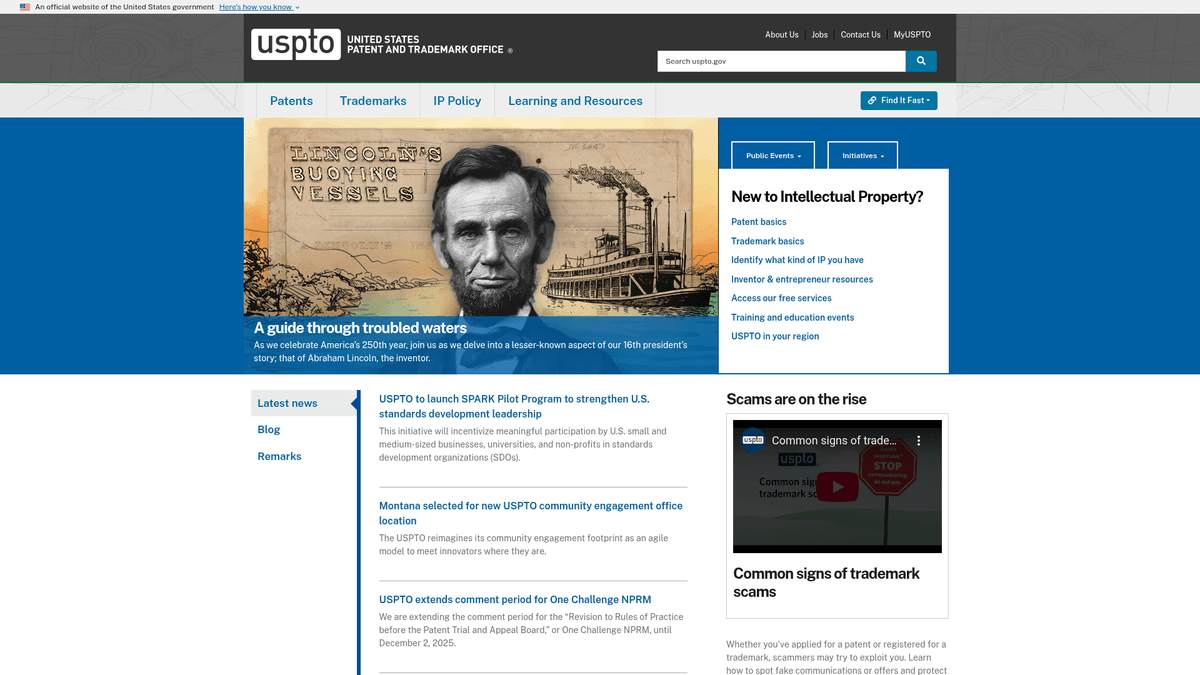
The United States Patent and Trademark Office (USPTO) is the federal agency responsible for granting U.S. patents and registering trademarks. It maintains a massive public database of intellectual property (IP) records that document innovation and brand ownership dating back to 1790. The website features complex search portals like TSDR (Trademark Status & Document Retrieval) and the Patent Public Search tool.
Data from the USPTO is the gold standard for intellectual property research. It includes granular details on inventions, technical claims, legal assignments, and brand identifiers. For businesses and legal professionals, this data is critical for verifying the validity of IP, performing due diligence during acquisitions, and identifying emerging technology trends before they hit the mainstream market.
Scraping the USPTO is highly valuable for legal tech companies, R&D departments, and market analysts. It allows for the automation of competitor monitoring, tracking the lifecycle of trademark applications, and building comprehensive datasets for patent landscape analysis.
Why Scrape USPTO (United States Patent and Trademark Office)?
Discover the business value and use cases for extracting data from USPTO (United States Patent and Trademark Office).
Competitive Landscape Analysis
Systematically track patent filings by competitors to identify their R&D focus and predict future product development cycles before they reach the market.
Trademark Infringement Monitoring
Automate the detection of new trademark applications that may conflict with your existing brand identity to ensure timely legal opposition.
Lead Generation for Legal Services
Identify companies recently filing 'pro se' (without an attorney) to offer specialized intellectual property legal representation or consulting services.
Patent Valuation and Due Diligence
Extract full histories of patent assignments and maintenance fee payments to assess the current legal strength and market value of IP portfolios.
R&D Trend Identification
Analyze technical classifications (CPC/IPC) at scale to discover emerging technology sectors that are experiencing rapid growth in patent volume.
Market Entry Strategy
Gather data on existing patents in a specific niche to perform Freedom to Operate (FTO) analysis, ensuring your expansion does not violate existing protections.
Scraping Challenges
Technical challenges you may encounter when scraping USPTO (United States Patent and Trademark Office).
Volatile Session Identifiers
The USPTO's search systems like TSDR and TESS use session-specific tokens that expire quickly, causing scrapers to fail if they don't maintain a consistent browser state.
Dynamic UI and SPAs
Modern portals like the Patent Public Search (PPUBS) rely heavily on WebSockets and JavaScript, meaning traditional HTTP requests won't return any useful data.
Aggressive WAF and Rate Limiting
The site employs strict WAF protections and rate limits that can result in immediate IP bans if search queries are submitted too rapidly or from automated data centers.
Inconsistent Data Formats
Data often resides within deeply nested HTML tables or unstructured text blocks, requiring complex parsing logic to extract clean, structured datasets.
Legacy System Maintenance Windows
Databases for trademarks and patents are frequently taken offline for scheduled maintenance on weekends, which can break automated scraping schedules.
Scrape USPTO (United States Patent and Trademark Office) with AI
No coding required. Extract data in minutes with AI-powered automation.
How It Works
Describe What You Need
Tell the AI what data you want to extract from USPTO (United States Patent and Trademark Office). Just type it in plain language — no coding or selectors needed.
AI Extracts the Data
Our artificial intelligence navigates USPTO (United States Patent and Trademark Office), handles dynamic content, and extracts exactly what you asked for.
Get Your Data
Receive clean, structured data ready to export as CSV, JSON, or send directly to your apps and workflows.
Why Use AI for Scraping
AI makes it easy to scrape USPTO (United States Patent and Trademark Office) without writing any code. Our AI-powered platform uses artificial intelligence to understand what data you want — just describe it in plain language and the AI extracts it automatically.
How to scrape with AI:
- Describe What You Need: Tell the AI what data you want to extract from USPTO (United States Patent and Trademark Office). Just type it in plain language — no coding or selectors needed.
- AI Extracts the Data: Our artificial intelligence navigates USPTO (United States Patent and Trademark Office), handles dynamic content, and extracts exactly what you asked for.
- Get Your Data: Receive clean, structured data ready to export as CSV, JSON, or send directly to your apps and workflows.
Why use AI for scraping:
- Persistent Session Management: Automatio maintains the underlying browser session automatically, effectively bypassing the 'Session Expired' errors that plague traditional scraping scripts.
- Visual Data Extraction: The point-and-click interface allows you to select complex patent claims and trademark statuses visually without needing to navigate difficult DOM structures.
- Automated Job Scheduling: Configure your scraper to run specifically during business hours or immediately after weekly updates to ensure you are always working with current IP data.
- Seamless Image & Document Retrieval: Automatio can easily detect and download trademark logos and patent drawings as part of the scraping workflow, saving them directly to your storage.
- No-Code Logic for Gov Tables: Convert messy government data tables into structured CSV or JSON formats without writing a single line of regex or parsing logic.
No-Code Web Scrapers for USPTO (United States Patent and Trademark Office)
Point-and-click alternatives to AI-powered scraping
Several no-code tools like Browse.ai, Octoparse, Axiom, and ParseHub can help you scrape USPTO (United States Patent and Trademark Office). These tools use visual interfaces to select elements, but they come with trade-offs compared to AI-powered solutions.
Typical Workflow with No-Code Tools
Common Challenges
Learning curve
Understanding selectors and extraction logic takes time
Selectors break
Website changes can break your entire workflow
Dynamic content issues
JavaScript-heavy sites often require complex workarounds
CAPTCHA limitations
Most tools require manual intervention for CAPTCHAs
IP blocking
Aggressive scraping can get your IP banned
No-Code Web Scrapers for USPTO (United States Patent and Trademark Office)
Several no-code tools like Browse.ai, Octoparse, Axiom, and ParseHub can help you scrape USPTO (United States Patent and Trademark Office). These tools use visual interfaces to select elements, but they come with trade-offs compared to AI-powered solutions.
Typical Workflow with No-Code Tools
- Install browser extension or sign up for the platform
- Navigate to the target website and open the tool
- Point-and-click to select data elements you want to extract
- Configure CSS selectors for each data field
- Set up pagination rules to scrape multiple pages
- Handle CAPTCHAs (often requires manual solving)
- Configure scheduling for automated runs
- Export data to CSV, JSON, or connect via API
Common Challenges
- Learning curve: Understanding selectors and extraction logic takes time
- Selectors break: Website changes can break your entire workflow
- Dynamic content issues: JavaScript-heavy sites often require complex workarounds
- CAPTCHA limitations: Most tools require manual intervention for CAPTCHAs
- IP blocking: Aggressive scraping can get your IP banned
Code Examples
import requests
from bs4 import BeautifulSoup

# Note: Bulk data is easier for high volumes
url = 'https://bulkdata.uspto.gov/'
headers = {'User-Agent': 'Mozilla/5.0'}

try:
    response = requests.get(url, headers=headers)
    response.raise_for_status()
    soup = BeautifulSoup(response.text, 'html.parser')
    # Finding links to weekly patent zip files
    links = [a['href'] for a in soup.find_all('a', href=True) if '.zip' in a['href']]
    print(f'Found {len(links)} datasets available for download')
except Exception as e:
    print(f'Error: {e}')
When to Use
Best for static HTML pages where content is loaded server-side. The fastest and simplest approach when JavaScript rendering isn't required.
Advantages
- ●Fastest execution (no browser overhead)
- ●Lowest resource consumption
- ●Easy to parallelize with asyncio
- ●Great for APIs and static pages
Limitations
- ●Cannot execute JavaScript
- ●Fails on SPAs and dynamic content
- ●May struggle with complex anti-bot systems
How to Scrape USPTO (United States Patent and Trademark Office) with Code
Python + Requests
import requests
from bs4 import BeautifulSoup
# Note: Bulk data is easier for high volumes
url = 'https://bulkdata.uspto.gov/'
headers = {'User-Agent': 'Mozilla/5.0'}
try:
response = requests.get(url, headers=headers)
response.raise_for_status()
soup = BeautifulSoup(response.text, 'html.parser')
# Finding links to weekly patent zip files
links = [a['href'] for a in soup.find_all('a', href=True) if '.zip' in a['href']]
print(f'Found {len(links)} datasets available for download')
except Exception as e:
print(f'Error: {e}')Python + Playwright
from playwright.sync_api import sync_playwright

def scrape_uspto_trademark():
    with sync_playwright() as p:
        # USPTO requires a real browser fingerprint to avoid Cloudflare triggers
        browser = p.chromium.launch(headless=True)
        page = browser.new_page()

        # Navigating to TSDR status page
        page.goto('https://tsdr.uspto.gov/')

        # Fill in a serial number (Example: 98021018)
        page.fill('#caseNumber', '98021018')
        page.click('#statusSearch')

        # Wait for the status section to render via JS
        page.wait_for_selector('.status-info')

        # Extract data from the page
        mark_name = page.inner_text('.mark-name')
        print(f'Trademark Name: {mark_name}')

        browser.close()

scrape_uspto_trademark()Python + Scrapy
import scrapy

class UsptoSpider(scrapy.Spider):
    name = 'uspto_spider'
    # Targeting the Patent Grant Red Book directory
    start_urls = ['https://bulkdata.uspto.gov/data/patent/grant/redbook/2024/']

    def parse(self, response):
        # Scrape all zip file links for the year 2024
        for file_link in response.css('a::attr(href)').getall():
            if file_link.endswith('.zip'):
                yield {
                    'file_url': response.urljoin(file_link),
                    'year': 2024
                }

# Logic for traversing directories can be added hereNode.js + Puppeteer
const puppeteer = require('puppeteer');

(async () => {
  const browser = await puppeteer.launch();
  const page = await browser.newPage();

  // Accessing the Patent Public Search landing page
  await page.goto('https://ppubs.uspto.gov/pubwebapp/static/pages/landing.html');

  // Wait for the 'Basic Search' button to appear
  await page.waitForSelector('#basic-search-button');
  await page.click('#basic-search-button');

  // Additional logic to input search queries and wait for dynamic tables
  await page.waitForSelector('.result-item');

  const results = await page.evaluate(() => {
    return Array.from(document.querySelectorAll('.patent-title')).map(el => el.innerText);
  });

  console.log('Scraped Titles:', results);
  await browser.close();
})();What You Can Do With USPTO (United States Patent and Trademark Office) Data
Explore practical applications and insights from USPTO (United States Patent and Trademark Office) data.
Competitive Brand Monitoring
Retailers and brand owners can monitor new trademark filings to protect against infringement and market entry.
How to implement:
- 1Scrape weekly trademark filings for specific keywords related to your brand.
- 2Compare new filings against existing brand trademarks and design marks.
- 3Alert legal teams when similar marks are filed in relevant IC classes.
Use Automatio to extract data from USPTO (United States Patent and Trademark Office) and build these applications without writing code.
What You Can Do With USPTO (United States Patent and Trademark Office) Data
- Competitive Brand Monitoring
Retailers and brand owners can monitor new trademark filings to protect against infringement and market entry.
- Scrape weekly trademark filings for specific keywords related to your brand.
- Compare new filings against existing brand trademarks and design marks.
- Alert legal teams when similar marks are filed in relevant IC classes.
- Innovation Trend Mapping
R&D labs can analyze patent grants to see which technologies are receiving heavy investment from global corporations.
- Scrape patent abstracts and categories over a rolling 5-year period.
- Use NLP to identify trending technical keywords and CPC classifications.
- Visualize the growth of specific tech sectors like AI, biotech, or green energy.
- Legal Tech Due Diligence
Law firms can automate the collection of an entity's entire IP portfolio for M&A activities and valuations.
- Input a list of company names or assignee IDs into the scraper.
- Extract all active patent and trademark records for those entities including expiration dates.
- Generate a report on the strength, diversity, and renewal deadlines of the assets.
- Lead Generation for IP Services
Attorneys can identify new filers who might need specialized trademark or patent prosecution services.
- Filter for new trademark applications without a listed attorney of record.
- Extract correspondent contact information and owner details.
- Perform targeted outreach for legal representation or renewal management services.
Supercharge your workflow with AI Automation
Automatio combines the power of AI agents, web automation, and smart integrations to help you accomplish more in less time.
What to get right first
Expert advice for successfully extracting data from USPTO (United States Patent and Trademark Office).
Leverage the Bulk Data System
For high-volume needs, use bulkdata.uspto.gov to download XML files rather than scraping the search GUI, as it is much faster and less restricted.
Utilize Residential Proxies
The USPTO search portals are highly sensitive to data center IPs; using residential proxies will help you mimic human behavior and avoid rate-limiting blocks.
Prefer XML over HTML Parsing
Whenever available, target the XML downloads or API endpoints because the HTML structure of the search results is prone to frequent updates and formatting changes.
Synchronize with Tuesday Updates
The USPTO typically releases new patent grants and trademark registrations every Tuesday; schedule your scrapers for Wednesday mornings to capture the latest data.
Mimic Real User Interaction
Include random delays between search queries and mouse movement simulations to stay under the radar of the site's anti-bot detection systems.
Extract Patent Claims Separately
Because claims sections are often very long and contain technical formatting, extract them into a separate text field to preserve the hierarchical structure.
Related Web Scraping
Frequently Asked Questions
Find answers to common questions about USPTO (United States Patent and Trademark Office)