

Build an Online Store with AI
Receive a storefront with collection grids, detail pages, and a slide-out cart. You own the real React code, published on a free subdomain. A database and custom domains are available on a paid plan.
Starting prompt
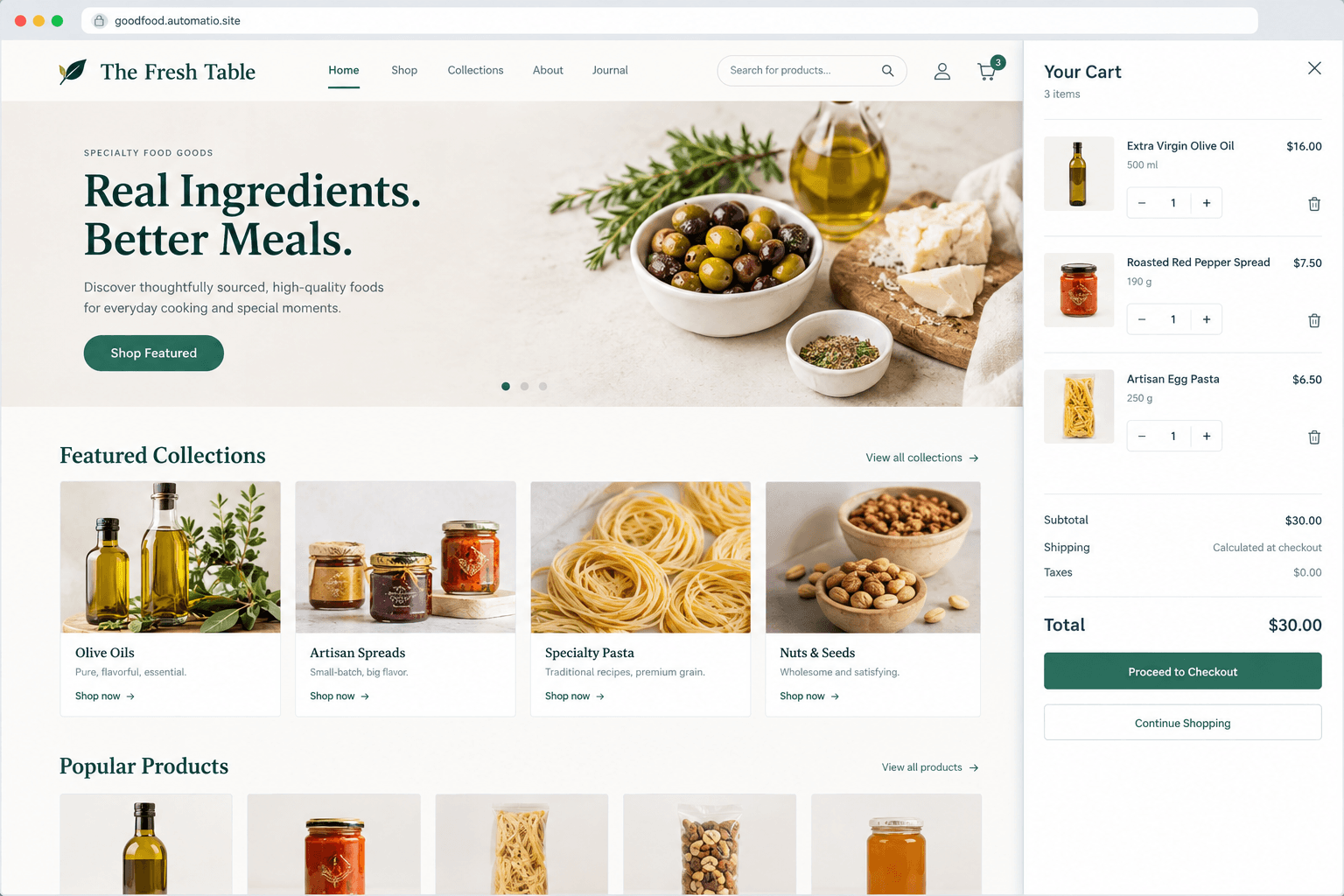
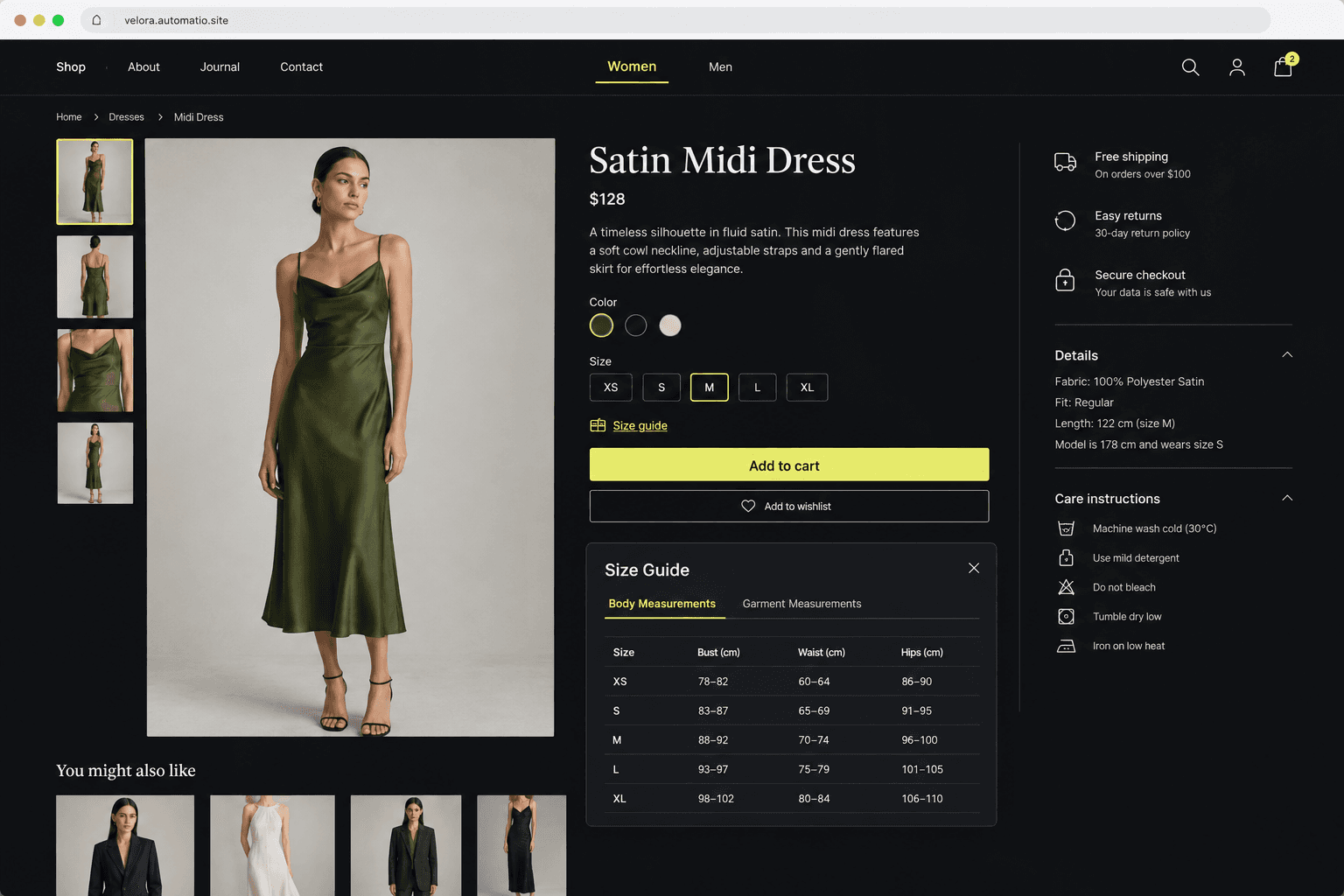
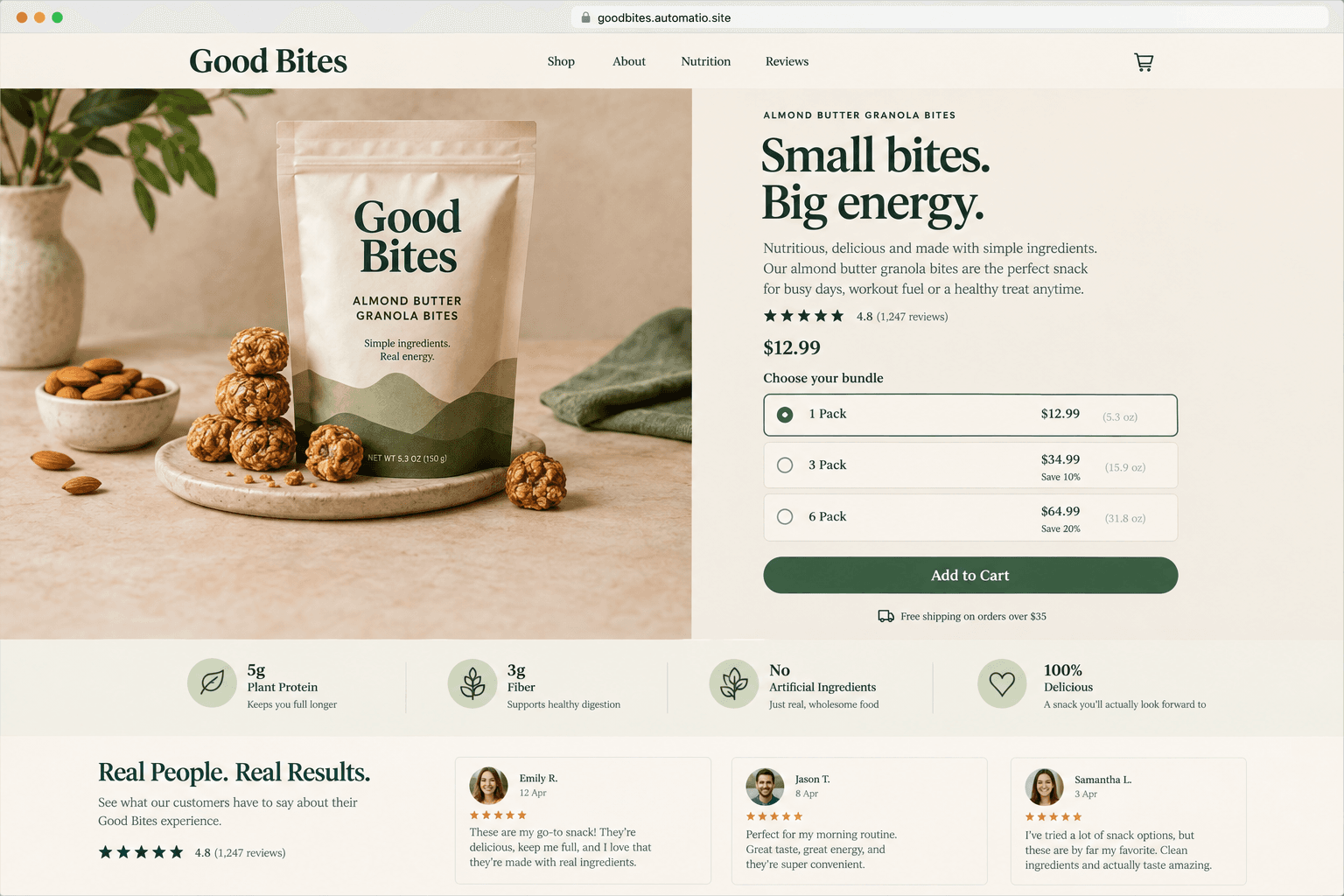
AI renders of what each prompt could build. Your result will be different.
What's inside
The parts that earn their place — and what each one is actually for.
Product showcase catalog
Present your goods with structured grid layouts and multi-angle image galleries. Shoppers can inspect texture, variant options, and key specifications without navigating through cluttered menus. A clean design keeps buyer focus squarely on the craftsmanship of your items.
- 1High-resolution product image gallery with smooth thumbnails
- 2Configurable size, color, and bundle variant selectors
- 3Clear pricing and stock status indicators
- 4Category and attribute filtering menus
What's inside
- Product showcase catalog
Present your goods with structured grid layouts and multi-angle image galleries. Shoppers can inspect texture, variant options, and key specifications without navigating through cluttered menus. A clean design keeps buyer focus squarely on the craftsmanship of your items.
- High-resolution product image gallery with smooth thumbnails
- Configurable size, color, and bundle variant selectors
- Clear pricing and stock status indicators
- Category and attribute filtering menus
- Interactive slide cart
Give shoppers a fast way to review selections without losing their place on the page. The cart drawer updates totals and item quantities locally in the browser. It prepares buyers for checkout without intrusive full-page reloads.
- Drawer interface that opens smoothly from any page
- Live quantity adjustment and subtotal calculations
- Direct checkout buttons linked to third-party payment providers
- Free shipping progress indicators
- Editorial brand pages
Tell your brand story and build buyer confidence through dedicated narrative sections. Customers at higher price points demand clear information about sourcing, ethical manufacturing, and company origins. These editorial layouts combine rich typography with photography.
- About page highlighting maker background and sourcing ethics
- Dedicated shipping and return policy layouts
- Frequently asked questions accordion component
- Customer service and contact form interface
- Database storage on a paid plan
On a paid plan, persist customer order histories, inventory numbers, and customer inquiries directly in an integrated database. Storing transaction records on a paid plan lets you look back at customer activity. Your application handles user state without relying on third-party tracking scripts.
- Persistent customer profile and order storage on a paid plan
- Stock counts saved in your database on a paid plan
- Customer inquiry submissions saved in your database on a paid plan
- Order and inquiry records stored in your database on a paid plan
From idea to live site
Four steps, one chat. No setup, no boilerplate, no handoff.
Describe your catalog
Tell the composer about your merchandise, color scheme, product variants, and the key pages your brand requires. You can reference specific styles like editorial boutiques or specialty shops.
Review the interactive preview
Browse the generated shop in your browser. Test product filters, examine product modal windows, and confirm that your cart calculations work as intended before adding content.
Refine through chat
Request design adjustments directly. Ask the agent to tweak typography, add customer review cards, or configure links to your preferred payment gateways.
Publish your storefront
Launch your store live to the web on an automatio.site subdomain with automatic HTTPS. Connecting a personal custom domain or a database is available on a paid plan.
Template, agency, or AI?
The three honest ways to get it built, including where the others win.
| Aspect | Template builder | Agency or freelancer | Automatio |
|---|---|---|---|
| Checkout and tax | Shopify calculates sales tax, handles multi-currency, and manages merchant checkout natively. | The agency integrates and configures third-party payment processors according to project scope. | Links to checkout pages or payment buttons from your own payment provider account, like Stripe; custom logic is coded directly. |
| Code ownership | Your store runs on Shopify's Liquid theme engine and platform hosting. | You own the custom codebase once final project deliverables are signed off. | You own the generated React and TypeScript code completely and can export it at any point. |
| Ongoing cost shape | A recurring monthly subscription plus additional fees for third-party marketplace apps. | A substantial upfront project fee followed by hourly billing or a retainer for changes. | Build and host on a free subdomain; database features and custom domains are available on a paid plan. |
| Making design edits | Edits rely on theme settings, section pickers, or custom theme code adjustments. | Edits require submitting change requests to the developer and awaiting scheduling. | Describe layout, copy, or color modifications directly in the chat composer. |
Checkout and tax
Code ownership
Ongoing cost shape
Making design edits
Who this is for
Real situations, and what changes once it exists.
an artisan maker selling direct
Monthly platform fees and rigid templates eat into small production margins.
You get a custom storefront for your specific photography and product variations without continuous app charges.
- Upload high-resolution photography for new craft batches
- Adjust ingredient lists and packaging details in chat
- Configure direct payment links to your payment processor
an independent boutique owner
Standard theme templates look generic and struggle to show fine fabric details.
Your store receives bespoke editorial lookbooks and custom sizing charts that reflect your brand aesthetic.
- Organize seasonal collections into distinct lookbooks
- Add detailed fit notes and garment measurements to product pages
- Publish promotional announcements for seasonal drops
a solo entrepreneur testing demand
Configuring full commerce platforms takes days before validating if an audience wants the item.
You launch a streamlined sales page with functional carts and clear value propositions to test traffic.
- Deploy a dedicated landing page for a single flagship item
- Test bundle pricing options on the live preview
- Review customer lead data on a paid plan
What separates a good one from a bad one
The decisions that matter, and the mistakes that show up in bad examples.
A successful digital storefront serves one purpose: helping a buyer evaluate an item and complete a transaction without unnecessary distraction. When independent brands launch their first shop, they frequently stumble into the trap of installing dozens of competing plugins and bloated widgets. Popups and conflicting banners only erode trust. Discerning customers look for crisp photography, clear product specifications, transparent shipping timelines, and an unencumbered path to purchase.
Focus on specific product details
High-performing stores invest their visual weight into the product detail screen. The product page is where the actual decision happens. Buyers want to know garment dimensions, fabric weights, ingredient origins, and return terms before they click an order button. If you sell apparel, providing exact measurements and model heights prevents expensive customer returns. If you sell specialty consumables, highlighting allergens and storage instructions answers purchase objections immediately. Clean typography and generous whitespace give products space to speak for themselves.
Select a suitable checkout path
Every store owner must evaluate whether they need an all-in-one hosted commerce engine or a lightweight, owned storefront. Traditional platforms manage sales tax calculations and multi-warehouse shipping rules out of the box, but they charge ongoing monthly software subscriptions. A coded storefront gives you complete ownership over your design and code. For simple catalogs, routing transactions through hosted payment links like Stripe or PayPal provides security without code complexity. When inventory counts and persistent customer login profiles become necessary, connecting a database on a paid plan gives you direct control over your records.
Build trust with operational transparency
Trust signals determine whether a first-time visitor completes checkout. Prominently display your customer contact options, dispatch timelines, and refund windows. A clean FAQ section addressing common delivery questions prevents abandoned carts and reduces repetitive support inquiries. This clarity shows your business is professional and prepared to handle orders reliably.
Supercharge your workflow with AI Automation
Automatio combines the power of AI agents, web automation, and smart integrations to help you accomplish more in less time.
Get it right the first time
What to specify up front, and what can wait for version two.
Prepare photography first
Have clear product shots with consistent lighting ready, as visuals define the perceived quality of your catalog.
Establish variant rules early
Specify all size, shade, and bundle configurations in your initial prompt so the UI generates the correct selector inputs.
Pick your payment gateway
Set up your payment provider account in advance so you can paste functional checkout links directly into your action buttons.
Keep the navigation brief
Limit top navigation links to primary collections and essential policy pages to keep shoppers focused on browsing products.
Before you start
The questions people actually ask first.