
AI Wedding Website Builder
A personalized site with story timelines, event schedules, and registry links. It is real code you own, published with HTTPS on a free subdomain.
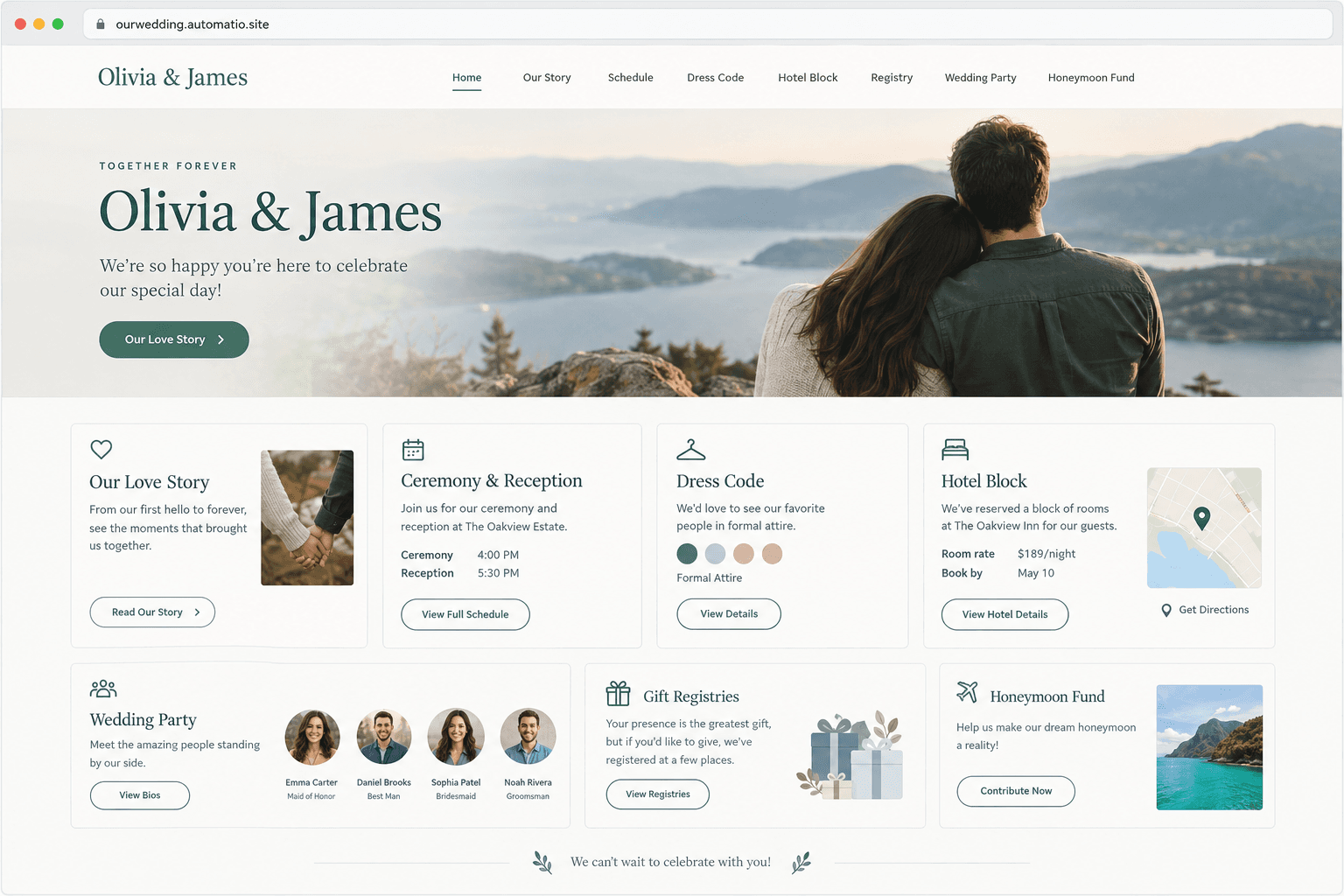
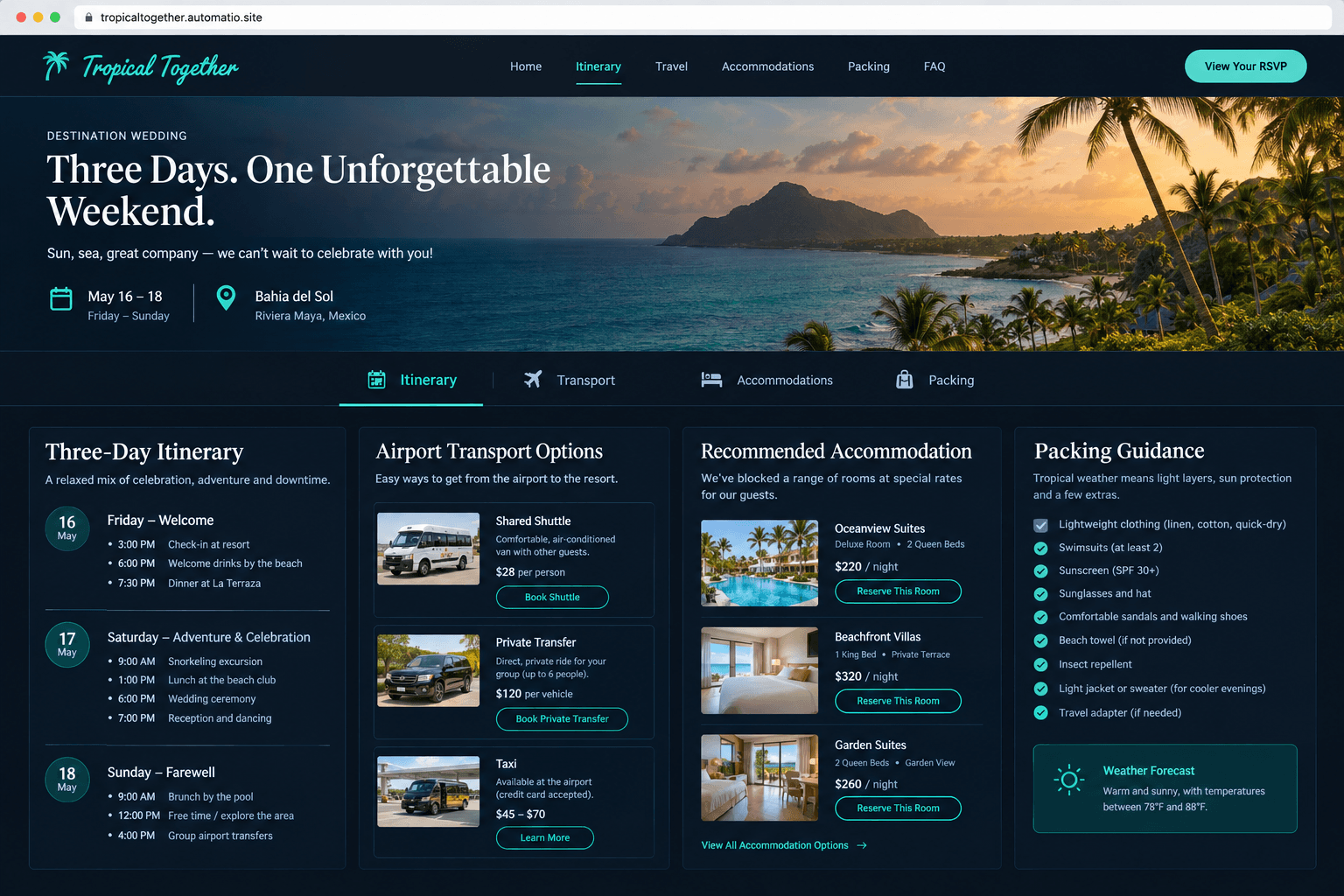
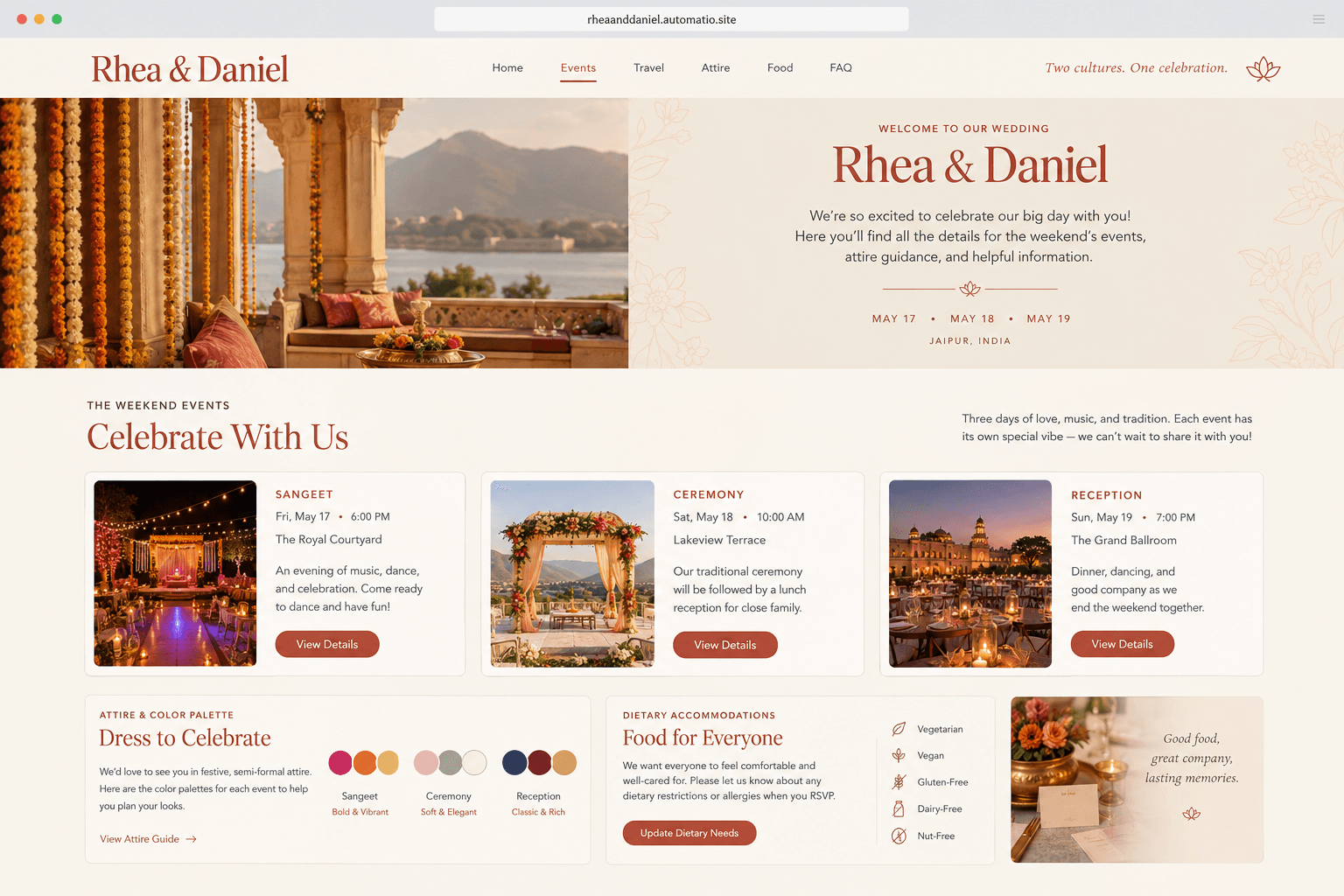
Starting prompt
AI renders of what each prompt could build. Your result will be different.
What's inside
The parts that earn their place — and what each one is actually for.
Weekend Event Schedule
Give your guests an accurate chronological run-of-show across your entire wedding celebration. Clearly outline arrival times, dress codes, shuttle departures, and venue transitions across multiple days. Having these specifics easily accessible helps reduce repetitive text messages during wedding week.
- 1Chronological day-by-day itinerary cards
- 2Dress code explanations and visual color palettes
- 3Direct venue maps and parking instructions
- 4Shuttle schedule and pickup location markers
What's inside
- Weekend Event Schedule
Give your guests an accurate chronological run-of-show across your entire wedding celebration. Clearly outline arrival times, dress codes, shuttle departures, and venue transitions across multiple days. Having these specifics easily accessible helps reduce repetitive text messages during wedding week.
- Chronological day-by-day itinerary cards
- Dress code explanations and visual color palettes
- Direct venue maps and parking instructions
- Shuttle schedule and pickup location markers
- Online Guest RSVP
Collect guest attendances and meal selections using a structured database on a paid plan. A custom form lets invited parties specify attendance for welcome drinks, the main reception, and send-off brunch separately. Collected responses are stored in your database on a paid plan.
- Multi-event response tracking on a paid plan
- Meal selection and dietary restriction fields
- Custom plus-one capture forms
- Guest tallies stored in your database on a paid plan
- Travel and Lodging Guides
Assist out-of-town guests with practical accommodations and flight recommendations. Highlight negotiated hotel room block codes, booking links, and driving distances from nearby airports. Curated neighborhood suggestions help guests turn the celebration into an enjoyable getaway.
- Hotel room block discount codes and booking links
- Closest airport and transit guidance
- Curated list of favorite local coffee shops and dining
- Interactive venue neighborhood travel map
- Registry Links
Organize your gift wish lists and honeymoon funds in a clean, uncluttered layout. Provide straightforward outgoing links to your department store registries and charitable contribution options. Keeping registry links direct prevents unwanted third-party advertising from distracting your guests.
- Direct outgoing links to major department stores
- Honeymoon travel fund link
- Links to charitable donation registries
- Clear guidance on physical gift drop-off policies
From idea to live site
Four steps, one chat. No setup, no boilerplate, no handoff.
Describe your celebration
Explain the tone, color scheme, schedule, and details of your wedding. Specify if you need travel advice, multi-event schedules, or custom directions.
Review the interactive preview
Inspect the rendered design directly inside your browser. Request edits to colors, typography, or content arrangements naturally through chat conversation.
Publish and share
Launch your wedding page to a free HTTPS subdomain to share with guests. You can attach your own custom domain on a paid plan.
Template, agency, or AI?
The three honest ways to get it built, including where the others win.
| Aspect | Template builder | Agency or freelancer | Automatio |
|---|---|---|---|
| Layout Freedom | Built from pre-made themes on Zola or The Knot | Completely bespoke design tailored by a freelance developer | Flexible layouts generated by chat modifications with full CSS control |
| Third-Party Ads | Varies by platform and plan | No third-party platform advertisements | Clean presentation with no third-party vendor advertisements |
| Code Ownership | Your site is built and hosted inside the platform | You receive full ownership of the production codebase | Full ownership of generated code that you can freely export |
| RSVP Management | Built-in proprietary guestbook and RSVP tracking included in account | Requires custom database development and setup | Form handling with database storage available on a paid plan |
| Cost Model | Free baseline, with add-ons for custom domains | Project fee for custom design and development work | Free plan includes code generation, hosting, and subdomain |
Layout Freedom
Third-Party Ads
Code Ownership
RSVP Management
Cost Model
Who this is for
Real situations, and what changes once it exists.
a couple tired of generic themes
Mainstream wedding builders force rigid layouts that look identical to every other wedding site.
You get a unique aesthetic crafted around your specific wedding stationery colors and event format.
- Match the site typography to paper invitations
- Add a personalized visual countdown to the ceremony
- Publish to a free subdomain for review
a bride planning a destination weekend
Standard platforms make organizing multiple venues, welcome parties, and transport details difficult.
Create dedicated guides for lodging blocks, transit schedules, and weekend activities without confusing guests.
- Draft a three-day weekend itinerary with distinct locations
- Add driving routes and airport shuttle instructions
- Collect dietary restrictions across multiple events on a paid plan
a wedding coordinator managing client sites
Clients repeatedly request custom sections that standard no-code wedding platforms cannot implement.
Deliver custom-coded wedding portals tailored to specific vendor schedules and client branding.
- Generate a tailored portal matching the couple's design deck
- Integrate external registry links without platform banners
- Connect a custom wedding domain on a paid plan
What separates a good one from a bad one
The decisions that matter, and the mistakes that show up in bad examples.
Designing for guest clarity
Wedding website platforms typically start from set templates. While convenient at first glance, couples frequently discover that simple modifications are strictly constrained. For example, adding a specialized itinerary for a welcome dinner or creating an attire color guide often requires fighting against the layout. Some builders also place vendor directories or promotional banners beside event details. This can dilute the elevated tone of your celebration.
An effective site functions as a practical command center for your guests. The most critical information must sit front and center. This includes accurate start times, direct venue coordinates, parking nuances, and clear hotel block codes. When travel details are buried beneath lengthy anecdotes, out-of-town attendees struggle to make timely arrangements. A thoughtful site presents a balanced hierarchy, pairing the romance of your story with organized, scannable schedules that ensure your guests feel informed and prepared.
Essential structural decisions
Before publishing, decide how guest communication will function across multiple activities. If your celebration spans several days, separate cards for welcome drinks, ceremonies, and brunches will prevent confusion regarding who is invited to which gathering. Ensure external registry links open in new tabs without clunky intermediate popups, and clearly state attire expectations so guests avoid second-guessing their wardrobe. Maintaining full control over your codebase lets you tweak wording or add last-minute weather updates whenever plans evolve. Tracking these guest responses and dietary requirements requires a database, which is available on a paid plan.
Supercharge your workflow with AI Automation
Automatio combines the power of AI agents, web automation, and smart integrations to help you accomplish more in less time.
Get it right the first time
What to specify up front, and what can wait for version two.
Define itineraries early
Outline exact times and separate venue addresses in your first prompt to avoid reorganizing schedule cards later.
Standardize hotel block info
Provide the exact group booking discount code and direct hotel telephone numbers so guests book without difficulty.
Detail attire expectations
Provide a simple description of the dress code alongside footwear advice for uneven terrain like lawns or cobblestones.
Keep registries direct
Use direct outbound URLs to your external registry providers rather than relying on clunky embedded iframes.
Before you start
The questions people actually ask first.