

AnythingLLM Self-Hosted: Deploy in One Click
AnythingLLM is a private document chatbot platform that transforms your local files into a searchable intelligence hub. Deploying here gives you a dedicated server, automated HTTPS, and zero maintenance.
AnythingLLM
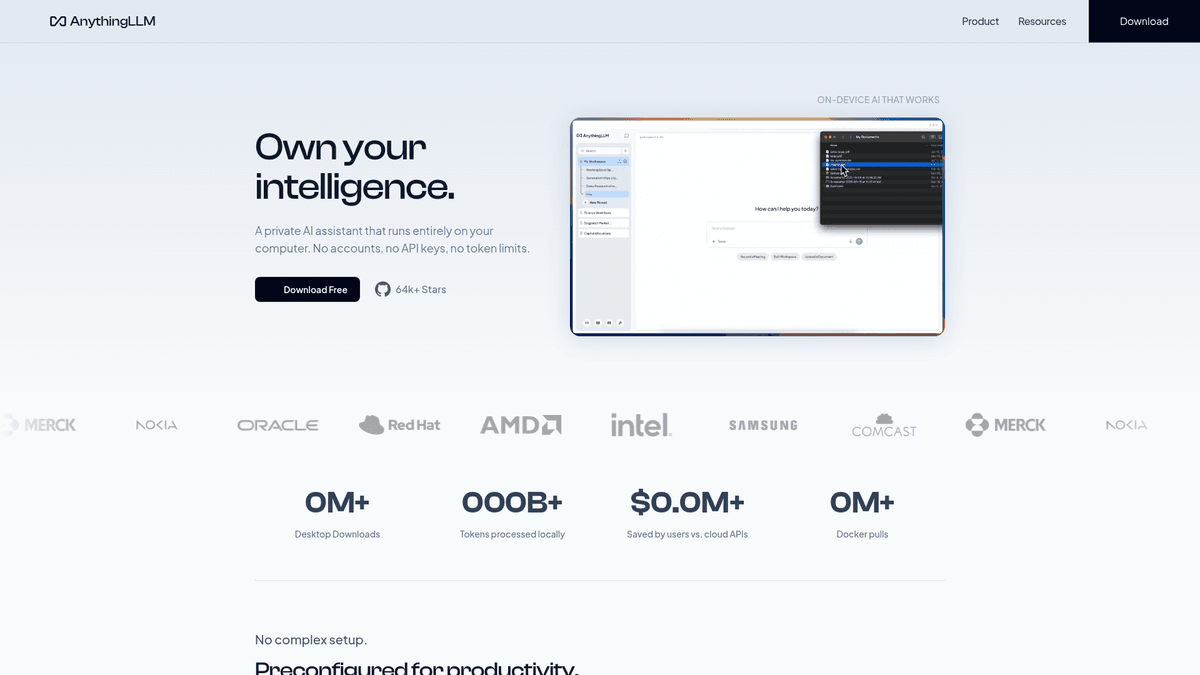
AI & LLM ToolsAnythingLLM is a private, self-hosted, and local document chatbot platform that allows you to chat with your documents using various LLM providers.
What you get when you deploy AnythingLLM
The server we rent for it, what it costs, and what the installer will ask you.
- Server
- CX23 · 2 vCPU · 4 GB RAM
- From
- $9/month
- Setup
- No configuration required
Included with every deployment
- Dedicated server, one app per machine
- HTTPS certificate issued automatically
- Free subdomain, custom domain optional
- Restart, resize, snapshot and restore
The project
Everything this page links to outside Automatio.
Deploy AnythingLLM in one click
On your own server, with your own data. No terminal, no Docker commands, no certificate setup.
- 1
Pick a size
Start on the smallest server that fits the app. Resize later without reinstalling.
- 2
Press deploy
We rent the server, install the app with Docker, and point a subdomain at it.
- 3
Watch it come up
Provisioning runs unattended and takes a few minutes. When the HTTPS certificate lands, the app is live and your login details are on the deployment page.
Server size
Billed monthly with your Automatio subscription. Destroy the server any time and the charge stops. Every server: 20 TB traffic/month included, then $2.50 per TB.
Key Capabilities
Explore what Automatio can do for this use case
Isolated workspaces
AnythingLLM organizes your projects into distinct containers with their own document sets and settings. This ensures that client data, internal wikis, and private side projects are strictly separated. You can manage access at the workspace level, making it ideal for teams handling multiple projects.
- 1Independent vector storage per project
- 2Per-workspace LLM configurations
- 3Role-based access control (RBAC)
- 4Custom system prompts per workspace
- 5Isolated chat history management
Key Capabilities
- Isolated workspaces
AnythingLLM organizes your projects into distinct containers with their own document sets and settings. This ensures that client data, internal wikis, and private side projects are strictly separated. You can manage access at the workspace level, making it ideal for teams handling multiple projects.
- Independent vector storage per project
- Per-workspace LLM configurations
- Role-based access control (RBAC)
- Custom system prompts per workspace
- Isolated chat history management
- Universal document support
The platform handles the complex parts of Retrieval Augmented Generation (RAG) like chunking, embedding, and indexing automatically. It supports a vast range of file types and external data sources to build your knowledge base. Citation management is built-in, so the AI always points to its source file.
- Handles PDF, TXT, DOCX, and PPTX
- GitHub repository synchronization
- Live website scraping and indexing
- Automatic smart text chunking
- Persistent document citations
- Multi-provider LLM support
You are never locked into a single AI model or vendor. AnythingLLM connects to local models via Ollama or LM Studio, and cloud providers like OpenAI or Anthropic. You can even switch model providers mid-conversation without needing to re-index your files.
- Native Ollama and LM Studio support
- Cloud API support for OpenAI and Claude
- Swappable embedding model providers
- Bundled LanceDB vector store
- Support for external Pinecone or Chroma databases
- Visual AI agents
Beyond simple chat, the built-in agent builder lets you wire up specialized agents to perform real tasks. These agents can browse the web, search news feeds, execute SQL queries, or interact with your file system. You can build these autonomous flows visually without writing complex code.
- No-code visual agent flow builder
- Full MCP server compatibility
- Built-in web search and scraping skills
- Direct SQL database interaction
- Custom developer tool integration
Why self-host AnythingLLM
What to know first
Managed, DIY, or One-Click?
The three realistic ways to run {name}, compared honestly.
| Aspect | Managed SaaS | DIY on a VPS | Automatio one-click |
|---|---|---|---|
| Setup time | Seconds | 30+ minutes | A few minutes |
| Data privacy | Shared cloud | Private | Private (Dedicated VPS) |
| Maintenance | Zero | High (Manual) | Zero (Automated updates) |
| HTTPS/SSL | Included | Manual setup | Automated Let's Encrypt |
| User limits | Per-seat pricing | Unlimited | Unlimited |
Setup time
Data privacy
Maintenance
HTTPS/SSL
User limits
Who this is for
People who actually run AnythingLLM on their own server, and what changes when they do.
A solo founder shipping nights and weekends
Needs to chat with a codebase and feature docs without paying for multiple SaaS seats.
Running it yourself allows for infinite workspace creation and GitHub repo indexing without recurring per-seat costs.
- Index an entire GitHub repo
- Draft documentation from source code
- Research competitors via web agents
A data-heavy research analyst
Working with massive sets of PDF reports and tired of per-event pricing on tools like ChatPDF.
Self-hosting removes document count limits, allowing for the analysis of thousands of pages for a flat infrastructure fee.
- Bulk upload 100+ research papers
- Extract specific metrics with citations
- Compare findings across multiple files
A small agency owner
Must prove to clients that their sensitive data stays in a private, isolated environment.
Providing a dedicated server instance for client data builds trust and simplifies security compliance.
- Create separate workspaces per client
- Invite client stakeholders to view logs
- Embed private chat widgets on dashboards
A homelab AI tinkerer
Wants a production-ready RAG stack to experiment with without building a custom UI and backend.
Running the Docker version gives you a full API and UI to test different model combinations side-by-side.
- Test different LLM providers side-by-side
- Connect custom MCP servers
- Build automated research flows
About This App
What this app does and where it fits.
An operating system for your data
AnythingLLM is the product of Mintplex Labs. It functions as a full stack solution for users who want Retrieval Augmented Generation (RAG) without the infrastructure headache. It is not just a user interface for a large language model. It is a workspace manager that handles the entire pipeline from file ingestion to vector storage and agent execution. Built by a dedicated team, the project has matured into a production ready platform that serves as a private alternative to cloud based tools. It provides a way to turn flat files into searchable, conversational intelligence while maintaining total control over the underlying infrastructure.
How it works at a high level
The software works by isolating projects into workspaces. Each workspace acts as a container for specific documents, a dedicated vector database, and its own system instructions. When you upload a file, such as a PDF, a DOCX, or even a link to a GitHub repository, the app handles the heavy lifting of chunking the text into digestible pieces and converting it into vectors. This allows the AI to read your documents and provide answers with direct citations to the source files. This process significantly reduces the risk of hallucinations because the model is forced to reference the specific text chunks you provided.
Your first hour with AnythingLLM
A first hour with the app usually involves connecting a model provider and creating your first workspace. You can then drag in a few documents or point the app toward a website URL. Within a few minutes, you can start asking questions about those specific sources. Unlike other tools that focus purely on chat, AnythingLLM includes a visual agent builder. This lets you create autonomous workflows, like an agent that monitors a specific data source and summarizes it for you daily. The interface is intuitive enough for non technical users, while the backend offers a full REST API for developers looking to integrate RAG into their own custom applications.
Where it fits in the ecosystem
AnythingLLM stands out for its flexibility. It doesn't care if you're using a local model running on your server or a massive cloud model from a provider like Anthropic. It treats these providers as interchangeable backends, allowing you to optimize for cost or performance on a per workspace basis. It effectively replaces a fragmented stack of vector databases, script runners, and custom UIs with a single cohesive operating layer for your private data. It is the bridge between having raw files and having an intelligent assistant that actually knows what is in them. By running it on your own VPS, you ensure that this intelligence hub remains private and accessible only to your authorized team members.
Community Feedback
See what the community thinks about AnythingLLM
“AnythingLLM is a private AI workspace that creates a private AI knowledge hub. 100% Open Source. All of them are free and worth bookmarking.”
“the answer is yes, completely free. on your own machine. no api bills. no data leaks and it takes 10 minutes.”
“I find AnythingLLM to be infinitely better than Open-WebUI for production reliability and best citations.”
“Still love it, but it's too resource intensive for my taste. Switched to Ollama after seeing the recent integration, but AnythingLLM handles doc ingestion better.”
“Top 30 GitHub Repositories Every AI Developer Should Bookmark... build an AI second brain.”
“What if you could self-host a production-ready LLM in under 10 minutes? Then build an AI second brain.”
Related Videos
Watch tutorials, reviews, and discussions about AnythingLLM
“AnythingLLM is a full-stack application that handles document ingestion and RAG.”
“You can create separate workspaces which act as isolated environments for your data.”
“The ability to switch between different LLM providers on the fly is a big plus.”
“It provides specific source citations so you can verify where the answer comes from.”
“The desktop version is great, but the Docker version is what you want for a server.”
“Self-hosting this on your own server means your documents never leave your control.”
“The multi-user feature allows you to invite teammates and manage their access.”
“You can use local embedding models to keep the processing entirely private.”
“The user interface is very accessible compared to other open source tools.”
“Updating is easy; just pull the new Docker image and restart your server.”
“AnythingLLM is a private document chatbot for your local files.”
“The ingestion engine supports PDFs, text files, and even full websites.”
“It is fully dockerized making it very simple to deploy on a VPS.”
“You can set up different API keys for different users to track usage.”
“The built-in vector database means you don't need a separate Pinecone account.”
Supercharge your workflow with AI Automation
Automatio combines the power of AI agents, web automation, and smart integrations to help you accomplish more in less time.
What to get right first
The decisions that are painful to change later in AnythingLLM.
Pick the right embedder
The default embedder runs on your server's CPU. For indexing thousands of pages, connect a cloud embedding provider like OpenAI to speed up the initial processing.
Use workspace isolation
Avoid putting all documents in one giant workspace. Accuracy is higher when searching through smaller, highly relevant document sets specific to a project.
Monitor your RAM
If indexing large collections of over 500 documents, check your resource usage. Moving from the base tier to a CX33 server usually resolves indexing performance bottlenecks.
Testimonials
What Our Users Say
Join thousands of satisfied users who have transformed their workflow
Jonathan Kogan
Co-Founder/CEO, rpatools.io
Automatio is one of the most used for RPA Tools both internally and externally. It saves us countless hours of work and we realized this could do the same for other startups and so we choose Automatio for most of our automation needs.
Mohammed Ibrahim
CEO, qannas.pro
I have used many tools over the past 5 years, Automatio is the Jack of All trades.. !! it could be your scraping bot in the morning and then it becomes your VA by the noon and in the evening it does your automations.. its amazing!
Ben Bressington
CTO, AiChatSolutions
Automatio is fantastic and simple to use to extract data from any website. This allowed me to replace a developer and do tasks myself as they only take a few minutes to setup and forget about it. Automatio is a game changer!
Sarah Chen
Head of Growth, ScaleUp Labs
We've tried dozens of automation tools, but Automatio stands out for its flexibility and ease of use. Our team productivity increased by 40% within the first month of adoption.
David Park
Founder, DataDriven.io
The AI-powered features in Automatio are incredible. It understands context and adapts to changes in websites automatically. No more broken scrapers!
Emily Rodriguez
Marketing Director, GrowthMetrics
Automatio transformed our lead generation process. What used to take our team days now happens automatically in minutes. The ROI is incredible.
Jonathan Kogan
Co-Founder/CEO, rpatools.io
Automatio is one of the most used for RPA Tools both internally and externally. It saves us countless hours of work and we realized this could do the same for other startups and so we choose Automatio for most of our automation needs.
Mohammed Ibrahim
CEO, qannas.pro
I have used many tools over the past 5 years, Automatio is the Jack of All trades.. !! it could be your scraping bot in the morning and then it becomes your VA by the noon and in the evening it does your automations.. its amazing!
Ben Bressington
CTO, AiChatSolutions
Automatio is fantastic and simple to use to extract data from any website. This allowed me to replace a developer and do tasks myself as they only take a few minutes to setup and forget about it. Automatio is a game changer!
Sarah Chen
Head of Growth, ScaleUp Labs
We've tried dozens of automation tools, but Automatio stands out for its flexibility and ease of use. Our team productivity increased by 40% within the first month of adoption.
David Park
Founder, DataDriven.io
The AI-powered features in Automatio are incredible. It understands context and adapts to changes in websites automatically. No more broken scrapers!
Emily Rodriguez
Marketing Director, GrowthMetrics
Automatio transformed our lead generation process. What used to take our team days now happens automatically in minutes. The ROI is incredible.
Related Self-Hosted Apps

Open WebUI
from $9/mo
Open WebUI is a free and open source chatgpt alternative. Open WebUI is an extensible, feature-rich, and user-friendly self-hosted WebUI designed to operate entirely offline. It supports various LLM runners, including Ollama and OpenAI-compatible APIs. The template include ollama and webui services.

Flowise
from $9/mo
Flowise is an open-source UI visual tool to build and run LLM-powered applications.
Frequently Asked Questions
Find answers to common questions about AnythingLLM