

Self-Host Discourse: One-Click Deploy on Your Own VPS
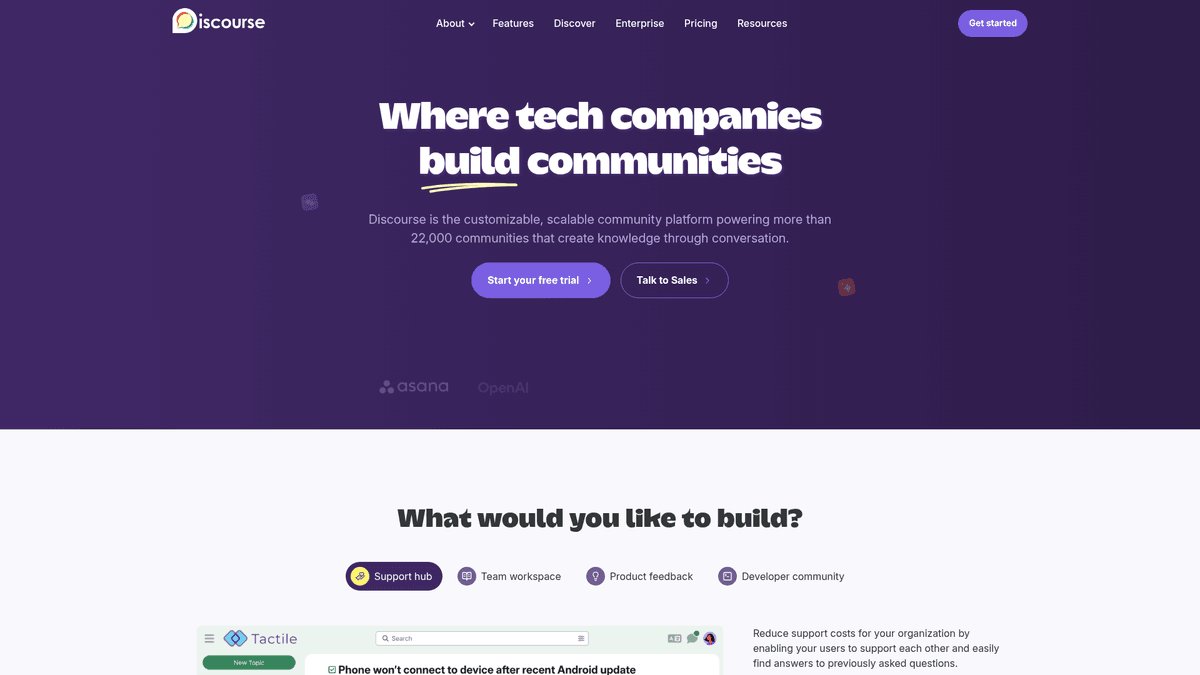
Discourse is the modern platform for community discussion and long-form conversation. Deploying it here gives you a private server, full data ownership, and automated HTTPS.
Discourse
CommunicationDiscourse is a modern forum software for your community. Use it as a mailing list, discussion forum, or long-form chat room.
What you get when you deploy Discourse
The server we rent for it, what it costs, and what the installer will ask you.
- Server
- CX23 · 2 vCPU · 4 GB RAM
- From
- $9/month
- Setup
- No configuration required
Included with every deployment
- Dedicated server, one app per machine
- HTTPS certificate issued automatically
- Free subdomain, custom domain optional
- Restart, resize, snapshot and restore
The project
Everything this page links to outside Automatio.
Deploy Discourse in one click
On your own server, with your own data. No terminal, no Docker commands, no certificate setup.
- 1
Pick a size
Start on the smallest server that fits the app. Resize later without reinstalling.
- 2
Press deploy
We rent the server, install the app with Docker, and point a subdomain at it.
- 3
Watch it come up
Provisioning runs unattended and takes a few minutes. When the HTTPS certificate lands, the app is live and your login details are on the deployment page.
Server size
Billed monthly with your Automatio subscription. Destroy the server any time and the charge stops. Every server: 20 TB traffic/month included, then $2.50 per TB.
Key Capabilities
Explore what Automatio can do for this use case
Trust Level System
The platform automatically promotes users based on their activity and reputation to help communities self-moderate. This grants permissions gradually as users prove they are helpful members.
- 1Five distinct trust levels from New to Leader
- 2Automated badge and title assignments
- 3Shadow banning and spam protection
- 4Community-led flagging and post hiding
Key Capabilities
- Trust Level System
The platform automatically promotes users based on their activity and reputation to help communities self-moderate. This grants permissions gradually as users prove they are helpful members.
- Five distinct trust levels from New to Leader
- Automated badge and title assignments
- Shadow banning and spam protection
- Community-led flagging and post hiding
- Dynamic Notifications
Users stay engaged with real-time updates for mentions, replies, and edits. The system intelligently summarizes unread content into emails when users are away from the site.
- Desktop and browser push notifications
- Real-time typing indicators in threads
- Intelligent email digest system
- Granular per-category alert settings
- Infinite Scrolling
Traditional pagination is replaced with a smooth interface that allows for fluid reading of long-form conversations. It eliminates the friction of clicking through numbered pages.
- Maintains position when returning to threads
- Dynamic progress bar for long topics
- Fast loading of historical archives
- Search-as-you-type functionality
- Extensive Plugin API
The architecture is designed for extensibility with a massive library of plugins. You can add calendars, chat rooms, voting systems, and integrations with external tools.
- Official plugins for Ads and SSO
- Support for custom Ruby on Rails extensions
- Full theme and component customization
- Webhook support for external automations
Why self-host Discourse
What to know first
Managed, DIY, or One-Click?
The three realistic ways to run {name}, compared honestly.
| Aspect | Managed SaaS | DIY on a VPS | Automatio one-click |
|---|---|---|---|
| Setup Time | Instant | 1-2 Hours | 15 Minutes |
| Maintenance | Zero | Manual updates | Automated |
| Custom Plugins | Restricted | Full Access | Full Access |
| Monthly Cost | High ($50+) | Lowest (VPS only) | Flat VPS Cost |
| Data Ownership | Shared | 100% Private | 100% Private |
Setup Time
Maintenance
Custom Plugins
Monthly Cost
Data Ownership
Who this is for
People who actually run Discourse on their own server, and what changes when they do.
a solo founder building in public
Frustrated by the high cost of official hosting for a small but active community.
They get a professional-grade forum for the price of a standard VPS.
- Setting up a feature request category
- Applying a custom brand theme
- Integrating with a personal blog
an open-source project lead
Technical support is currently scattered across unsearchable chat messages.
Centralizes project knowledge in a searchable, SEO-friendly archive they control.
- Configuring documentation wikis
- Assigning contributor badges
- Linking GitHub commits to threads
a niche hobbyist group manager
Social media groups are disorganized and lack deep archival search for technical hobbies.
Provides a structured space where complex knowledge is easy to find and categorize.
- Creating specialized sub-categories
- Enabling image uploads for projects
- Moderating technical discussions
a small non-profit team
Limited budget prevents them from using managed platforms that charge per user.
Hosts thousands of volunteers on a fixed hardware cost without license fees.
- Managing volunteer coordination threads
- Setting up private staff categories
- Archiving meeting minutes
About This App
What this app does and where it fits.
A Modern Approach to Community
Discourse was founded by Jeff Atwood and the team behind Stack Overflow with a mission to improve the state of civil discourse on the internet. Unlike traditional forum software that feels like a relic of the early web, this platform was built for the modern era. It utilizes a Ruby on Rails backend and an Ember.js frontend to provide a real-time experience that feels more like a modern application than a static message board.
How It Functions
At its core, the software treats every conversation as a living document. Features like infinite scroll, real-time notifications, and "reply as linked topic" encourage continuous engagement rather than disjointed threads. One of its most distinctive features is the Trust Level system. By automatically tracking user behavior, it can grant moderation powers to the community itself. This reduces the burden on site owners and ensures that the most helpful voices rise to the top.
The First Hour
When you first launch your instance, the setup wizard guides you through essential configuration: naming your community, uploading your logo, and inviting moderators. The Admin Dashboard provides data granularity rarely seen in community software. You can see precisely which topics are trending, how many users are reaching higher trust levels, and where your traffic is coming from. Within the first hour, you can have a fully branded, secure community ready for its first members.
Architectural Design
Discourse is distributed primarily via Docker to ensure consistent environments across different servers. While platforms like Discord are excellent for synchronous chat, they are where knowledge goes to die. This software is designed for persistence and searchability. Every post is indexed by search engines, turning your community into a growing knowledge base. Compared to alternatives like NodeBB or Flarum, it has the most mature ecosystem of plugins and the largest developer community.
Community Feedback
See what the community thinks about Discourse
“The trust level system is the secret sauce. It basically automates 80% of the moderation work that usually burns people out.”
“Setting it up DIY was a nightmare with the Docker scripts, but once it's running, it's the most solid piece of software I've ever used for a community.”
“The memory usage is no joke. Don't even try running this on a 1GB droplet, it will fail during the first update.”
“I use Discourse as a hub for announcements and support for my family services. It's much better than a group chat for history.”
“The mobile app experience is actually decent since it just wraps the responsive site, but the notifications are the real win.”
“The official hosting is great but the pricing jump between tiers is huge. Self-hosting is the only way for small projects to use it.”
Related Videos
Watch tutorials, reviews, and discussions about Discourse
“Discourse is essentially a collection of Docker containers that run together to provide a very modern forum experience.”
“”
“The official guide is the only one you should follow because Discourse is very specific about how its launcher script works.”
“”
“You must have an SMTP server configured before you even start the installation, or you won't be able to create an admin account.”
“”
“The trust level system is one of the coolest parts because it allows users to gain permissions as they interact more.”
“”
“Updating Discourse is handled through the admin dashboard, which pulls the latest code and rebuilds the container automatically.”
“”
“Discourse is definitely a resource-heavy application, so don't try to run this on a tiny 1GB server.”
“”
“The infinite scrolling feature makes it feel much more like a social media feed than a traditional 2005-style forum.”
“”
“I appreciate that it includes a built-in wizard to help you configure the basic settings of your community right after install.”
“”
“One downside for some might be the complexity of the admin panel, as there are hundreds of settings to toggle.”
“”
“Using a plugin like the one for OpenID Connect makes it easy to integrate with your existing user databases.”
“”
“The architectural choice of using Ruby on Rails means the backend is very solid but requires significant memory.”
“”
“Don't skip the step of setting up a swap file, especially if you are running on a server with only 2GB or 4GB of RAM.”
“”
“The backup system in Discourse is excellent, allowing you to export the entire database and uploads into a single compressed file.”
“”
“One of the strengths is the API, which allows you to programmatically create topics or sync users from other platforms.”
“”
“If you're moving away from a mailing list, Discourse has a feature where users can reply to topics via email directly.”
“”
Supercharge your workflow with AI Automation
Automatio combines the power of AI agents, web automation, and smart integrations to help you accomplish more in less time.
What to get right first
The decisions that are painful to change later in Discourse.
Use a Transactional Email Provider
Do not attempt to send emails from your own VPS IP. Use a service like Postmark or Amazon SES to ensure notifications do not land in spam.
Enable S3 Uploads
Configure an external S3-compatible bucket for images and backups. This keeps your server disk usage low and makes future migrations much simpler.
Configure a Swap File
Discourse can be memory-hungry during rebuilds. Even on a 2GB RAM server, setting up a 2GB swap file prevents the installer from crashing during updates.
Testimonials
What Our Users Say
Join thousands of satisfied users who have transformed their workflow
Jonathan Kogan
Co-Founder/CEO, rpatools.io
Automatio is one of the most used for RPA Tools both internally and externally. It saves us countless hours of work and we realized this could do the same for other startups and so we choose Automatio for most of our automation needs.
Mohammed Ibrahim
CEO, qannas.pro
I have used many tools over the past 5 years, Automatio is the Jack of All trades.. !! it could be your scraping bot in the morning and then it becomes your VA by the noon and in the evening it does your automations.. its amazing!
Ben Bressington
CTO, AiChatSolutions
Automatio is fantastic and simple to use to extract data from any website. This allowed me to replace a developer and do tasks myself as they only take a few minutes to setup and forget about it. Automatio is a game changer!
Sarah Chen
Head of Growth, ScaleUp Labs
We've tried dozens of automation tools, but Automatio stands out for its flexibility and ease of use. Our team productivity increased by 40% within the first month of adoption.
David Park
Founder, DataDriven.io
The AI-powered features in Automatio are incredible. It understands context and adapts to changes in websites automatically. No more broken scrapers!
Emily Rodriguez
Marketing Director, GrowthMetrics
Automatio transformed our lead generation process. What used to take our team days now happens automatically in minutes. The ROI is incredible.
Jonathan Kogan
Co-Founder/CEO, rpatools.io
Automatio is one of the most used for RPA Tools both internally and externally. It saves us countless hours of work and we realized this could do the same for other startups and so we choose Automatio for most of our automation needs.
Mohammed Ibrahim
CEO, qannas.pro
I have used many tools over the past 5 years, Automatio is the Jack of All trades.. !! it could be your scraping bot in the morning and then it becomes your VA by the noon and in the evening it does your automations.. its amazing!
Ben Bressington
CTO, AiChatSolutions
Automatio is fantastic and simple to use to extract data from any website. This allowed me to replace a developer and do tasks myself as they only take a few minutes to setup and forget about it. Automatio is a game changer!
Sarah Chen
Head of Growth, ScaleUp Labs
We've tried dozens of automation tools, but Automatio stands out for its flexibility and ease of use. Our team productivity increased by 40% within the first month of adoption.
David Park
Founder, DataDriven.io
The AI-powered features in Automatio are incredible. It understands context and adapts to changes in websites automatically. No more broken scrapers!
Emily Rodriguez
Marketing Director, GrowthMetrics
Automatio transformed our lead generation process. What used to take our team days now happens automatically in minutes. The ROI is incredible.
Related Self-Hosted Apps

Typebot
from $9/mo
Typebot is an open-source chatbot builder platform.

Mattermost
from $9/mo
A single point of collaboration. Designed specifically for digital operations.

Chatwoot
from $9/mo
Open-source customer engagement platform that provides a shared inbox for teams, live chat, and omnichannel support.
Frequently Asked Questions
Find answers to common questions about Discourse