

ERPNext Self-Hosted, Deploy in One Click
ERPNext is a comprehensive business management suite for accounting, inventory, and payroll. Deploying it here gives you a private server and full data ownership without manual maintenance.
ERPNext
Finance & Business100% Open Source and highly customizable ERP software.
What you get when you deploy ERPNext
The server we rent for it, what it costs, and what the installer will ask you.
- Server
- CX23 · 2 vCPU · 4 GB RAM
- From
- $9/month
- Setup
- No configuration required
Included with every deployment
- Dedicated server, one app per machine
- HTTPS certificate issued automatically
- Free subdomain, custom domain optional
- Restart, resize, snapshot and restore
The project
Everything this page links to outside Automatio.
Deploy ERPNext in one click
On your own server, with your own data. No terminal, no Docker commands, no certificate setup.
- 1
Pick a size
Start on the smallest server that fits the app. Resize later without reinstalling.
- 2
Press deploy
We rent the server, install the app with Docker, and point a subdomain at it.
- 3
Watch it come up
Provisioning runs unattended and takes a few minutes. When the HTTPS certificate lands, the app is live and your login details are on the deployment page.
Server size
Billed monthly with your Automatio subscription. Destroy the server any time and the charge stops. Every server: 20 TB traffic/month included, then $2.50 per TB.
Key Capabilities
Explore what Automatio can do for this use case
Financial accounting
Manage the entire financial lifecycle from billing to tax reporting with real-time visibility. It handles multi-currency transactions, cost center tracking, and automated bank reconciliations. The module is built for global compliance, supporting various tax structures and consolidated financial statements. This ensures your books are always audit-ready and reflects actual business performance.
- 1Multicurrency and multi-subsidiary support
- 2Automated billing and invoicing
- 3Configurable chart of accounts
- 4Real-time profit and loss statements
- 5Bank statement synchronization via Plaid
Key Capabilities
- Financial accounting
Manage the entire financial lifecycle from billing to tax reporting with real-time visibility. It handles multi-currency transactions, cost center tracking, and automated bank reconciliations. The module is built for global compliance, supporting various tax structures and consolidated financial statements. This ensures your books are always audit-ready and reflects actual business performance.
- Multicurrency and multi-subsidiary support
- Automated billing and invoicing
- Configurable chart of accounts
- Real-time profit and loss statements
- Bank statement synchronization via Plaid
- Inventory and stock
Track stock levels across multiple warehouses with precision and automated replenishment triggers. It supports advanced features like serialized tracking and batch management, which are essential for manufacturing and retail. Real-time valuation ensures your balance sheet always reflects actual stock value based on FIFO or moving average methods. This provides absolute control over your physical assets and reduces wastage.
- Serial and batch tracking
- Multi-warehouse management
- FIFO and moving average valuation
- Barcode scanning integration
- Automated reorder triggers
- HR and payroll
Centralize the entire employee lifecycle from recruitment to offboarding in one secure portal. It automates complex salary processing based on configurable structures while handling local tax compliance. Employees get their own self-service dashboards for attendance, leaves, and expense claims. This reduces administrative overhead and ensures payroll accuracy across the organization.
- Employee self-service portal
- Attendance and leave tracking
- Automated payroll processing
- Performance appraisals
- Expense claim management
- Manufacturing and MRP
Plan and monitor production cycles using multi-level Bill of Materials and Work Orders. It optimizes material requirement planning based on active orders and workstation capacity. Shop floor managers can track progress in real-time using digital job cards to monitor efficiency. This tight integration prevents material shortages and identifies production bottlenecks early.
- Multi-level Bill of Materials (BOM)
- Production planning tool
- Workstation and job card tracking
- Subcontracting support
- Material consumption tracking
Why self-host ERPNext
What to know first
Managed, DIY, or One-Click?
The three realistic ways to run {name}, compared honestly.
| Aspect | Managed SaaS | DIY on a VPS | Automatio one-click |
|---|---|---|---|
| User pricing | Expensive per-seat fees | Zero software cost | Zero software cost |
| Setup effort | Instant | Hours of manual Bench config | A few minutes |
| Data control | Stored by provider | 100% yours | 100% yours |
| Maintenance | Hands-off | Manual updates and patches | Automated deployment |
| Custom apps | Strictly limited | Full access | Full access |
User pricing
Setup effort
Data control
Maintenance
Custom apps
Who this is for
People who actually run ERPNext on their own server, and what changes when they do.
a factory shop owner
Tired of per-user fees for floor workers who only need to track parts usage.
Deploying your own instance lets you scale your workforce without scaling your software budget.
- Track raw material usage
- Manage production work orders
- Monitor workstation efficiency
a freelance accountant
Needs to manage separate books for multiple clients without high overhead or data mixing.
You can spin up isolated ERP instances for each client, ensuring total data separation and professional reporting.
- Automate bank reconciliations
- Generate quarterly tax reports
- Manage client expense approvals
a solo founder
Growing too fast for spreadsheets but unable to justify the cost of SAP or NetSuite.
Running ERPNext yourself provides corporate-grade tools for the price of a small VPS server.
- Generate professional quotes
- Track lead conversions in CRM
- Manage initial hiring and payroll
a non-profit director
Grant money is being drained by expensive SaaS seats for volunteers and staff.
Self-hosting provides a full audit trail and financial suite without recurring per-seat subscription fees.
- Track grant fund distribution
- Manage volunteer records
- Generate transparent audit reports
About This App
What this app does and where it fits.
Comprehensive business management
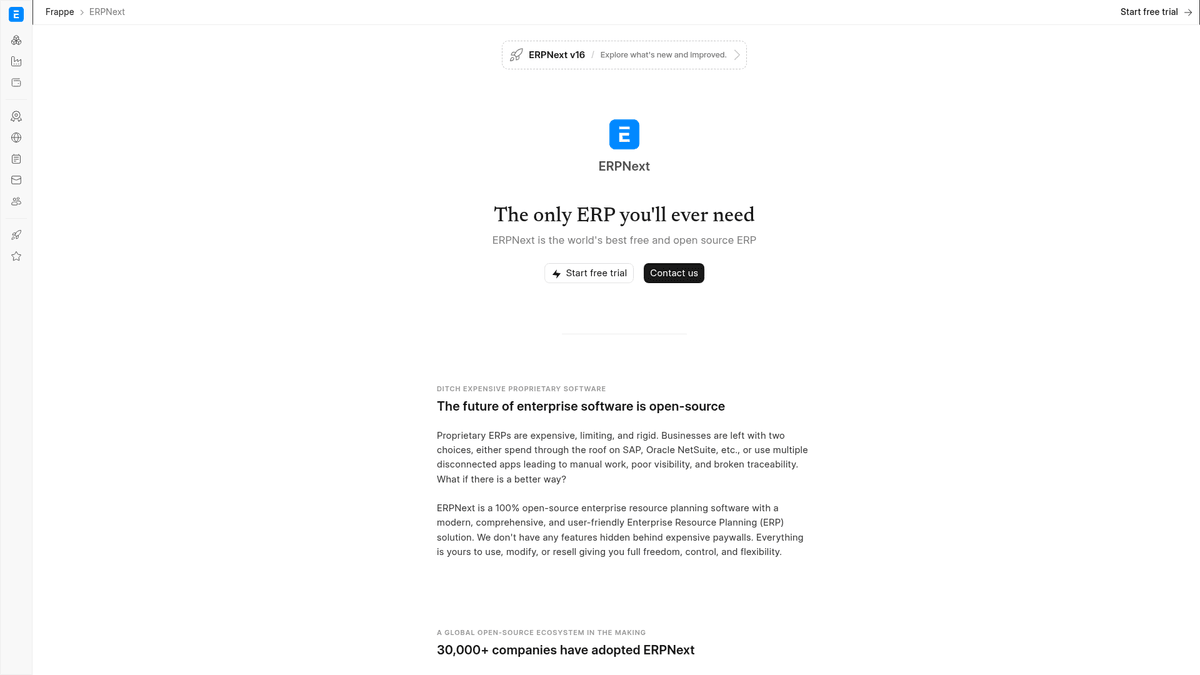
ERPNext is an open-source ERP system designed as an alternative to proprietary giants like SAP, Oracle, and NetSuite. Built on the Frappe framework, it uses a modular architecture covering financial accounting, human resources, inventory, CRM, and manufacturing. Unlike competitors using an open-core model, where vital features are locked behind an enterprise paywall, ERPNext is 100% open-source under the GNU GPL license. This provides small businesses access to advanced features like multi-level Bill of Materials and complex payroll structures from the start.
Technical architecture and requirements
The system is a Python and JavaScript application that relies on MariaDB for its database, Redis for job queuing, and Node.js for real-time communication. It uses the Bench CLI to manage sites and assets. Because it handles heavy business logic, it is more resource-heavy than a simple CRM. A standard installation requires at least 4GB of RAM to ensure background workers responsible for email and reports remain stable under load. Self-hosting ensures these components are correctly networked and secured with HTTPS, bypassing the difficulty of a manual installation.
The first hour with erpnext
When you first log in, a setup wizard helps establish your chart of accounts, fiscal year, and default currency. Within the first hour, users can import customer and item lists via CSV, set up a warehouse, and generate a professional quotation. The Desk interface is search-driven, making it easy to find documents across various modules. It functions like a modern web app with real-time notifications and a responsive mobile layout for checking stock or approving leave requests.
Project maturity and community roots
ERPNext has over a decade of development history. It is maintained by Frappe Technologies and supported by a global ecosystem of thousands of developers. This community ensures the project stays updated with security standards and local tax compliances. By self-hosting, you gain a platform that grows with your business without vendor lock-in.
Community Feedback
See what the community thinks about ERPNext
“Setting up Bench manually is a nightmare because of the dependencies, but ERPNext itself is probably the most complete open-source business tool I've ever used.”
“The fact that manufacturing and accounting are tightly integrated without an 'Enterprise' fee makes this the only real choice for a small factory.”
“The accounting module is stable and handles complex tax rules well, but be careful with the update process; always take a snapshot of your VPS before upgrading.”
“I moved from Odoo to ERPNext because the 'Community Edition' of Odoo felt like it was missing half the vital features.”
“If you don't have at least 4GB of RAM, the MariaDB container will just keep crashing during the install phase.”
“The REST API is excellent. We integrated our custom Shopify store with ERPNext in a weekend without using any paid connectors.”
Related Videos
Watch tutorials, reviews, and discussions about ERPNext
“ERPNext is 100% open source, which means there's no enterprise version and no features are locked.”
“The system is built on the Frappe framework, a full-stack web framework written in Python and JavaScript.”
“Every document in ERPNext is called a DocType, and you can easily add custom fields to any existing DocType.”
“The manufacturing module includes multi-level Bill of Materials and production planning tools.”
“Accounting follows standard principles and generates reports like balance sheets and P&L statements automatically.”
“One major advantage over competitors is that the entire codebase is available to you without licensing fees.”
“The user interface is very modern compared to SAP or Oracle, focusing on a clean workspace called the Desk.”
“You will need a decent server, as running the MariaDB, Redis, and Python workers requires significant memory.”
“The ecosystem is huge, with many third-party apps available to extend the core functionality of the system.”
“It handles multi-currency transactions and complex tax rules, which is essential for international businesses.”
“Setup starts with a wizard that helps you define your chart of accounts and your company structure.”
“The permissions system is very granular, allowing you to restrict users down to specific document types.”
“Data import tools are built-in, making it easy to migrate your records from Excel or CSV files.”
“Email integration allows you to send quotations and invoices directly from the ERP platform.”
“Self-hosting ensures that your sensitive financial data remains on your own infrastructure under your control.”
Supercharge your workflow with AI Automation
Automatio combines the power of AI agents, web automation, and smart integrations to help you accomplish more in less time.
What to get right first
The decisions that are painful to change later in ERPNext.
Provision 4GB RAM
ERPNext uses several background processes for workers and caching. For stable production use, select at least the CX23 server size.
Configure S3 backups
Use the built-in backup manager to sync data to an external S3 bucket. This ensures you have a recovery path if the VPS is lost.
Set domain first
Ensure your DNS points to the server before running the setup wizard so your generated PDF invoices use the correct URL.
Testimonials
What Our Users Say
Join thousands of satisfied users who have transformed their workflow
Jonathan Kogan
Co-Founder/CEO, rpatools.io
Automatio is one of the most used for RPA Tools both internally and externally. It saves us countless hours of work and we realized this could do the same for other startups and so we choose Automatio for most of our automation needs.
Mohammed Ibrahim
CEO, qannas.pro
I have used many tools over the past 5 years, Automatio is the Jack of All trades.. !! it could be your scraping bot in the morning and then it becomes your VA by the noon and in the evening it does your automations.. its amazing!
Ben Bressington
CTO, AiChatSolutions
Automatio is fantastic and simple to use to extract data from any website. This allowed me to replace a developer and do tasks myself as they only take a few minutes to setup and forget about it. Automatio is a game changer!
Sarah Chen
Head of Growth, ScaleUp Labs
We've tried dozens of automation tools, but Automatio stands out for its flexibility and ease of use. Our team productivity increased by 40% within the first month of adoption.
David Park
Founder, DataDriven.io
The AI-powered features in Automatio are incredible. It understands context and adapts to changes in websites automatically. No more broken scrapers!
Emily Rodriguez
Marketing Director, GrowthMetrics
Automatio transformed our lead generation process. What used to take our team days now happens automatically in minutes. The ROI is incredible.
Jonathan Kogan
Co-Founder/CEO, rpatools.io
Automatio is one of the most used for RPA Tools both internally and externally. It saves us countless hours of work and we realized this could do the same for other startups and so we choose Automatio for most of our automation needs.
Mohammed Ibrahim
CEO, qannas.pro
I have used many tools over the past 5 years, Automatio is the Jack of All trades.. !! it could be your scraping bot in the morning and then it becomes your VA by the noon and in the evening it does your automations.. its amazing!
Ben Bressington
CTO, AiChatSolutions
Automatio is fantastic and simple to use to extract data from any website. This allowed me to replace a developer and do tasks myself as they only take a few minutes to setup and forget about it. Automatio is a game changer!
Sarah Chen
Head of Growth, ScaleUp Labs
We've tried dozens of automation tools, but Automatio stands out for its flexibility and ease of use. Our team productivity increased by 40% within the first month of adoption.
David Park
Founder, DataDriven.io
The AI-powered features in Automatio are incredible. It understands context and adapts to changes in websites automatically. No more broken scrapers!
Emily Rodriguez
Marketing Director, GrowthMetrics
Automatio transformed our lead generation process. What used to take our team days now happens automatically in minutes. The ROI is incredible.
Related Self-Hosted Apps

Frequently Asked Questions
Find answers to common questions about ERPNext