

Portainer Self-Hosted, Deploy in One Click
Portainer is a visual interface for managing Docker containers without the command line. Deploying here gives you a dedicated server, private data, and automatic HTTPS setup.
Portainer
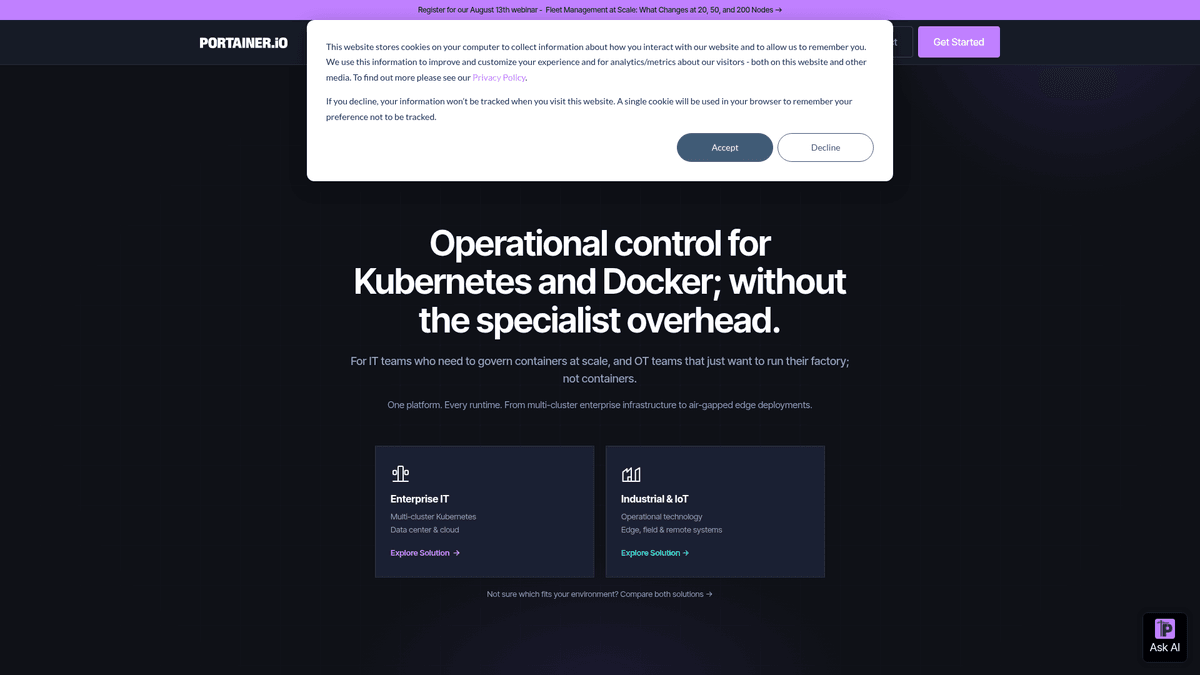
UtilitiesPortainer is a container management tool for deploying, troubleshooting, and securing applications across cloud, data centers, and IoT.
What you get when you deploy Portainer
The server we rent for it, what it costs, and what the installer will ask you.
- Server
- CX23 · 2 vCPU · 4 GB RAM
- From
- $9/month
- Setup
- No configuration required
Included with every deployment
- Dedicated server, one app per machine
- HTTPS certificate issued automatically
- Free subdomain, custom domain optional
- Restart, resize, snapshot and restore
The project
Everything this page links to outside Automatio.
Deploy Portainer in one click
On your own server, with your own data. No terminal, no Docker commands, no certificate setup.
- 1
Pick a size
Start on the smallest server that fits the app. Resize later without reinstalling.
- 2
Press deploy
We rent the server, install the app with Docker, and point a subdomain at it.
- 3
Watch it come up
Provisioning runs unattended and takes a few minutes. When the HTTPS certificate lands, the app is live and your login details are on the deployment page.
Server size
Billed monthly with your Automatio subscription. Destroy the server any time and the charge stops. Every server: 20 TB traffic/month included, then $2.50 per TB.
Key Capabilities
Explore what Automatio can do for this use case
Container Control
Portainer provides a comprehensive web interface to create, stop, restart, and delete containers without touching the command line. It visualizes the entire lifecycle of your applications, making it easy to see which services are healthy and which are failing. This is particularly useful for managing complex environments with dozens of running services.
- 1Visual health status indicators
- 2Direct container console access
- 3Resource usage monitoring (CPU and RAM)
- 4Instant container recreation
- 5Simplified env variable editing
Key Capabilities
- Container Control
Portainer provides a comprehensive web interface to create, stop, restart, and delete containers without touching the command line. It visualizes the entire lifecycle of your applications, making it easy to see which services are healthy and which are failing. This is particularly useful for managing complex environments with dozens of running services.
- Visual health status indicators
- Direct container console access
- Resource usage monitoring (CPU and RAM)
- Instant container recreation
- Simplified env variable editing
- Stack Deployment
The platform supports Docker Compose natively through its Stacks feature, allowing you to deploy multi-container applications together. You can write, edit, and update your compose files directly in the browser-based editor. This ensures your microservices remain organized and can be redeployed with a single click after configuration changes.
- Inline YAML editor with validation
- Support for external Git repositories
- Environment file management
- Simplified multi-node orchestration
- Stack-level logs and status
- Image Management
Manage your local container images and connect to external registries like Docker Hub, GitHub, or private repos. Portainer allows you to pull new images, tag versions, and prune unused layers to save disk space on your VPS. It provides visibility into which images are in use and which can be safely deleted.
- Prune unused images to save space
- Connect to private registries
- Visual image layer inspection
- Pull and push directly from UI
- Vulnerability scanning integration
- Volume and Network UI
Creating and managing persistent storage and virtual networks is often a complex part of Docker, but Portainer simplifies it with a dedicated interface. You can create bridge or overlay networks and manage volumes to ensure your data survives container restarts. It removes the guesswork from mounting drives and linking services.
- Visual network topology views
- Persistent volume management
- Mount point inspection
- IP address management (IPAM)
- Cleanup of unused volumes
Why self-host Portainer
What to know first
Managed, DIY, or One-Click?
The three realistic ways to run {name}, compared honestly.
| Aspect | Managed SaaS | DIY on a VPS | Automatio one-click |
|---|---|---|---|
| Setup Time | Minutes | 15-30 minutes | 1-Click |
| Security | Shared Cloud | Manual Hardening | Dedicated Server |
| HTTPS/TLS | Included | Manual Certbot | Automatic |
| Maintenance | Zero | Manual Patches | Automated OS |
| Control | Limited | Full | Full |
Setup Time
Security
HTTPS/TLS
Maintenance
Control
Who this is for
People who actually run Portainer on their own server, and what changes when they do.
a solo founder shipping projects
Vercel limits and the complexity of managing a raw VPS via terminal are slowing down deployments.
Running Portainer gives them a Heroku-like dashboard to manage their own production apps without the high SaaS costs.
- Deploying a web app and DB stack
- Checking logs for a failing production API
- Updating environment variables for a live app
a homelab tinkerer
Managing media servers and automation tools via SSH is becoming a chore and prone to typos.
It provides a clear visual map of their entire home server, making it easy to spot and fix crashed containers from a tablet.
- Restarting a Plex container from their phone
- Pruning old images to clear up SSD space
- Testing a new self-hosted app via template
a freelancer managing client sites
Clients need visibility into their website health but sharing raw SSH access is a major security risk.
You can provide a secure web dashboard where clients can view their own site status and logs without server access.
- Creating a read-only user for a client
- Monitoring resource usage across client stacks
- Performing one-click restarts for stuck services
About This App
What this app does and where it fits.
The Visual Command Center for Docker
Portainer solves the primary friction point of containerization: the complexity of the command line. While Docker is a technology for packaging applications, managing those packages through the CLI (Command Line Interface) requires remembering hundreds of flags, network configurations, and volume paths. Portainer acts as a visual translation layer, turning complex commands into intuitive buttons, graphs, and forms. It has become a standard for lightweight container management because it provides the visibility of a full PaaS (Platform as a Service) without the heavy resource requirements of Kubernetes.
Origins and Maturity
Originally launched as a community project, Portainer has matured into an ecosystem with millions of pulls. It is designed to be as thin as possible, typically running as a single container itself. This means it doesn't significantly drain the resources of the server it is managing. For self-hosters, the Community Edition (CE) provides all the essential features for managing a single VPS or a cluster of nodes using Docker Swarm. It is built on a philosophy of transparency, as it doesn't hide what Docker is doing (it simply makes it easier to see and control).
Your First Hour with Portainer
When you first log into Portainer, you define your administrative credentials and connect to the local Docker environment. Within the first hour, most users find themselves cleaning up their server (using the visual tools to identify and prune unused images and volumes that have been quietly eating up disk space). From there, you can explore the App Templates, which allow you to deploy popular software like WordPress or Nginx in seconds. By the end of the hour, you will likely have migrated your manual commands into Stacks, giving you a version-controlled way to manage your entire application portfolio.
Where it Fits in Your Stack
Portainer sits between raw Docker and full-scale orchestration. If you are a developer or small team running a few dozen containers on a VPS, Portainer is almost always the right choice. It gives you the professional visibility of a managed cloud provider while allowing you to keep your costs at the minimum of a standard VPS. It is particularly powerful when used alongside a reverse proxy, as it allows you to visually map your web traffic to your underlying containers.
Community Feedback
See what the community thinks about Portainer
“Portainer simplifies container management (mainly reading logs ngl).”
“Remote container management, restart and monitor from my phone.”
“If you want visibility without changing workflows, Portainer is the answer.”
“The stacks feature alone is worth the install to keep everything organized in YAML.”
“I used to spend half my time troubleshooting Docker networks until I got the visual overview.”
“It is light enough that I run it on my smallest VPS without issues.”
Related Videos
Watch tutorials, reviews, and discussions about Portainer
“Portainer makes Docker so much easier, especially if you're not a fan of the command line.”
“The best thing is the 'Stacks' feature which is just Docker Compose built right in.”
“You can see your logs, stats, and even open a console right inside the browser.”
“It allows you to clean up unused images and volumes with one click to save space.”
“If you have a remote server, Portainer is a must-have tool for remote management.”
“Portainer gives you a single pane of glass to manage your entire Docker environment.”
“We can deploy stacks using docker-compose files directly in the web UI.”
“The ability to check container health and resource usage visually is a huge time saver.”
“Managing networks and volumes manually is a pain; Portainer makes it visual.”
“Even for experienced users, it’s a great way to quickly check the status of your stack.”
“It bridges the gap between raw CLI and a full cloud dashboard for your own server.”
“Environment variables are handled much more cleanly through the Portainer interface.”
“The image pull and push management is much faster than typing out commands every time.”
“You can easily duplicate or edit containers without rewriting your whole compose file.”
“Portainer is lightweight enough that it won't impact the performance of your other apps.”
Supercharge your workflow with AI Automation
Automatio combines the power of AI agents, web automation, and smart integrations to help you accomplish more in less time.
What to get right first
The decisions that are painful to change later in Portainer.
Prune Images Weekly
Docker builds up dangling image layers over time that can fill a small VPS disk. Use the Images section to prune these once a week.
Use Stacks for Everything
Avoid creating individual containers. Use the Stacks feature for all deployments so your configurations are saved as reusable YAML files.
Label Your Networks
Create an external bridge network for your reverse proxy so containers in different stacks can still resolve each other by name.
Testimonials
What Our Users Say
Join thousands of satisfied users who have transformed their workflow
Jonathan Kogan
Co-Founder/CEO, rpatools.io
Automatio is one of the most used for RPA Tools both internally and externally. It saves us countless hours of work and we realized this could do the same for other startups and so we choose Automatio for most of our automation needs.
Mohammed Ibrahim
CEO, qannas.pro
I have used many tools over the past 5 years, Automatio is the Jack of All trades.. !! it could be your scraping bot in the morning and then it becomes your VA by the noon and in the evening it does your automations.. its amazing!
Ben Bressington
CTO, AiChatSolutions
Automatio is fantastic and simple to use to extract data from any website. This allowed me to replace a developer and do tasks myself as they only take a few minutes to setup and forget about it. Automatio is a game changer!
Sarah Chen
Head of Growth, ScaleUp Labs
We've tried dozens of automation tools, but Automatio stands out for its flexibility and ease of use. Our team productivity increased by 40% within the first month of adoption.
David Park
Founder, DataDriven.io
The AI-powered features in Automatio are incredible. It understands context and adapts to changes in websites automatically. No more broken scrapers!
Emily Rodriguez
Marketing Director, GrowthMetrics
Automatio transformed our lead generation process. What used to take our team days now happens automatically in minutes. The ROI is incredible.
Jonathan Kogan
Co-Founder/CEO, rpatools.io
Automatio is one of the most used for RPA Tools both internally and externally. It saves us countless hours of work and we realized this could do the same for other startups and so we choose Automatio for most of our automation needs.
Mohammed Ibrahim
CEO, qannas.pro
I have used many tools over the past 5 years, Automatio is the Jack of All trades.. !! it could be your scraping bot in the morning and then it becomes your VA by the noon and in the evening it does your automations.. its amazing!
Ben Bressington
CTO, AiChatSolutions
Automatio is fantastic and simple to use to extract data from any website. This allowed me to replace a developer and do tasks myself as they only take a few minutes to setup and forget about it. Automatio is a game changer!
Sarah Chen
Head of Growth, ScaleUp Labs
We've tried dozens of automation tools, but Automatio stands out for its flexibility and ease of use. Our team productivity increased by 40% within the first month of adoption.
David Park
Founder, DataDriven.io
The AI-powered features in Automatio are incredible. It understands context and adapts to changes in websites automatically. No more broken scrapers!
Emily Rodriguez
Marketing Director, GrowthMetrics
Automatio transformed our lead generation process. What used to take our team days now happens automatically in minutes. The ROI is incredible.
Related Self-Hosted Apps

Frequently Asked Questions
Find answers to common questions about Portainer