

Vaultwarden Self-Hosted, Deploy in One Click
Vaultwarden is a resource-light implementation of the Bitwarden API written in Rust. Deploying it here gives you a private server, full data ownership, and automated HTTPS.
Vaultwarden
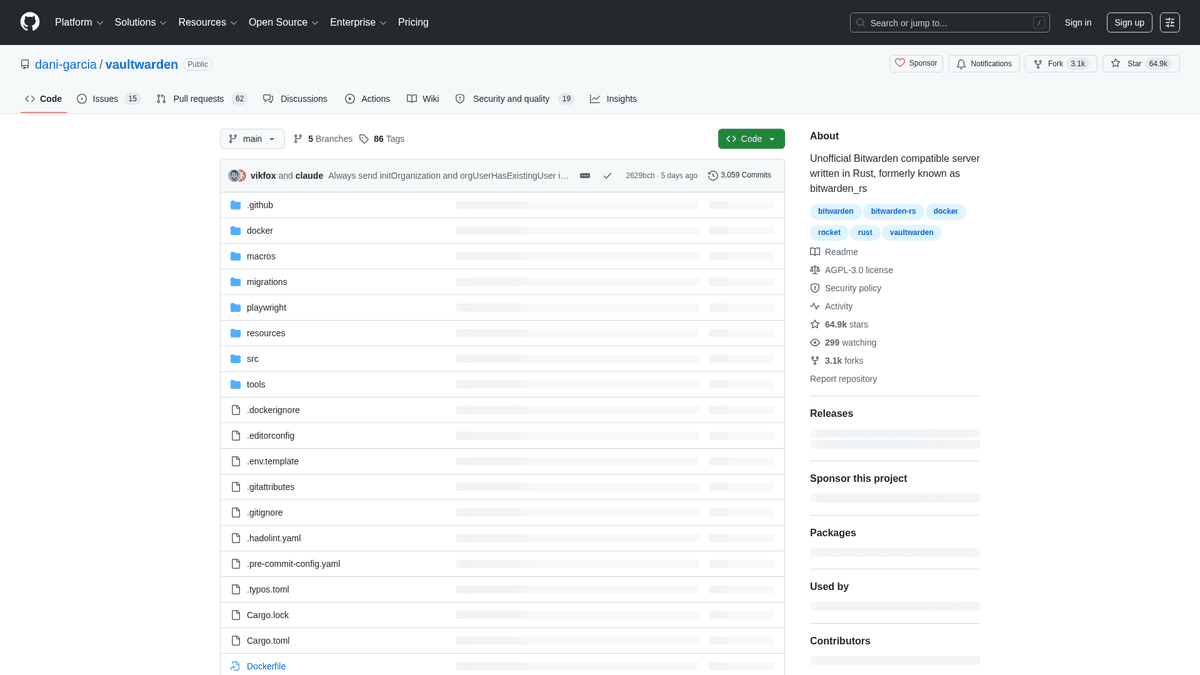
Security & PrivacyUnofficial Bitwarden compatible server written in Rust, formerly known as bitwarden_rs
What you get when you deploy Vaultwarden
The server we rent for it, what it costs, and what the installer will ask you.
- Server
- CX23 · 2 vCPU · 4 GB RAM
- From
- $9/month
- Setup
- 1 settings to fill in
Included with every deployment
- Dedicated server, one app per machine
- HTTPS certificate issued automatically
- Free subdomain, custom domain optional
- Restart, resize, snapshot and restore
What the installer asks for
- Allow new user signups
- Public domainrequired
The project
Everything this page links to outside Automatio.
Deploy Vaultwarden in one click
On your own server, with your own data. No terminal, no Docker commands, no certificate setup.
- 1
Pick a size
Start on the smallest server that fits the app. Resize later without reinstalling.
- 2
Press deploy
We rent the server, install the app with Docker, and point a subdomain at it.
- 3
Watch it come up
Provisioning runs unattended and takes a few minutes. When the HTTPS certificate lands, the app is live and your login details are on the deployment page.
Server size
Billed monthly with your Automatio subscription. Destroy the server any time and the charge stops. Every server: 20 TB traffic/month included, then $2.50 per TB.
Key Capabilities
Explore what Automatio can do for this use case
Cross-Platform Vault Sync
Vaultwarden implements the Bitwarden API to work with official client applications. It synchronizes encrypted passwords, notes, and cards across devices without relying on third-party cloud infrastructure.
- 1Native mobile apps for iOS and Android
- 2Browser extensions for Chrome and Firefox
- 3Desktop clients for Windows, macOS, and Linux
- 4Full command-line interface (CLI) support
- 5Bundled Web Vault for browser-based access
Key Capabilities
- Cross-Platform Vault Sync
Vaultwarden implements the Bitwarden API to work with official client applications. It synchronizes encrypted passwords, notes, and cards across devices without relying on third-party cloud infrastructure.
- Native mobile apps for iOS and Android
- Browser extensions for Chrome and Firefox
- Desktop clients for Windows, macOS, and Linux
- Full command-line interface (CLI) support
- Bundled Web Vault for browser-based access
- Organizations and Collections
Manage shared credentials within families or small teams using a proven sharing model. You can create shared vaults and group items into collections with specific access roles to maintain security.
- Granular user roles (Owner, Admin, Manager)
- Secure collection-based item sharing
- Support for unlimited organizations
- Emergency access delegation for trusted users
- User groups for batch permission management
- Multi-Factor Authentication
Secure your master vault with multiple layers of two-step login. Vaultwarden supports standard authentication protocols and physical hardware keys to ensure a leaked master password is not enough to gain access.
- Standard TOTP authenticator app support
- FIDO2 WebAuthn for physical security keys
- YubiKey and Duo integration options
- Email-based verification codes
- Secure backup recovery codes
- Vaultwarden Send
Share sensitive text or files securely with anyone, even if they do not have an account. Shares are ephemeral and include strict access controls to prevent permanent exposure of shared secrets.
- Text sharing for API keys or one-time secrets
- File attachments up to 500MB
- Configurable view limits and expiration dates
- Optional password protection for shared links
- Automatic deletion upon expiration
Why self-host Vaultwarden
What to know first
Managed, DIY, or One-Click?
The three realistic ways to run {name}, compared honestly.
| Aspect | Managed SaaS | DIY on a VPS | Automatio one-click |
|---|---|---|---|
| Setup Time | Instant | 1-2 Hours | ~15 Minutes |
| Data Ownership | Third-party cloud | Full control | Full control |
| Monthly Cost | Per-user fees | VPS cost only | Fixed $9/mo |
| RAM Usage | N/A | <100MB | <100MB |
| TLS/HTTPS | Included | Manual Certbot | Auto-provisioned |
Setup Time
Data Ownership
Monthly Cost
RAM Usage
TLS/HTTPS
Who this is for
People who actually run Vaultwarden on their own server, and what changes when they do.
a solo founder shipping nights and weekends
Frustrated by the high cost of team security tools for a one-person shop.
Running your own instance gives you MFA and organizational sharing for zero extra cost per project.
- Store sensitive API keys and database credentials
- Share logins securely with a part-time contractor
- Enable YubiKey protection for the main project vault
someone who codes with AI and wants their own analytics
Tired of copying and pasting secrets from a browser UI into terminal environment files.
Full CLI compatibility lets you script secret retrieval directly into your local development workflows.
- Fetch database passwords via terminal for local testing
- Rotate production environment variables using the CLI
- Store and retrieve SSH keys for multiple remote servers
a homelab tinkerer
Desires total control over data residency without the bloat of official software suites.
The Rust backend fits into the smallest available server resources while providing a reliable private vault.
- Host the instance on a private network via VPN
- Automate SQLite database backups to a local NAS
- Manage household logins for family members on a dedicated server
a freelancer billing hourly
Needs to manage client-specific credentials across dozens of distinct accounts safely.
Collections allow you to segregate client secrets effectively without mixing project data.
- Organize client logins into project-specific collections
- Securely hand off secrets using Vaultwarden Send
- Attach project configuration files to vault items
About This App
What this app does and where it fits.
The Lightweight Vault Alternative
Vaultwarden began as bitwarden_rs, a community-driven project written in Rust to provide an alternative backend for the Bitwarden API. The official server is a large stack built on .NET and SQL Server, which requires substantial hardware resources. Vaultwarden solves this by implementing the core features in a single binary that runs on systems with very little RAM. This makes it the preferred choice for individual users, families, and small organizations who want the security of a modern vault without the high overhead of the official self-hosted version.
Zero-Knowledge Architecture
At its core, Vaultwarden follows a zero-knowledge security model. This means your master password is never sent to the server. Instead, it is used by the client application to derive encryption keys locally. Data is encrypted on your computer or phone before being uploaded. The server acts as a secure storage locker for these encrypted blobs. Even if an attacker gained full access to your server, they would find nothing but gibberish without your master password. This architecture ensures that even the server administrator cannot see the contents of the vault items.
The First Hour Experience
After deployment, your first step is to visit the web vault and create your account. Because self-hosting is about control, you should immediately go to the admin backend to disable public registration. This ensures you are the only one who can add new users to your server. Next, you can import existing passwords from other managers using standard CSV imports. The real utility starts when you connect your devices. In the Bitwarden mobile app or browser extension, you simply navigate to the self-hosted settings and enter your new server URL. From that point on, every password you save is synced to your private infrastructure.
Position in the Ecosystem
Vaultwarden occupies a unique middle ground. It is more functional than purely local managers like KeePassXC because it offers effortless cross-device syncing and team sharing. Simultaneously, it is more private and cost-effective than proprietary SaaS managers because you own the database and pay no per-seat licensing. While it lacks some complex features like SCIM or SSO, it provides everything a modern user needs: multi-factor authentication, secure file sharing, and a robust API for automation.
Community Feedback
See what the community thinks about Vaultwarden
“Vaultwarden (Bitwarden self-hosted): Password manager, running on your server. End-to-end encrypted, zero trust in third parties.”
“My Vaultwarden runs safely on a VPS and has never gone down, except for the few minutes when I was updating it or the server itself.”
“Never had an issue with Vaultwarden itself. Restored from backups several times for a variety of reasons and it just worked.”
“Vaultwarden is the first thing I install on any new server. It's too efficient to ignore.”
“The admin panel is where the magic happens. Being able to invite family members without paying for an 'Organization' plan is the killer feature.”
“I was worried about compatibility with the official Bitwarden apps, but it's been rock solid for two years now.”
Related Videos
Watch tutorials, reviews, and discussions about Vaultwarden
“This is an open source version of Bitwarden written in Rust. It's incredibly light, it doesn't take many resources at all.”
“The reason we're using Vaultwarden instead of the official Bitwarden server is because Bitwarden's official server is a beast. It needs like four gigs of RAM minimum, whereas Vaultwarden can run on almost anything.”
“One of the first things you're going to want to do is set up your admin token. This is how you manage your server.”
“Once you have it running, you can use the official Bitwarden apps. You just point them at your own URL.”
“The main benefit here is that you own the data. It's not sitting in someone else's cloud.”
“It's a zero-knowledge system, meaning the server doesn't even know what your passwords are.”
“Vaultwarden is a great choice because it's compatible with all the official Bitwarden clients, like the browser extension and the mobile apps.”
“Unlike the official server, Vaultwarden is written in Rust, which makes it much more efficient for home servers or small VPS instances.”
“You'll definitely want to make sure you have a backup strategy for your database file, which is usually a SQLite file by default.”
“The admin panel allows you to disable new sign-ups, which is a critical security step once you've created your own account.”
“It supports features that usually require a paid Bitwarden subscription, like using Yubikeys or other advanced 2FA methods.”
“Bitwarden is great, but the official Docker install is very heavy. Vaultwarden is a lightweight implementation that runs on a fraction of the RAM.”
“Security is handled the same way as the official product; everything is encrypted client-side before it ever touches your server.”
“Setting up an SMTP server is important if you want to invite other people to your organization or get email notifications.”
“The web vault interface is identical to what you get with the official Bitwarden service, so the learning curve is basically zero.”
“I recommend using a reverse proxy to handle the HTTPS certificates, as the vault shouldn't be accessed over plain HTTP.”
Supercharge your workflow with AI Automation
Automatio combines the power of AI agents, web automation, and smart integrations to help you accomplish more in less time.
What to get right first
The decisions that are painful to change later in Vaultwarden.
Use a secure admin token
Generate a long random string for your ADMIN_TOKEN. This protects the management dashboard where users can be deleted or invited.
Small servers are sufficient
A standard CX23 VPS is more than enough. Vaultwarden is so efficient that the smallest available tier handles a dozen users with ease.
Regular SQLite backups
Automate a daily copy of the db.sqlite file to a different location. This single file contains your entire vault database.
Disable public registration
Once you have created your account, use the admin panel to turn off sign-ups to prevent strangers from using your server.
Testimonials
What Our Users Say
Join thousands of satisfied users who have transformed their workflow
Jonathan Kogan
Co-Founder/CEO, rpatools.io
Automatio is one of the most used for RPA Tools both internally and externally. It saves us countless hours of work and we realized this could do the same for other startups and so we choose Automatio for most of our automation needs.
Mohammed Ibrahim
CEO, qannas.pro
I have used many tools over the past 5 years, Automatio is the Jack of All trades.. !! it could be your scraping bot in the morning and then it becomes your VA by the noon and in the evening it does your automations.. its amazing!
Ben Bressington
CTO, AiChatSolutions
Automatio is fantastic and simple to use to extract data from any website. This allowed me to replace a developer and do tasks myself as they only take a few minutes to setup and forget about it. Automatio is a game changer!
Sarah Chen
Head of Growth, ScaleUp Labs
We've tried dozens of automation tools, but Automatio stands out for its flexibility and ease of use. Our team productivity increased by 40% within the first month of adoption.
David Park
Founder, DataDriven.io
The AI-powered features in Automatio are incredible. It understands context and adapts to changes in websites automatically. No more broken scrapers!
Emily Rodriguez
Marketing Director, GrowthMetrics
Automatio transformed our lead generation process. What used to take our team days now happens automatically in minutes. The ROI is incredible.
Jonathan Kogan
Co-Founder/CEO, rpatools.io
Automatio is one of the most used for RPA Tools both internally and externally. It saves us countless hours of work and we realized this could do the same for other startups and so we choose Automatio for most of our automation needs.
Mohammed Ibrahim
CEO, qannas.pro
I have used many tools over the past 5 years, Automatio is the Jack of All trades.. !! it could be your scraping bot in the morning and then it becomes your VA by the noon and in the evening it does your automations.. its amazing!
Ben Bressington
CTO, AiChatSolutions
Automatio is fantastic and simple to use to extract data from any website. This allowed me to replace a developer and do tasks myself as they only take a few minutes to setup and forget about it. Automatio is a game changer!
Sarah Chen
Head of Growth, ScaleUp Labs
We've tried dozens of automation tools, but Automatio stands out for its flexibility and ease of use. Our team productivity increased by 40% within the first month of adoption.
David Park
Founder, DataDriven.io
The AI-powered features in Automatio are incredible. It understands context and adapts to changes in websites automatically. No more broken scrapers!
Emily Rodriguez
Marketing Director, GrowthMetrics
Automatio transformed our lead generation process. What used to take our team days now happens automatically in minutes. The ROI is incredible.
Related Self-Hosted Apps

Frequently Asked Questions
Find answers to common questions about Vaultwarden