

WordPress Self-Hosted, Deploy in One Click
The open-source engine for blogs, stores, and business sites. Deploying here gives you a private VPS, unrestricted plugin access, and automated HTTPS without managing the underlying Linux OS.
WordPress
CMS & BloggingThe world's most popular CMS. Bring your blog, business site, or membership community.
What you get when you deploy WordPress
The server we rent for it, what it costs, and what the installer will ask you.
- Server
- CX23 · 2 vCPU · 4 GB RAM
- From
- $9/month
- Minimum RAM
- 1.0 GB
- Setup
- No configuration required
Included with every deployment
- Dedicated server, one app per machine
- HTTPS certificate issued automatically
- Free subdomain, custom domain optional
- Restart, resize, snapshot and restore
What the installer asks for
- Debug mode
- Extra wp-config snippet
The project
Everything this page links to outside Automatio.
Deploy WordPress in one click
On your own server, with your own data. No terminal, no Docker commands, no certificate setup.
- 1
Pick a size
Start on the smallest server that fits the app. Resize later without reinstalling.
- 2
Press deploy
We rent the server, install the app with Docker, and point a subdomain at it.
- 3
Watch it come up
Provisioning runs unattended and takes a few minutes. When the HTTPS certificate lands, the app is live and your login details are on the deployment page.
Server size
Billed monthly with your Automatio subscription. Destroy the server any time and the charge stops. Every server: 20 TB traffic/month included, then $2.50 per TB.
Key Capabilities
Explore what Automatio can do for this use case
Gutenberg Block Editor
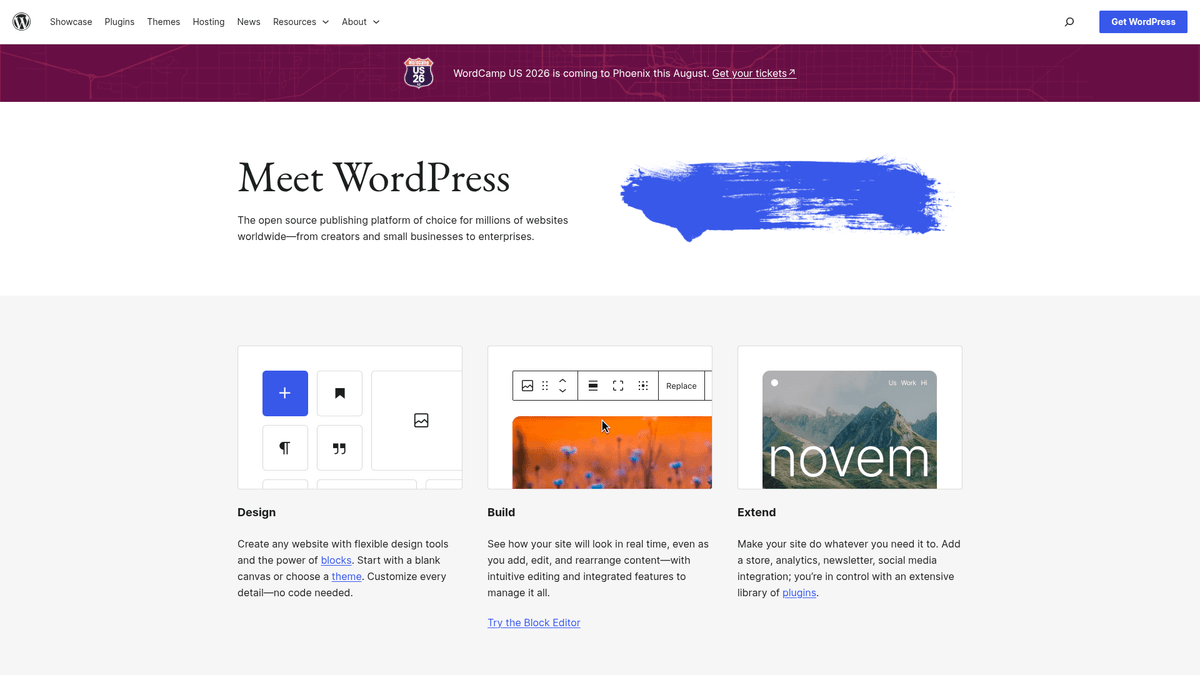
WordPress features a modern visual editor where every piece of content is a discrete block. You can drag and drop elements like text, galleries, and videos to build complex layouts without writing any HTML code. The editor provides a true "what you see is what you get" experience for authors and designers.
- 1Drag-and-drop interface
- 2Reusable block patterns
- 3Full-site editing support
- 4Native mobile app sync
- 5Multi-column layout controls
Key Capabilities
- Gutenberg Block Editor
WordPress features a modern visual editor where every piece of content is a discrete block. You can drag and drop elements like text, galleries, and videos to build complex layouts without writing any HTML code. The editor provides a true "what you see is what you get" experience for authors and designers.
- Drag-and-drop interface
- Reusable block patterns
- Full-site editing support
- Native mobile app sync
- Multi-column layout controls
- Extensive Plugin Architecture
The software is built on a modular framework that allows you to extend its functionality using over 60,000 free plugins. You can add features like e-commerce via WooCommerce, advanced SEO controls, or social networking with a single click. This ecosystem ensures the core software stays lean while your site functionality grows.
- One-click repository installs
- REST API for headless use
- Automated update notifications
- Hook and filter system for developers
- Massive third-party ecosystem
- Media Management System
WordPress includes a robust library for handling all your digital assets in one central location. It automatically generates multiple sizes for every image you upload to ensure fast loading times across all device types. You can also perform basic image editing, such as cropping and rotating, directly within the dashboard.
- WebP image support
- Automatic thumbnail scaling
- Alt-text and metadata fields
- Bulk media organization
- PDF and document hosting
- Granular User Roles
Manage a full editorial team with built-in permission levels ranging from Administrators to Subscribers. You can control exactly who has the power to write, edit, and publish content on your site. This is essential for collaborative blogs, news organizations, or sites with membership features.
- Five standard user levels
- Custom capability mapping
- Activity tracking support
- Secure password management
- Gravatar profile integration
Why self-host WordPress
What to know first
Managed, DIY, or One-Click?
The three realistic ways to run {name}, compared honestly.
| Aspect | Managed SaaS | DIY on a VPS | Automatio one-click |
|---|---|---|---|
| Monthly Cost | High (scales with visits) | Low (fixed VPS price) | Low (fixed VPS price) |
| Setup Time | Instant | 1-2 Hours | 15 Minutes |
| Plugin Freedom | Often Restricted | Unlimited | Unlimited |
| Maintenance | Zero | High (Manual) | Low (Automated Server) |
| Data Ownership | Vendor Locked | Full Control | Full Control |
Monthly Cost
Setup Time
Plugin Freedom
Maintenance
Data Ownership
Who this is for
People who actually run WordPress on their own server, and what changes when they do.
a solo founder shipping nights and weekends
Tired of blogging platforms that lock custom domains and SEO tools behind expensive monthly tiers.
Total ownership of the brand and content with zero monthly seat fees.
- Launch a personal branding blog
- Host a portfolio for investors
- Install custom analytics scripts
a two-person marketing agency
Paying per-visit surcharges for client sites on managed hosting platforms.
Lower overhead and the ability to offer custom tech stacks to clients on a fixed budget.
- Deploy staging sites for approval
- Run custom e-commerce experiments
- Isolate client sites on dedicated hardware
a freelancer billing hourly
Needing full server environment access to debug custom PHP issues or themes.
Full access to optimize site speed and handle complex technical migrations manually.
- Develop custom block patterns
- Optimize Core Web Vitals for SEO
- Migrate legacy sites to a modern VPS
About This App
What this app does and where it fits.
The Foundation of the Modern Web
WordPress began in 2003 as a simple tool for blogging but has since grown into a massive open-source ecosystem that powers nearly 43% of all websites. Built on PHP and MySQL, it is licensed under the GPL, which ensures that the software remains free to use, modify, and distribute. Unlike closed-source competitors or proprietary hosted services, the self-hosted version (from WordPress.org) gives users absolute control over their code, their data, and their hosting environment. This freedom has made it the default choice for everyone from solo freelancers to major news organizations.
Architecture and Flexibility
The platform strength is the strict separation of content, design, and functionality. Content and settings are stored in a database, design is handled by themes, and extra features are added via plugins. This modularity means you can change the entire look of your website in minutes without losing a single blog post or user comment. For developers, the WordPress REST API and the Gutenberg block editor provide a modern toolkit for building custom web applications that go far beyond simple text pages, including headless CMS setups and complex e-commerce portals.
The Self-Hosting Advantage
While managed platforms like WordPress.com offer a fast start, they frequently lock advanced features (such as plugin installation, custom CSS, or third-party integrations) behind expensive monthly subscription tiers. By self-hosting the open-source software on your own server, you bypass these artificial gates. You gain the ability to run heavy plugins like WooCommerce for e-commerce, BuddyPress for social networking, or advanced SEO suites without asking for permission. This independence is critical for businesses that want to avoid vendor lock-in and ensure their data remains under their own legal jurisdiction.
What to Expect in the First Hour
After your one-click deployment, you will land in the WordPress Dashboard. Your first task will be choosing a theme; modern Block Themes are recommended for their deep integration with the visual Site Editor. You will likely spend the first hour configuring your permalink structure for SEO, setting up your navigation menus, and installing an initial set of plugins for security and performance. The transition from a fresh server to a public-facing website is short, but the depth of the platform ensures you will never outgrow its capabilities.
Community Feedback
See what the community thinks about WordPress
“WordPress is free, open source software... Think of wordpress.com as a host that is using .org’s software and has various functionality locked behind pricing tiers. What you want to do is get your own cheaper hosting and self install.”
“Finally moved out of Wordpress dot com to a static CMS... I am grateful because they do have a very easy to use product, one I have paid for since 2010! Finally this year I did not renew.”
“Hot take: WordPress recovery mode is a hosting feature, and most hosts quietly fail it. The recovery email fires before your SMTP plugin loads.”
“Self-hosting is much easier and flexible as long as you have the technical skills to set it up and maintain. Docker makes this process significantly cleaner than old cPanel installs.”
“The main benefit of self-hosting is that you own the database. If you want to run a custom query to change 500 post titles at once, you can just do it in the MySQL terminal.”
“Most managed WordPress hosts start at $30/mo and then limit you to 25k visits. A $9 VPS can handle double that traffic if you use basic object caching.”
Related Videos
Watch tutorials, reviews, and discussions about WordPress
“WordPress.org is the software that you can download and install on your own web server or VPS.”
“”
“The version of WordPress that you host yourself is the one where you have ultimate freedom and control over your site.”
“”
“When you self-host, you have full access to the underlying database and file system, which is critical for developers.”
“”
“You don't have success taxes or extra fees just because your site starts getting more traffic or you want to sell products.”
“”
“The trade-off is that you are the pilot, and you are responsible for maintaining the engine of your website.”
“”
“Running WordPress on your own dedicated server means you aren't fighting for CPU cycles with five hundred other sites.”
“”
“Most managed platforms restrict which plugins you can use, but self-hosting removes all those arbitrary blacklists.”
“”
“Setting up your own environment allows you to tune PHP settings like memory limits and execution times for your specific needs.”
“”
“Privacy is a major factor because you aren't handing your visitor data over to a multi-tenant platform's tracking tools.”
“”
“If you're willing to handle the updates, the cost-to-performance ratio of a VPS is vastly superior to managed services.”
“”
“Using Docker to deploy WordPress makes the entire application portable and much easier to backup or migrate.”
“”
“Isolating the database from the web server in separate containers is a better security practice for self-hosting.”
“”
“One-click deployments that use Docker handle the complexities of the LAMP or LEMP stack for you automatically.”
“”
“You can easily scale the resources of your server up as your site grows without having to reconfigure the WordPress core.”
“”
“Managing your own SSL certificates through Let's Encrypt gives you the same level of security as a high-end host for free.”
“”
Supercharge your workflow with AI Automation
Automatio combines the power of AI agents, web automation, and smart integrations to help you accomplish more in less time.
What to get right first
The decisions that are painful to change later in WordPress.
Use WebP for Speed
Convert your images to WebP format before uploading to save up to 80% on file size and significantly boost your performance scores.
Harden Your Login
Change the default admin username immediately and install a plugin to limit login attempts to prevent automated brute-force attacks.
Offload Transactional Mail
Do not rely on the internal server mailer. Use a dedicated SMTP plugin with a service like Postmark to ensure your contact form notifications do not end up in spam.
Testimonials
What Our Users Say
Join thousands of satisfied users who have transformed their workflow
Jonathan Kogan
Co-Founder/CEO, rpatools.io
Automatio is one of the most used for RPA Tools both internally and externally. It saves us countless hours of work and we realized this could do the same for other startups and so we choose Automatio for most of our automation needs.
Mohammed Ibrahim
CEO, qannas.pro
I have used many tools over the past 5 years, Automatio is the Jack of All trades.. !! it could be your scraping bot in the morning and then it becomes your VA by the noon and in the evening it does your automations.. its amazing!
Ben Bressington
CTO, AiChatSolutions
Automatio is fantastic and simple to use to extract data from any website. This allowed me to replace a developer and do tasks myself as they only take a few minutes to setup and forget about it. Automatio is a game changer!
Sarah Chen
Head of Growth, ScaleUp Labs
We've tried dozens of automation tools, but Automatio stands out for its flexibility and ease of use. Our team productivity increased by 40% within the first month of adoption.
David Park
Founder, DataDriven.io
The AI-powered features in Automatio are incredible. It understands context and adapts to changes in websites automatically. No more broken scrapers!
Emily Rodriguez
Marketing Director, GrowthMetrics
Automatio transformed our lead generation process. What used to take our team days now happens automatically in minutes. The ROI is incredible.
Jonathan Kogan
Co-Founder/CEO, rpatools.io
Automatio is one of the most used for RPA Tools both internally and externally. It saves us countless hours of work and we realized this could do the same for other startups and so we choose Automatio for most of our automation needs.
Mohammed Ibrahim
CEO, qannas.pro
I have used many tools over the past 5 years, Automatio is the Jack of All trades.. !! it could be your scraping bot in the morning and then it becomes your VA by the noon and in the evening it does your automations.. its amazing!
Ben Bressington
CTO, AiChatSolutions
Automatio is fantastic and simple to use to extract data from any website. This allowed me to replace a developer and do tasks myself as they only take a few minutes to setup and forget about it. Automatio is a game changer!
Sarah Chen
Head of Growth, ScaleUp Labs
We've tried dozens of automation tools, but Automatio stands out for its flexibility and ease of use. Our team productivity increased by 40% within the first month of adoption.
David Park
Founder, DataDriven.io
The AI-powered features in Automatio are incredible. It understands context and adapts to changes in websites automatically. No more broken scrapers!
Emily Rodriguez
Marketing Director, GrowthMetrics
Automatio transformed our lead generation process. What used to take our team days now happens automatically in minutes. The ROI is incredible.
Related Self-Hosted Apps

Strapi
from $9/mo
Open-source headless CMS to build powerful APIs with built-in content management.

Outline
from $9/mo
Outline is a self-hosted knowledge base and documentation platform that allows you to build and manage your own knowledge base applications.
Ghost
from $9/mo
Modern publishing platform — fast, headless-capable, with a clean editor.

Directus
from $9/mo
Directus is an open source headless CMS that provides an API-first solution for building custom backends.
Frequently Asked Questions
Find answers to common questions about WordPress