


Appsmith Self-Hosted, Deploy in One Click
Appsmith is an open-source low-code platform for building admin panels and dashboards. Deploying on your own server ensures full data privacy with zero maintenance work.
Appsmith
Developer ToolsIzgradite interne alate pomoću vidžeta za prevlačenje i puštanje. Automatio primenjuje Appsmith na privatni VPS sa HTTPS-om jednim klikom za potpunu suverenost...
Шта добијате постављањем Appsmith
Сервер који изнајмљујемо, колико кошта и шта ће вас инсталација питати.
- Сервер
- CX23 · 2 vCPU · 4 GB RAM
- Од
- $9/мес.
- Подешавање
- Није потребна конфигурација
Укључено у свако постављање
- Наменски сервер, једна апликација по машини
- HTTPS сертификат се издаје аутоматски
- Бесплатан поддомен, сопствени домен опционо
- Рестарт, промена величине, снимци и опоравак
Пројекат
Све на шта ова страница упућује ван Automatija.
Поставите Appsmith једним кликом
На сопственом серверу, са сопственим подацима. Без терминала, без Docker команди, без сертификата.
- 1
Изаберите величину
Почните са најмањим сервером који апликацији одговара. Величину мењате касније без реинсталације.
- 2
Притисните постави
Изнајмимо сервер, инсталирамо апликацију Docker-ом и усмеримо поддомен на њу.
- 3
Гледајте како се подиже
Припрема тече сама и траје неколико минута. Када стигне HTTPS сертификат, апликација ради.
Величина сервера
Наплаћује се месечно уз Automatio претплату. Обришите сервер и наплата престаје. Svaki server: 20 TB saobraćaja mesečno uključeno, potom $2.50 po TB.
Могућности Appsmith
Истражите шта Automatio може да учини за овај случај коришћења
Drag-and-drop UI builder
Create professional interfaces using over 45 pre-built widgets without writing HTML or CSS. The visual editor allows you to position tables, charts, and forms on a canvas that handles responsive reflow for different screen sizes. You can theme the entire application or apply custom CSS for a brand-consistent look.
- 145+ ready-to-use widgets
- 2Custom themes and CSS support
- 3Interactive maps and charts
- 4Fluid grid layout system
- 5Modal and drawer components
Могућности Appsmith
- Drag-and-drop UI builder
Create professional interfaces using over 45 pre-built widgets without writing HTML or CSS. The visual editor allows you to position tables, charts, and forms on a canvas that handles responsive reflow for different screen sizes. You can theme the entire application or apply custom CSS for a brand-consistent look.
- 45+ ready-to-use widgets
- Custom themes and CSS support
- Interactive maps and charts
- Fluid grid layout system
- Modal and drawer components
- Native data connectors
Connect directly to existing databases to read and write data without building a custom backend. It supports standard engines like PostgreSQL and MySQL with secure query building and smart substitution. Native integration ensures low latency and high security for your internal datasets.
- Direct SQL query editor
- Visual query builder
- Google Sheets integration
- MongoDB and Redis support
- Snowflake and Oracle connectors
- JavaScript business logic
Write custom JavaScript to transform data, trigger multi-step workflows, or control widget states. The internal editor supports modern ES6 syntax and allows you to import external npm libraries for complex logic. This makes it possible to build heavy logic directly within the application canvas.
- Editor with autocomplete
- External npm library support
- Async/Await for orchestration
- Visual logic debugger
- Reusable JS objects
- Git-based version control
Manage your application lifecycle using standard Git workflows to enable team collaboration. You can connect your instance to GitHub or GitLab to enable branching, commits, and pull requests. This allows developers to work on features in isolation before merging them into production environments.
- Connect via SSH keys
- Branching and merging support
- Commit history and rollbacks
- CI/CD pipeline integration
- Private repo support
content.selfHosted.whyTitle
content.selfHosted.tradeoffsTitle
comparisonTable.self-hosted.title
comparisonTable.self-hosted.description
| Аспект | comparisonTable.self-hosted.managedSaas | comparisonTable.self-hosted.diy | comparisonTable.self-hosted.automatio |
|---|---|---|---|
| Setup Time | Instant | 60+ Minutes | ~15 Minutes |
| Data Ownership | Shared Cloud | Private Server | Private Server |
| User Pricing | Paid Per Seat | Unlimited Free | Unlimited Free |
| HTTPS/SSL | Included | Manual Config | Automated |
| Maintenance | Zero Work | Manual Shell | One-Click Updates |
Setup Time
Data Ownership
User Pricing
HTTPS/SSL
Maintenance
Коме је ово намењено
Људи који заиста покрећу Appsmith на сопственом серверу и шта се тиме мења.
a solo founder
Needs an admin panel for their startup but lacks the time to code a custom frontend.
Running it themselves saves thousands in SaaS fees while keeping sensitive customer records entirely private.
- Build a user management dashboard
- Connect to a production database
- Create a refund processing tool
an operations manager
Trapped in a world of disconnected spreadsheets and manual data entry tasks.
Centralizes messy operations into a single, secure interface accessible only to the internal team.
- Build an inventory tracker
- Automate onboarding logs
- Create a staff leave portal
a data analyst
Tired of writing repetitive SQL queries for non-technical team members every day.
Provides a safe, read-only data environment that stays entirely within the private network.
- Create a Customer 360 dashboard
- Build a sales leaderboard
- Design custom cohort tools
an IT manager
Legacy internal workflows are hitting limits but data cannot move to the public cloud.
Modernizes local workflows without moving sensitive business intelligence to a third-party server.
- Build a server health monitor
- Manage internal API keys visually
- Audit logs through a custom UI
Шта Је Овај Промпт?
Сазнајте шта овај промпт ради и како вам може помоћи да постигнете боље резултате.
What is Appsmith?
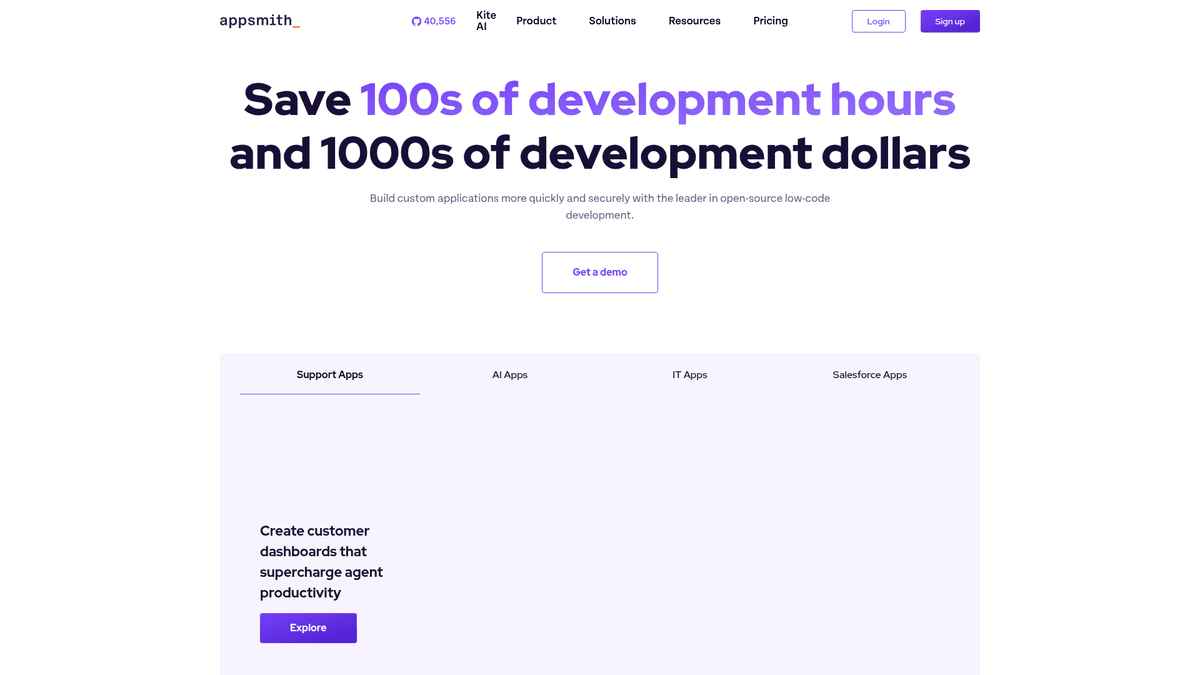
Appsmith is an open-source framework designed specifically for engineers who need to build internal software quickly. It solves the recurring problem of reinventing the wheel for every admin panel, dashboard, or CRUD (Create, Read, Update, Delete) interface. Instead of writing boilerplate React code and managing complex state for tables and forms, developers use a visual canvas to drag-and-drop functional components optimized for data-heavy tasks.
How it functions
The platform operates on a connect, build, and share model. First, you connect your data sources, ranging from traditional databases like PostgreSQL and MySQL to modern SaaS APIs and Google Sheets. Once connected, you use the drag-and-drop editor to build your user interface. Unlike many other low-code tools that limit you to visual logic, it treats JavaScript as a first-class citizen. You can write custom code anywhere to transform data, chain multiple API calls together, or trigger complex UI updates. This makes it a developer-first tool rather than a restrictive no-code environment.
Your first hour
After deploying via Automatio, your first hour involves setting up your workspace and connecting your first database. You will likely start by dragging a Table widget onto the canvas. By writing a simple SQL query in the data pane, you can bind your database results directly to that table using mustache syntax. From there, you can add buttons to trigger Update queries or open modals for detailed views. The built-in Git integration allows you to manage versions and roll back changes, mirroring professional development cycles.
Project maturity and AI
The software is a mature open-source project with a strong community. A significant portion of the current development focuses on AI expansion through Appsmith Agents. This allows teams to integrate the latest AI models with their own private data at scale without complex implementations. This move indicates that the platform is bridging the gap between high-level AI capabilities and practical, everyday business utility, making it a future-proof choice for companies looking to use LLMs privately.
Strategic alternatives
It is frequently compared to Retool or Microsoft PowerApps. While Retool is highly polished, its per-user pricing can become prohibitive for large teams. This platform offers a similar developer-centric experience, complete with raw SQL and JS support, but under an open-source license that favors self-hosting. Compared to PowerApps, it is more flexible for developers who prefer working with code and standardized web technologies rather than locked-in proprietary ecosystems.
Шта људи кажу о моделу Appsmith
Погледајте шта заједница мисли о моделу Appsmith
“The learning curve is much better than Retool for our engineers, and being able to self-host without the enterprise price tag was the deciding factor.”
“Appsmith is great, but don't try to run it on a t2.micro. It will eat all the memory and hang during the startup process. Give it at least 4GB.”
“There are substantial functional limitations in the self-hosted version compared to the enterprise or cloud versions... leading to a assessment of the tool as being less genuinely open-source.”
“I love that I can just use my own npm packages for complex data transformation without waiting for the platform to support it.”
“The single-container deployment makes updates relatively easy once you have the environment variables properly mapped.”
“Documentation for the self-hosted environment is actually very detailed, which made troubleshooting my custom SSO setup much faster.”
Видео снимци о моделу Appsmith
Гледајте туторијале, рецензије и дискусије о моделу Appsmith
“Self-hosting vam daje potpunu kontrolu nad vašim podacima i osigurava da nikada ne napuste vašu mrežu.”
“Preporučujemo najmanje 4 gigabajta RAM-a za nesmetano iskustvo sa kontejnerizovanom verzijom.”
“Docker Compose fajl sadrži sve: server, klijent i MongoDB instancu koju koristi za metatagove.”
“Nakon početnog pokretanja, prvi kreirani korisnik automatski postaje superadministrator instance.”
“Možete lako ažurirati instalaciju povlačenjem najnovije Docker slike i ponovnim pokretanjem steka.”
“Appsmith je fantastičan način za izgradnju internih alata bez potrebe da pravite frontend od nule.”
“Činjenica da možete da radite self-hosting znači da nema naknada za licenciranje po korisniku za osnovnu open-source verziju.”
“Podešavanje prilagođenog domena sa SSL-om je jednostavno kada pokrenete Docker kontejnere.”
“Zaista mi se sviđa kako možete pisati sirove SQL upite i zatim ih povezati sa UI vidžetima pomoću jednostavne sintakse.”
“Upotreba memorije može biti prilično visoka, zato nemojte ovo pokretati na malom VPS-u sa ograničenom količinom RAM-a.”
“Ovo je jedan od mojih omiljenih alata za kreiranje kontrolnih tabli koje komuniciraju sa bazama podataka u mojoj kućnoj lab laboratoriji.”
“Git integracija je ključna ako želite da pratite ispravne DevOps prakse za vaše interne alate.”
“Možete se povezati na skoro sve: PostgreSQL, MySQL, REST API-je, pa čak i Google Sheets.”
“Community izdanje je veoma darežljivo sa funkcijama, što ga čini pogodnim za profesionalnu upotrebu.”
“Više volim self-hosted verziju jer mogu da držim sve akreditive baze podataka lokalno na svom serveru.”
Побољшајте свој радни ток са AI Automatizacijom
Automatio kombinuje moc AI agenata, web automatizacije i pametnih integracija kako bi vam pomogao da postignete vise za manje vremena.
Pro Saveti za Appsmith
Stručni saveti za maksimalno iskorišćenje Appsmith.
Use a 4GB RAM server
The Java backend and bundled MongoDB are resource-heavy. Using anything less than 4GB of RAM will likely cause the instance to hang during the startup process.
Enable Git sync early
Connect your instance to a private repository on GitHub immediately. This provides a backup of your app logic and a simple way to track changes.
Secure internal connections
If your database is hosted on the same server, use the Docker bridge IP (172.17.0.1) to connect rather than the public IP for better security and lower latency.
Сведочанства
Sta Kazu Nasi Korisnici
Pridruzite se hiljadama zadovoljnih korisnika koji su transformisali svoj radni tok
Jonathan Kogan
Co-Founder/CEO, rpatools.io
Automatio is one of the most used for RPA Tools both internally and externally. It saves us countless hours of work and we realized this could do the same for other startups and so we choose Automatio for most of our automation needs.
Mohammed Ibrahim
CEO, qannas.pro
I have used many tools over the past 5 years, Automatio is the Jack of All trades.. !! it could be your scraping bot in the morning and then it becomes your VA by the noon and in the evening it does your automations.. its amazing!
Ben Bressington
CTO, AiChatSolutions
Automatio is fantastic and simple to use to extract data from any website. This allowed me to replace a developer and do tasks myself as they only take a few minutes to setup and forget about it. Automatio is a game changer!
Sarah Chen
Head of Growth, ScaleUp Labs
We've tried dozens of automation tools, but Automatio stands out for its flexibility and ease of use. Our team productivity increased by 40% within the first month of adoption.
David Park
Founder, DataDriven.io
The AI-powered features in Automatio are incredible. It understands context and adapts to changes in websites automatically. No more broken scrapers!
Emily Rodriguez
Marketing Director, GrowthMetrics
Automatio transformed our lead generation process. What used to take our team days now happens automatically in minutes. The ROI is incredible.
Jonathan Kogan
Co-Founder/CEO, rpatools.io
Automatio is one of the most used for RPA Tools both internally and externally. It saves us countless hours of work and we realized this could do the same for other startups and so we choose Automatio for most of our automation needs.
Mohammed Ibrahim
CEO, qannas.pro
I have used many tools over the past 5 years, Automatio is the Jack of All trades.. !! it could be your scraping bot in the morning and then it becomes your VA by the noon and in the evening it does your automations.. its amazing!
Ben Bressington
CTO, AiChatSolutions
Automatio is fantastic and simple to use to extract data from any website. This allowed me to replace a developer and do tasks myself as they only take a few minutes to setup and forget about it. Automatio is a game changer!
Sarah Chen
Head of Growth, ScaleUp Labs
We've tried dozens of automation tools, but Automatio stands out for its flexibility and ease of use. Our team productivity increased by 40% within the first month of adoption.
David Park
Founder, DataDriven.io
The AI-powered features in Automatio are incredible. It understands context and adapts to changes in websites automatically. No more broken scrapers!
Emily Rodriguez
Marketing Director, GrowthMetrics
Automatio transformed our lead generation process. What used to take our team days now happens automatically in minutes. The ROI is incredible.
Povezani Self-Hosted Apps

Meilisearch
from $9/mo
Meilisearch is a free and open-source search engine that allows you to easily add search functionality to your web applications.

Hoppscotch (AIO + Migrations)
from $9/mo
Hoppscotch Community Edition (All-in-One) with automatic database migrations. Includes backend, frontend, and admin under unified subpath routing.

Gitea (PostgreSQL)
from $9/mo
Gitea bundled with PostgreSQL.
Често Постављана Питања о Appsmith
Пронађите одговоре на честа питања о Appsmith