

Build a Church Website with AI
Launch a professional site with a sermon library, staff directory, and visitor info pages. You own the real code, published with HTTPS on a free subdomain, or a custom domain on a paid plan.
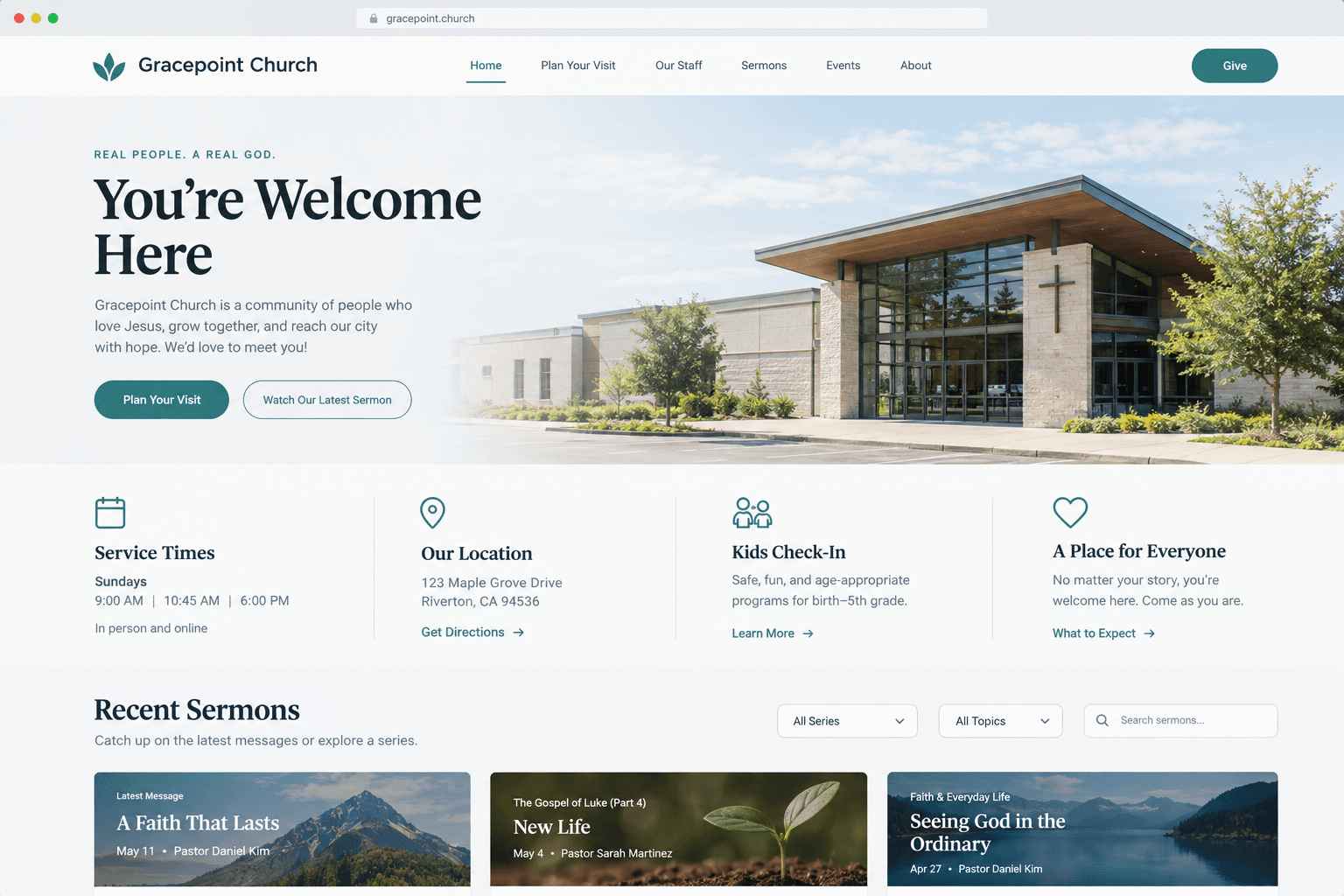
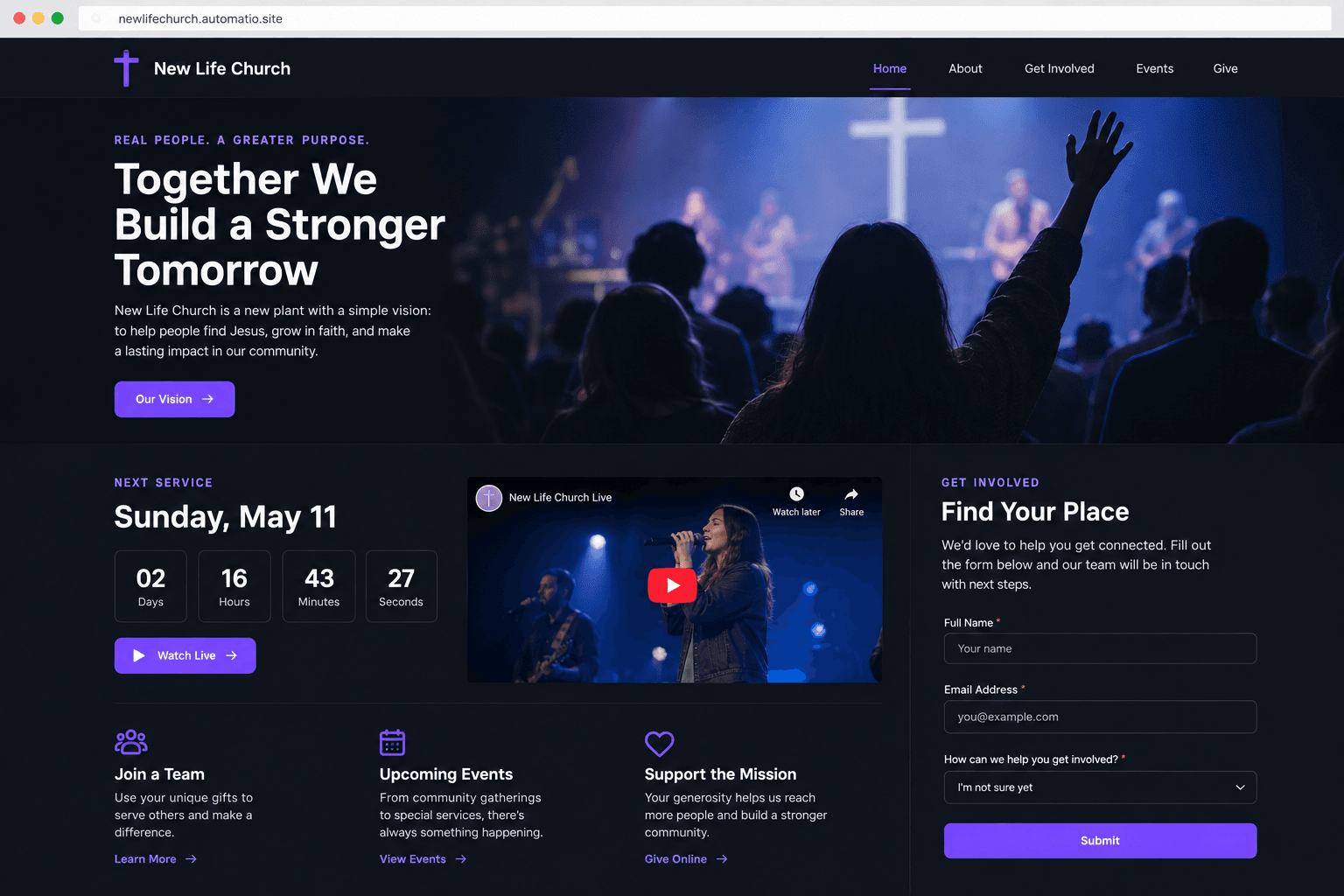
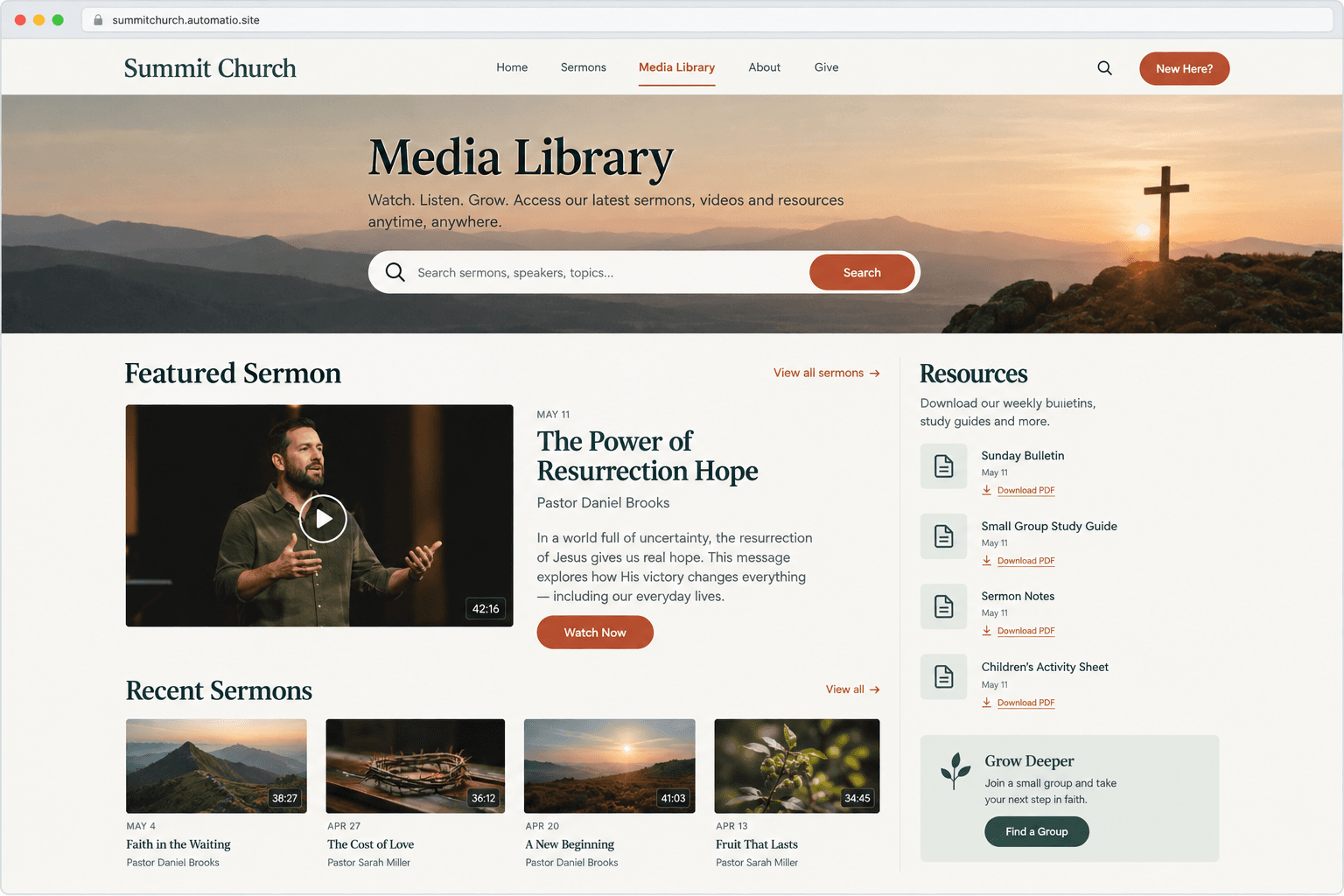
Starting prompt
AI renders of what each prompt could build. Your result will be different.
What's inside
The parts that earn their place — and what each one is actually for.
Plan Your Visit page
This page acts as a digital front porch for seekers deciding whether to attend a service. It answers logistical questions about parking, what to wear, and how the service is structured. By setting clear expectations, you can help reduce the social friction that sometimes keeps people from visiting in person.
- 1Parking and entrance directions
- 2Step-by-step kids check-in overview
- 3Typical service order breakdown
- 4Interactive map integration
- 5Volunteer team greetings
What's inside
- Plan Your Visit page
This page acts as a digital front porch for seekers deciding whether to attend a service. It answers logistical questions about parking, what to wear, and how the service is structured. By setting clear expectations, you can help reduce the social friction that sometimes keeps people from visiting in person.
- Parking and entrance directions
- Step-by-step kids check-in overview
- Typical service order breakdown
- Interactive map integration
- Volunteer team greetings
- Sermon media engine
Your teaching becomes a searchable resource that serves the congregation throughout the week. On a paid plan, you can store audio and video files directly in your own library. This allows members to filter by series, speaker, or topic to find exactly what they need for study or reflection.
- Searchable series archives
- YouTube and Vimeo video embeds
- PDF study guide downloads on a paid plan
- Topic-based categorization
- Direct file hosting on a paid plan
- Staff and leadership bios
Building trust starts with letting visitors meet the people behind the ministry. Instead of corporate resumes, these pages feature warm, first-person bios and family photos. It shows that your church is led by real people who are accessible and involved in the community.
- First-person introductory quotes
- Family and ministry photos
- Contact forms, with submissions saved on a paid plan
- Social media link integration
- Staff role and focus descriptions
- Member engagement forms
Turn passive visitors into active participants with digital connection cards and prayer request forms. On a paid plan, these submissions are saved to a private database for staff to review and follow up.
- Digital visitor connection cards
- Prayer request forms
- Volunteer interest sign-up forms
- Database storage on a paid plan
From idea to live site
Four steps, one chat. No setup, no boilerplate, no handoff.
Describe your ministry
Tell the AI agent about your church's name, service times, and the pages you need, like a staff directory or a sermon archive.
Refine the code
Watch the agent write the React code in a live preview and ask for adjustments to the colors, typography, or layout in plain English.
Publish and engage
Deploy your site to a free subdomain with HTTPS included, or connect a custom domain and save visitor signups to a database on a paid plan.
Template, agency, or AI?
The three honest ways to get it built, including where the others win.
| Aspect | Template builder | Agency or freelancer | Automatio |
|---|---|---|---|
| Customization | Church themes in Tithe.ly | High customization through a design process | Total control of layout and code via chat |
| Ownership | Site content is built and hosted inside their platform | You own the final site assets | You own and can export the full source code |
| Making Changes | You drag and drop within their interface | Requires a request and a revision cycle | Describe the change in chat to update the code |
| Giving and ChMS | Deep integration with Tithe.ly giving and member data | Requires manual integration of third-party tools | Embed your existing giving provider links |
| Data and Files | Includes hosted media within plan limits | Requires separate hosting for video and data | Database and file storage on a paid plan |
Customization
Ownership
Making Changes
Giving and ChMS
Data and Files
Who this is for
Real situations, and what changes once it exists.
a lead pastor
I want to share our vision online without fighting with a complicated template.
You get a site that accurately reflects your ministry's heart and can be updated as your vision grows.
- Review the flow of the About page
- Update the current sermon series title
- Connect a custom domain on a paid plan
a church volunteer
The person who built our site left, and now nobody knows how to change the service times.
Anyone can manage the site by just talking to the AI agent, making handoffs to new volunteers easy.
- Update holiday service hours
- Add new volunteer staff bios
- Review prayer requests on a paid plan
a church plant team
We are launching soon and need a professional landing page on zero budget.
You can launch a site with a countdown and a connection form, and on a paid plan the signups are saved to a database.
- Launch a coming soon landing page
- Set up a launch team signup form
- Archive early vision messages on a paid plan
What separates a good one from a bad one
The decisions that matter, and the mistakes that show up in bad examples.
A modern church website functions as a digital front porch where seekers decide if your community feels safe and welcoming before they ever set foot in your sanctuary. Many legacy church sites are designed for current members rather than for someone exploring a spiritual home for the first time. A successful build prioritizes clarity over theological jargon, ensuring that service times, location, and childcare details are the first things a visitor sees.
Prioritize the visitor experience
The most effective sites include a dedicated page for first-time guests. This section goes beyond a map to explain the culture of the church: where to park, what people usually wear, and how the kids check-in process works. By providing these details upfront, you address the social anxiety that often keeps new people away. When building with an AI agent, you can specify that these logistical details must be prominent, ensuring the final code serves your outreach goals as well as your congregational needs.
Structure your media for accessibility
Sermon archives often become a messy list of dates that are difficult to navigate. A professional build uses a searchable engine that categorizes teaching by series, topic, and scripture reference. This allows a member to find relevant teaching more easily. On a paid plan, you can host these media files directly, creating a library that your community can access throughout the week. This keeps your teaching alive long after the Sunday service ends.
Humanize your leadership team
The staff page is often one of the most visited pages on a church site. People connect with individuals, not institutions. Instead of stiff, corporate resumes, your site should feature warm photography and bios written in the first person. This shows that your leadership is composed of real, approachable people. By using an AI agent, you can quickly iterate on these layouts to find the balance between professional presentation and authentic warmth.
Supercharge your workflow with AI Automation
Automatio combines the power of AI agents, web automation, and smart integrations to help you accomplish more in less time.
Get it right the first time
What to specify up front, and what can wait for version two.
Focus on logistics
Ensure your service times and physical address are visible on the homepage without scrolling. This is the information most visitors are looking for first.
Use authentic photos
Request that the AI place your own photos of the congregation rather than stock images to give visitors a realistic sense of your church's culture.
Plan for data
If you want to save digital connection cards or prayer requests, ensure you are on a paid plan to enable database storage for those submissions.
Embed media early
To keep your build simple initially, use the agent to embed your existing YouTube or Facebook Live feeds instead of hosting large video files.
Related Build with AI

Before you start
The questions people actually ask first.