
How to Scrape Car.info | Vehicle Data & Valuation Extraction Guide
Learn how to scrape Car.info to extract vehicle specifications, history, and real-time market valuations. A technical guide for automotive data research.
Anti-Bot Protection Detected
- Cloudflare
- Enterprise-grade WAF and bot management. Uses JavaScript challenges, CAPTCHAs, and behavioral analysis. Requires browser automation with stealth settings.
- Rate Limiting
- Limits requests per IP/session over time. Can be bypassed with rotating proxies, request delays, and distributed scraping.
- IP Blocking
- Blocks known datacenter IPs and flagged addresses. Requires residential or mobile proxies to circumvent effectively.
- Browser Fingerprinting
- Identifies bots through browser characteristics: canvas, WebGL, fonts, plugins. Requires spoofing or real browser profiles.
- JavaScript Challenge
- Requires executing JavaScript to access content. Simple requests fail; need headless browser like Playwright or Puppeteer.
About Car.info
Learn what Car.info offers and what valuable data can be extracted from it.
Comprehensive Automotive Information Hub
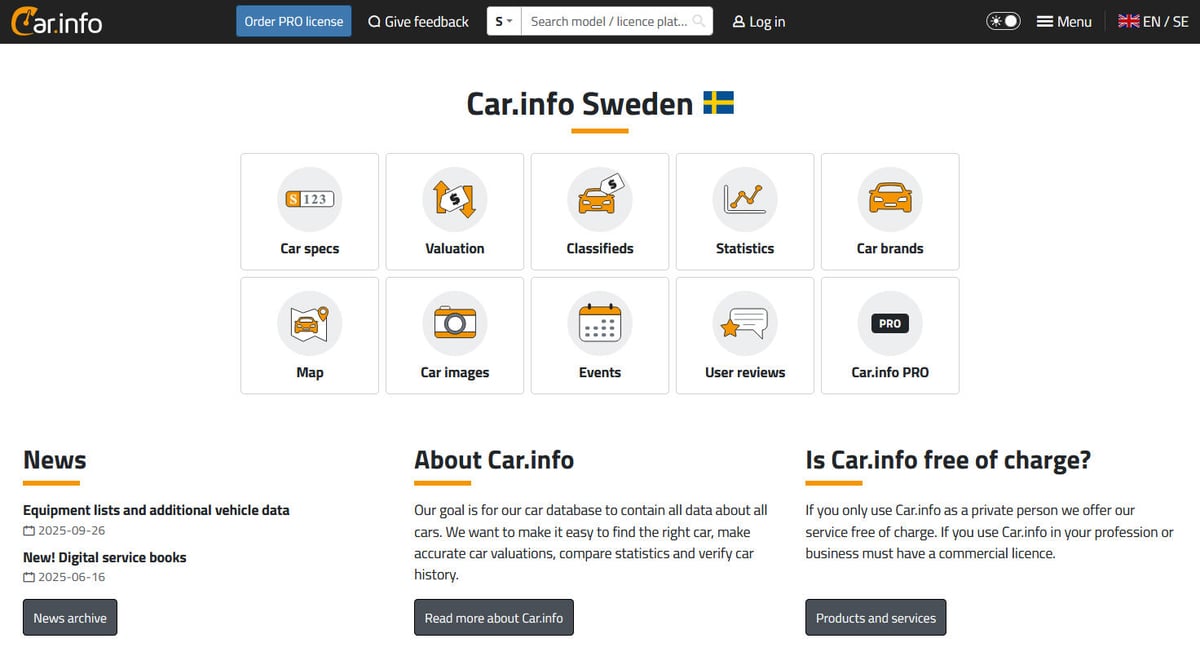
Car.info is one of the most comprehensive automotive information platforms, primarily serving the Swedish market but containing extensive data on vehicles worldwide. It provides a unique one-stop-shop for identifying any vehicle using its license plate or VIN, offering details ranging from engine specifications to historical ownership and current market value.
High-Value Data Aggregation
The platform aggregates data from various sources, including official registries and numerous classified listing sites. This makes it a goldmine for automotive businesses, insurance companies, and market researchers who need precise, aggregated data on vehicle performance, fuel efficiency, and real-world resale trends.
Strategic Data Extraction
With its depth of data covering millions of vehicles, scraping Car.info allows users to build powerful analytical tools, track market trends, and verify vehicle integrity at scale. Whether you are monitoring used car prices or performing fleet analysis, this platform provides the necessary technical depth.
Why Scrape Car.info?
Discover the business value and use cases for extracting data from Car.info.
Real-Time Market Valuation
Extract historical and current valuation data to build precise pricing models for the Swedish and European used car markets.
Vehicle Specification Cataloging
Build a comprehensive database of technical specs, including engine codes, horsepower, and fuel efficiency metrics for millions of vehicles.
Ownership History Verification
Automate the tracking of ownership changes and mileage milestones to verify the integrity of vehicles in large commercial fleets.
Competitive Intelligence
Monitor market supply and demand trends by fuel type, brand, and production year to identify shifts in consumer preference.
Inventory Enrichment
Use registration plate lookups to automatically populate missing technical details and equipment lists on classified car listing websites.
Scraping Challenges
Technical challenges you may encounter when scraping Car.info.
Advanced Anti-Bot Defense
Car.info utilizes sophisticated protection like DataDome and Cloudflare, which detect and block automated traffic using fingerprinting.
JavaScript-Heavy Rendering
Technical specifications and pricing history are often loaded dynamically via XHR requests, requiring a scraper that handles JS execution.
Complex Nested Selectors
Data is organized within deeply nested divs and complex CSS classes rather than standard HTML tables, making simple parsing difficult.
Regional Path Redirection
The site uses localized URL structures (like /en-se/) that can redirect based on IP location, potentially leading to inconsistent data labels.
Scrape Car.info with AI
No coding required. Extract data in minutes with AI-powered automation.
How It Works
Describe What You Need
Tell the AI what data you want to extract from Car.info. Just type it in plain language — no coding or selectors needed.
AI Extracts the Data
Our artificial intelligence navigates Car.info, handles dynamic content, and extracts exactly what you asked for.
Get Your Data
Receive clean, structured data ready to export as CSV, JSON, or send directly to your apps and workflows.
Why Use AI for Scraping
AI makes it easy to scrape Car.info without writing any code. Our AI-powered platform uses artificial intelligence to understand what data you want — just describe it in plain language and the AI extracts it automatically.
How to scrape with AI:
- Describe What You Need: Tell the AI what data you want to extract from Car.info. Just type it in plain language — no coding or selectors needed.
- AI Extracts the Data: Our artificial intelligence navigates Car.info, handles dynamic content, and extracts exactly what you asked for.
- Get Your Data: Receive clean, structured data ready to export as CSV, JSON, or send directly to your apps and workflows.
Why use AI for scraping:
- Built-in JavaScript Execution: Automatio natively renders car profiles just like a real browser, ensuring that dynamic valuation graphs and tech specs are fully loaded.
- Visual Data Selection: Select complex technical attributes and historical price points visually without writing complicated CSS or XPath selectors.
- Integrated Proxy Rotation: Seamlessly use residential proxies to bypass DataDome and Cloudflare blocks that typically stop standard data extraction tools.
- Automated Market Monitoring: Schedule your scrapers to run weekly or monthly to track how car values depreciate over time for specific makes and models.
No-Code Web Scrapers for Car.info
Point-and-click alternatives to AI-powered scraping
Several no-code tools like Browse.ai, Octoparse, Axiom, and ParseHub can help you scrape Car.info. These tools use visual interfaces to select elements, but they come with trade-offs compared to AI-powered solutions.
Typical Workflow with No-Code Tools
Common Challenges
Learning curve
Understanding selectors and extraction logic takes time
Selectors break
Website changes can break your entire workflow
Dynamic content issues
JavaScript-heavy sites often require complex workarounds
CAPTCHA limitations
Most tools require manual intervention for CAPTCHAs
IP blocking
Aggressive scraping can get your IP banned
No-Code Web Scrapers for Car.info
Several no-code tools like Browse.ai, Octoparse, Axiom, and ParseHub can help you scrape Car.info. These tools use visual interfaces to select elements, but they come with trade-offs compared to AI-powered solutions.
Typical Workflow with No-Code Tools
- Install browser extension or sign up for the platform
- Navigate to the target website and open the tool
- Point-and-click to select data elements you want to extract
- Configure CSS selectors for each data field
- Set up pagination rules to scrape multiple pages
- Handle CAPTCHAs (often requires manual solving)
- Configure scheduling for automated runs
- Export data to CSV, JSON, or connect via API
Common Challenges
- Learning curve: Understanding selectors and extraction logic takes time
- Selectors break: Website changes can break your entire workflow
- Dynamic content issues: JavaScript-heavy sites often require complex workarounds
- CAPTCHA limitations: Most tools require manual intervention for CAPTCHAs
- IP blocking: Aggressive scraping can get your IP banned
Code Examples
import requests
from bs4 import BeautifulSoup

# Car.info is protected by Cloudflare; realistic headers are mandatory
url = 'https://www.car.info/en-se/search?q=volvo+v60'
headers = {
    'User-Agent': 'Mozilla/5.0 (Windows NT 10.0; Win64; x64) AppleWebKit/537.36 (KHTML, like Gecko) Chrome/118.0.0.0 Safari/537.36'
}

try:
    response = requests.get(url, headers=headers)
    response.raise_for_status()
    soup = BeautifulSoup(response.text, 'html.parser')
    # Example selector for search results
    for car in soup.select('.search-result-item'):
        name = car.select_one('.title').text.strip()
        price = car.select_one('.price').text.strip() if car.select_one('.price') else 'N/A'
        print(f'Model: {name} | Price: {price}')
except Exception as e:
    print(f'Error: {e}')
When to Use
Best for static HTML pages where content is loaded server-side. The fastest and simplest approach when JavaScript rendering isn't required.
Advantages
- ●Fastest execution (no browser overhead)
- ●Lowest resource consumption
- ●Easy to parallelize with asyncio
- ●Great for APIs and static pages
Limitations
- ●Cannot execute JavaScript
- ●Fails on SPAs and dynamic content
- ●May struggle with complex anti-bot systems
How to Scrape Car.info with Code
Python + Requests
import requests
from bs4 import BeautifulSoup
# Car.info is protected by Cloudflare; realistic headers are mandatory
url = 'https://www.car.info/en-se/search?q=volvo+v60'
headers = {
'User-Agent': 'Mozilla/5.0 (Windows NT 10.0; Win64; x64) AppleWebKit/537.36 (KHTML, like Gecko) Chrome/118.0.0.0 Safari/537.36'
}
try:
response = requests.get(url, headers=headers)
response.raise_for_status()
soup = BeautifulSoup(response.text, 'html.parser')
# Example selector for search results
for car in soup.select('.search-result-item'):
name = car.select_one('.title').text.strip()
price = car.select_one('.price').text.strip() if car.select_one('.price') else 'N/A'
print(f'Model: {name} | Price: {price}')
except Exception as e:
print(f'Error: {e}')Python + Playwright
import asyncio
from playwright.async_api import async_playwright

async def scrape_car_specs():
    async with async_playwright() as p:
        browser = await p.chromium.launch(headless=True)
        page = await browser.new_page()
        await page.goto('https://www.car.info/en-se/volvo/v60/v60-2023-22874136')
        # Wait for dynamic spec table
        await page.wait_for_selector('.tech-spec-table')
        specs = await page.query_selector_all('.tech-spec-row')
        for spec in specs:
            label = await spec.query_selector('.label')
            value = await spec.query_selector('.value')
            if label and value:
                print(f'{await label.inner_text()}: {await value.inner_text()}')
        await browser.close()

asyncio.run(scrape_car_specs())Python + Scrapy
import scrapy

class CarInfoSpider(scrapy.Spider):
    name = 'car_spider'
    start_urls = ['https://www.car.info/en-se/volvo/v60']

    def parse(self, response):
        for car in response.css('.car-listing'):
            yield {
                'model': car.css('.model-name::text').get(),
                'year': car.css('.model-year::text').get(),
                'valuation': car.css('.valuation-range::text').get(),
            }
        # Pagination handling
        next_page = response.css('a.next-btn::attr(href)').get()
        if next_page:
yield response.follow(next_page, self.parse)Node.js + Puppeteer
const puppeteer = require('puppeteer');

(async () => {
  const browser = await puppeteer.launch();
  const page = await browser.newPage();
  await page.goto('https://www.car.info/en-se/spots');
  await page.waitForSelector('.spot-item');
  const data = await page.evaluate(() => {
    return Array.from(document.querySelectorAll('.spot-item')).map(item => ({
      car: item.querySelector('.car-name')?.innerText,
      plate: item.querySelector('.license-plate')?.innerText,
      location: item.querySelector('.spot-location')?.innerText
    }));
  });
  console.log(data);
  await browser.close();
})();What You Can Do With Car.info Data
Explore practical applications and insights from Car.info data.
Used Car Price Benchmarking
Dealers set competitive prices based on real-time market averages extracted from the site.
How to implement:
- 1Scrape daily listings for specific models
- 2Aggregate data by year and mileage
- 3Calculate average market value
- 4Adjust inventory pricing accordingly
Use Automatio to extract data from Car.info and build these applications without writing code.
What You Can Do With Car.info Data
- Used Car Price Benchmarking
Dealers set competitive prices based on real-time market averages extracted from the site.
- Scrape daily listings for specific models
- Aggregate data by year and mileage
- Calculate average market value
- Adjust inventory pricing accordingly
- Vehicle History Verification
Buyers verify if a car's advertised specs match official registry data to prevent fraud.
- Input license plate into search
- Extract official engine and owner count data
- Compare results with seller claims
- Identify discrepancies in specifications
- Fuel Efficiency Analysis
Researchers analyze trends in fuel consumption across different car generations for reports.
- Scrape WLTP consumption data for top-selling models
- Group results by manufacturer and production year
- Identify shifts toward EV and Hybrid efficiency
- Generate historical trend reports
- Automotive Lead Generation
Service centers target cars reaching specific mileage or age intervals for maintenance packages.
- Scrape mileage data from active listings
- Identify cars exceeding 100,000 km benchmarks
- Categorize vehicles by engine type for targeted servicing
- Offer specialized maintenance leads to repair shops
- Market Demand Heatmaps
Identify which vehicle models are most frequently spotted in specific regions using spotting data.
- Scrape the 'Spots' section for location data
- Extract model name and frequency per city
- Map vehicle density using geographic data
- Analyze regional preferences for brands
Supercharge your workflow with AI Automation
Automatio combines the power of AI agents, web automation, and smart integrations to help you accomplish more in less time.
What to get right first
Expert advice for successfully extracting data from Car.info.
Monitor XHR for JSON Data
Use the Network tab in browser DevTools to identify internal API calls (api.car.info) that return clean JSON data for car specifications.
Use Registration Plate URL Pattern
Speed up extraction by navigating directly to /license-plate/S/[PLATE] to bypass brand and model search pages entirely.
Force the English Language Path
Always include /en-se/ in your start URLs to ensure that data labels like 'Horsepower' and 'Mileage' remain consistent in English.
Mimic Human Mouse Behavior
When using automation, implement randomized delays and scrolling to avoid triggering behavioral detection systems like DataDome.
Follow the 'goto' Redirects
Car.info uses intermediate redirect pages for external ads; configure your scraper to follow these links to reach the original source listings.
Related Web Scraping
How to Scrape The AA (theaa.com): A Technical Guide for Car & Insurance Data
How to Scrape CSS Author: A Comprehensive Web Scraping Guide
How to Scrape Biluppgifter.se: Vehicle Data Extraction Guide
How to Scrape Bilregistret.ai: Swedish Vehicle Data Extraction Guide
How to Scrape GoAbroad Study Abroad Programs

How to Scrape ResearchGate: Publication and Researcher Data
How to Scrape Statista: The Ultimate Guide to Market Data Extraction

How to Scrape Weebly Websites: Extract Data from Millions of Sites
Frequently Asked Questions
Find answers to common questions about Car.info