
How to Scrape Statista: The Ultimate Guide to Market Data Extraction
Discover how to scrape Statista to extract market reports, consumer trends, and industry statistics. Learn to bypass Cloudflare and automate data collection.
Anti-Bot Protection Detected
- Cloudflare
- Enterprise-grade WAF and bot management. Uses JavaScript challenges, CAPTCHAs, and behavioral analysis. Requires browser automation with stealth settings.
- Google reCAPTCHA
- Google's CAPTCHA system. v2 requires user interaction, v3 runs silently with risk scoring. Can be solved with CAPTCHA services.
- Rate Limiting
- Limits requests per IP/session over time. Can be bypassed with rotating proxies, request delays, and distributed scraping.
- IP Blocking
- Blocks known datacenter IPs and flagged addresses. Requires residential or mobile proxies to circumvent effectively.
- Cookie Verification
About Statista
Learn what Statista offers and what valuable data can be extracted from it.
Global Data Intelligence
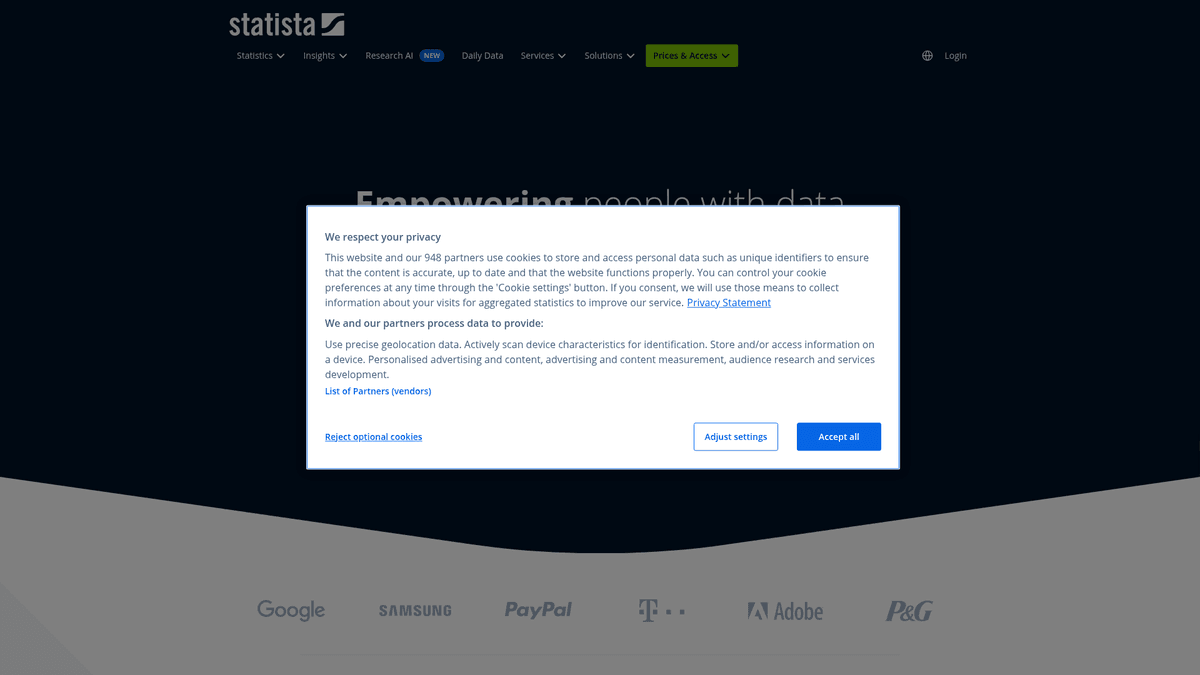
Statista is a leading global business intelligence platform providing statistics and market data from over 22,500 sources across 170 industries. Founded in 2007 and headquartered in Hamburg, it has become one of the most trusted resources for companies, researchers, and journalists seeking verified data points, infographics, and consumer survey results.
Data Depth and Breadth
The platform hosts over one million datasets, including interactive charts, tabular data, macroeconomic indicators, and deep-dive dossiers. These datasets cover everything from digital economy growth and e-commerce trends to global health statistics and energy consumption, often providing historical data and future forecasts.
Value for Extraction
Scraping this data is highly valuable for market research, competitive benchmarking, and financial modeling. Automating the collection of these statistics allows businesses to build internal databases, track market share shifts in real-time, and validate strategic decisions with high-quality, cited information.
Why Scrape Statista?
Discover the business value and use cases for extracting data from Statista.
Market Size and Forecasting
Extract reliable industry data to project future growth trends and calculate total addressable market (TAM) for various global sectors.
Competitive Intelligence Monitoring
Track the market share distributions and financial performance of leading global competitors to benchmark your own business performance.
Consumer Behavior Insights
Gather survey results and sentiment data to understand shifting global purchasing habits and evolving customer preferences across 170 industries.
Investment and Macro Analysis
Power financial models with verified macroeconomic indicators, inflation rates, and historical stock market trends from thousands of trusted sources.
Data-Driven Content Marketing
Automate the collection of high-authority statistics to build credibility in white papers, blog posts, and industry reports with verified data points.
Global Lead Prioritization
Identify emerging high-growth industries and geographic regions to optimize sales outreach and prioritize business development efforts.
Scraping Challenges
Technical challenges you may encounter when scraping Statista.
Advanced Bot Mitigation
Statista utilizes sophisticated Cloudflare and DataDome protection systems designed to detect and block non-human browsing patterns and automated scripts.
Dynamic Highcharts Rendering
The majority of data visualizations on the site are rendered using JavaScript-based Highcharts, requiring a scraper that can execute code and wait for elements to load.
Subscription-Based Paywalls
Much of the high-value industry data is locked behind a login, necessitating the management of authenticated sessions and cookie persistence during extraction.
Rate Limiting and IP Bans
Aggressive scraping behavior or the use of datacenter IPs often triggers immediate CAPTCHAs or temporary blocks to prevent unauthorized database harvesting.
Scrape Statista with AI
No coding required. Extract data in minutes with AI-powered automation.
How It Works
Describe What You Need
Tell the AI what data you want to extract from Statista. Just type it in plain language — no coding or selectors needed.
AI Extracts the Data
Our artificial intelligence navigates Statista, handles dynamic content, and extracts exactly what you asked for.
Get Your Data
Receive clean, structured data ready to export as CSV, JSON, or send directly to your apps and workflows.
Why Use AI for Scraping
AI makes it easy to scrape Statista without writing any code. Our AI-powered platform uses artificial intelligence to understand what data you want — just describe it in plain language and the AI extracts it automatically.
How to scrape with AI:
- Describe What You Need: Tell the AI what data you want to extract from Statista. Just type it in plain language — no coding or selectors needed.
- AI Extracts the Data: Our artificial intelligence navigates Statista, handles dynamic content, and extracts exactly what you asked for.
- Get Your Data: Receive clean, structured data ready to export as CSV, JSON, or send directly to your apps and workflows.
Why use AI for scraping:
- Seamless JavaScript Execution: Automatio's headless browser engine effortlessly renders interactive Highcharts and dynamic tables, ensuring you capture every data point correctly.
- Built-in Anti-Bot Protection: Leverage advanced browser fingerprinting and human-like interaction features to bypass Cloudflare security measures without manual configuration.
- Visual Selection Workflow: Use a simple point-and-click interface to map complex data tables and chart values to structured formats without writing a single line of code.
- Automated Session Handling: Easily manage logins and maintain authenticated sessions to scrape premium statistics and dossiers that are restricted to registered users.
No-Code Web Scrapers for Statista
Point-and-click alternatives to AI-powered scraping
Several no-code tools like Browse.ai, Octoparse, Axiom, and ParseHub can help you scrape Statista. These tools use visual interfaces to select elements, but they come with trade-offs compared to AI-powered solutions.
Typical Workflow with No-Code Tools
Common Challenges
Learning curve
Understanding selectors and extraction logic takes time
Selectors break
Website changes can break your entire workflow
Dynamic content issues
JavaScript-heavy sites often require complex workarounds
CAPTCHA limitations
Most tools require manual intervention for CAPTCHAs
IP blocking
Aggressive scraping can get your IP banned
No-Code Web Scrapers for Statista
Several no-code tools like Browse.ai, Octoparse, Axiom, and ParseHub can help you scrape Statista. These tools use visual interfaces to select elements, but they come with trade-offs compared to AI-powered solutions.
Typical Workflow with No-Code Tools
- Install browser extension or sign up for the platform
- Navigate to the target website and open the tool
- Point-and-click to select data elements you want to extract
- Configure CSS selectors for each data field
- Set up pagination rules to scrape multiple pages
- Handle CAPTCHAs (often requires manual solving)
- Configure scheduling for automated runs
- Export data to CSV, JSON, or connect via API
Common Challenges
- Learning curve: Understanding selectors and extraction logic takes time
- Selectors break: Website changes can break your entire workflow
- Dynamic content issues: JavaScript-heavy sites often require complex workarounds
- CAPTCHA limitations: Most tools require manual intervention for CAPTCHAs
- IP blocking: Aggressive scraping can get your IP banned
Code Examples
import requests
from bs4 import BeautifulSoup

# Headers to mimic a browser
headers = {'User-Agent': 'Mozilla/5.0 (Windows NT 10.0; Win64; x64) AppleWebKit/537.36 (KHTML, like Gecko) Chrome/91.0.4472.124 Safari/537.36'}
url = 'https://www.statista.com/search/?q=tech'

def scrape_statista():
    try:
        response = requests.get(url, headers=headers)
        response.raise_for_status()
        soup = BeautifulSoup(response.text, 'html.parser')
        results = soup.select('.searchItem__title')
        for item in results:
            print(f'Statistic: {item.get_text(strip=True)}')
    except Exception as e:
        print(f'Error: {e}')

scrape_statista()
When to Use
Best for static HTML pages where content is loaded server-side. The fastest and simplest approach when JavaScript rendering isn't required.
Advantages
- ●Fastest execution (no browser overhead)
- ●Lowest resource consumption
- ●Easy to parallelize with asyncio
- ●Great for APIs and static pages
Limitations
- ●Cannot execute JavaScript
- ●Fails on SPAs and dynamic content
- ●May struggle with complex anti-bot systems
How to Scrape Statista with Code
Python + Requests
import requests
from bs4 import BeautifulSoup
# Headers to mimic a browser
headers = {'User-Agent': 'Mozilla/5.0 (Windows NT 10.0; Win64; x64) AppleWebKit/537.36 (KHTML, like Gecko) Chrome/91.0.4472.124 Safari/537.36'}
url = 'https://www.statista.com/search/?q=tech'
def scrape_statista():
try:
response = requests.get(url, headers=headers)
response.raise_for_status()
soup = BeautifulSoup(response.text, 'html.parser')
results = soup.select('.searchItem__title')
for item in results:
print(f'Statistic: {item.get_text(strip=True)}')
except Exception as e:
print(f'Error: {e}')
scrape_statista()Python + Playwright
from playwright.sync_api import sync_playwright

def run():
    with sync_playwright() as p:
        # Launching browser with headless=True for performance
        browser = p.chromium.launch(headless=True)
        page = browser.new_page()
        page.goto('https://www.statista.com/statistics/popular/')
        # Wait for dynamic chart elements to load
        page.wait_for_selector('.contentList__item')

        stats = page.query_selector_all('.contentList__item h3')
        for stat in stats:
            print(f'Extracted: {stat.inner_text()}')

        browser.close()

run()Python + Scrapy
import scrapy

class StatistaSpider(scrapy.Spider):
    name = 'statista_spider'
    allowed_domains = ['statista.com']
    start_urls = ['https://www.statista.com/topics/']

    def parse(self, response):
        # Extract topic titles and links
        for topic in response.css('.topicCard__title'):
            yield {
                'topic': topic.css('::text').get().strip(),
                'link': response.urljoin(topic.css('a::attr(href)').get())
            }

        # Handle pagination by following the next page button
        next_page = response.css('a.pagination__next::attr(href)').get()
        if next_page:
yield response.follow(next_page, self.parse)Node.js + Puppeteer
const puppeteer = require('puppeteer');

(async () => {
  const browser = await puppeteer.launch();
  const page = await browser.newPage();
  await page.setUserAgent('Mozilla/5.0 (Windows NT 10.0; Win64; x64) AppleWebKit/537.36');

  await page.goto('https://www.statista.com/search/?q=finance');
  await page.waitForSelector('.searchItem');

  // Extract list of titles using evaluating logic
  const data = await page.$$eval('.searchItem__title', elements =>
    elements.map(el => el.innerText.trim())
  );

  console.log(data);
  await browser.close();
})();What You Can Do With Statista Data
Explore practical applications and insights from Statista data.
Market Entry Feasibility
Evaluate the viability of a new market by scraping regional industry growth and competitor shares.
How to implement:
- 1Identify target industry search terms on Statista.
- 2Scrape historical market volume and 5-year forecasts.
- 3Extract competitor market share percentages.
- 4Synthesize data into a market entry report.
Use Automatio to extract data from Statista and build these applications without writing code.
What You Can Do With Statista Data
- Market Entry Feasibility
Evaluate the viability of a new market by scraping regional industry growth and competitor shares.
- Identify target industry search terms on Statista.
- Scrape historical market volume and 5-year forecasts.
- Extract competitor market share percentages.
- Synthesize data into a market entry report.
- Investment Sentiment Analysis
Monitor consumer interest in sectors like Crypto or EV by tracking survey result trends over time.
- Crawl annual consumer sentiment surveys.
- Extract demographic breakdowns for target sectors.
- Correlate survey sentiment with public stock performance.
- Update sentiment tracking dashboard monthly.
- Dynamic Content Marketing
Automate the creation of data-rich articles by pulling the latest industry KPIs.
- Set up a scraper to monitor specific report pages.
- Extract key metrics (e.g., global internet users).
- Auto-update blog infographics using the scraped data.
- Reference source metadata for journalistic credibility.
- Price Benchmarking
Retailers can monitor global energy or raw material price indices to adjust internal pricing.
- Scrape commodity price indices from relevant dossiers.
- Normalize units and currencies.
- Compare regional cost structures.
- Alert management to significant price deviations.
- Academic Meta-Analysis
Aggregate social statistics from multiple datasets for large-scale sociological research.
- Extract raw numbers and sample sizes from sociological studies.
- Merge datasets using data analysis libraries (Pandas).
- Verify data against primary source citations extracted.
- Perform statistical regression for research publication.
Supercharge your workflow with AI Automation
Automatio combines the power of AI agents, web automation, and smart integrations to help you accomplish more in less time.
What to get right first
Expert advice for successfully extracting data from Statista.
Prefer the Table View Tab
Whenever possible, click the 'Table' tab next to a chart; scraping structured HTML tables is significantly more reliable than parsing SVG chart elements.
Rotate Residential Proxies
Use high-quality residential proxies to mask your automation efforts, as Statista frequently identifies and blocks traffic originating from datacenter IP ranges.
Analyze the Network Traffic
Inspect the browser's Network tab for XHR responses, as you can often find raw JSON data being sent to the charts which is much easier to parse.
Implement Randomized Delays
Simulate human research behavior by introducing variable wait times between navigation steps to avoid triggering frequency-based security blocks.
Use Persistent Cookie Profiles
Save your browser state and cookies to avoid repeated logins, which can flag your account for suspicious activity and lead to credentials being revoked.
Monitor UI for Structural Updates
Statista regularly updates its layout; setting up small, frequent test runs can help you identify when your selectors need to be adjusted before a large job.
Related Web Scraping

How to Scrape The AA (theaa.com): A Technical Guide for Car & Insurance Data
How to Scrape CSS Author: A Comprehensive Web Scraping Guide
How to Scrape Bilregistret.ai: Swedish Vehicle Data Extraction Guide
How to Scrape Biluppgifter.se: Vehicle Data Extraction Guide
How to Scrape Car.info | Vehicle Data & Valuation Extraction Guide
How to Scrape GoAbroad Study Abroad Programs

How to Scrape ResearchGate: Publication and Researcher Data

How to Scrape Weebly Websites: Extract Data from Millions of Sites
Frequently Asked Questions
Find answers to common questions about Statista