
How to Scrape Coinpaprika: Crypto Market Data Extraction Guide
Learn how to scrape Coinpaprika for real-time crypto prices, market caps, and exchange volumes. Extract valuable market data for analysis and research today.
Anti-Bot Protection Detected
- Cloudflare
- Enterprise-grade WAF and bot management. Uses JavaScript challenges, CAPTCHAs, and behavioral analysis. Requires browser automation with stealth settings.
- Rate Limiting
- Limits requests per IP/session over time. Can be bypassed with rotating proxies, request delays, and distributed scraping.
- IP Blocking
- Blocks known datacenter IPs and flagged addresses. Requires residential or mobile proxies to circumvent effectively.
- Browser Fingerprinting
- Identifies bots through browser characteristics: canvas, WebGL, fonts, plugins. Requires spoofing or real browser profiles.
About Coinpaprika
Learn what Coinpaprika offers and what valuable data can be extracted from it.
Overview of Coinpaprika
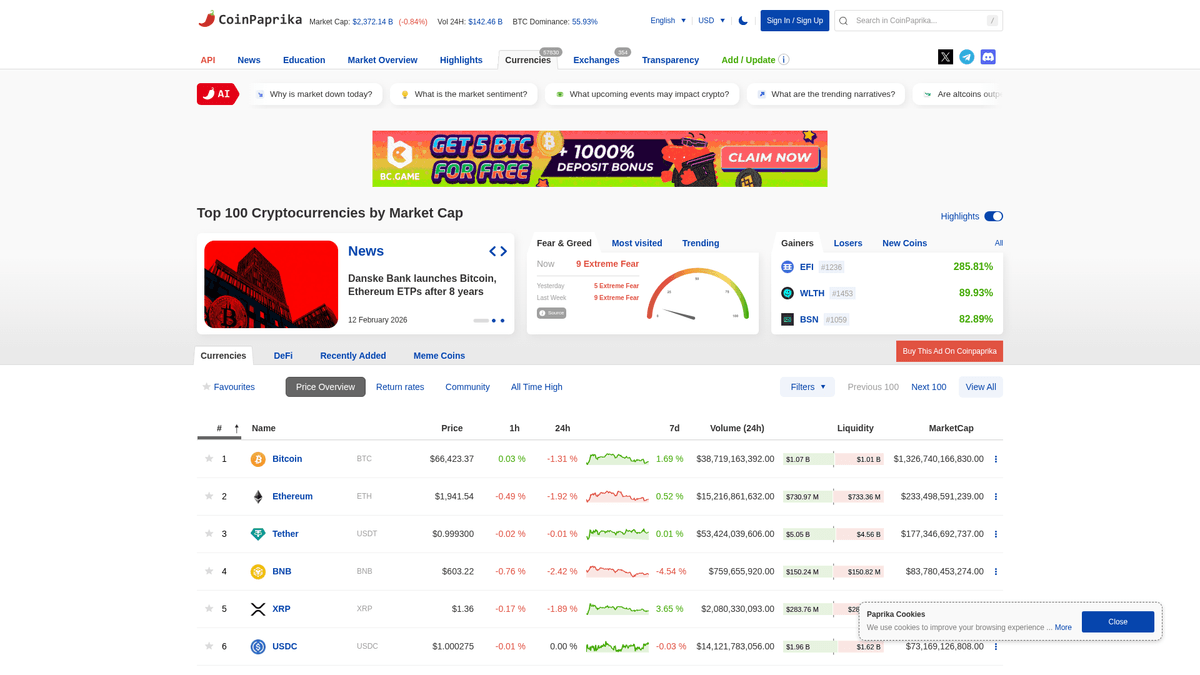
Coinpaprika is a comprehensive cryptocurrency research platform launched in 2018 to provide reliable market data. It tracks thousands of digital assets across hundreds of exchanges, offering insights into price movements, trading volumes, and liquidity metrics. The platform is designed for investors, developers, and researchers seeking a transparent view of the global crypto ecosystem.
Available Data
The website contains a wealth of listings including individual coin pages, exchange transparency rankings, and educational resources. Data points range from basic price and market cap to complex indicators like Confidence scores and market depth (1% and 10% order book analysis). It serves as a benchmark for the industry alongside other major aggregators like CoinMarketCap and CoinGecko.
Value for Scraping
Scraping Coinpaprika is highly valuable for building financial dashboards, performing historical market analysis, and conducting competitive intelligence. The data allows users to monitor arbitrage opportunities, track the growth of specific market sectors like DeFi or NFTs, and integrate real-time crypto valuations into private applications or academic research papers without the limitations of standard API rate limits.
Why Scrape Coinpaprika?
Discover the business value and use cases for extracting data from Coinpaprika.
Real-time Arbitrage Detection
Scrape and compare live prices across over 350 exchanges listed on Coinpaprika to identify and capitalize on market price discrepancies.
In-depth Tokenomics Research
Monitor circulating supply, maximum supply, and total supply changes across 57,000+ assets to perform fundamental analysis of project sustainability.
Liquidity and Risk Assessment
Extract Market Depth (1% and 10%) and Confidence scores to evaluate the actual liquidity of trading pairs and avoid wash-trading risks.
Project Team Auditing
Gather project team details, whitepaper links, and GitHub source code URLs to perform due diligence on new blockchain initiatives.
Historical Market Backtesting
Collect All-Time High and All-Time Low data points alongside historical price tables to refine and test quantitative trading strategies.
Sentiment and Social Monitoring
Track social media links and community activity levels listed on individual coin pages to gauge market hype and engagement.
Scraping Challenges
Technical challenges you may encounter when scraping Coinpaprika.
React-Based Dynamic Rendering
Many real-time price updates and interactive charts are rendered using JavaScript, requiring a headless browser to capture the fully hydrated DOM.
Cloudflare Security Shields
Coinpaprika utilizes Cloudflare WAF which can trigger challenges or blocks if it detects non-browser traffic or suspicious scraping patterns.
Frequent Selector Updates
The platform's frontend CSS classes are updated often and can change based on price direction (bullish vs bearish), making static selectors brittle.
Aggressive Rate Limiting
Unauthenticated requests are subject to strict limits, necessitating the use of high-quality rotating proxies to maintain high-speed data extraction.
Scrape Coinpaprika with AI
No coding required. Extract data in minutes with AI-powered automation.
How It Works
Describe What You Need
Tell the AI what data you want to extract from Coinpaprika. Just type it in plain language — no coding or selectors needed.
AI Extracts the Data
Our artificial intelligence navigates Coinpaprika, handles dynamic content, and extracts exactly what you asked for.
Get Your Data
Receive clean, structured data ready to export as CSV, JSON, or send directly to your apps and workflows.
Why Use AI for Scraping
AI makes it easy to scrape Coinpaprika without writing any code. Our AI-powered platform uses artificial intelligence to understand what data you want — just describe it in plain language and the AI extracts it automatically.
How to scrape with AI:
- Describe What You Need: Tell the AI what data you want to extract from Coinpaprika. Just type it in plain language — no coding or selectors needed.
- AI Extracts the Data: Our artificial intelligence navigates Coinpaprika, handles dynamic content, and extracts exactly what you asked for.
- Get Your Data: Receive clean, structured data ready to export as CSV, JSON, or send directly to your apps and workflows.
Why use AI for scraping:
- Visual No-Code Builder: Easily map data fields like market cap and volume using a point-and-click interface without writing complex Playwright or Puppeteer scripts.
- Automatic Captcha Handling: Bypass Cloudflare and other bot detection mechanisms automatically, ensuring your scraping tasks run smoothly without manual intervention.
- Scheduled Market Snapshots: Set your scrapers to run at specific intervals to build a custom historical database of crypto prices and exchange liquidity.
- Direct Webhook Integration: Instantly push scraped market data to your own apps, Telegram bots, or Discord servers for real-time alerts and automation.
- Intelligent Proxy Management: Utilize built-in residential and rotating proxies to mimic organic traffic and prevent IP bans from the target website.
No-Code Web Scrapers for Coinpaprika
Point-and-click alternatives to AI-powered scraping
Several no-code tools like Browse.ai, Octoparse, Axiom, and ParseHub can help you scrape Coinpaprika. These tools use visual interfaces to select elements, but they come with trade-offs compared to AI-powered solutions.
Typical Workflow with No-Code Tools
Common Challenges
Learning curve
Understanding selectors and extraction logic takes time
Selectors break
Website changes can break your entire workflow
Dynamic content issues
JavaScript-heavy sites often require complex workarounds
CAPTCHA limitations
Most tools require manual intervention for CAPTCHAs
IP blocking
Aggressive scraping can get your IP banned
No-Code Web Scrapers for Coinpaprika
Several no-code tools like Browse.ai, Octoparse, Axiom, and ParseHub can help you scrape Coinpaprika. These tools use visual interfaces to select elements, but they come with trade-offs compared to AI-powered solutions.
Typical Workflow with No-Code Tools
- Install browser extension or sign up for the platform
- Navigate to the target website and open the tool
- Point-and-click to select data elements you want to extract
- Configure CSS selectors for each data field
- Set up pagination rules to scrape multiple pages
- Handle CAPTCHAs (often requires manual solving)
- Configure scheduling for automated runs
- Export data to CSV, JSON, or connect via API
Common Challenges
- Learning curve: Understanding selectors and extraction logic takes time
- Selectors break: Website changes can break your entire workflow
- Dynamic content issues: JavaScript-heavy sites often require complex workarounds
- CAPTCHA limitations: Most tools require manual intervention for CAPTCHAs
- IP blocking: Aggressive scraping can get your IP banned
Code Examples
import requests
from bs4 import BeautifulSoup

# URL of the specific coin page
url = 'https://coinpaprika.com/coin/btc-bitcoin/'
# Define headers to mimic a real browser request
headers = {'User-Agent': 'Mozilla/5.0 (Windows NT 10.0; Win64; x64) AppleWebKit/537.36 (KHTML, like Gecko) Chrome/91.0.4472.124 Safari/537.36'}

try:
    # Send request to the website
    response = requests.get(url, headers=headers)
    response.raise_for_status()
    soup = BeautifulSoup(response.text, 'html.parser')
    # Extract asset name and price
    coin_name = soup.find('h1').text.strip() if soup.find('h1') else 'N/A'
    price = soup.find('span', {'class': 'cp-price-value'}).text.strip() if soup.find('span', {'class': 'cp-price-value'}) else 'N/A'
    print(f'Asset: {coin_name}')
    print(f'Current Price: {price}')
except Exception as e:
    print(f'An error occurred: {e}')
When to Use
Best for static HTML pages where content is loaded server-side. The fastest and simplest approach when JavaScript rendering isn't required.
Advantages
- ●Fastest execution (no browser overhead)
- ●Lowest resource consumption
- ●Easy to parallelize with asyncio
- ●Great for APIs and static pages
Limitations
- ●Cannot execute JavaScript
- ●Fails on SPAs and dynamic content
- ●May struggle with complex anti-bot systems
How to Scrape Coinpaprika with Code
Python + Requests
import requests
from bs4 import BeautifulSoup
# URL of the specific coin page
url = 'https://coinpaprika.com/coin/btc-bitcoin/'
# Define headers to mimic a real browser request
headers = {'User-Agent': 'Mozilla/5.0 (Windows NT 10.0; Win64; x64) AppleWebKit/537.36 (KHTML, like Gecko) Chrome/91.0.4472.124 Safari/537.36'}
try:
# Send request to the website
response = requests.get(url, headers=headers)
response.raise_for_status()
soup = BeautifulSoup(response.text, 'html.parser')
# Extract asset name and price
coin_name = soup.find('h1').text.strip() if soup.find('h1') else 'N/A'
price = soup.find('span', {'class': 'cp-price-value'}).text.strip() if soup.find('span', {'class': 'cp-price-value'}) else 'N/A'
print(f'Asset: {coin_name}')
print(f'Current Price: {price}')
except Exception as e:
print(f'An error occurred: {e}')Python + Playwright
from playwright.sync_api import sync_playwright

def scrape_coinpaprika():
    with sync_playwright() as p:
        # Launch a headless browser
        browser = p.chromium.launch(headless=True)
        page = browser.new_page()
        # Navigate to the coin page
        page.goto('https://coinpaprika.com/coin/btc-bitcoin/')
        # Wait for the price element to be rendered by JS
        page.wait_for_selector('.cp-price-value')
        data = {
            'title': page.title(),
            'price': page.inner_text('.cp-price-value'),
            'market_cap': page.inner_text('text=Market Cap >> xpath=..')
        }
        print(data)
        browser.close()

if __name__ == '__main__':
scrape_coinpaprika()Python + Scrapy
import scrapy

class CoinpaprikaSpider(scrapy.Spider):
    name = 'coinpaprika'
    start_urls = ['https://coinpaprika.com/all-coins/']

    def parse(self, response):
        # Iterate through coin table rows
        for row in response.css('table.cp-table tbody tr'):
            yield {
                'rank': row.css('td.rank::text').get(),
                'name': row.css('td.name a::text').get().strip(),
                'price': row.css('td.price span::text').get(),
                'market_cap': row.css('td.market-cap::text').get()
            }
        # Handle simple numbered pagination
        next_page = response.css('a.next-page::attr(href)').get()
        if next_page:
yield response.follow(next_page, self.parse)Node.js + Puppeteer
const puppeteer = require('puppeteer');

(async () => {
  const browser = await puppeteer.launch();
  const page = await browser.newPage();
  try {
    // Navigate and wait for network activity to settle
    await page.goto('https://coinpaprika.com/coin/btc-bitcoin/', { waitUntil: 'networkidle2' });
    const coinData = await page.evaluate(() => {
      return {
        name: document.querySelector('h1')?.innerText.trim(),
        price: document.querySelector('.cp-price-value')?.innerText.trim(),
        volume24h: document.querySelector('text/Volume (24h)')?.parentElement?.innerText
      };
    });
    console.log(coinData);
  } catch (error) {
    console.error('Error scraping:', error);
  } finally {
    await browser.close();
  }
})();What You Can Do With Coinpaprika Data
Explore practical applications and insights from Coinpaprika data.
Crypto Arbitrage Monitoring
Identify price discrepancies for the same asset across different exchanges to find profit opportunities.
How to implement:
- 1Scrape all trading pairs for a specific coin from its market page.
- 2Compare the Price field across all listed exchanges in real-time.
- 3Filter results by Confidence score to ensure the liquidity is verified.
- 4Calculate the potential profit margin after accounting for transaction fees.
Use Automatio to extract data from Coinpaprika and build these applications without writing code.
What You Can Do With Coinpaprika Data
- Crypto Arbitrage Monitoring
Identify price discrepancies for the same asset across different exchanges to find profit opportunities.
- Scrape all trading pairs for a specific coin from its market page.
- Compare the Price field across all listed exchanges in real-time.
- Filter results by Confidence score to ensure the liquidity is verified.
- Calculate the potential profit margin after accounting for transaction fees.
- Automated Portfolio Valuation
Create a private dashboard that automatically updates the total value of a user's crypto holdings.
- Set up a scheduled scraper for the specific coins in the portfolio.
- Extract real-time price data every 5 to 15 minutes.
- Multiply the scraped price by the static user balance in a spreadsheet.
- Visualize individual asset performance and total gain/loss over time.
- Market Sentiment Analysis
Analyze if news coverage and project updates correlate with price movements for market trend prediction.
- Scrape the News section on Coinpaprika for specific coin categories.
- Extract headlines, descriptions, and publication timestamps.
- Perform NLP sentiment analysis on the text to determine bullish or bearish tone.
- Compare sentiment scores against price action scraped from the charts.
- Historical Backtesting Research
Gather deep historical data to test and refine trading strategies before risking capital.
- Scrape historical price charts for daily open, high, low, and close values.
- Collect 24h volume data to identify high-interest trading zones.
- Format the data into a standard OHLC structure for technical indicators.
- Run the data through backtesting software to measure strategy performance.
- Project Legitimacy Auditing
Verify the Confidence and Transparency of crypto projects for investment risk assessment.
- Scrape the transparency metrics for an exchange or specific coin listing.
- Extract the Team section data to verify developer history on GitHub.
- Monitor for sudden changes in supply or trading volume outliers.
- Flag projects with low confidence scores or missing whitepapers for review.
Supercharge your workflow with AI Automation
Automatio combines the power of AI agents, web automation, and smart integrations to help you accomplish more in less time.
What to get right first
Expert advice for successfully extracting data from Coinpaprika.
Monitor Internal XHR Traffic
Check the network tab in your browser to find internal JSON endpoints that the site uses to populate data tables for cleaner extraction.
Use Stable Data Attributes
When selecting elements, look for data attributes or unique ID strings rather than generic CSS classes that might change during UI updates.
Rotate User Agents Regularly
Cycle through a pool of modern browser headers to appear like a diverse set of organic users and reduce the risk of fingerprinting.
Handle Null Values Gracefully
Newly listed coins often lack data for Market Cap or Supply; ensure your scraping logic includes checks for empty or 'No Data' strings.
Implement Exponential Backoff
If you encounter 429 status codes, increase the wait time between requests to respect the server's load and prevent permanent IP bans.
Related Web Scraping
How to Scrape Moon.ly | Step-by-Step NFT Data Extraction Guide

How to Scrape Yahoo Finance: Extract Stock Market Data

How to Scrape Rocket Mortgage: A Comprehensive Guide
How to Scrape Open Collective: Financial and Contributor Data Guide
How to Scrape jup.ag: Jupiter DEX Web Scraper Guide

How to Scrape Indiegogo: The Ultimate Crowdfunding Data Extraction Guide
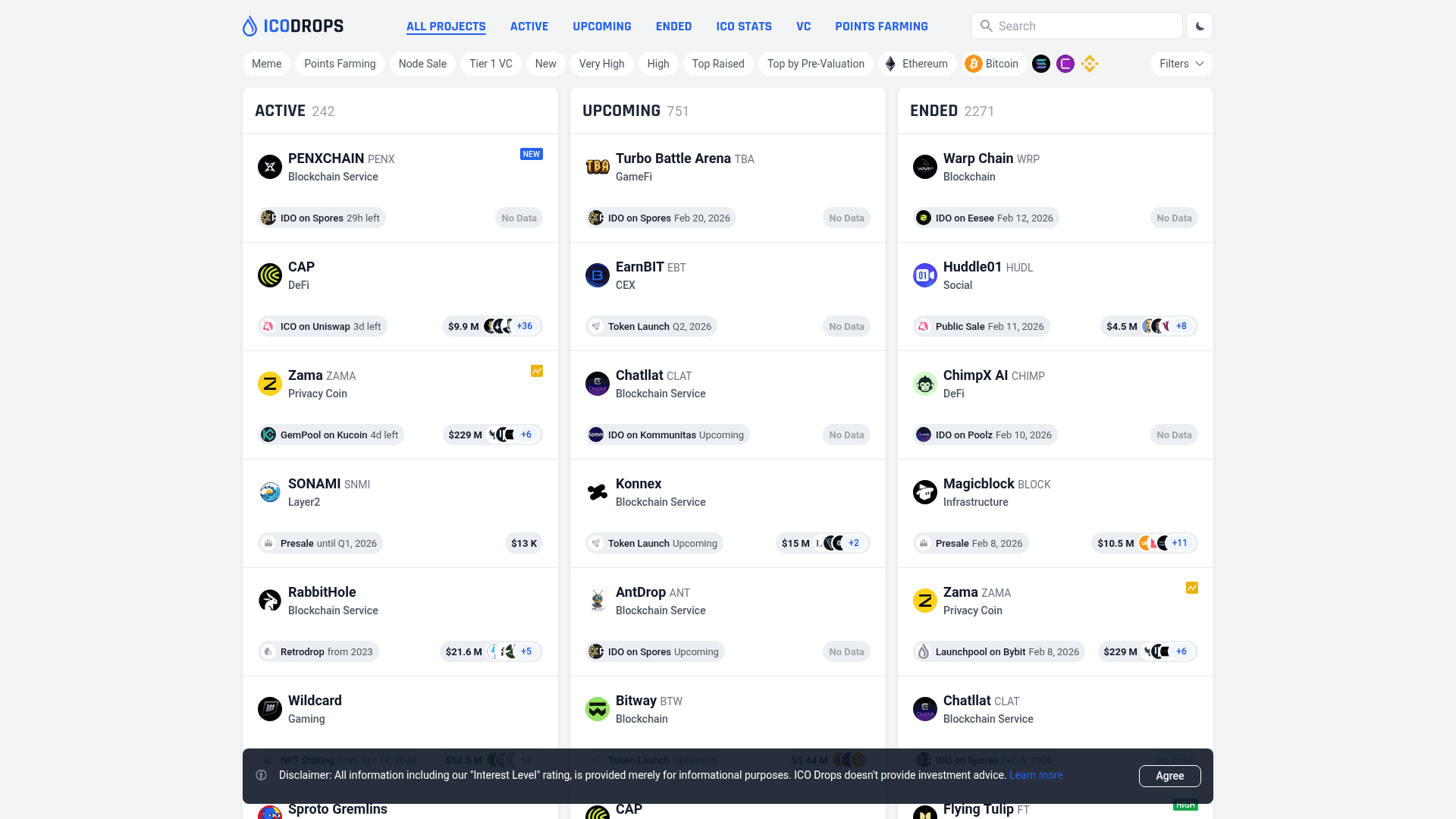
How to Scrape ICO Drops: Comprehensive Crypto Data Guide

How to Scrape Crypto.com: Comprehensive Market Data Guide
Frequently Asked Questions
Find answers to common questions about Coinpaprika