
How to Scrape Healthline: The Ultimate Health & Medical Data Guide
Learn how to scrape medically reviewed articles, symptoms, and drug data from Healthline. Extract high-quality medical information for research and analysis.
Anti-Bot Protection Detected
- Cloudflare
- Enterprise-grade WAF and bot management. Uses JavaScript challenges, CAPTCHAs, and behavioral analysis. Requires browser automation with stealth settings.
- Rate Limiting
- Limits requests per IP/session over time. Can be bypassed with rotating proxies, request delays, and distributed scraping.
- User-Agent Spoofing Detection
- Browser Fingerprinting
- Identifies bots through browser characteristics: canvas, WebGL, fonts, plugins. Requires spoofing or real browser profiles.
About Healthline
Learn what Healthline offers and what valuable data can be extracted from it.
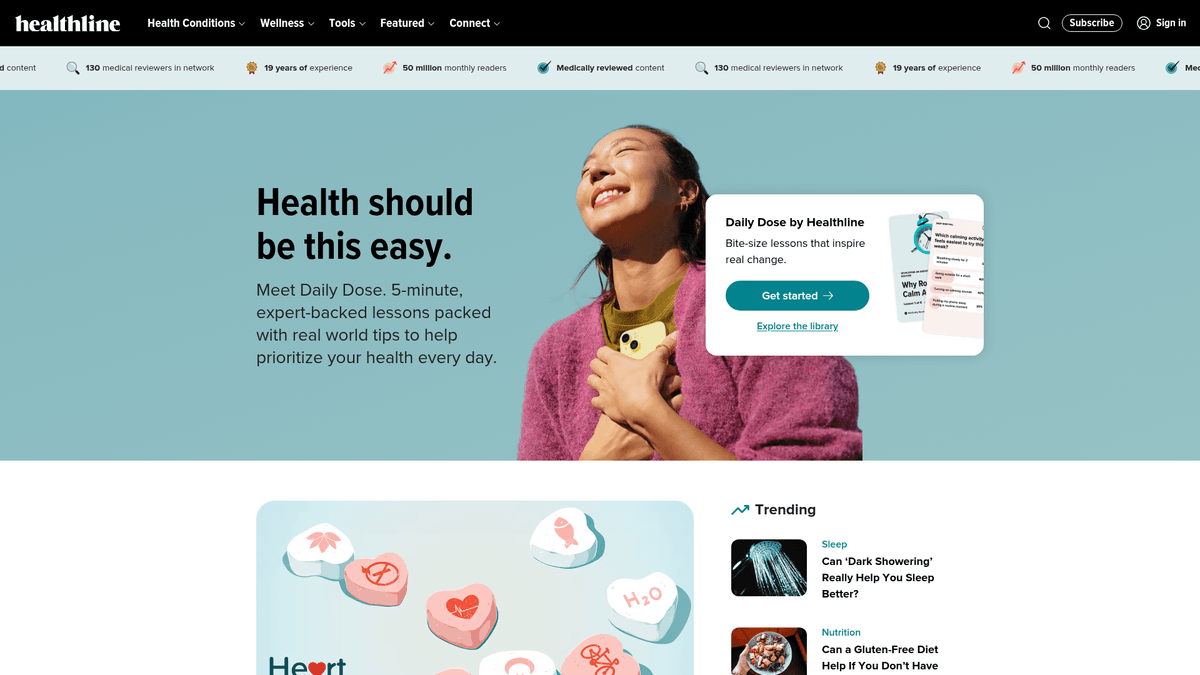
Healthline is a leading digital health information platform owned by Healthline Media, an RVO Health company. It provides comprehensive, expert-reviewed content covering thousands of health conditions, wellness topics, and medical news stories. The platform is designed to make health information accessible and actionable for a global audience by breaking down complex medical jargon into understandable guidance.
The website contains a massive repository of structured data, including condition directories, drug specifications, symptom lists, and product reviews. Every article is written by health journalists and reviewed by a dedicated team of medical professionals (doctors, nurses, and specialists) to ensure the highest standards of accuracy and reliability. This makes it one of the most trusted sources of health data on the internet.
Scraping Healthline is exceptionally valuable for healthcare researchers, pharmaceutical companies, and health-tech developers. The data extracted can be used to build medical knowledge bases, monitor healthcare trends, conduct market research on wellness products, and provide high-quality training data for AI-based health assistants and diagnostic tools.
Why Scrape Healthline?
Discover the business value and use cases for extracting data from Healthline.
Training Health-Specific LLMs
Extract expert-reviewed medical text and clinical guides to fine-tune AI models for highly accurate, evidence-based healthcare responses.
Pharmaceutical Market Analysis
Monitor drug information, side effects, and patient guidance across a massive database of medications to track industry shifts.
Nutrition and Wellness Trends
Analyze frequently updated wellness topics and diet trends to inform health-focused content strategy or new product development.
Health Product Price Monitoring
Track prices and reviews for recommended supplements and health tech across the e-commerce links provided in their 'Best Of' reviews.
Academic Medical Research
Aggregate large-scale, medically vetted data for systematic reviews, epidemiological studies, or public health education projects.
Competitive Content Auditing
Study how the world's leading health portal structures its medically reviewed content to optimize your own site's SEO and authority.
Scraping Challenges
Technical challenges you may encounter when scraping Healthline.
Cloudflare Bot Management
Healthline utilizes aggressive Cloudflare security that frequently triggers CAPTCHAs and 403 errors when it detects automated traffic.
Dynamic JavaScript Rendering
The site's modern tech stack requires full JavaScript execution to render critical content sections and interactive medical tools.
Varied Article Templates
Different content categories, such as drug directories vs. lifestyle blogs, use unique HTML structures that require flexible scraping logic.
Sophisticated Rate Limiting
High-frequency requests from a single IP address are quickly flagged, necessitating advanced proxy rotation to maintain access.
Scrape Healthline with AI
No coding required. Extract data in minutes with AI-powered automation.
How It Works
Describe What You Need
Tell the AI what data you want to extract from Healthline. Just type it in plain language — no coding or selectors needed.
AI Extracts the Data
Our artificial intelligence navigates Healthline, handles dynamic content, and extracts exactly what you asked for.
Get Your Data
Receive clean, structured data ready to export as CSV, JSON, or send directly to your apps and workflows.
Why Use AI for Scraping
AI makes it easy to scrape Healthline without writing any code. Our AI-powered platform uses artificial intelligence to understand what data you want — just describe it in plain language and the AI extracts it automatically.
How to scrape with AI:
- Describe What You Need: Tell the AI what data you want to extract from Healthline. Just type it in plain language — no coding or selectors needed.
- AI Extracts the Data: Our artificial intelligence navigates Healthline, handles dynamic content, and extracts exactly what you asked for.
- Get Your Data: Receive clean, structured data ready to export as CSV, JSON, or send directly to your apps and workflows.
Why use AI for scraping:
- Bypass Cloudflare Automatically: Automatio is engineered to navigate past complex WAF protections like Cloudflare without the need for manual script adjustments.
- No-Code Visual Selection: Easily map medical reviewer names, credentials, and scientific citations using a simple point-and-click interface.
- Native JavaScript Handling: Automatio renders the full page in a cloud-based browser, ensuring all React-driven content is captured accurately.
- Automated Update Schedules: Configure tasks to run periodically to capture new medical reviews or price changes with data sent directly to your storage.
No-Code Web Scrapers for Healthline
Point-and-click alternatives to AI-powered scraping
Several no-code tools like Browse.ai, Octoparse, Axiom, and ParseHub can help you scrape Healthline. These tools use visual interfaces to select elements, but they come with trade-offs compared to AI-powered solutions.
Typical Workflow with No-Code Tools
Common Challenges
Learning curve
Understanding selectors and extraction logic takes time
Selectors break
Website changes can break your entire workflow
Dynamic content issues
JavaScript-heavy sites often require complex workarounds
CAPTCHA limitations
Most tools require manual intervention for CAPTCHAs
IP blocking
Aggressive scraping can get your IP banned
No-Code Web Scrapers for Healthline
Several no-code tools like Browse.ai, Octoparse, Axiom, and ParseHub can help you scrape Healthline. These tools use visual interfaces to select elements, but they come with trade-offs compared to AI-powered solutions.
Typical Workflow with No-Code Tools
- Install browser extension or sign up for the platform
- Navigate to the target website and open the tool
- Point-and-click to select data elements you want to extract
- Configure CSS selectors for each data field
- Set up pagination rules to scrape multiple pages
- Handle CAPTCHAs (often requires manual solving)
- Configure scheduling for automated runs
- Export data to CSV, JSON, or connect via API
Common Challenges
- Learning curve: Understanding selectors and extraction logic takes time
- Selectors break: Website changes can break your entire workflow
- Dynamic content issues: JavaScript-heavy sites often require complex workarounds
- CAPTCHA limitations: Most tools require manual intervention for CAPTCHAs
- IP blocking: Aggressive scraping can get your IP banned
Code Examples
import requests
from bs4 import BeautifulSoup

url = 'https://www.healthline.com/health/gerd'
headers = {
    'User-Agent': 'Mozilla/5.0 (Windows NT 10.0; Win64; x64) AppleWebKit/537.36 (KHTML, like Gecko) Chrome/91.0.4472.124 Safari/537.36'
}

try:
    # Sending request with custom headers to avoid basic blocks
    response = requests.get(url, headers=headers)
    response.raise_for_status()

    soup = BeautifulSoup(response.text, 'html.parser')
    title = soup.find('h1').get_text(strip=True) if soup.find('h1') else 'No Title'
    print(f'Article Title: {title}')

    # Extracting sections
    sections = soup.find_all(['h2', 'h3'])
    for s in sections:
        print(f'Heading: {s.text}')
except Exception as e:
    print(f'Error: {e}')
When to Use
Best for static HTML pages where content is loaded server-side. The fastest and simplest approach when JavaScript rendering isn't required.
Advantages
- ●Fastest execution (no browser overhead)
- ●Lowest resource consumption
- ●Easy to parallelize with asyncio
- ●Great for APIs and static pages
Limitations
- ●Cannot execute JavaScript
- ●Fails on SPAs and dynamic content
- ●May struggle with complex anti-bot systems
How to Scrape Healthline with Code
Python + Requests
import requests
from bs4 import BeautifulSoup
url = 'https://www.healthline.com/health/gerd'
headers = {
'User-Agent': 'Mozilla/5.0 (Windows NT 10.0; Win64; x64) AppleWebKit/537.36 (KHTML, like Gecko) Chrome/91.0.4472.124 Safari/537.36'
}
try:
# Sending request with custom headers to avoid basic blocks
response = requests.get(url, headers=headers)
response.raise_for_status()
soup = BeautifulSoup(response.text, 'html.parser')
title = soup.find('h1').get_text(strip=True) if soup.find('h1') else 'No Title'
print(f'Article Title: {title}')
# Extracting sections
sections = soup.find_all(['h2', 'h3'])
for s in sections:
print(f'Heading: {s.text}')
except Exception as e:
print(f'Error: {e}')Python + Playwright
import asyncio
from playwright.async_api import async_playwright

async def scrape():
    async with async_playwright() as p:
        # Launching headless browser with stealth settings
        browser = await p.chromium.launch(headless=True)
        page = await browser.new_page()

        # Navigating to a condition page
        await page.goto('https://www.healthline.com/health/gerd', wait_until='networkidle')

        # Extracting data using JavaScript evaluation
        data = await page.evaluate('''() => {
            return {
                title: document.querySelector('h1')?.innerText,
                intro: document.querySelector('p')?.innerText,
                reviewer: document.querySelector('.css-1p2092a')?.innerText
            };
        }''')

        print(data)
        await browser.close()

asyncio.run(scrape())Python + Scrapy
import scrapy

class HealthlineSpider(scrapy.Spider):
    name = 'healthline'
    start_urls = ['https://www.healthline.com/directory/topics']

    def parse(self, response):
        # Finding links to condition articles
        for link in response.css('a.css-1m17l36::attr(href)').getall():
            yield response.follow(link, self.parse_article)

    def parse_article(self, response):
        yield {
            'title': response.css('h1::text').get(),
            'author': response.css('.css-1p2092a::text').get(),
            'body': response.css('div.article-body p::text').getall(),
            'last_updated': response.css('time::attr(datetime)').get()
}Node.js + Puppeteer
const puppeteer = require('puppeteer');

(async () => {
  const browser = await puppeteer.launch();
  const page = await browser.newPage();

  // Setting User-Agent to mimic a real browser
  await page.setUserAgent('Mozilla/5.0 (Windows NT 10.0; Win64; x64) AppleWebKit/537.36 (KHTML, like Gecko) Chrome/95.0.4638.69 Safari/537.36');

  await page.goto('https://www.healthline.com/health/gerd', { waitUntil: 'networkidle2' });

  const data = await page.evaluate(() => {
    return {
      title: document.querySelector('h1')?.innerText,
      headers: Array.from(document.querySelectorAll('h2')).map(h => h.innerText),
      medicalReviewer: document.querySelector('.css-1p2092a')?.innerText
    };
  });

  console.log(data);
  await browser.close();
})();What You Can Do With Healthline Data
Explore practical applications and insights from Healthline data.
Medical Knowledge Base Creation
Building a structured database of symptoms and treatments for diagnostic support apps.
How to implement:
- 1Crawl condition directory pages to find all health topics
- 2Extract symptom lists, treatment protocols, and risk factors
- 3Map conditions to established medical codes for interoperability
- 4Set up a monthly update cycle to maintain clinical accuracy
Use Automatio to extract data from Healthline and build these applications without writing code.
What You Can Do With Healthline Data
- Medical Knowledge Base Creation
Building a structured database of symptoms and treatments for diagnostic support apps.
- Crawl condition directory pages to find all health topics
- Extract symptom lists, treatment protocols, and risk factors
- Map conditions to established medical codes for interoperability
- Set up a monthly update cycle to maintain clinical accuracy
- Public Health Trend Analysis
Analyzing news cycles to identify emerging health concerns and medical trends.
- Scrape the 'Health News' section daily for new articles
- Extract article titles and calculate frequency of specific health keywords
- Apply sentiment analysis to health advice and news reports
- Visualize the growth of specific health topics over a yearly period
- Supplement Price Monitoring
Tracking prices and reviews for vitamins and supplements mentioned in buyer's guides.
- Navigate to 'Product Reviews' categories for specific supplements
- Extract product names, prices, and star ratings from review lists
- Track price fluctuations across different vendor links provided
- Export the data to a competitive pricing dashboard for e-commerce
- AI Model Fine-Tuning
Using high-quality reviewed content to train medical LLMs and health chatbots.
- Bulk scrape medical articles and condition FAQ sections
- Clean HTML tags and remove advertising or navigation elements
- Format the extracted text into question-answer pairs
- Feed the structured dataset into training pipelines for health AI
Supercharge your workflow with AI Automation
Automatio combines the power of AI agents, web automation, and smart integrations to help you accomplish more in less time.
What to get right first
Expert advice for successfully extracting data from Healthline.
Leverage JSON-LD Tags
Target the 'application/ld+json' script tags to extract clean metadata like author names, publish dates, and headlines without HTML noise.
Use Premium Residential Proxies
Employ high-quality residential IPs to avoid the fingerprinting and reputation checks that often block standard data center proxies.
Extract Scientific Citations
Always capture the reference links at the bottom of articles to maintain a clear trail of the evidence-based sources used for each claim.
Implement Random Interactions
Configure your scraper to simulate human-like scrolling and randomized mouse movements to lower the risk of being flagged as a bot.
Utilize XML Sitemaps
Identify new content and updated pages efficiently by crawling the site's sitemap.xml files rather than navigating complex categories.
Related Web Scraping
Frequently Asked Questions
Find answers to common questions about Healthline