

How to Scrape GOV.UK | UK Government Web Scraper Guide
Comprehensive guide to scraping GOV.UK for government guidance, policy updates, and official statistics. Learn to extract high-value public sector data.
Free to start: 1,000 credits, no card, nothing to install.
About GOV.UK
Learn what GOV.UK offers and what valuable data can be extracted from it.
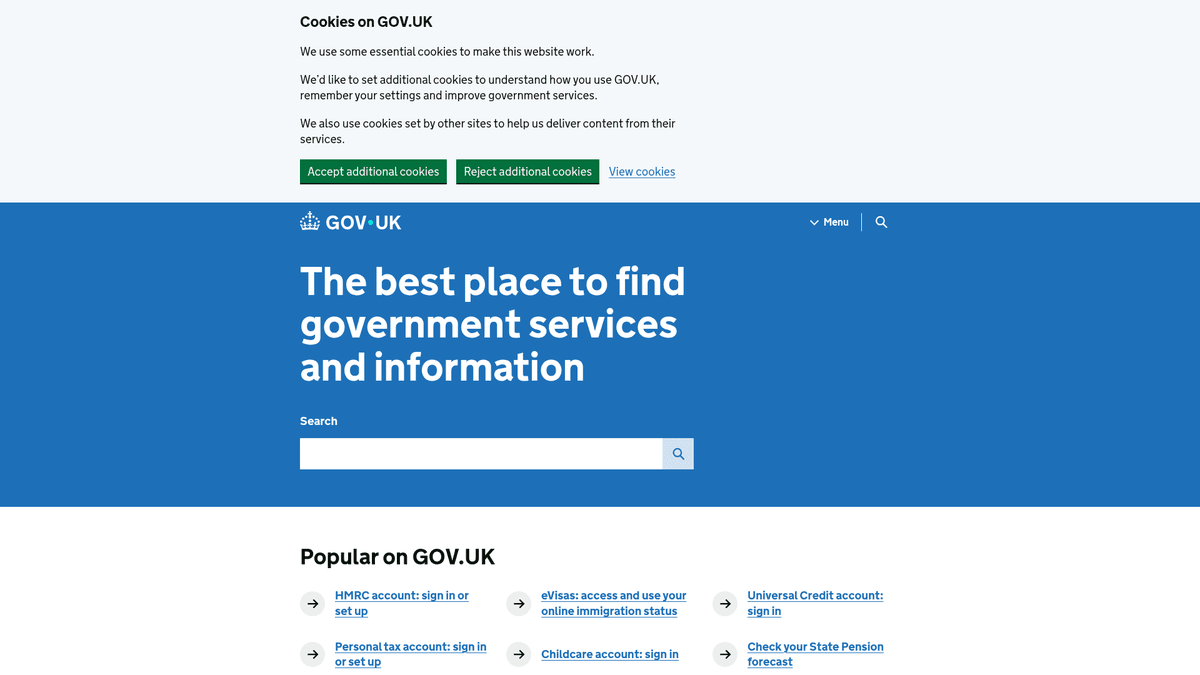
GOV.UK is the central digital portal for the United Kingdom government, providing a single point of access to services and information from all departments and agencies. Created by the Government Digital Service (GDS), it replaced hundreds of individual agency sites with a unified, user-friendly interface designed for transparency and efficiency.
The platform contains a massive repository of data, including legislative guidance, official statistics, policy white papers, and procurement notices. Because the UK government follows an 'open data by default' policy, most of the information on GOV.UK is published under the Open Government Licence, making it a goldmine for researchers, legal firms, and businesses.
Scraping GOV.UK is highly valuable for monitoring regulatory changes, tracking economic indicators, and gathering competitive intelligence from public tender announcements. Organizations use this data to automate compliance workflows and stay ahead of political developments that impact their industries.
Why Scrape GOV.UK?
Discover the business value and use cases for extracting data from GOV.UK.
Procurement Market Analysis
Analyze over 600,000 government contracts to identify spending trends, niche service demands, and funding cycles across local councils and national bodies.
Corporate Due Diligence
Extract Companies House data to verify company status, director history, and persons with significant control for risk assessment and AML compliance.
Lead Generation for B2G
Identify companies that have recently won government tenders to offer subcontracting services or competitive solutions.
Economic and Social Research
Access public records on benefits, crime statistics, and employment trends to build comprehensive economic models or social impact reports.
Historical Vehicle Data
Scrape MOT and mileage history to build automotive valuation tools or verify vehicle condition for secondary markets.
Scraping Challenges
Technical challenges you may encounter when scraping GOV.UK.
Data Fragmentation
Information is spread across various sub-services like Companies House and Find a Tender, each with different URL structures and HTML schemas.
Rate Limiting and Anti-Bot
Gov.uk uses Cloudflare and aggressive rate limiting on certain search endpoints, which can lead to temporary IP blocks if scraping speed is too high.
Frequent Structural Updates
The site is continuously updated by various departments, meaning selectors for contract values or company details may break and require regular maintenance.
Volume of Data
With hundreds of thousands of active listings and millions of historical records, managing the crawl depth and data storage requires robust infrastructure.
Scrape GOV.UK with AI
No coding required. Extract data in minutes with AI-powered automation.
How It Works
Describe What You Need
Tell the AI what data you want to extract from GOV.UK. Just type it in plain language — no coding or selectors needed.
AI Extracts the Data
Our artificial intelligence navigates GOV.UK, handles dynamic content, and extracts exactly what you asked for.
Get Your Data
Receive clean, structured data ready to export as CSV, JSON, or send directly to your apps and workflows.
Why Use AI for Scraping
No-Code Web Scrapers for GOV.UK
Point-and-click alternatives to AI-powered scraping
Several no-code tools like Browse.ai, Octoparse, Axiom, and ParseHub can help you scrape GOV.UK. These tools use visual interfaces to select elements, but they come with trade-offs compared to AI-powered solutions.
Typical Workflow with No-Code Tools
Common Challenges
Learning curve
Understanding selectors and extraction logic takes time
Selectors break
Website changes can break your entire workflow
Dynamic content issues
JavaScript-heavy sites often require complex workarounds
CAPTCHA limitations
Most tools require manual intervention for CAPTCHAs
IP blocking
Aggressive scraping can get your IP banned
Code Examples
import requests
from bs4 import BeautifulSoup

# PRO TIP: Append .json to many GOV.UK URLs for raw data
url = 'https://www.gov.uk/search/news-and-communications'
headers = {'User-Agent': 'ResearchBot/1.0 (contact@example.com)'}

try:
    response = requests.get(url, headers=headers)
    response.raise_for_status()
    soup = BeautifulSoup(response.text, 'html.parser')

    for item in soup.select('.gem-c-document-list__item'):
        title = item.select_one('.gem-c-document-list__item-title').text.strip()
        link = item.select_one('a')['href']
        print(f'Update: {title} | https://www.gov.uk{link}')
except Exception as e:
    print(f'Error: {e}')
When to Use
Best for static HTML pages where content is loaded server-side. The fastest and simplest approach when JavaScript rendering isn't required.
Advantages
- ●Fastest execution (no browser overhead)
- ●Lowest resource consumption
- ●Easy to parallelize with asyncio
- ●Great for APIs and static pages
Limitations
- ●Cannot execute JavaScript
- ●Fails on SPAs and dynamic content
- ●May struggle with complex anti-bot systems
from playwright.sync_api import sync_playwright

with sync_playwright() as p:
    browser = p.chromium.launch(headless=True)
    page = browser.new_page()
    try:
        page.goto('https://www.gov.uk/search/all?keywords=data+protection')
        page.wait_for_selector('.gem-c-document-list__item')
        titles = page.locator('.gem-c-document-list__item-title').all_text_contents()
        for t in titles:
            print(f'Extracted: {t.strip()}')
    finally:
        browser.close()
When to Use
Use when content loads dynamically via JavaScript, or when you need to interact with the page (clicks, scrolls, form fills). Handles modern anti-bot detection better.
Advantages
- ●Executes JavaScript like a real browser
- ●Handles SPAs and dynamic content
- ●Better anti-bot evasion with stealth plugins
- ●Can take screenshots and PDFs
Limitations
- ●Slower than HTTP requests
- ●Higher memory/CPU usage
- ●More complex to set up
import scrapy

class GovSpider(scrapy.Spider):
    name = 'gov_spider'
    start_urls = ['https://www.gov.uk/search/news-and-communications']

    def parse(self, response):
        for article in response.css('.gem-c-document-list__item'):
            yield {
                'title': article.css('.gem-c-document-list__item-title::text').get().strip(),
                'link': response.urljoin(article.css('a::attr(href)').get())
            }
        next_page = response.css('a[rel="next"]::attr(href)').get()
        if next_page:
            yield response.follow(next_page, self.parse)
When to Use
Ideal for large-scale crawling projects that need to scrape thousands of pages. Built-in support for rate limiting, retries, and data pipelines.
Advantages
- ●Built for scale (millions of pages)
- ●Automatic request throttling
- ●Built-in data export pipelines
- ●Middleware system for proxies/headers
Limitations
- ●Steeper learning curve
- ●Overkill for small projects
- ●No native JavaScript rendering
const puppeteer = require('puppeteer');

(async () => {
    const browser = await puppeteer.launch();
    const page = await browser.newPage();
    try {
        await page.goto('https://www.gov.uk/search/news-and-communications', { waitUntil: 'networkidle2' });
        const results = await page.evaluate(() =>
            Array.from(document.querySelectorAll('.gem-c-document-list__item-title'))
            .map(el => el.innerText.trim())
        );
        console.log(results);
    } finally {
        await browser.close();
    }
})();
When to Use
Choose this if you're in a Node.js/JavaScript ecosystem or need tight integration with frontend tools. Similar capabilities to Playwright.
Advantages
- ●Native JavaScript/TypeScript support
- ●Chrome DevTools Protocol access
- ●Large ecosystem and community
- ●Good for JS-heavy projects
Limitations
- ●Chrome-only (vs Playwright's multi-browser)
- ●Similar overhead to Playwright
- ●Less mature stealth options
What You Can Do With GOV.UK Data
Explore practical applications and insights from GOV.UK data.
Regulatory Alert System
Legal and compliance teams can monitor specific guidance categories to detect law changes immediately.
How to implement:
- 1Scrape the 'Guidance and Regulation' section daily.
- 2Extract document text and last updated timestamps.
- 3Compare content against previous versions to highlight diffs.
- 4Send automated alerts to relevant internal stakeholders.
Use Automatio to extract data from GOV.UK and build these applications without writing code.
Tender Opportunity Tracker
Sales teams can scrape procurement notices to find new government contract opportunities.
How to implement:
- 1Target the 'Procurement' search category on GOV.UK.
- 2Scrape deadline dates, contact emails, and contract values.
- 3Filter results by industry keywords relevant to your business.
- 4Import leads directly into a CRM for follow-up.
Use Automatio to extract data from GOV.UK and build these applications without writing code.
Economic Trend Analysis
Economists can aggregate statistical releases for longitudinal studies on UK performance.
How to implement:
- 1Identify statistical data series URLs.
- 2Scrape direct links to CSV or Excel files.
- 3Download and clean the datasets using automated scripts.
- 4Merge data into a centralized database for visualization.
Use Automatio to extract data from GOV.UK and build these applications without writing code.
Public Policy Archive
Journalists and researchers can create a searchable archive of official government announcements.
How to implement:
- 1Scrape the 'News and Communications' section continuously.
- 2Extract headlines, body text, and department tags.
- 3Index the data in a searchable platform like Elasticsearch.
- 4Analyze sentiment and frequency of specific policy keywords.
Use Automatio to extract data from GOV.UK and build these applications without writing code.
Automated Advice Bots
Non-profits can use official guidance to power chatbots that help citizens find benefit information.
How to implement:
- 1Scrape benefits and housing guidance pages.
- 2Map extracted text to a vector database for RAG (Retrieval-Augmented Generation).
- 3Set up a trigger to refresh the database when GOV.UK content changes.
- 4Provide real-time, accurate answers to user queries.
Use Automatio to extract data from GOV.UK and build these applications without writing code.
Grant Discovery Engine
Educational institutions can find grant and funding opportunities for research projects.
How to implement:
- 1Scrape the 'Education, Training and Skills' funding category.
- 2Extract eligibility criteria and application deadlines.
- 3Categorize grants by department and funding amount.
- 4Automate weekly email summaries for faculty members.
Use Automatio to extract data from GOV.UK and build these applications without writing code.
Supercharge your workflow with AI Automation
Automatio combines the power of AI agents, web automation, and smart integrations to help you accomplish more in less time.
What to get right first
Expert advice for successfully extracting data from GOV.UK.
The .json Extension Trick
Many Gov.uk pages allow you to append .json to the URL to receive structured data directly, which is faster and more reliable than HTML scraping.
Throttle Your Requests
Avoid aggressive scraping speeds; implement a delay of 2-5 seconds between requests to prevent triggering rate limits and IP blocks.
Use Official APIs First
Leverage specific APIs for Companies House or Find a Tender, as they are explicitly designed for developers and offer much higher stability.
Handle 429 Errors Gracefully
If you receive a 'Too Many Requests' error, pause your scraper for several minutes and verify your crawl rate before resuming.
Rotate User-Agents
Always use valid, modern browser User-Agent headers to avoid being immediately identified as a basic script by security layers.
Related Web Scraping
Frequently Asked Questions
Find answers to common questions about GOV.UK
Is it legal to scrape Gov.uk?
Generally, yes, as the data is public record provided under the Open Government Licence (OGL) v3.0. However, you must comply with the OGL terms, which require attribution and prohibit the use of data for fraudulent purposes or to misrepresent the government.
Does Gov.uk have an official API?
Yes, Gov.uk provides several official APIs, including the Companies House API, the Find a Tender API, and the MOT history API. Using these is the recommended method as they provide structured data and are less likely to lead to IP blocking compared to screen scraping.
How do I avoid getting blocked by Gov.uk?
The best way is to use their official APIs with an API key. If screen scraping is necessary, you should implement slow crawl rates, rotate your IP addresses using residential proxies, and use headless browsers to handle JavaScript-heavy sections.
What format can I get the Gov.uk data in?
When using official APIs, the data is typically returned in JSON or XML formats. If you are scraping the HTML directly, you can use tools like Automatio to export the results into CSV, JSON, or directly into a Google Sheet for immediate analysis.
How often does Gov.uk data update?
The update frequency depends on the specific service. News and tender notices can be updated multiple times daily, whereas company filings and guidance pages may update weekly or monthly depending on department activity.
Can I scrape PDF documents from Gov.uk?
Yes, many government releases are hosted as PDFs. You can use a web scraper to collect the direct download links for these files and then process them using a PDF-to-text conversion tool.
What are the rate limits for scraping Gov.uk?
While limits vary by sub-service, a general rule of thumb is to stay under 3,000 requests per 5 minutes. Exceeding this will likely trigger a 429 error and a temporary cooling-off period for your IP address.
Do I need a login to scrape this data?
No, the vast majority of information on Gov.uk is accessible to the public without an account. Only specific administrative or professional portals require credentials, but public data is intentionally kept open for transparency.