

Nextcloud: One-Click Deploy on Your Own VPS
Nextcloud is a full suite for file storage, communication, and collaboration. Deploying here gives you a dedicated server with automated backups, HTTPS, and total control over your digital life.
Nextcloud
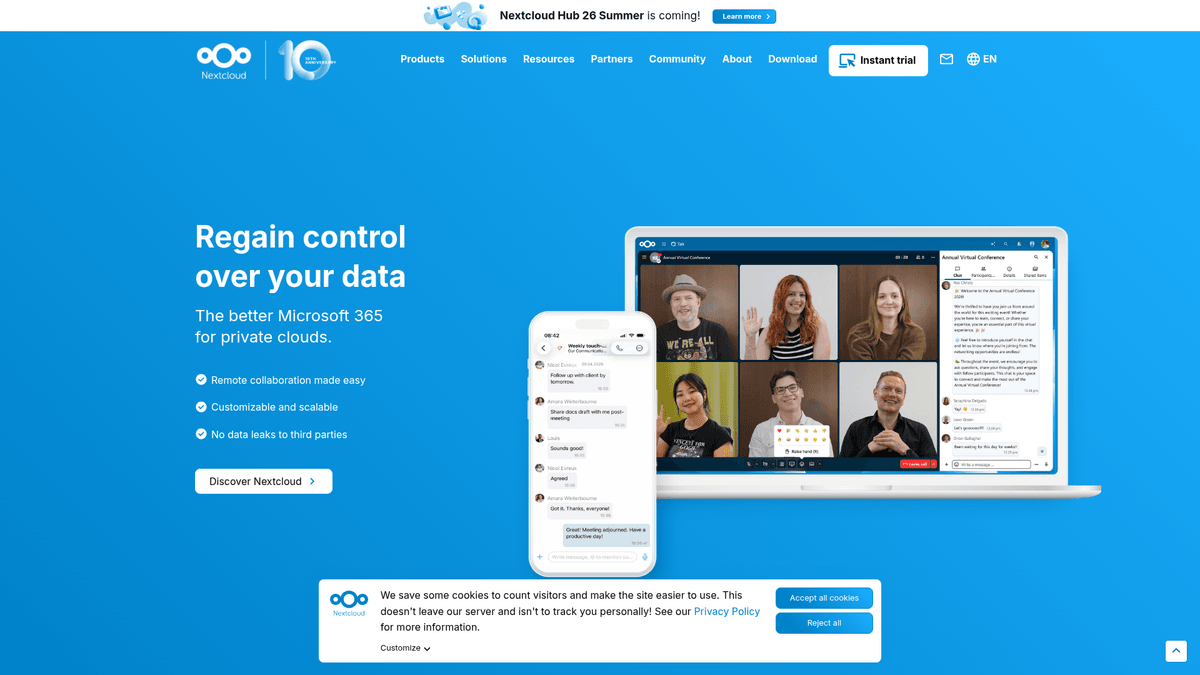
Storage & File SharingNextcloud is a self-hosted file storage and sync platform with powerful collaboration capabilities. It integrates Files, Talk, Groupware, Office, Assistant and more into a single platform for remote work and data protection.
What you get when you deploy Nextcloud
The server we rent for it, what it costs, and what the installer will ask you.
- Server
- CX23 · 2 vCPU · 4 GB RAM
- From
- $9/month
- Setup
- No configuration required
Included with every deployment
- Dedicated server, one app per machine
- HTTPS certificate issued automatically
- Free subdomain, custom domain optional
- Restart, resize, snapshot and restore
The project
Everything this page links to outside Automatio.
Deploy Nextcloud in one click
On your own server, with your own data. No terminal, no Docker commands, no certificate setup.
- 1
Pick a size
Start on the smallest server that fits the app. Resize later without reinstalling.
- 2
Press deploy
We rent the server, install the app with Docker, and point a subdomain at it.
- 3
Watch it come up
Provisioning runs unattended and takes a few minutes. When the HTTPS certificate lands, the app is live and your login details are on the deployment page.
Server size
Billed monthly with your Automatio subscription. Destroy the server any time and the charge stops. Every server: 20 TB traffic/month included, then $2.50 per TB.
Key Capabilities
Explore what Automatio can do for this use case
Files and Sync
Nextcloud provides high performance file hosting with real-time synchronization across desktop and mobile devices. It uses a sophisticated backend to ensure changes reflect instantly while maintaining file integrity through Redis caching and PostgreSQL database management.
- 1Native desktop and mobile clients
- 2Redis-backed file locking
- 3APCu local caching
- 4Large file chunking support
- 5Public link uploads up to 10GB
Key Capabilities
- Files and Sync
Nextcloud provides high performance file hosting with real-time synchronization across desktop and mobile devices. It uses a sophisticated backend to ensure changes reflect instantly while maintaining file integrity through Redis caching and PostgreSQL database management.
- Native desktop and mobile clients
- Redis-backed file locking
- APCu local caching
- Large file chunking support
- Public link uploads up to 10GB
- Collaborative Office
The Nextcloud AIO stack includes Collabora Online for real-time document editing within your browser. Multiple users can work on the same spreadsheet or document simultaneously, eliminating version conflicts and the need for third-party cloud office suites.
- Real-time collaboration
- Supports docx, xlsx, pptx
- In-browser document previews
- No external data leaks
- PDF and SVG exports
- Nextcloud Talk
This private communication platform supports encrypted video calls and chat directly from your server. It includes a high-performance backend and a TURN server to ensure connectivity behind firewalls, providing a completely self-hosted alternative to Slack or Zoom.
- Encrypted video and voice
- Integrated TURN server
- Private chat channels
- Screen sharing support
- Mobile notification support
- BorgBackup System
Nextcloud AIO features an integrated backup solution based on BorgBackup for incremental and encrypted restore points. It handles the entire stack, including the database and configurations, allowing for one-click restores from the dashboard.
- Incremental and compressed
- End-to-end data encryption
- Integrity checks and repairs
- One-click restore from UI
- Remote repository support
- Groupware and Calendar
The platform integrates professional calendar, contacts, and mail features that synchronize using standard protocols. This allows you to manage team schedules and shared address books across all your personal devices without relying on proprietary ecosystems.
- Shared team calendars
- Address book management
- CalDAV and CardDAV support
- Integrated mail client
- Appointment booking system
Why self-host Nextcloud
What to know first
Managed, DIY, or One-Click?
The three realistic ways to run {name}, compared honestly.
| Aspect | Managed SaaS | DIY on a VPS | Automatio one-click |
|---|---|---|---|
| Time to running | Instant | 1-2 hours | Under 15 minutes |
| Updates | Automatic by vendor | Manual CLI commands | One-click in dashboard |
| Data Privacy | Vendor has access | Absolute control | Absolute control |
| SSL/HTTPS | Included | Manual Config | Included (1-Click) |
| Backup System | Proprietary | User-managed scripts | Integrated BorgBackup |
Time to running
Updates
Data Privacy
SSL/HTTPS
Backup System
Who this is for
People who actually run Nextcloud on their own server, and what changes when they do.
a privacy-conscious family head
Tired of monthly subscriptions for Google One or iCloud and worrying about data mining.
You get a central, private place for family photos and documents that you own forever.
- Enable mobile photo auto-upload
- Create a shared folder for household docs
- Set up a family calendar
a freelancer handling client data
Needs to share large project files securely without hitting storage caps or compromising confidentiality.
Running your own instance ensures complete professional control over client files with no middleman.
- Create password-protected upload links
- Sync active project folders to desktop
- Use Talk for secure client calls
a small non-profit team
Needs a professional collaboration suite but lacks the budget for per-user licenses.
Self-hosting provides a high-quality alternative for team collaboration and document storage.
- Use Office for collaborative grant writing
- Manage tasks and projects with Deck
- Host weekly team meetings via Talk
a developer with a home lab
Wants to integrate their cloud with home automation or existing local network storage.
You gain a programmable cloud platform that can mount local drives and run custom scripts.
- Connect a 10TB local drive
- Script daily backups via Borg
- Test custom apps via the App API
About This App
What this app does and where it fits.
A complete private cloud
Nextcloud AIO is the official, streamlined distribution of the most popular open-source collaboration platform. Built to solve the inherent complexity of manual Nextcloud installations, AIO (All-in-One) bundles the core server with critical performance components like Redis for caching, PostgreSQL for data management, and high-performance backends for files and communication. It's designed to be the definitive way for individuals and small teams to take back control of their digital lives from large tech corporations.
How it works
The architecture of Nextcloud AIO centers on a Mastercontainer that orchestrates a suite of specialized containers. This ensures every component, from the Apache proxy and PHP-FPM server to the optional Talk recording server, is configured correctly out of the box. It uses a simple web interface running on port 8080 that guides you through domain setup and feature selection, making a traditionally difficult sysadmin task accessible to anyone with a server. This approach also makes updates significantly safer, as the Mastercontainer manages the versions of all sub-containers to ensure compatibility.
The first hour
Your first hour starts with the AIO dashboard where you select your optional features like Office, Antivirus (ClamAV), or Search. Once the containers start, you're provided with a secure admin password. You'll likely start by installing the desktop client to sync your documents, setting up the mobile app for photo backups, and inviting your first few users. The interface is intuitive, and because it is a dedicated instance, you can immediately begin configuring your branding and storage limits without restrictions.
Where it fits
Unlike proprietary alternatives like Google Workspace or Microsoft 365, Nextcloud is 100% open-source and resides entirely on your hardware. Compared to other self-hosted file sync tools like Seafile or Syncthing, Nextcloud provides a much broader feature set including mail, calendar, contacts, and real-time document collaboration, making it a true office replacement rather than just a storage tool. It is the mature choice for those who want a single dashboard for all their productivity needs.
Community Feedback
See what the community thinks about Nextcloud
“Nextcloud AIO is the most shit docker experience ever for me... Default docker compose you have to use volumes... Domain Validation.. wtf is this shit.”
“AIO is exactly what Nextcloud needed. The integrated backup and restore system alone is worth the switch from a manual Docker setup.”
“NC scratches my most pressing itches, namely for a portable file share, calendar, notes and Kanban-style deck app. I use it every day and it doesn't feel unsnappy to me.”
“Nextcloud AIO is a beast. If you have the RAM, it's the only way to run it without losing your mind.”
“I moved from Google Photos to NC AIO. The sync is finally reliable enough for my family.”
“Talk is great for internal calls, but you really need that TURN server configured right.”
Related Videos
Watch tutorials, reviews, and discussions about Nextcloud
“It uses a master container to deploy all the necessary sub-containers for you.”
“Port 8080 is where you access the initial setup interface before the domain is ready.”
“Apache is used as the reverse proxy inside the container stack.”
“The integrated backup solution uses BorgBackup for efficient data storage.”
“You can easily toggle features like Nextcloud Talk or Collabora Online.”
“The master container requires access to the docker socket to manage other containers.”
“Automatic updates are one of the best features of the AIO version.”
“Memory usage can climb quickly if you enable the antivirus and full-text search.”
“Setup is much faster because you don't have to manually configure Redis or Postgres.”
“Make sure your DNS records are fully propagated before starting the setup.”
“AIO solves the common problem of mismatched PHP versions and modules.”
“The performance feels snappier due to the pre-configured high-performance backend.”
“If you want to use a custom reverse proxy, you have to follow specific documentation.”
“It's the recommended way for most users to run Nextcloud on a VPS.”
“The interface provides a clear status for every running container in the stack.”
Supercharge your workflow with AI Automation
Automatio combines the power of AI agents, web automation, and smart integrations to help you accomplish more in less time.
What to get right first
The decisions that are painful to change later in Nextcloud.
RAM Allocation
If you plan to enable Nextcloud Office or Fulltextsearch, ensure your VPS has at least 8GB of RAM (CX33) to prevent containers from crashing.
Access via IP first
Use the server's IP address on port 8080 for the initial setup to avoid HSTS errors that occur if you try to use your domain before SSL is active.
Host Mount Permissions
If mounting a host directory via NEXTCLOUD_MOUNT, remember to run 'chown -R 33:0' on that folder so the Nextcloud user has write access.
Testimonials
What Our Users Say
Join thousands of satisfied users who have transformed their workflow
Jonathan Kogan
Co-Founder/CEO, rpatools.io
Automatio is one of the most used for RPA Tools both internally and externally. It saves us countless hours of work and we realized this could do the same for other startups and so we choose Automatio for most of our automation needs.
Mohammed Ibrahim
CEO, qannas.pro
I have used many tools over the past 5 years, Automatio is the Jack of All trades.. !! it could be your scraping bot in the morning and then it becomes your VA by the noon and in the evening it does your automations.. its amazing!
Ben Bressington
CTO, AiChatSolutions
Automatio is fantastic and simple to use to extract data from any website. This allowed me to replace a developer and do tasks myself as they only take a few minutes to setup and forget about it. Automatio is a game changer!
Sarah Chen
Head of Growth, ScaleUp Labs
We've tried dozens of automation tools, but Automatio stands out for its flexibility and ease of use. Our team productivity increased by 40% within the first month of adoption.
David Park
Founder, DataDriven.io
The AI-powered features in Automatio are incredible. It understands context and adapts to changes in websites automatically. No more broken scrapers!
Emily Rodriguez
Marketing Director, GrowthMetrics
Automatio transformed our lead generation process. What used to take our team days now happens automatically in minutes. The ROI is incredible.
Jonathan Kogan
Co-Founder/CEO, rpatools.io
Automatio is one of the most used for RPA Tools both internally and externally. It saves us countless hours of work and we realized this could do the same for other startups and so we choose Automatio for most of our automation needs.
Mohammed Ibrahim
CEO, qannas.pro
I have used many tools over the past 5 years, Automatio is the Jack of All trades.. !! it could be your scraping bot in the morning and then it becomes your VA by the noon and in the evening it does your automations.. its amazing!
Ben Bressington
CTO, AiChatSolutions
Automatio is fantastic and simple to use to extract data from any website. This allowed me to replace a developer and do tasks myself as they only take a few minutes to setup and forget about it. Automatio is a game changer!
Sarah Chen
Head of Growth, ScaleUp Labs
We've tried dozens of automation tools, but Automatio stands out for its flexibility and ease of use. Our team productivity increased by 40% within the first month of adoption.
David Park
Founder, DataDriven.io
The AI-powered features in Automatio are incredible. It understands context and adapts to changes in websites automatically. No more broken scrapers!
Emily Rodriguez
Marketing Director, GrowthMetrics
Automatio transformed our lead generation process. What used to take our team days now happens automatically in minutes. The ROI is incredible.
Related Self-Hosted Apps

Syncthing
from $9/mo
Syncthing is a continuous file synchronization program that synchronizes files between two or more computers in real time.

Seafile
from $9/mo
Open source cloud storage system for file sync, share and document collaboration

Minio
from $9/mo
Minio is an open source object storage server compatible with Amazon S3 cloud storage service.
Frequently Asked Questions
Find answers to common questions about Nextcloud