


Self-Host Seafile: One-Click Deploy on Your Own VPS
Seafile is an open-source file synchronization and sharing platform optimized for high performance. Deploying it here gives you a dedicated server, total data ownership, and automated HTTPS.
Seafile
Storage & File SharingOpen source cloud storage system for file sync, share and document collaboration
What you get when you deploy Seafile
The server we rent for it, what it costs, and what the installer will ask you.
- Server
- CX23 · 2 vCPU · 4 GB RAM
- From
- $9/month
- Setup
- No configuration required
Included with every deployment
- Dedicated server, one app per machine
- HTTPS certificate issued automatically
- Free subdomain, custom domain optional
- Restart, resize, snapshot and restore
The project
Everything this page links to outside Automatio.
Deploy Seafile in one click
On your own server, with your own data. No terminal, no Docker commands, no certificate setup.
- 1
Pick a size
Start on the smallest server that fits the app. Resize later without reinstalling.
- 2
Press deploy
We rent the server, install the app with Docker, and point a subdomain at it.
- 3
Watch it come up
Provisioning runs unattended and takes a few minutes. When the HTTPS certificate lands, the app is live and your login details are on the deployment page.
Server size
Billed monthly with your Automatio subscription. Destroy the server any time and the charge stops. Every server: 20 TB traffic/month included, then $2.50 per TB.
Key Capabilities
Explore what Automatio can do for this use case
High-speed block synchronization
The sync engine breaks files into small blocks and only transfers segments that change. This architecture makes syncing faster than traditional file-based methods, particularly for large documents and active projects. The system handles conflicts predictably by creating separate versions instead of overwriting data.
- 1Block-level delta transfers
- 2Optimized for large files
- 3Simultaneous multi-device sync
- 4Predictable conflict resolution
Key Capabilities
- High-speed block synchronization
The sync engine breaks files into small blocks and only transfers segments that change. This architecture makes syncing faster than traditional file-based methods, particularly for large documents and active projects. The system handles conflicts predictably by creating separate versions instead of overwriting data.
- Block-level delta transfers
- Optimized for large files
- Simultaneous multi-device sync
- Predictable conflict resolution
- Real-time document collaboration
The built-in SeaDoc editor allows multiple users to edit the same document at once. It supports rich text formatting, embedded media, and a complete revision history for every change. This eliminates the need for external office suites when working on internal team documentation or wikis.
- Concurrent multi-user editing
- Markdown and rich text support
- Embedded images and tables
- Full version history tracking
- Structured file organization
You can assign custom properties and tags to files to create structured views beyond simple folder hierarchies. The app supports Kanban, Table, and Gallery views based on file properties, making it easier to manage complex project assets or media libraries.
- Custom metadata properties
- Kanban and gallery views
- Multi-level hierarchical tagging
- Advanced filtering and sorting
- Granular permission management
Permissions can be set at the library, folder, or sub-folder level. Owners can generate share links with password protection and expiration dates, or invite specific users with read-only or preview-only access. The system maintains detailed audit logs of file access and modifications.
- Sub-folder level permissions
- Password-protected share links
- Expiration dates for access
- Detailed file activity logs
Why self-host Seafile
What to know first
Managed, DIY, or One-Click?
The three realistic ways to run {name}, compared honestly.
| Aspect | Managed SaaS | DIY on a VPS | Automatio one-click |
|---|---|---|---|
| Setup time | Instant | 1-2 hours | A few minutes |
| Data ownership | Third-party servers | 100% Private | 100% Private |
| HTTPS setup | Included | Manual configuration | Automated certificate |
| Synchronization | Throttled speeds | High (VPS limited) | High (Dedicated VPS) |
| Maintenance | Zero | High (Manual updates) | Low (One-click updates) |
Setup time
Data ownership
HTTPS setup
Synchronization
Maintenance
Who this is for
People who actually run Seafile on their own server, and what changes when they do.
a solo researcher with massive datasets
Public cloud storage is too slow for syncing large data exports.
Block-level sync ensures the latest changes are available across devices without waiting for full-file re-uploads.
- Syncing 10GB+ research datasets
- Organizing sources with hierarchical tags
- Accessing files via the SeaDrive virtual disk
a small agency managing client assets
Monthly seat costs for Dropbox or Google Drive are scaling too fast.
Running a private server removes per-user licensing fees while providing features like file locking.
- Sending password-protected share links
- Locking design files during active editing
- Reviewing access logs for client compliance
a developer building a personal wiki
General purpose clouds do not offer built-in collaborative markdown editing.
SeaDoc provides a rich, version-controlled writing environment that doubles as a personal knowledge base.
- Writing technical documentation in SeaDoc
- Setting up a project-specific wiki
- Self-hosting private development notes
an operations manager for small teams
Standard file shares lack the granular permissions needed for internal projects.
Sub-folder level permissions allow the manager to restrict access to sensitive project data within a larger library.
- Setting sub-folder read-only access
- Auditing file modification history
- Managing team member library invites
About This App
What this app does and where it fits.
High-performance file management
Seafile is a mature project built by Seafile Ltd., focused on providing a lean alternative to mainstream cloud storage. Unlike many sync-and-share platforms that grew into massive suites of apps, this software remains strictly focused on the efficiency of moving and managing files. It achieves high speeds by using a C-based backend and a block-level synchronization engine that mimics the behavior of version control systems like Git.
How the block-based engine works
The core differentiator is how the system handles data. When you upload a file, the server breaks it into small, encrypted blocks. When you modify that file, the sync client only sends the blocks that actually changed. This is why the app often finishes syncing large documents or databases in seconds while other platforms are still calculating file hashes. This architecture also provides built-in versioning. The server keeps old blocks, allowing you to roll back any file to a previous state without significantly increasing storage usage.
Collaboration and knowledge management
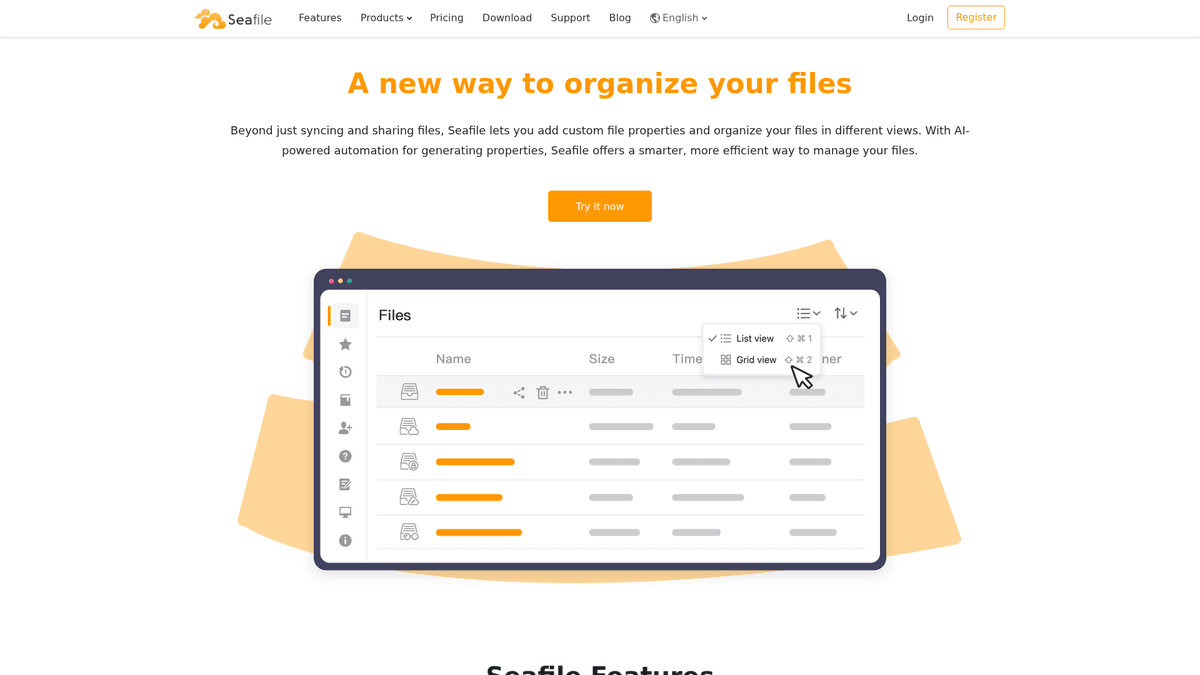
Beyond synchronization, the platform provides a workspace for teams to collaborate on documents. The SeaDoc extension introduces a block-based document editor that supports real-time concurrent editing. This makes it a viable choice for hosting a team wiki or project documentation. The interface allows you to switch between different views of your files, such as a Kanban board for tracking file status or a gallery view for media assets.
Version differences
The project offers two main versions. The Community edition is open source and includes the core sync engine, web UI, and mobile clients. The Professional edition adds features for larger organizations, such as S3 storage backend support, full-text search, and advanced audit logging. A notable benefit for small teams is that the Professional edition is free to use for up to three users, making it accessible for solo founders who need the advanced feature set without a recurring monthly license. Every deployment through Automatio runs on a dedicated Hetzner VPS, ensuring that your Docker containers have isolated resources for high performance.
Community Feedback
See what the community thinks about Seafile
“Nextcloud is slow and bloated, and maintaining it is a pain... Seafile is better if you just need a simple file sync.”
“Seafile is great for a things it is designed for. Maybe not ideal but quite effective. Is fast in compare to a Nextcloud solution.”
“I like Seafile's strong focus on security combined with performance. File syncing is very fast, even with large files, and versioning feels reliable.”
“Seafile was a pain when upgrading (database export and import)... but for purely sync, nothing touches the speed.”
“The block-level sync is a lifesaver for my 50GB VeraCrypt containers. Nextcloud would re-upload the whole thing every time.”
“SeaDrive is the best part. I have 2TB of data but only a 256GB SSD on my laptop, and I can access everything.”
Related Videos
Watch tutorials, reviews, and discussions about Seafile
“Seafile is a high performance file syncing tool”
“It breaks everything down into blocks, very similar to Git”
“You cannot just browse the files on the server's disk”
“The web interface is clean and snappy compared to something like Nextcloud”
“The drive client is a much better option if you have a small laptop SSD”
“If you have hundreds of thousands of small files, Seafile is much faster”
“Nextcloud is a whole suite, while Seafile focuses entirely on the storage aspect”
“The block-based storage makes delta-syncing extremely efficient”
“I've never had a sync conflict that Seafile couldn't handle gracefully”
“The mobile app is surprisingly capable for managing uploads on the go”
“The Pro version is actually free for up to 3 users, which is great for home labs”
“You get full-text search which is a helpful upgrade over the community version”
“The architecture allows for high availability if you need to scale horizontally”
“Permissions can be set at the library level or even for specific folders”
“The versioning system is very reliable, allowing you to go back to any point in time”
Supercharge your workflow with AI Automation
Automatio combines the power of AI agents, web automation, and smart integrations to help you accomplish more in less time.
What to get right first
The decisions that are painful to change later in Seafile.
Use the Drive client for laptops
If your local device has limited storage, use the SeaDrive client. It mounts your libraries as a virtual drive and only downloads files when you open them.
Enable garbage collection
The system keeps old data blocks for versioning, so disk usage grows over time. Run the garbage collection tool through the admin settings periodically to prune old versions.
Select CX33 for search
The full-text search feature in the Pro edition uses Elasticsearch, which is memory-intensive. Choose the CX33 server tier with 8GB RAM for stable performance.
Testimonials
What Our Users Say
Join thousands of satisfied users who have transformed their workflow
Jonathan Kogan
Co-Founder/CEO, rpatools.io
Automatio is one of the most used for RPA Tools both internally and externally. It saves us countless hours of work and we realized this could do the same for other startups and so we choose Automatio for most of our automation needs.
Mohammed Ibrahim
CEO, qannas.pro
I have used many tools over the past 5 years, Automatio is the Jack of All trades.. !! it could be your scraping bot in the morning and then it becomes your VA by the noon and in the evening it does your automations.. its amazing!
Ben Bressington
CTO, AiChatSolutions
Automatio is fantastic and simple to use to extract data from any website. This allowed me to replace a developer and do tasks myself as they only take a few minutes to setup and forget about it. Automatio is a game changer!
Sarah Chen
Head of Growth, ScaleUp Labs
We've tried dozens of automation tools, but Automatio stands out for its flexibility and ease of use. Our team productivity increased by 40% within the first month of adoption.
David Park
Founder, DataDriven.io
The AI-powered features in Automatio are incredible. It understands context and adapts to changes in websites automatically. No more broken scrapers!
Emily Rodriguez
Marketing Director, GrowthMetrics
Automatio transformed our lead generation process. What used to take our team days now happens automatically in minutes. The ROI is incredible.
Jonathan Kogan
Co-Founder/CEO, rpatools.io
Automatio is one of the most used for RPA Tools both internally and externally. It saves us countless hours of work and we realized this could do the same for other startups and so we choose Automatio for most of our automation needs.
Mohammed Ibrahim
CEO, qannas.pro
I have used many tools over the past 5 years, Automatio is the Jack of All trades.. !! it could be your scraping bot in the morning and then it becomes your VA by the noon and in the evening it does your automations.. its amazing!
Ben Bressington
CTO, AiChatSolutions
Automatio is fantastic and simple to use to extract data from any website. This allowed me to replace a developer and do tasks myself as they only take a few minutes to setup and forget about it. Automatio is a game changer!
Sarah Chen
Head of Growth, ScaleUp Labs
We've tried dozens of automation tools, but Automatio stands out for its flexibility and ease of use. Our team productivity increased by 40% within the first month of adoption.
David Park
Founder, DataDriven.io
The AI-powered features in Automatio are incredible. It understands context and adapts to changes in websites automatically. No more broken scrapers!
Emily Rodriguez
Marketing Director, GrowthMetrics
Automatio transformed our lead generation process. What used to take our team days now happens automatically in minutes. The ROI is incredible.
Related Self-Hosted Apps

Syncthing
from $9/mo
Syncthing is a continuous file synchronization program that synchronizes files between two or more computers in real time.

Nextcloud
from $9/mo
Nextcloud is a self-hosted file storage and sync platform with powerful collaboration capabilities. It integrates Files, Talk, Groupware, Office, Assistant and more into a single platform for remote work and data protection.

Minio
from $9/mo
Minio is an open source object storage server compatible with Amazon S3 cloud storage service.
Frequently Asked Questions
Find answers to common questions about Seafile