
How to Scrape Google Search Results
Learn how to scrape Google Search results to extract organic rankings, snippets, and ads for SEO monitoring and market research in 2025 using this guide.
Anti-Bot Protection Detected
- Google reCAPTCHA
- Google's CAPTCHA system. v2 requires user interaction, v3 runs silently with risk scoring. Can be solved with CAPTCHA services.
- IP Blocking
- Blocks known datacenter IPs and flagged addresses. Requires residential or mobile proxies to circumvent effectively.
- Rate Limiting
- Limits requests per IP/session over time. Can be bypassed with rotating proxies, request delays, and distributed scraping.
- Browser Fingerprinting
- Identifies bots through browser characteristics: canvas, WebGL, fonts, plugins. Requires spoofing or real browser profiles.
- Browser Fingerprinting
- Identifies bots through browser characteristics: canvas, WebGL, fonts, plugins. Requires spoofing or real browser profiles.
About Google
Learn what Google offers and what valuable data can be extracted from it.
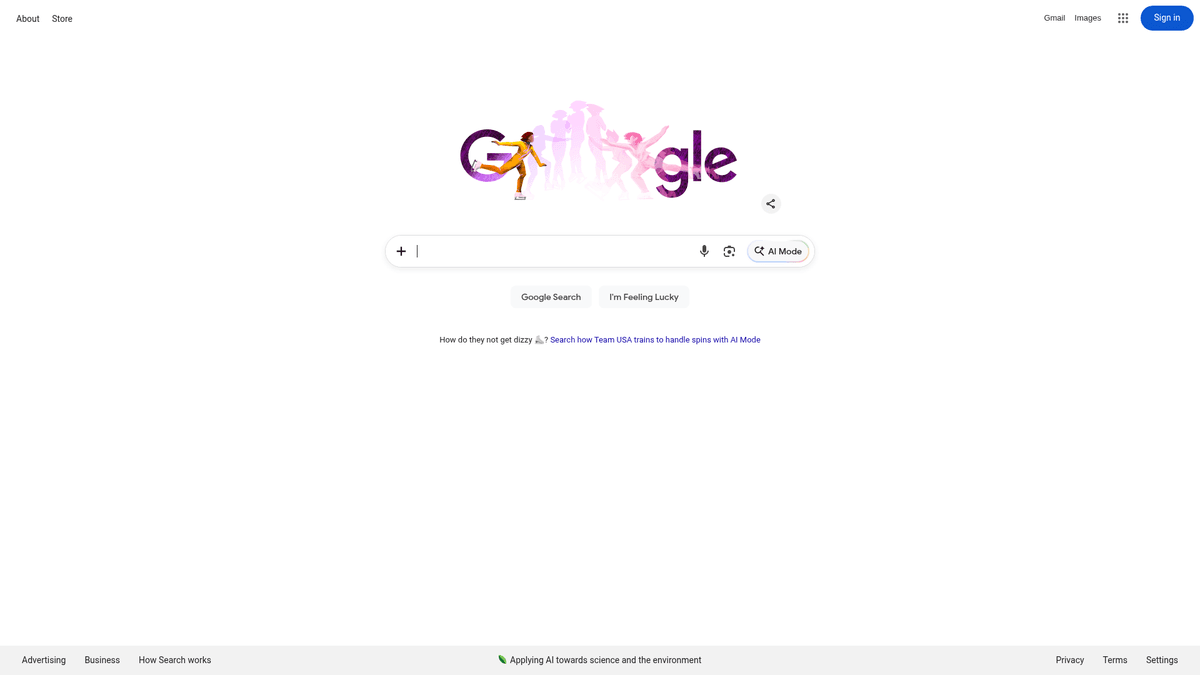
Google is the world's most widely used search engine, operated by Google LLC. It indexes billions of web pages, allowing users to find information through organic links, paid advertisements, and rich media widgets like maps, news, and image carousels.
The website contains massive amounts of data ranging from search engine result rankings and metadata to real-time news updates and local business listings. This data represents a real-time reflection of current user intent, market trends, and competitive positioning across every industry.
Scraping this data is highly valuable for businesses performing search engine optimization (SEO) monitoring, lead generation via local results, and competitive intelligence. Because Google is the primary source of web traffic, understanding its ranking patterns is essential for any modern digital marketing or research project.
Why Scrape Google?
Discover the business value and use cases for extracting data from Google.
SEO Monitoring
Track organic keyword rankings over time to analyze the effectiveness of your SEO strategies and monitor fluctuations in search visibility.
Lead Generation
Extract local business details from Google Maps and search results, including phone numbers and physical addresses, to build high-quality B2B prospect lists.
Competitive Intelligence
Monitor competitor ad copies, featured snippets, and ranking positions to understand their digital marketing tactics and counter them effectively.
Market Trend Analysis
Collect data from 'People Also Ask' and 'Related Searches' to identify emerging consumer questions and trending topics in any niche.
E-commerce Price Tracking
Scrape Google Shopping results to monitor product pricing and availability across multiple retailers in real-time.
Brand Reputation Management
Track mentions of your brand in search and news results to stay informed about public perception and respond to potential PR issues quickly.
Scraping Challenges
Technical challenges you may encounter when scraping Google.
Aggressive Anti-Bot Systems
Google employs advanced detection methods like TLS fingerprinting and reCAPTCHA to identify and block automated scraping scripts instantly.
Volatile DOM Structure
The HTML structure of search results changes frequently without notice, which can break static CSS or XPath selectors used by traditional scrapers.
Geographic Result Variance
Search results are highly localized; without precise residential proxies, it is difficult to see exactly what users in specific cities or countries are seeing.
Rate Limiting and IP Bans
Sending too many requests from a single IP address leads to immediate '403 Forbidden' errors or persistent CAPTCHA challenges that stop automation.
JavaScript-Heavy Components
Many modern search features like AI Overviews and interactive maps require full JavaScript rendering, making simple HTTP requests insufficient.
Scrape Google with AI
No coding required. Extract data in minutes with AI-powered automation.
How It Works
Describe What You Need
Tell the AI what data you want to extract from Google. Just type it in plain language — no coding or selectors needed.
AI Extracts the Data
Our artificial intelligence navigates Google, handles dynamic content, and extracts exactly what you asked for.
Get Your Data
Receive clean, structured data ready to export as CSV, JSON, or send directly to your apps and workflows.
Why Use AI for Scraping
AI makes it easy to scrape Google without writing any code. Our AI-powered platform uses artificial intelligence to understand what data you want — just describe it in plain language and the AI extracts it automatically.
How to scrape with AI:
- Describe What You Need: Tell the AI what data you want to extract from Google. Just type it in plain language — no coding or selectors needed.
- AI Extracts the Data: Our artificial intelligence navigates Google, handles dynamic content, and extracts exactly what you asked for.
- Get Your Data: Receive clean, structured data ready to export as CSV, JSON, or send directly to your apps and workflows.
Why use AI for scraping:
- No-Code Visual Interface: Select search results and snippets visually by clicking on them, eliminating the need to write complex code that breaks when Google updates its layout.
- Automatic Proxy Rotation: Automatio manages a vast pool of residential proxies to ensure your requests appear as real human traffic, significantly reducing the risk of IP bans.
- Built-in CAPTCHA Solving: Handles reCAPTCHA challenges automatically during the scraping process, allowing for uninterrupted data collection without manual intervention.
- Flexible Scheduling: Set up your scraper to run daily or hourly to track ranking changes automatically and sync the data directly to your preferred tools.
No-Code Web Scrapers for Google
Point-and-click alternatives to AI-powered scraping
Several no-code tools like Browse.ai, Octoparse, Axiom, and ParseHub can help you scrape Google. These tools use visual interfaces to select elements, but they come with trade-offs compared to AI-powered solutions.
Typical Workflow with No-Code Tools
Common Challenges
Learning curve
Understanding selectors and extraction logic takes time
Selectors break
Website changes can break your entire workflow
Dynamic content issues
JavaScript-heavy sites often require complex workarounds
CAPTCHA limitations
Most tools require manual intervention for CAPTCHAs
IP blocking
Aggressive scraping can get your IP banned
No-Code Web Scrapers for Google
Several no-code tools like Browse.ai, Octoparse, Axiom, and ParseHub can help you scrape Google. These tools use visual interfaces to select elements, but they come with trade-offs compared to AI-powered solutions.
Typical Workflow with No-Code Tools
- Install browser extension or sign up for the platform
- Navigate to the target website and open the tool
- Point-and-click to select data elements you want to extract
- Configure CSS selectors for each data field
- Set up pagination rules to scrape multiple pages
- Handle CAPTCHAs (often requires manual solving)
- Configure scheduling for automated runs
- Export data to CSV, JSON, or connect via API
Common Challenges
- Learning curve: Understanding selectors and extraction logic takes time
- Selectors break: Website changes can break your entire workflow
- Dynamic content issues: JavaScript-heavy sites often require complex workarounds
- CAPTCHA limitations: Most tools require manual intervention for CAPTCHAs
- IP blocking: Aggressive scraping can get your IP banned
Code Examples
import requests
from bs4 import BeautifulSoup

# Google requires a realistic User-Agent to return results
headers = {
    'User-Agent': 'Mozilla/5.0 (Windows NT 10.0; Win64; x64) AppleWebKit/537.36 (KHTML, like Gecko) Chrome/120.0.0.0 Safari/537.36'
}

# The 'q' parameter is for the search query
url = 'https://www.google.com/search?q=web+scraping+tutorial'

try:
    response = requests.get(url, headers=headers, timeout=10)
    response.raise_for_status() # Check for HTTP errors

    soup = BeautifulSoup(response.text, 'html.parser')

    # Organic results are often wrapped in containers with the class '.tF2Cxc'
    for result in soup.select('.tF2Cxc'):
        title = result.select_one('h3').text if result.select_one('h3') else 'No Title'
        link = result.select_one('a')['href'] if result.select_one('a') else 'No Link'
        print(f'Title: {title}
URL: {link}
')
except Exception as e:
    print(f'An error occurred: {e}')
When to Use
Best for static HTML pages where content is loaded server-side. The fastest and simplest approach when JavaScript rendering isn't required.
Advantages
- ●Fastest execution (no browser overhead)
- ●Lowest resource consumption
- ●Easy to parallelize with asyncio
- ●Great for APIs and static pages
Limitations
- ●Cannot execute JavaScript
- ●Fails on SPAs and dynamic content
- ●May struggle with complex anti-bot systems
How to Scrape Google with Code
Python + Requests
import requests
from bs4 import BeautifulSoup
# Google requires a realistic User-Agent to return results
headers = {
'User-Agent': 'Mozilla/5.0 (Windows NT 10.0; Win64; x64) AppleWebKit/537.36 (KHTML, like Gecko) Chrome/120.0.0.0 Safari/537.36'
}
# The 'q' parameter is for the search query
url = 'https://www.google.com/search?q=web+scraping+tutorial'
try:
response = requests.get(url, headers=headers, timeout=10)
response.raise_for_status() # Check for HTTP errors
soup = BeautifulSoup(response.text, 'html.parser')
# Organic results are often wrapped in containers with the class '.tF2Cxc'
for result in soup.select('.tF2Cxc'):
title = result.select_one('h3').text if result.select_one('h3') else 'No Title'
link = result.select_one('a')['href'] if result.select_one('a') else 'No Link'
print(f'Title: {title}
URL: {link}
')
except Exception as e:
print(f'An error occurred: {e}')Python + Playwright
from playwright.sync_api import sync_playwright

def scrape_google():
    with sync_playwright() as p:
        # Launching headless browser
        browser = p.chromium.launch(headless=True)
        page = browser.new_page(user_agent='Mozilla/5.0 (Windows NT 10.0; Win64; x64) AppleWebKit/537.36 (KHTML, like Gecko) Chrome/122.0.0.0 Safari/537.36')

        # Navigating to Google Search
        page.goto('https://www.google.com/search?q=best+web+scrapers+2025')

        # Wait for organic results to load
        page.wait_for_selector('.tF2Cxc')

        # Extract data
        results = page.query_selector_all('.tF2Cxc')
        for res in results:
            title_el = res.query_selector('h3')
            link_el = res.query_selector('a')
            if title_el and link_el:
                print(f"{title_el.inner_text()}: {link_el.get_attribute('href')}")

        browser.close()

scrape_google()Python + Scrapy
import scrapy

class GoogleSearchSpider(scrapy.Spider):
    name = 'google_spider'
    allowed_domains = ['google.com']
    start_urls = ['https://www.google.com/search?q=python+web+scraping']

    def parse(self, response):
        # Loop through organic search result containers
        for result in response.css('.tF2Cxc'):
            yield {
                'title': result.css('h3::text').get(),
                'link': result.css('a::attr(href)').get(),
                'snippet': result.css('.VwiC3b::text').get()
            }

        # Handle pagination by finding the 'Next' button
        next_page = response.css('a#pnnext::attr(href)').get()
        if next_page:
yield response.follow(next_page, self.parse)Node.js + Puppeteer
const puppeteer = require('puppeteer');

(async () => {
  const browser = await puppeteer.launch();
  const page = await browser.newPage();

  // Essential: Set a real user agent
  await page.setUserAgent('Mozilla/5.0 (Windows NT 10.0; Win64; x64) AppleWebKit/537.36 (KHTML, like Gecko) Chrome/119.0.0.0 Safari/537.36');

  await page.goto('https://www.google.com/search?q=scraping+best+practices');

  // Extracting organic results
  const data = await page.evaluate(() => {
    const items = Array.from(document.querySelectorAll('.tF2Cxc'));
    return items.map(el => ({
      title: el.querySelector('h3')?.innerText,
      link: el.querySelector('a')?.href,
      snippet: el.querySelector('.VwiC3b')?.innerText
    }));
  });

  console.log(data);
  await browser.close();
})();What You Can Do With Google Data
Explore practical applications and insights from Google data.
Daily SEO Rank Tracker
Marketing agencies can monitor the search ranking of client keywords on a daily basis to measure SEO ROI.
How to implement:
- 1Define a list of priority keywords and target regions.
- 2Schedule an automated scraper to run every 24 hours.
- 3Extract the top 20 organic results for each keyword.
- 4Compare current rankings with historical data in a dashboard.
Use Automatio to extract data from Google and build these applications without writing code.
What You Can Do With Google Data
- Daily SEO Rank Tracker
Marketing agencies can monitor the search ranking of client keywords on a daily basis to measure SEO ROI.
- Define a list of priority keywords and target regions.
- Schedule an automated scraper to run every 24 hours.
- Extract the top 20 organic results for each keyword.
- Compare current rankings with historical data in a dashboard.
- Local Competitor Monitoring
Small businesses can scrape Google Local Pack results to identify competitors and their review ratings.
- Search for business categories with location modifiers (e.g., 'plumbers London').
- Extract business names, ratings, and number of reviews from the Maps section.
- Identify competitors with low ratings as potential outreach leads for consulting.
- Track changes in the local map rankings over time.
- Google Ads Intelligence
PPC managers can monitor which competitors are bidding on their brand keywords and what ad copy they use.
- Search for high-intent or brand-specific keywords.
- Extract titles, descriptions, and display URLs from the 'Sponsored' section.
- Analyze the landing pages used by competitors.
- Report trademark violations if competitors bid on protected brand names.
- AI Model Training Data
Researchers can collect massive amounts of current snippets and related questions to train language models.
- Generate a wide variety of informational search queries.
- Scrape the 'People Also Ask' and Knowledge Graph sections.
- Process the text snippets to create question-answer pairs.
- Feed the structured data into machine learning pipelines.
- Market Sentiment Analysis
Brands can monitor Google News results to track how their brand or industry is being discussed in real-time.
- Set up a scrape for the 'News' tab for specific brand keywords.
- Extract headlines and publication dates from news results.
- Perform sentiment analysis on headlines to detect PR crises.
- Aggregate the most frequently mentioned media outlets.
Supercharge your workflow with AI Automation
Automatio combines the power of AI agents, web automation, and smart integrations to help you accomplish more in less time.
What to get right first
Expert advice for successfully extracting data from Google.
Use Residential Proxies
Avoid datacenter IPs as they are almost always flagged; residential proxies are necessary to mimic real home users and bypass Google's security.
Include Location Parameters
Append parameters like 'gl' for country and 'hl' for language to the search URL to ensure consistent results regardless of your proxy's exact location.
Randomize Request Intervals
Introduce random delays between 5 and 20 seconds between queries to avoid pattern detection and mimic natural human browsing behavior.
Mimic Realistic Headers
Always use a modern User-Agent and include headers like 'Accept-Language' and 'Referer' to look more like a legitimate browser session.
Target Mobile and Desktop
Google shows different results for mobile and desktop users; scrape both by alternating your User-Agent strings to get a full picture of the SERPs.
Start Small and Scale
Begin by scraping a few queries to verify your selectors and proxy performance before launching massive, high-volume scraping campaigns.
Related Web Scraping

How to Scrape The AA (theaa.com): A Technical Guide for Car & Insurance Data
How to Scrape CSS Author: A Comprehensive Web Scraping Guide
How to Scrape Bilregistret.ai: Swedish Vehicle Data Extraction Guide
How to Scrape Biluppgifter.se: Vehicle Data Extraction Guide
How to Scrape Car.info | Vehicle Data & Valuation Extraction Guide
How to Scrape GoAbroad Study Abroad Programs
How to Scrape ResearchGate: Publication and Researcher Data
How to Scrape Statista: The Ultimate Guide to Market Data Extraction
Frequently Asked Questions
Find answers to common questions about Google