
How to Scrape YouTube: Extract Video Data and Comments in 2025
Scrape YouTube video metadata, comments, and channel stats. Use this 2025 guide for sentiment analysis and market research on YouTube without getting blocked.
Anti-Bot Protection Detected
- Rate Limiting
- Limits requests per IP/session over time. Can be bypassed with rotating proxies, request delays, and distributed scraping.
- IP Blocking
- Blocks known datacenter IPs and flagged addresses. Requires residential or mobile proxies to circumvent effectively.
- Google reCAPTCHA
- Google's CAPTCHA system. v2 requires user interaction, v3 runs silently with risk scoring. Can be solved with CAPTCHA services.
- Browser Fingerprinting
- Identifies bots through browser characteristics: canvas, WebGL, fonts, plugins. Requires spoofing or real browser profiles.
- Browser Fingerprinting
- Identifies bots through browser characteristics: canvas, WebGL, fonts, plugins. Requires spoofing or real browser profiles.
- JavaScript Challenge
- Requires executing JavaScript to access content. Simple requests fail; need headless browser like Playwright or Puppeteer.
About YouTube
Learn what YouTube offers and what valuable data can be extracted from it.
Platform Overview
YouTube is the world's premier video-sharing platform, owned by Google. It serves as a massive repository for global content, including entertainment, education, news, and product reviews, hosting billions of videos and user-generated comments.
Data Ecosystem
The platform contains rich datasets such as video titles, descriptions, view counts, and transcripts. This data is organized across channels and categories, making it a goldmine for digital ethnography and consumer research.
Value for Scraping
Scraping YouTube is highly valuable for businesses seeking real-time sentiment analysis, trend identification, and competitive intelligence. By monitoring viewer reactions and engagement patterns, brands can optimize their content strategy and identify high-value influencer partnerships.
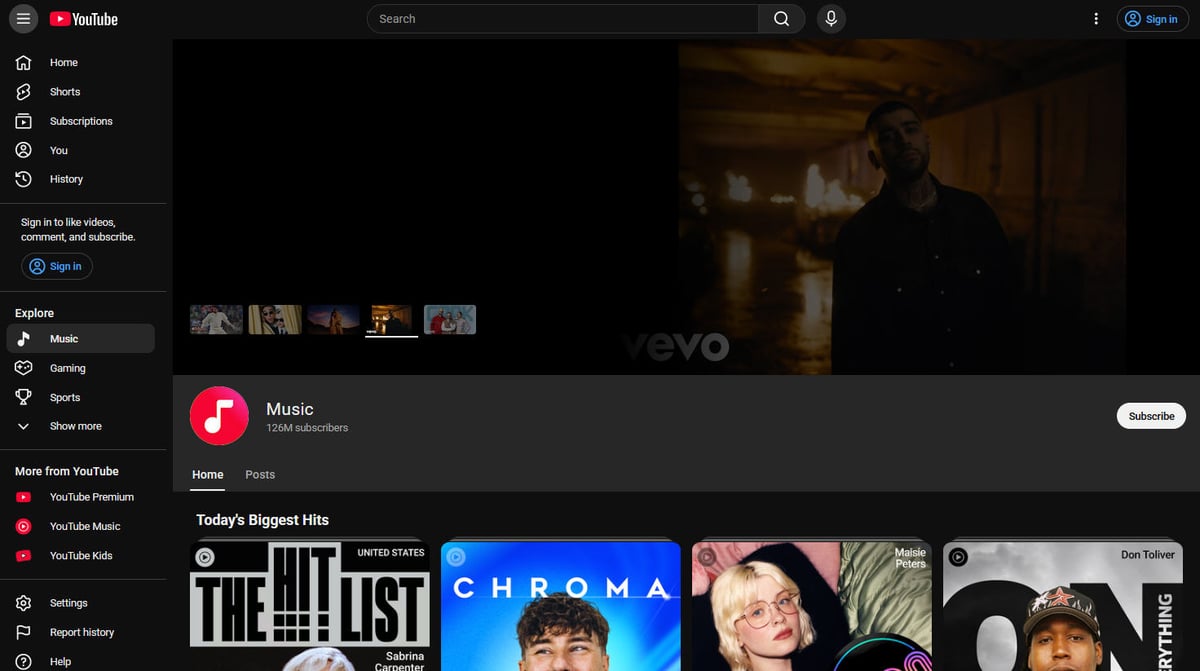
Why Scrape YouTube?
Discover the business value and use cases for extracting data from YouTube.
Market Sentiment Analysis
Extracting thousands of user comments allows brands to use NLP and AI to analyze public reactions to product launches or industry news.
Competitive Intelligence
Monitor competitor upload frequency, view counts, and engagement rates to benchmark your own channel's performance and strategy.
Trend Identification
Scrape the trending sections and search results to identify viral topics and keywords before they peak, enabling proactive content creation.
Influencer Discovery
Identify rising channels within specific niches by scraping subscriber growth trends and average view-per-video metrics.
SEO and Metadata Optimization
Analyze the titles, descriptions, and tags of top-ranking videos to understand the SEO patterns that drive YouTube's recommendation algorithm.
Scraping Challenges
Technical challenges you may encounter when scraping YouTube.
Complex JavaScript Rendering
YouTube is a heavy Single Page Application (SPA) built on Polymer and React, requiring a full browser engine to render content that isn't in the initial HTML.
Infinite Scroll Loading
Comments and search results use infinite scrolling, which requires specialized automation to simulate user behavior and trigger data loading.
Advanced Bot Protection
Google employs sophisticated detection methods including TLS fingerprinting and behavior-based analysis to identify and block automated scraping scripts.
Dynamic and Obfuscated CSS
The HTML structure and CSS class names frequently change or use randomized strings, making traditional CSS selectors brittle and prone to breaking.
Aggressive Rate Limiting
Rapid requests from a single IP address will quickly trigger reCAPTCHAs or temporary blocks, requiring advanced proxy rotation strategies.
Scrape YouTube with AI
No coding required. Extract data in minutes with AI-powered automation.
How It Works
Describe What You Need
Tell the AI what data you want to extract from YouTube. Just type it in plain language — no coding or selectors needed.
AI Extracts the Data
Our artificial intelligence navigates YouTube, handles dynamic content, and extracts exactly what you asked for.
Get Your Data
Receive clean, structured data ready to export as CSV, JSON, or send directly to your apps and workflows.
Why Use AI for Scraping
AI makes it easy to scrape YouTube without writing any code. Our AI-powered platform uses artificial intelligence to understand what data you want — just describe it in plain language and the AI extracts it automatically.
How to scrape with AI:
- Describe What You Need: Tell the AI what data you want to extract from YouTube. Just type it in plain language — no coding or selectors needed.
- AI Extracts the Data: Our artificial intelligence navigates YouTube, handles dynamic content, and extracts exactly what you asked for.
- Get Your Data: Receive clean, structured data ready to export as CSV, JSON, or send directly to your apps and workflows.
Why use AI for scraping:
- No-Code Visual Selection: Easily select video titles, views, or comment text by clicking on them visually rather than writing complex XPath or CSS selectors.
- Built-in Browser Rendering: Automatio handles YouTube's heavy JavaScript architecture automatically, ensuring all dynamic content is fully loaded before extraction.
- Smart Scroll Automation: Configure infinite scrolling for comments or long search result pages with a single action, eliminating the need for complex custom scripts.
- Integrated Proxy Management: Bypass IP blocks and rate limits using Automatio's high-quality residential proxy network that mimics real user traffic seamlessly.
- Cloud-Based Scheduling: Set your scrapers to run at specific intervals in the cloud to track daily view growth or new comments without leaving your computer on.
No-Code Web Scrapers for YouTube
Point-and-click alternatives to AI-powered scraping
Several no-code tools like Browse.ai, Octoparse, Axiom, and ParseHub can help you scrape YouTube. These tools use visual interfaces to select elements, but they come with trade-offs compared to AI-powered solutions.
Typical Workflow with No-Code Tools
Common Challenges
Learning curve
Understanding selectors and extraction logic takes time
Selectors break
Website changes can break your entire workflow
Dynamic content issues
JavaScript-heavy sites often require complex workarounds
CAPTCHA limitations
Most tools require manual intervention for CAPTCHAs
IP blocking
Aggressive scraping can get your IP banned
No-Code Web Scrapers for YouTube
Several no-code tools like Browse.ai, Octoparse, Axiom, and ParseHub can help you scrape YouTube. These tools use visual interfaces to select elements, but they come with trade-offs compared to AI-powered solutions.
Typical Workflow with No-Code Tools
- Install browser extension or sign up for the platform
- Navigate to the target website and open the tool
- Point-and-click to select data elements you want to extract
- Configure CSS selectors for each data field
- Set up pagination rules to scrape multiple pages
- Handle CAPTCHAs (often requires manual solving)
- Configure scheduling for automated runs
- Export data to CSV, JSON, or connect via API
Common Challenges
- Learning curve: Understanding selectors and extraction logic takes time
- Selectors break: Website changes can break your entire workflow
- Dynamic content issues: JavaScript-heavy sites often require complex workarounds
- CAPTCHA limitations: Most tools require manual intervention for CAPTCHAs
- IP blocking: Aggressive scraping can get your IP banned
Code Examples
import requests
from bs4 import BeautifulSoup

# Note: Scraping YouTube with requests is limited due to JS rendering.
url = 'https://www.youtube.com/watch?v=uIJuGOBhxSs'
headers = {'User-Agent': 'Mozilla/5.0 (Windows NT 10.0; Win64; x64) AppleWebKit/537.36 (KHTML, like Gecko) Chrome/120.0.0.0 Safari/537.36'}

try:
    response = requests.get(url, headers=headers)
    response.raise_for_status()
    soup = BeautifulSoup(response.text, 'html.parser')
    title_tag = soup.find('meta', property='og:title')
    title = title_tag['content'] if title_tag else 'Not Found'
    print(f'Video Title: {title}')
except Exception as e:
    print(f'An error occurred: {e}')
When to Use
Best for static HTML pages where content is loaded server-side. The fastest and simplest approach when JavaScript rendering isn't required.
Advantages
- ●Fastest execution (no browser overhead)
- ●Lowest resource consumption
- ●Easy to parallelize with asyncio
- ●Great for APIs and static pages
Limitations
- ●Cannot execute JavaScript
- ●Fails on SPAs and dynamic content
- ●May struggle with complex anti-bot systems
How to Scrape YouTube with Code
Python + Requests
import requests
from bs4 import BeautifulSoup
# Note: Scraping YouTube with requests is limited due to JS rendering.
url = 'https://www.youtube.com/watch?v=uIJuGOBhxSs'
headers = {'User-Agent': 'Mozilla/5.0 (Windows NT 10.0; Win64; x64) AppleWebKit/537.36 (KHTML, like Gecko) Chrome/120.0.0.0 Safari/537.36'}
try:
response = requests.get(url, headers=headers)
response.raise_for_status()
soup = BeautifulSoup(response.text, 'html.parser')
title_tag = soup.find('meta', property='og:title')
title = title_tag['content'] if title_tag else 'Not Found'
print(f'Video Title: {title}')
except Exception as e:
print(f'An error occurred: {e}')Python + Playwright
from playwright.sync_api import sync_playwright

def scrape_youtube_comments(url):
    with sync_playwright() as p:
        browser = p.chromium.launch(headless=True)
        page = browser.new_page()
        page.goto(url)
        page.evaluate('window.scrollTo(0, 600)')
        page.wait_for_selector('#comments', timeout=10000)
        for _ in range(3):
            page.evaluate('window.scrollBy(0, 2000)')
            page.wait_for_timeout(2000)
        comments = page.query_selector_all('#content-text')
        for comment in comments[:10]:
            print(f'Comment Found: {comment.inner_text()}')
        browser.close()

scrape_youtube_comments('https://www.youtube.com/watch?v=uIJuGOBhxSs')Python + Scrapy
import scrapy

class YoutubeSpider(scrapy.Spider):
    name = 'youtube_spider'
    start_urls = ['https://www.youtube.com/watch?v=uIJuGOBhxSs']

    def parse(self, response):
        yield {
            'title': response.css('meta[property="og:title"]::attr(content)').get(),
            'views': response.css('meta[itemprop="interactionCount"]::attr(content)').get(),
            'upload_date': response.css('meta[itemprop="datePublished"]::attr(content)').get()
}Node.js + Puppeteer
const puppeteer = require('puppeteer');

(async () => {
  const browser = await puppeteer.launch({ headless: true });
  const page = await browser.newPage();
  await page.goto('https://www.youtube.com/watch?v=uIJuGOBhxSs');
  await page.evaluate(() => window.scrollBy(0, window.innerHeight));
  await page.waitForSelector('#content-text', { timeout: 15000 });
  const comments = await page.evaluate(() => {
    const elements = Array.from(document.querySelectorAll('#content-text'));
    return elements.map(el => el.textContent.trim());
  });
  console.log('Sample Comments:', comments.slice(0, 5));
  await browser.close();
})();What You Can Do With YouTube Data
Explore practical applications and insights from YouTube data.
Sentiment Analysis for Product Launches
Marketing teams benefit by understanding real-time reactions to new product trailers or review videos.
How to implement:
- 1Scrape all comments from official product launch videos.
- 2Use NLP tools to categorize comments as positive, negative, or neutral.
- 3Identify specific pain points mentioned by users in negative comments.
- 4Adjust marketing messaging based on findings.
Use Automatio to extract data from YouTube and build these applications without writing code.
What You Can Do With YouTube Data
- Sentiment Analysis for Product Launches
Marketing teams benefit by understanding real-time reactions to new product trailers or review videos.
- Scrape all comments from official product launch videos.
- Use NLP tools to categorize comments as positive, negative, or neutral.
- Identify specific pain points mentioned by users in negative comments.
- Adjust marketing messaging based on findings.
- Competitor Ad Strategy Monitoring
Businesses can track how audiences react to competitor advertisements and content strategies.
- Monitor competitor channels for new uploads.
- Extract engagement metrics like like-to-view ratios.
- Analyze comment sections to see what viewers enjoy about competitor content.
- Incorporate successful elements into your own content plan.
- Identifying Influencer Collaborations
Brands can find high-authority channels in their niche for potential sponsorship deals.
- Search for keywords related to your industry on YouTube.
- Scrape channel data including subscriber counts and average views.
- Analyze audience engagement quality in the comment sections.
- Rank influencers based on engagement rate and sentiment.
- Lead Generation from High-Engagement Users
Sales teams can identify vocal brand advocates or users seeking solutions within a specific niche.
- Target tutorials or 'how-to' videos related to your product service.
- Scrape comments from users asking for specific features or complaining about current tools.
- Identify recurring questions that indicate a market gap.
- Reach out to high-engagement creators for partnerships.
- Historical Trend Analysis
Researchers can analyze how public opinion on a specific topic has evolved over time.
- Scrape video titles and descriptions over a multi-year period.
- Extract posting dates to create a timeline of content frequency.
- Correlate view counts with specific world events to measure interest spikes.
- Visualize the data to identify long-term cultural shifts.
Supercharge your workflow with AI Automation
Automatio combines the power of AI agents, web automation, and smart integrations to help you accomplish more in less time.
What to get right first
Expert advice for successfully extracting data from YouTube.
Target the ytInitialData Object
Instead of parsing individual HTML elements, look for the script tag containing the 'ytInitialData' JSON object for more stable and structured data.
Use Mobile User-Agents
The mobile version of YouTube (m.youtube.com) is often less resource-intensive and can sometimes have slightly different bot detection thresholds.
Handle Consent Modals
Ensure your automation script can detect and click 'Accept' on Google's cookie consent and 'Try YouTube Kids' pop-ups that block the main content.
Vary Scroll Speeds
When scraping comments, use randomized scrolling intervals and distances to better mimic human reading behavior and avoid triggering detection.
Monitor Network Requests
Check the browser's network tab to find direct internal API endpoints for things like transcripts, which can be faster than scraping the UI.
Related Web Scraping

How to Scrape Behance: A Step-by-Step Guide for Creative Data Extraction
How to Scrape Social Blade: The Ultimate Analytics Guide
How to Scrape Bento.me | Bento.me Web Scraper
How to Scrape Vimeo: A Guide to Extracting Video Metadata
How to Scrape Imgur: A Comprehensive Guide to Image Data Extraction

How to Scrape Patreon Creator Data and Posts
How to Scrape Goodreads: The Ultimate Web Scraping Guide 2025
How to Scrape Bluesky (bsky.app): API and Web Methods
Frequently Asked Questions
Find answers to common questions about YouTube