
Goodreadsをスクレイピングする方法:究極のウェブスクレイピングガイド 2025年版
2025年におけるGoodreadsの書籍データ、レビュー、評価をスクレイピングする方法を学びましょう。このガイドでは、アンチボットの回避策、Pythonコードの例、市場調査のユースケースを解説します。
ボット対策検出
- Cloudflare
- エンタープライズ級のWAFとボット管理。JavaScriptチャレンジ、CAPTCHA、行動分析を使用。ステルス設定でのブラウザ自動化が必要。
- DataDome
- MLモデルによるリアルタイムボット検出。デバイスフィンガープリント、ネットワーク信号、行動パターンを分析。ECサイトで一般的。
- Google reCAPTCHA
- GoogleのCAPTCHAシステム。v2はユーザー操作が必要、v3はリスクスコアリングでサイレント動作。CAPTCHAサービスで解決可能。
- レート制限
- 時間あたりのIP/セッションごとのリクエストを制限。ローテーションプロキシ、リクエスト遅延、分散スクレイピングで回避可能。
- IPブロック
- 既知のデータセンターIPとフラグ付きアドレスをブロック。効果的に回避するにはレジデンシャルまたはモバイルプロキシが必要。
Goodreadsについて
Goodreadsが提供するものと抽出可能な貴重なデータを発見してください。
世界最大のソーシャル・カタログ・プラットフォーム
Goodreadsは、Amazonが所有・運営する、本を愛する人々のための主要なソーシャルメディアプラットフォームです。数百万の書籍リスト、ユーザー生成のレビュー、注釈、読書リストを備えた、巨大な文学データのレポジトリとして機能しています。プラットフォームはジャンルやユーザーが作成した「棚」によって整理されており、世界の読書習慣や文学トレンドに関する深い洞察を提供します。
文学データの宝庫
このプラットフォームには、ISBN、ジャンル、著者の参考文献、詳細な読者のセンチメントなどのきめ細かなデータが含まれています。企業や研究者にとって、これらのデータは市場動向や消費者の好みを深く理解するための貴重な情報源となります。Goodreadsからスクレイピングされたデータは、出版社、著者、研究者が競合分析を行い、新たなトレンドを特定するために非常に有用です。
なぜGoodreadsのデータをスクレイピングするのか?
このサイトをスクレイピングすることで、リアルタイムのトレンド指標、著者のための競合分析、レコメンデーションシステムのトレーニングや人文科学のアカデミックな研究のための高品質なデータセットへのアクセスが可能になります。ユーザーは巨大なデータベースを検索しながら読書の進捗を管理でき、さまざまなデモグラフィックが本とどのように関わっているかを独自の視点で把握できます。
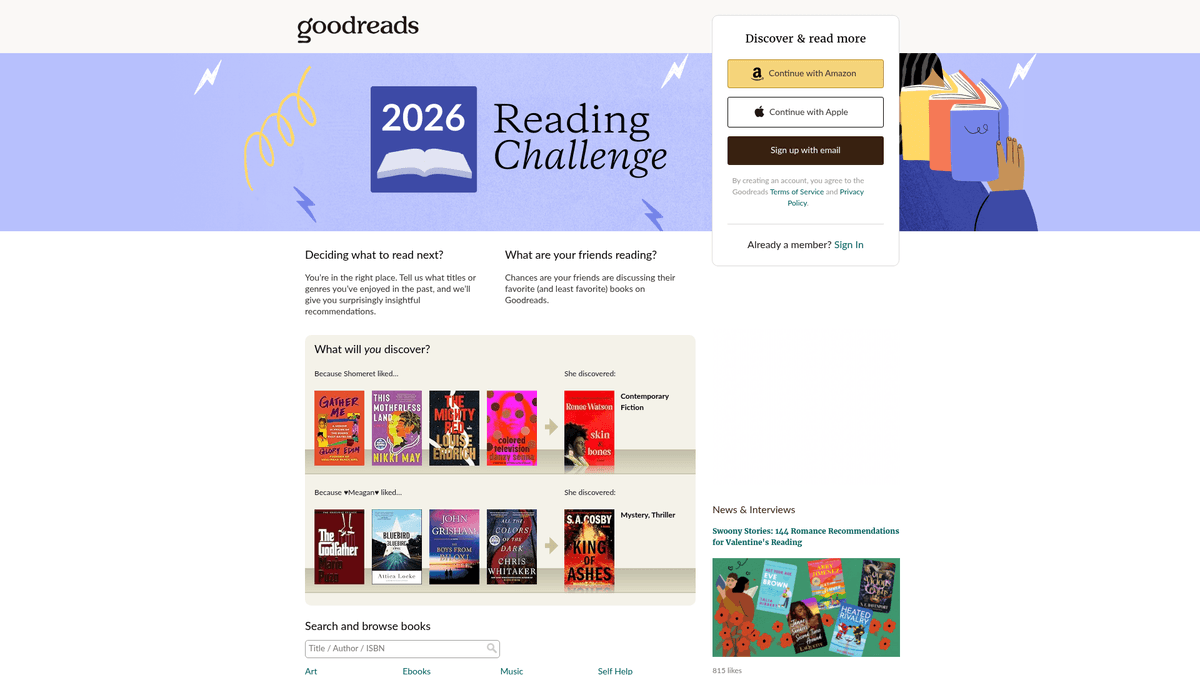
なぜGoodreadsをスクレイピングするのか?
Goodreadsからのデータ抽出のビジネス価値とユースケースを発見してください。
出版業界のトレンドに関する市場調査の実施
読者レビューに対するセンチメント分析の実行
トレンドタイトルのリアルタイムな人気状況の監視
棚への登録パターンに基づいた高度なレコメンデーションエンジンの構築
学術的・文化的研究のためのメタデータの集計
スクレイピングの課題
Goodreadsのスクレイピング時に遭遇する可能性のある技術的課題。
CloudflareやDataDomeによる強力なボット対策
モダンなUIレンダリングにおけるJavaScriptへの強い依存
レガシーなページとReactベースのページデザインの間でのUIの不一致
高度なプロキシローテーションを必要とする厳格なrate limiting
GoodreadsをAIでスクレイピング
コーディング不要。AI搭載の自動化で数分でデータを抽出。
仕組み
必要なものを記述
Goodreadsから抽出したいデータをAIに伝えてください。自然言語で入力するだけ — コードやセレクターは不要です。
AIがデータを抽出
人工知能がGoodreadsをナビゲートし、動的コンテンツを処理し、あなたが求めたものを正確に抽出します。
データを取得
CSV、JSONでエクスポートしたり、アプリやワークフローに直接送信できる、クリーンで構造化されたデータを受け取ります。
なぜスクレイピングにAIを使うのか
AIを使えば、コードを書かずにGoodreadsを簡単にスクレイピングできます。人工知能搭載のプラットフォームが必要なデータを理解します — 自然言語で記述するだけで、AIが自動的に抽出します。
How to scrape with AI:
- 必要なものを記述: Goodreadsから抽出したいデータをAIに伝えてください。自然言語で入力するだけ — コードやセレクターは不要です。
- AIがデータを抽出: 人工知能がGoodreadsをナビゲートし、動的コンテンツを処理し、あなたが求めたものを正確に抽出します。
- データを取得: CSV、JSONでエクスポートしたり、アプリやワークフローに直接送信できる、クリーンで構造化されたデータを受け取ります。
Why use AI for scraping:
- ノーコードで複雑な書籍スクレイパーを構築可能
- Cloudflareやアンチボットシステムの自動処理
- 大量のデータ抽出に対応したクラウド実行
- 日々のランキング変化を監視するための定期実行スケジュール
- 動的コンテンツや無限スクロールの容易な処理
Goodreads用ノーコードWebスクレイパー
AI搭載スクレイピングのポイント&クリック代替手段
Browse.ai、Octoparse、Axiom、ParseHubなどのノーコードツールは、コードを書かずにGoodreadsをスクレイピングするのに役立ちます。これらのツールは視覚的なインターフェースを使用してデータを選択しますが、複雑な動的コンテンツやアンチボット対策には苦戦する場合があります。
ノーコードツールでの一般的なワークフロー
一般的な課題
学習曲線
セレクタと抽出ロジックの理解に時間がかかる
セレクタの破損
Webサイトの変更によりワークフロー全体が壊れる可能性がある
動的コンテンツの問題
JavaScript多用サイトは複雑な回避策が必要
CAPTCHAの制限
ほとんどのツールはCAPTCHAに手動介入が必要
IPブロック
過度なスクレイピングはIPのブロックにつながる可能性がある
Goodreads用ノーコードWebスクレイパー
Browse.ai、Octoparse、Axiom、ParseHubなどのノーコードツールは、コードを書かずにGoodreadsをスクレイピングするのに役立ちます。これらのツールは視覚的なインターフェースを使用してデータを選択しますが、複雑な動的コンテンツやアンチボット対策には苦戦する場合があります。
ノーコードツールでの一般的なワークフロー
- ブラウザ拡張機能をインストールするかプラットフォームに登録する
- ターゲットWebサイトに移動してツールを開く
- ポイント&クリックで抽出するデータ要素を選択する
- 各データフィールドのCSSセレクタを設定する
- 複数ページをスクレイピングするためのページネーションルールを設定する
- CAPTCHAに対処する(多くの場合手動解決が必要)
- 自動実行のスケジュールを設定する
- データをCSV、JSONにエクスポートするかAPIで接続する
一般的な課題
- 学習曲線: セレクタと抽出ロジックの理解に時間がかかる
- セレクタの破損: Webサイトの変更によりワークフロー全体が壊れる可能性がある
- 動的コンテンツの問題: JavaScript多用サイトは複雑な回避策が必要
- CAPTCHAの制限: ほとんどのツールはCAPTCHAに手動介入が必要
- IPブロック: 過度なスクレイピングはIPのブロックにつながる可能性がある
コード例
import requests
from bs4 import BeautifulSoup

# Target URL for a specific book
url = 'https://www.goodreads.com/book/show/1.Harry_Potter'
# Essential headers to avoid immediate blocking
headers = {'User-Agent': 'Mozilla/5.0 (Windows NT 10.0; Win64; x64) Chrome/119.0.0.0 Safari/537.36'}

try:
    response = requests.get(url, headers=headers, timeout=10)
    response.raise_for_status()
    soup = BeautifulSoup(response.text, 'html.parser')
    # Use data-testid for the modern React-based UI
    title = soup.find('h1', {'data-testid': 'bookTitle'}).text.strip()
    author = soup.find('span', {'data-testid': 'name'}).text.strip()
    print(f'Title: {title}, Author: {author}')
except Exception as e:
    print(f'Scraping failed: {e}')
いつ使うか
JavaScriptが最小限の静的HTMLページに最適。ブログ、ニュースサイト、シンプルなEコマース製品ページに理想的。
メリット
- ●最速の実行(ブラウザオーバーヘッドなし)
- ●最小限のリソース消費
- ●asyncioで簡単に並列化
- ●APIと静的ページに最適
制限事項
- ●JavaScriptを実行できない
- ●SPAや動的コンテンツで失敗
- ●複雑なアンチボットシステムで苦戦する可能性
コードでGoodreadsをスクレイピングする方法
Python + Requests
import requests
from bs4 import BeautifulSoup
# Target URL for a specific book
url = 'https://www.goodreads.com/book/show/1.Harry_Potter'
# Essential headers to avoid immediate blocking
headers = {'User-Agent': 'Mozilla/5.0 (Windows NT 10.0; Win64; x64) Chrome/119.0.0.0 Safari/537.36'}
try:
response = requests.get(url, headers=headers, timeout=10)
response.raise_for_status()
soup = BeautifulSoup(response.text, 'html.parser')
# Use data-testid for the modern React-based UI
title = soup.find('h1', {'data-testid': 'bookTitle'}).text.strip()
author = soup.find('span', {'data-testid': 'name'}).text.strip()
print(f'Title: {title}, Author: {author}')
except Exception as e:
print(f'Scraping failed: {e}')Python + Playwright
from playwright.sync_api import sync_playwright

with sync_playwright() as p:
    # Launching a browser is necessary for Cloudflare/JS pages
    browser = p.chromium.launch(headless=True)
    page = browser.new_page()
    page.goto('https://www.goodreads.com/search?q=fantasy')
    # Wait for the specific data attribute to render
    page.wait_for_selector('[data-testid="bookTitle"]')

    books = page.query_selector_all('.bookTitle')
    for book in books:
        print(book.inner_text().strip())

browser.close()Python + Scrapy
import scrapy

class GoodreadsSpider(scrapy.Spider):
    name = 'goodreads_spider'
    start_urls = ['https://www.goodreads.com/list/show/1.Best_Books_Ever']

    def parse(self, response):
        # Target the schema.org markup for more stable selectors
        for book in response.css('tr[itemtype="http://schema.org/Book"]'):
            yield {
                'title': book.css('.bookTitle span::text').get(),
                'author': book.css('.authorName span::text').get(),
                'rating': book.css('.minirating::text').get(),
            }

        # Standard pagination handling
        next_page = response.css('a.next_page::attr(href)').get()
        if next_page:
yield response.follow(next_page, self.parse)Node.js + Puppeteer
const puppeteer = require('puppeteer');

(async () => {
  const browser = await puppeteer.launch();
  const page = await browser.newPage();
  // Goodreads uses modern JS, so we wait for specific components
  await page.goto('https://www.goodreads.com/book/show/1.Harry_Potter');
  await page.waitForSelector('[data-testid="bookTitle"]');

  const data = await page.evaluate(() => ({
    title: document.querySelector('[data-testid="bookTitle"]').innerText,
    author: document.querySelector('[data-testid="name"]').innerText,
    rating: document.querySelector('.RatingStatistics__rating').innerText
  }));

  console.log(data);
  await browser.close();
})();Goodreadsデータで何ができるか
Goodreadsデータからの実用的なアプリケーションとインサイトを探索してください。
予測的なベストセラー分析
出版社は、早期のレビューセンチメントや棚への登録速度を分析して、将来のヒット作を予測します。
実装方法:
- 1今後発売される書籍の「読みたい(Want to Read)」数を監視する。
- 2早期のAdvance Reader Copy(ARC)レビューをスクレイピングする。
- 3過去のベストセラーデータとセンチメントを比較する。
Automatioを使用してGoodreadsからデータを抽出し、コードを書かずにこれらのアプリケーションを構築しましょう。
Goodreadsデータで何ができるか
- 予測的なベストセラー分析
出版社は、早期のレビューセンチメントや棚への登録速度を分析して、将来のヒット作を予測します。
- 今後発売される書籍の「読みたい(Want to Read)」数を監視する。
- 早期のAdvance Reader Copy(ARC)レビューをスクレイピングする。
- 過去のベストセラーデータとセンチメントを比較する。
- 著者のための競合インテリジェンス
著者は、自身の執筆活動やマーケティングを最適化するために、ジャンルのトレンドや評価の傾向を追跡します。
- 特定のジャンルの棚にある高評価の書籍をスクレイピングする。
- 読者のレビューから頻出するプロットや仕掛けを抽出する。
- マーケティングキャンペーン後の評価の推移を分析する。
- ニッチなレコメンデーションエンジン
開発者は、メインサイトではサポートされていない、特定の複雑な条件に一致する書籍を見つけるためのツールを構築します。
- ユーザー定義のタグをスクレイピングし、それらを相互参照する。
- 評価をマッピングして、著者間のユニークな相関関係を見つける。
- API経由でウェブアプリケーションに結果を出力する。
- 感情ベースの書籍フィルタリング
研究者はレビューにNLPを使用して、ジャンルではなく感情的な影響に基づいて書籍を分類します。
- 特定カテゴリーの数千件のユーザーレビューを抽出する。
- センチメント分析とキーワード抽出を実行する。
- machine learning model用のデータセットを構築する。
ワークフローを強化する AI自動化
AutomatioはAIエージェント、ウェブ自動化、スマート統合のパワーを組み合わせ、より短時間でより多くのことを達成するお手伝いをします。
Goodreadsスクレイピングのプロのヒント
Goodreadsからデータを正常に抽出するための専門家のアドバイス。
Cloudflareの403ブロックを回避するために、常にresidential proxiesを使用してください。
ランダム化されたCSSクラス名ではなく、安定したdata-testid属性をターゲットにします。
信頼性の高いmetadata抽出のために、__NEXT_DATA__ JSONスクリプトタグをパースします。
人間のブラウジング行動を模倣するため、3〜7秒のランダムな遅延を実装します。
rate limitsのトリガーリスクを減らすため、オフピークの時間帯にスクレイピングを行います。
レガシーなPHPページと新しいReactベースのレイアウトの間のUIの変化を監視します。
関連 Web Scraping

How to Scrape Behance: A Step-by-Step Guide for Creative Data Extraction
How to Scrape YouTube: Extract Video Data and Comments in 2025
How to Scrape Social Blade: The Ultimate Analytics Guide
How to Scrape Bento.me | Bento.me Web Scraper

How to Scrape Vimeo: A Guide to Extracting Video Metadata
How to Scrape Imgur: A Comprehensive Guide to Image Data Extraction

How to Scrape Patreon Creator Data and Posts

How to Scrape Bluesky (bsky.app): API and Web Methods
Goodreadsについてのよくある質問
Goodreadsに関するよくある質問への回答を見つけてください