

Home Assistant Self-Hosted: One-Click Deploy on Your VPS
Home Assistant is an open-source hub for local device control. Deploying here gives you a dedicated server, full data ownership, and a pre-configured HTTPS subdomain.
Home Assistant
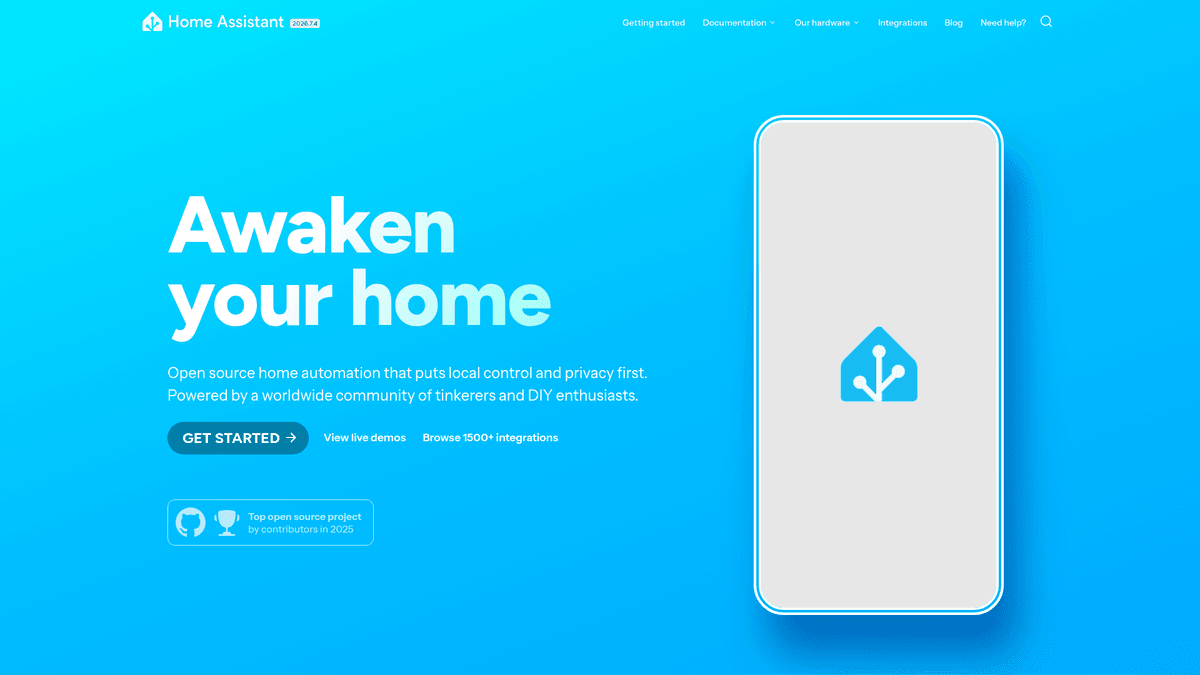
Automation & WorkflowsOpen source home automation that puts local control and privacy first.
What you get when you deploy Home Assistant
The server we rent for it, what it costs, and what the installer will ask you.
- Server
- CX23 · 2 vCPU · 4 GB RAM
- From
- $9/month
- Setup
- No configuration required
Included with every deployment
- Dedicated server, one app per machine
- HTTPS certificate issued automatically
- Free subdomain, custom domain optional
- Restart, resize, snapshot and restore
The project
Everything this page links to outside Automatio.
Deploy Home Assistant in one click
On your own server, with your own data. No terminal, no Docker commands, no certificate setup.
- 1
Pick a size
Start on the smallest server that fits the app. Resize later without reinstalling.
- 2
Press deploy
We rent the server, install the app with Docker, and point a subdomain at it.
- 3
Watch it come up
Provisioning runs unattended and takes a few minutes. When the HTTPS certificate lands, the app is live and your login details are on the deployment page.
Server size
Billed monthly with your Automatio subscription. Destroy the server any time and the charge stops. Every server: 20 TB traffic/month included, then $2.50 per TB.
Key Capabilities
Explore what Automatio can do for this use case
Universal Integrations
Connect to over 2,500 different brands including Philips Hue, Sonos, and smart TVs using local APIs. The platform acts as a bridge for hardware from different ecosystems, allowing them to communicate without proprietary cloud hubs. It supports Wi-Fi, Bluetooth, and modern standards like Matter.
- 1Official device discovery engine
- 2Support for major media players
- 3Cloud-to-local bridging options
- 4Manufacturer-neutral device control
- 5Native Matter and Thread support
Key Capabilities
- Universal Integrations
Connect to over 2,500 different brands including Philips Hue, Sonos, and smart TVs using local APIs. The platform acts as a bridge for hardware from different ecosystems, allowing them to communicate without proprietary cloud hubs. It supports Wi-Fi, Bluetooth, and modern standards like Matter.
- Official device discovery engine
- Support for major media players
- Cloud-to-local bridging options
- Manufacturer-neutral device control
- Native Matter and Thread support
- Visual Automation Engine
Build sophisticated logic using a visual editor that combines triggers, conditions, and actions. You can automate lights based on the sun position, motion sensors, or the state of other electronics without writing code. The event-based architecture ensures rules fire instantly when a state changes.
- State-based and time triggers
- Logical AND/OR condition nesting
- Sequential and parallel action steps
- Visual trace tool for debugging
- Blueprint library for shared logic
- Responsive Dashboards
Create a tailored control center using the modern Sections view with high-visibility tiles and gauges. The interface is fully responsive, scaling from wall-mounted tablets to mobile phones and desktop browsers. You can visualize everything from energy usage graphs to live security camera feeds.
- Drag-and-drop layout engine
- Themed tile cards and badges
- Real-time sensor history graphs
- Sub-view navigation for complex houses
- Built-in dark and light modes
- Energy Management
Monitor and optimize your household energy consumption with a dedicated dashboard. Connect to smart meters, solar inverters, and individual appliance monitors to see exactly where your electricity goes. It helps you shift heavy energy usage to off-peak hours or maximize solar self-consumption.
- Solar production and grid tracking
- Individual appliance cost monitoring
- Off-peak usage optimization tools
- Carbon footprint estimation
- Battery storage visualization
- Add-on Ecosystem
Extend the core functionality by installing extra services directly from the internal dashboard. This includes everything from code editors and database tools to MQTT brokers and automated backup utilities. One-click installations turn your smart home hub into a comprehensive home server platform.
- One-click add-on installation
- VS Code for file editing
- Google Drive backup tools
- MQTT and Zigbee2MQTT support
- Watchdog service for uptime
Why self-host Home Assistant
What to know first
Managed, DIY, or One-Click?
The three realistic ways to run {name}, compared honestly.
| Aspect | Managed SaaS | DIY on a VPS | Automatio one-click |
|---|---|---|---|
| Data Privacy | Cloud-dependent | 100% Private | 100% Private |
| Setup Speed | Instant | 2-3 Hours | ~15 Minutes |
| Maintenance | Zero | Manual OS patching | One-click updates |
| Remote Access | $5/mo Subscription | Requires VPN/Proxy | HTTPS Pre-configured |
| Integrations | Wide but limited | Total freedom | Total freedom |
Data Privacy
Setup Speed
Maintenance
Remote Access
Integrations
Who this is for
People who actually run Home Assistant on their own server, and what changes when they do.
the privacy-conscious homeowner
Concerns about big tech companies tracking daily habits through cloud cameras and sensors.
Self-hosting ensures all logs and events stay on your own hardware, inaccessible to third parties.
- Store security camera feeds locally
- Disable cloud-tracking for Wi-Fi plugs
- Audit device history without internet
the efficiency-focused tinkerer
Frustrated by the lag when asking a cloud assistant to turn on the lights.
Local control means motion sensors and switches react with zero perceptible latency.
- Sync bulbs for instant scenes
- Trigger motion lights with no delay
- Link multiple brand hubs into one UI
the data-driven analyst
Wants to track long-term trends but cloud apps only keep 30 days of history.
Full control over the database allows for years of historical tracking and environmental analysis.
- Graph air quality vs. HVAC usage
- Monitor per-appliance consumption
- Analyze long-term efficiency trends
the multi-generational household
Family members are tired of using five different apps to control the house.
Create a single dashboard for a wall-mounted tablet that children and guests can use easily.
- Set up guest users with limited access
- Unified TV and lighting controls
- Automate coordinated goodnight scenes
About This App
What this app does and where it fits.
The Brain of Your Smart Home
Home Assistant is an advanced open-source home automation platform. Originally created by Paulus Schoutsen in 2013, it has grown into an ecosystem with over 2,500 built-in integrations. Unlike proprietary solutions, it is built on the philosophy of local control. This means your data, schedules, and device logs never have to leave your network. It serves as a central brain that bridges different protocols like Zigbee, Z-Wave, Matter, and Wi-Fi, allowing devices that were never meant to talk to each other to work together.
How It Works: Privacy by Design
At its core, the software is a state machine that tracks the status of every connected device. When you flick a switch, trigger a motion sensor, or change a thermostat, Home Assistant records the change and evaluates whether any automations should fire. Because the system is self-hosted, it remains functional during internet outages. You are not at the mercy of a company deciding to sunset a product or change subscription terms. The architecture is modular, meaning you can add features like a local voice assistant, an energy monitor, or an AI-powered security camera system through its internal add-on store.
The First Hour: Integration and Discovery
When you first deploy, the experience focuses on discovery. The engine automatically scans your network for compatible devices. Within minutes, your smart TVs, light bulbs, and streaming speakers will appear as entities ready to be controlled. The first hour is usually spent organizing these entities into a Dashboard, a visual interface you can access via a web browser or official mobile apps. From there, you can transition into automation, setting simple rules like turning on the porch light at sunset or complex scenes like dimming lights when a media player starts playing a movie.
Beyond the Hub
While traditional smart hubs are limited by a manufacturer roadmap, Home Assistant is limited only by your setup. It caters to a wide spectrum of users, from those who want a simple drag-and-drop automation builder to developers who want to write custom Python scripts. By self-hosting on a dedicated server, you ensure that your home remains fast, private, and future-proof. You own the hardware, the software, and the data that makes your smart home run.
Community Feedback
See what the community thinks about Home Assistant
“The biggest win is getting rid of the 'cloud tax' where your light bulb stops working because a company went bankrupt or their servers are down.”
“Moving from SmartThings to Home Assistant was like going from a tricycle to a Ferrari. There's a learning curve, but the power is unmatched.”
“Warning: Always read the breaking changes list before updating. It's the only way to ensure your complex automations don't break on day one.”
“I hate that in people's minds discord becomes an alternative to regular forums. It's an absolute mess and discussion/searching is almost impossible.”
“My NAS doesn't have enough RAM to host a VM, so a container install on a VPS or dedicated box is the only way I can get it stable.”
“All of your automations, all of your smart home control, everything happens in your home, not some company's cloud.”
Related Videos
Watch tutorials, reviews, and discussions about Home Assistant
“It's all about local control, which means your home keeps working even if your internet goes down.”
“The dashboard editor is now incredibly powerful with sections and drag-and-drop support.”
“You can track your energy usage in real-time if you have the right sensors connected.”
“One of the best features is the ability to create blueprints for common automations.”
“The mobile app is just as powerful as the desktop site, giving you full control on the go.”
“Using Docker allows you to run Home Assistant alongside other services on the same hardware.”
“The configuration folder is where all the magic happens; keep that backed up above all else.”
“You get full access to the file system, which makes manual YAML edits much easier.”
“Updating your instance takes seconds once the new image is downloaded to your server.”
“Running it this way avoids the overhead of a full virtual machine while keeping isolation.”
“Proprietary hubs are designed to lock you into an ecosystem, but this breaks those walls down.”
“The historical data tracking lets you see patterns in your home you never would have noticed.”
“Privacy is the biggest selling point; your data stays on your hardware and nowhere else.”
“Even if a company goes out of business, your local smart home integration will keep working.”
“The sheer number of supported devices means you can buy hardware based on quality, not brand.”
Supercharge your workflow with AI Automation
Automatio combines the power of AI agents, web automation, and smart integrations to help you accomplish more in less time.
What to get right first
The decisions that are painful to change later in Home Assistant.
Use Network Radio Bridges
Since this runs on a VPS, you cannot plug USB radios in. Use a network-attached Zigbee or Z-Wave bridge like the SLZB-06 to connect your local sensors to the remote server.
Logical Naming Patterns
Name your devices by room and function rather than generic IDs. This makes searching for entities during automation setup much faster than relying on area filters alone.
Automated Cloud Backups
Install the Google Drive or OneDrive backup add-on immediately. It ensures you have an off-site copy of your configuration before every major monthly update or hardware change.
The Helper Group Hack
Use the Group helper to bundle multiple smart bulbs into a single entity. It makes your dashboard cleaner and ensures all bulbs in a room react simultaneously to a single toggle.
Testimonials
What Our Users Say
Join thousands of satisfied users who have transformed their workflow
Jonathan Kogan
Co-Founder/CEO, rpatools.io
Automatio is one of the most used for RPA Tools both internally and externally. It saves us countless hours of work and we realized this could do the same for other startups and so we choose Automatio for most of our automation needs.
Mohammed Ibrahim
CEO, qannas.pro
I have used many tools over the past 5 years, Automatio is the Jack of All trades.. !! it could be your scraping bot in the morning and then it becomes your VA by the noon and in the evening it does your automations.. its amazing!
Ben Bressington
CTO, AiChatSolutions
Automatio is fantastic and simple to use to extract data from any website. This allowed me to replace a developer and do tasks myself as they only take a few minutes to setup and forget about it. Automatio is a game changer!
Sarah Chen
Head of Growth, ScaleUp Labs
We've tried dozens of automation tools, but Automatio stands out for its flexibility and ease of use. Our team productivity increased by 40% within the first month of adoption.
David Park
Founder, DataDriven.io
The AI-powered features in Automatio are incredible. It understands context and adapts to changes in websites automatically. No more broken scrapers!
Emily Rodriguez
Marketing Director, GrowthMetrics
Automatio transformed our lead generation process. What used to take our team days now happens automatically in minutes. The ROI is incredible.
Jonathan Kogan
Co-Founder/CEO, rpatools.io
Automatio is one of the most used for RPA Tools both internally and externally. It saves us countless hours of work and we realized this could do the same for other startups and so we choose Automatio for most of our automation needs.
Mohammed Ibrahim
CEO, qannas.pro
I have used many tools over the past 5 years, Automatio is the Jack of All trades.. !! it could be your scraping bot in the morning and then it becomes your VA by the noon and in the evening it does your automations.. its amazing!
Ben Bressington
CTO, AiChatSolutions
Automatio is fantastic and simple to use to extract data from any website. This allowed me to replace a developer and do tasks myself as they only take a few minutes to setup and forget about it. Automatio is a game changer!
Sarah Chen
Head of Growth, ScaleUp Labs
We've tried dozens of automation tools, but Automatio stands out for its flexibility and ease of use. Our team productivity increased by 40% within the first month of adoption.
David Park
Founder, DataDriven.io
The AI-powered features in Automatio are incredible. It understands context and adapts to changes in websites automatically. No more broken scrapers!
Emily Rodriguez
Marketing Director, GrowthMetrics
Automatio transformed our lead generation process. What used to take our team days now happens automatically in minutes. The ROI is incredible.
Related Self-Hosted Apps

n8n
from $9/mo
Visual workflow automation with 400+ integrations. Self-hosted Zapier alternative.

Windmill
from $9/mo
A developer platform to build production-grade workflows and internal apps. Open-source alternative to Airplane, Retool, and GitHub Actions.

NocoDB
from $9/mo
NocoDB is an opensource Airtable alternative that turns any MySQL, PostgreSQL, SQL Server, SQLite & MariaDB into a smart spreadsheet.

Activepieces
from $9/mo
Open-source no-code business automation tool. An alternative to Zapier, Make.com, and Tray.
Frequently Asked Questions
Find answers to common questions about Home Assistant