


Syncthing Self-Hosted, Deploy in One Click
Syncthing is a continuous file synchronization program that replaces proprietary cloud storage with a decentralized mesh. Deploying it here gives you a private server, your data, and automated HTTPS.
Syncthing
Storage & File SharingSyncthing đồng bộ hóa file theo thời gian thực trên các thiết bị. Automatio triển khai ứng dụng này lên máy chủ riêng với HTTPS chỉ trong một cú nhấp chuột để...
Bạn nhận được gì khi triển khai Syncthing
Máy chủ chúng tôi thuê, chi phí, và những gì trình cài đặt sẽ hỏi.
- Máy chủ
- CX23 · 2 vCPU · 4 GB RAM
- Từ
- $9/tháng
- Cài đặt
- Không cần cấu hình
Có trong mọi lần triển khai
- Máy chủ riêng, mỗi máy một ứng dụng
- Chứng chỉ HTTPS cấp tự động
- Tên miền phụ miễn phí, tên miền riêng tùy chọn
- Khởi động lại, đổi kích thước, snapshot và khôi phục
Dự án
Mọi liên kết ra ngoài Automatio trên trang này.
Triển khai Syncthing chỉ một cú nhấp
Trên máy chủ của bạn, với dữ liệu của bạn. Không terminal, không lệnh Docker, không cấu hình chứng chỉ.
- 1
Chọn kích thước
Bắt đầu với máy chủ nhỏ nhất đủ dùng. Nâng cấp sau mà không cần cài lại.
- 2
Nhấn triển khai
Chúng tôi thuê máy chủ, cài ứng dụng bằng Docker và trỏ một tên miền phụ vào đó.
- 3
Xem nó khởi chạy
Quá trình chạy tự động trong vài phút. Khi chứng chỉ HTTPS được cấp là ứng dụng đã sẵn sàng.
Kích thước máy chủ
Tính phí hằng tháng cùng gói Automatio. Xóa máy chủ là ngừng tính phí. Mỗi máy chủ: Bao gồm 20 TB lưu lượng/tháng, sau đó $2.50/TB.
Khả năng Syncthing
Khám phá những gì Automatio có thể làm cho trường hợp sử dụng này
Peer-to-Peer Synchronization
Syncthing avoids central servers that third parties can monitor. It communicates directly between your devices using the Block Exchange Protocol. This ensures your files only exist on machines you authorize and control, bypassing the privacy risks inherent in standard cloud storage.
- 1Direct device-to-device transfers
- 2Local and global discovery support
- 3UPnP and NAT-PMP port mapping
- 4Relay support for firewalls
- 5No central data storage
Khả năng Syncthing
- Peer-to-Peer Synchronization
Syncthing avoids central servers that third parties can monitor. It communicates directly between your devices using the Block Exchange Protocol. This ensures your files only exist on machines you authorize and control, bypassing the privacy risks inherent in standard cloud storage.
- Direct device-to-device transfers
- Local and global discovery support
- UPnP and NAT-PMP port mapping
- Relay support for firewalls
- No central data storage
- End-to-End Encryption
All communication between nodes uses TLS 1.3 with perfect forward secrecy. Every device is identified by a unique cryptographic certificate. Only devices you explicitly accept can connect to your shares, which prevents unauthorized access even on public networks.
- Perfect Forward Secrecy
- Certificate-based authentication
- Encrypted relay traffic
- Untrusted node support
- TLS 1.3 security standards
- Staggered File Versioning
Protect data against accidental deletions or changes with various versioning strategies. The software archives old file versions in a hidden folder on your server to allow restoration. You can choose between simple, staggered, or external versioning scripts based on your workflow requirements.
- Time-based staggered archiving
- Simple trash can restoration
- Custom external shell scripts
- Configurable retention periods
- Path-specific ignore patterns
- Block-Level Delta Transfers
Syncthing identifies specific blocks of a file that changed and transfers only those fragments. This makes it efficient for large files that change slightly, like databases or virtual machine images. It reduces bandwidth usage during routine syncs and speeds up synchronization on slower connections.
- Efficient for large databases
- Low bandwidth consumption
- Hash-based block verification
- Rapid sync for incremental edits
- Optimized for varying speeds
content.selfHosted.whyTitle
content.selfHosted.tradeoffsTitle
comparisonTable.self-hosted.title
comparisonTable.self-hosted.description
| Khía Cạnh | comparisonTable.self-hosted.managedSaas | comparisonTable.self-hosted.diy | comparisonTable.self-hosted.automatio |
|---|---|---|---|
| Data Ownership | Provider-controlled metadata | 100% Personal control | 100% Personal control |
| Monthly Cost | Scales with storage and seats | Flat VPS fee | Flat server fee |
| Setup Effort | Instant sign-up | Hours of CLI and Docker config | One-click deployment |
| Security and HTTPS | Standard configuration | Manual Certbot management | Automatic HTTPS certificates |
| Privacy | Scanning and telemetry | Zero tracking | Zero tracking |
Data Ownership
Monthly Cost
Setup Effort
Security and HTTPS
Privacy
Dành cho ai
Những người thực sự chạy Syncthing trên máy chủ của họ, và điều gì thay đổi khi đó.
a researcher with an Obsidian vault
Cloud providers often have latency issues or privacy concerns with personal knowledge bases.
Syncing a vault to a private VPS ensures instant, secure availability across mobile and desktop devices.
- Sync local vault to remote server
- Maintain cross-device session context
- Back up field notes from mobile
a developer shipping code
Needs configuration files and documentation synced across multiple machines without using Git for sensitive items.
Enables movement between a laptop and a desktop without manual file copying or public repo exposure.
- Sync SSH keys and dev configs
- Coordinate multi-node orchestration
- Share build artifacts between environments
a solo founder with a mobile office
Relying on public Wi-Fi to sync critical work files to the cloud is slow and prone to interception.
Establishing a direct, encrypted tunnel between a laptop and a dedicated server maximizes transfer speed and security.
- Sync dev environments on the go
- Maintain document version history
- Access project files via mobile data
a freelance photographer
Monthly subscriptions for terabytes of cloud storage for RAW files are prohibitively expensive.
Syncing assets to a dedicated server provides private, unlimited-capacity offsite storage for a flat fee.
- Sync camera roll to VPS
- Share galleries via private folders
- Manage archival storage on a local NAS
Prompt nay la gi?
Tim hieu prompt nay lam gi va cach no co the giup ban dat ket qua tot hon.
What is Syncthing?
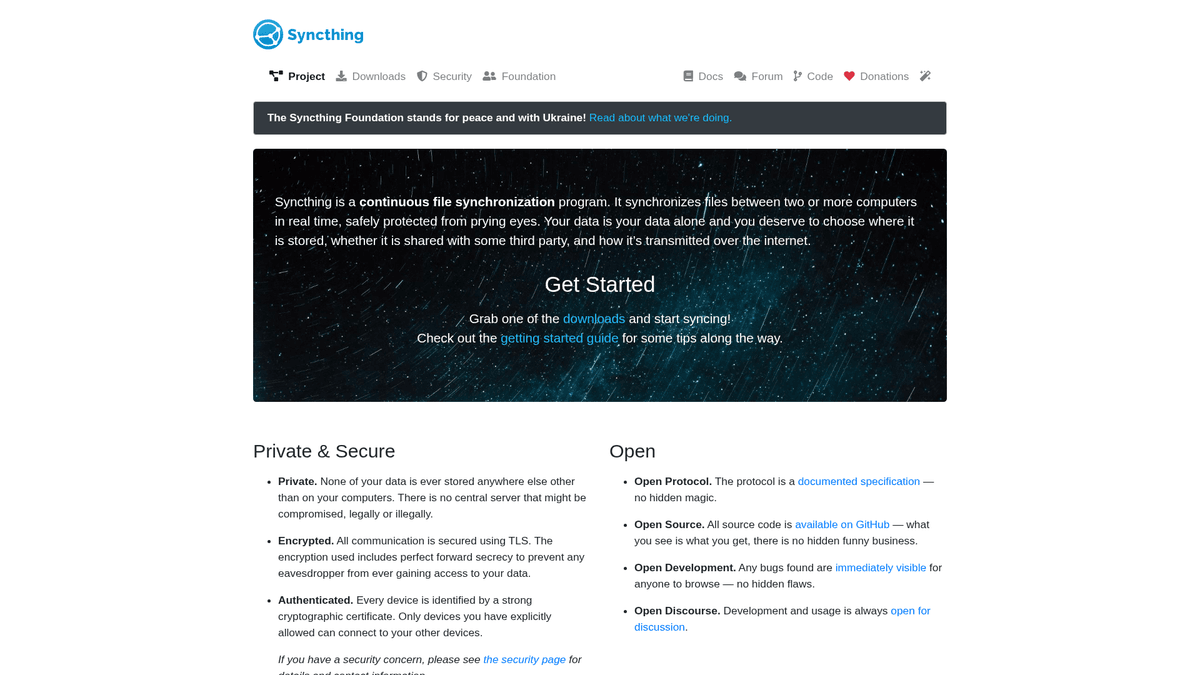
Syncthing is an open-source, continuous file synchronization program that replaces proprietary sync services with a decentralized model. Built as an alternative to big-tech solutions that mandate central storage, it operates on a peer-to-peer (P2P) basis. This means your files are never stored on a middleman server; they move directly between your machines. It is licensed under the Mozilla Public License 2.0 and has reached a state of maturity that makes it the bedrock of privacy-conscious homelabs and small business infrastructures.
How It Works
At its core, the software uses the Block Exchange Protocol (BEP). When you add a folder, the application breaks every file into small, hashed blocks that act as unique fingerprints for the data. When two devices connect, they compare these fingerprints and transfer only the specific blocks that are missing or changed. This block-level delta transfer makes the software efficient for synchronizing large files that change incrementally, such as virtual machine images or database dumps. Every communication is secured using TLS 1.3, ensuring that even if traffic passes through a relay, the content remains unreadable to third parties.
The First Hour with Syncthing
Your first experience involves identifying your unique Device ID and sharing it with your other devices. Once paired, you select a folder to share. The web-based GUI provides a real-time view of your synchronization status, including transfer rates, global folder sizes, and connected peers. In the first hour, you will likely set up ignore patterns to skip temporary files and choose a versioning strategy. If you are syncing between a mobile device and this server, you will see your photos begin to populate the server storage as soon as the handshake completes.
Syncthing vs. Alternatives
Compared to suite solutions like Nextcloud, Syncthing is focused on one task: moving files. It lacks the built-in calendar or mail clients of larger suites but is significantly lighter on system resources and easier to scale for pure synchronization. Against proprietary P2P tools like Resilio Sync, Syncthing is entirely open-source, ensuring its security architecture can be publicly audited. It fits into a self-hosted stack as the silent glue that keeps files consistent across servers and local workstations.
Moi nguoi dang noi gi ve Syncthing
Xem cong dong nghi gi ve Syncthing
“using the GUI's 'apply to subfolders' recursively flattened POSIX to 0000, which took down ~19,800 Syncthing items.”
“The 'Untrusted Device' feature is a game changer for using a cheap VPS as a backup target without worrying about the provider looking at my docs.”
“SyncThing integration for syncing VPS work folders to local Obsidian”
“converged on a coherent ACL model years ago,”
“It's as invisible as Dropbox once set up.”
“the untrusted node has no idea what that password is all it knows is to synchronize the files”
Video ve Syncthing
Xem huong dan, danh gia va thao luan ve Syncthing
“Đây là một chương trình đồng bộ hóa file liên tục, giúp đồng bộ file giữa hai hoặc nhiều máy tính theo thời gian thực.”
“”
“Một trong những điểm tuyệt vời nhất là không có máy chủ trung tâm, nên đây hoàn toàn là kiến trúc peer-to-peer.”
“”
“Mọi liên lạc đều được bảo mật bằng TLS, vì vậy ngay cả khi qua trung gian, dữ liệu vẫn được mã hóa.”
“”
“Bạn có thể thiết lập thư mục ở chế độ Chỉ gửi, Chỉ nhận, hoặc Cả gửi và nhận tùy theo nhu cầu.”
“”
“Các mẫu bỏ qua rất hữu ích để bỏ qua những thứ như node_modules hoặc file ẩn của hệ thống.”
“”
“Syncthing không lưu trữ dữ liệu của bạn ở bất kỳ nơi nào khác; nó thuần túy là một công cụ đồng bộ hóa.”
“”
“Quá trình phát hiện cho phép các thiết bị tìm thấy nhau ngay cả khi ở sau các tường lửa khác nhau.”
“”
“Tính năng quản lý phiên bản được xử lý ở cấp độ thư mục, cho phép bạn giữ các file đã xóa trong một số ngày nhất định.”
“”
“Các máy chủ phát hiện toàn cầu chỉ hỗ trợ kết nối; chúng không bao giờ nhìn thấy dữ liệu thực tế của bạn.”
“”
“Mức tiêu thụ CPU có thể tăng vọt trong lần quét đầu tiên đối với các thư mục lớn vì nó phải băm (hash) từng block file.”
“”
“Chạy Syncthing trên một máy chủ mang lại cho bạn một node luôn hoạt động để giữ cho tất cả các thiết bị khác đồng bộ.”
“”
“Giao thức Trao đổi Block (Block Exchange Protocol) có nghĩa là chỉ những phần thay đổi của file được truyền đi, chứ không phải toàn bộ file.”
“”
“Bạn nên đặt mật khẩu cho web GUI, đặc biệt là khi cài đặt từ xa.”
“”
“Tính năng quản lý phiên bản so le (staggered versioning) giữ lịch sử các file của bạn tương tự như cách Time Machine của Apple hoạt động.”
“”
“Thêm một thiết bị mới đơn giản như chia sẻ chuỗi ID dài hoặc quét mã QR trên thiết bị di động.”
“”
Tang cuong quy trinh lam viec cua ban voi Tu dong hoa AI
Automatio ket hop suc manh cua cac AI agent, tu dong hoa web va tich hop thong minh de giup ban lam duoc nhieu hon trong thoi gian ngan hon.
Meo chuyen nghiep cho Syncthing
Meo chuyen gia giup ban tan dung toi da Syncthing va dat ket qua tot hon.
Tune RAM for Large Volumes
If you are syncing more than 100,000 files, ensure your server has at least 2GB of RAM to handle the memory-intensive hash indexing phase.
Use Local Discovery
If your devices are on the same network, enable Local Discovery to allow data transfers at LAN speeds instead of through the internet.
Set Up Versioning Early
Enable Staggered File Versioning on your primary server node immediately to ensure you can recover from accidental deletions on mobile devices.
Danh gia
Nguoi dung cua chung toi noi gi
Tham gia cung hang nghin nguoi dung hai long da thay doi quy trinh lam viec cua ho
Jonathan Kogan
Co-Founder/CEO, rpatools.io
Automatio is one of the most used for RPA Tools both internally and externally. It saves us countless hours of work and we realized this could do the same for other startups and so we choose Automatio for most of our automation needs.
Mohammed Ibrahim
CEO, qannas.pro
I have used many tools over the past 5 years, Automatio is the Jack of All trades.. !! it could be your scraping bot in the morning and then it becomes your VA by the noon and in the evening it does your automations.. its amazing!
Ben Bressington
CTO, AiChatSolutions
Automatio is fantastic and simple to use to extract data from any website. This allowed me to replace a developer and do tasks myself as they only take a few minutes to setup and forget about it. Automatio is a game changer!
Sarah Chen
Head of Growth, ScaleUp Labs
We've tried dozens of automation tools, but Automatio stands out for its flexibility and ease of use. Our team productivity increased by 40% within the first month of adoption.
David Park
Founder, DataDriven.io
The AI-powered features in Automatio are incredible. It understands context and adapts to changes in websites automatically. No more broken scrapers!
Emily Rodriguez
Marketing Director, GrowthMetrics
Automatio transformed our lead generation process. What used to take our team days now happens automatically in minutes. The ROI is incredible.
Jonathan Kogan
Co-Founder/CEO, rpatools.io
Automatio is one of the most used for RPA Tools both internally and externally. It saves us countless hours of work and we realized this could do the same for other startups and so we choose Automatio for most of our automation needs.
Mohammed Ibrahim
CEO, qannas.pro
I have used many tools over the past 5 years, Automatio is the Jack of All trades.. !! it could be your scraping bot in the morning and then it becomes your VA by the noon and in the evening it does your automations.. its amazing!
Ben Bressington
CTO, AiChatSolutions
Automatio is fantastic and simple to use to extract data from any website. This allowed me to replace a developer and do tasks myself as they only take a few minutes to setup and forget about it. Automatio is a game changer!
Sarah Chen
Head of Growth, ScaleUp Labs
We've tried dozens of automation tools, but Automatio stands out for its flexibility and ease of use. Our team productivity increased by 40% within the first month of adoption.
David Park
Founder, DataDriven.io
The AI-powered features in Automatio are incredible. It understands context and adapts to changes in websites automatically. No more broken scrapers!
Emily Rodriguez
Marketing Director, GrowthMetrics
Automatio transformed our lead generation process. What used to take our team days now happens automatically in minutes. The ROI is incredible.
Lien quan Self-Hosted Apps

Seafile
from $9/mo
Open source cloud storage system for file sync, share and document collaboration

Nextcloud
from $9/mo
Nextcloud is a self-hosted file storage and sync platform with powerful collaboration capabilities. It integrates Files, Talk, Groupware, Office, Assistant and more into a single platform for remote work and data protection.

Minio
from $9/mo
Minio is an open source object storage server compatible with Amazon S3 cloud storage service.
Cau hoi thuong gap ve Syncthing
Tim cau tra loi cho cac cau hoi thuong gap ve Syncthing