
How to Scrape Freelancer.com: A Complete Technical Guide
Extract project listings, budgets, and employer data from Freelancer.com. Learn to bypass Cloudflare bot detection and automate B2B lead generation.
Anti-Bot Protection Detected
- Cloudflare
- Enterprise-grade WAF and bot management. Uses JavaScript challenges, CAPTCHAs, and behavioral analysis. Requires browser automation with stealth settings.
- Rate Limiting
- Limits requests per IP/session over time. Can be bypassed with rotating proxies, request delays, and distributed scraping.
- IP Blocking
- Blocks known datacenter IPs and flagged addresses. Requires residential or mobile proxies to circumvent effectively.
- Browser Fingerprinting
- Identifies bots through browser characteristics: canvas, WebGL, fonts, plugins. Requires spoofing or real browser profiles.
- Behavioral Analysis
About Freelancer
Learn what Freelancer offers and what valuable data can be extracted from it.
The Global Freelance Hub
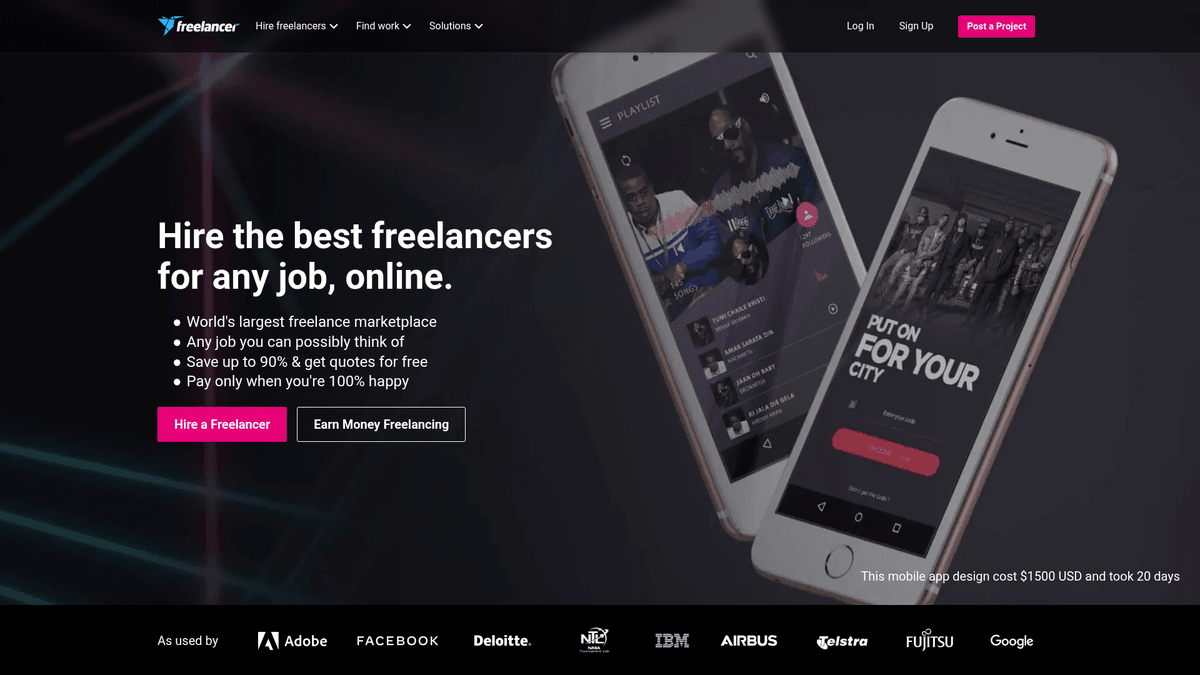
Freelancer.com is recognized as the world's largest marketplace for freelancing and crowdsourcing by total number of users and projects. It serves as a vital bridge between millions of employers and independent professionals across 247 countries and territories.
Wealth of Market Data
The platform hosts an immense volume of data spread over 2,700 categories. Every listing contains critical details such as project budgets, technical requirements, and employer feedback, offering a transparent view of the global gig economy.
Value for Data Extraction
Scraping this data is indispensable for businesses looking to perform market rate benchmarking or generate B2B leads. By monitoring project flows, companies can identify high-demand skills and adapt their strategies to current market conditions.
Why Scrape Freelancer?
Discover the business value and use cases for extracting data from Freelancer.
Lead Generation for Agencies
Identify high-value employers who frequently post large-scale projects in your niche to build a high-conversion outreach list.
Market Rate Benchmarking
Analyze the relationship between project budgets and average bid amounts to determine competitive pricing for your own services.
Tracking Skill Demand
Monitor the frequency of specific skill tags to identify emerging technology trends and shift your service offerings accordingly.
Competitor Analysis
Study the profiles and bid histories of top-rated freelancers to understand what portfolios and reviews win the most contracts.
Economic Market Research
Aggregate global project data to perform academic or industrial studies on wealth distribution and labor shifts in the gig economy.
Historical Project Analysis
Track the seasonal fluctuations of project types to optimize your marketing spend and resource allocation throughout the year.
Scraping Challenges
Technical challenges you may encounter when scraping Freelancer.
Cloudflare Protection
The platform employs sophisticated Web Application Firewalls that can detect automated traffic through JA3 fingerprinting and JS challenges.
Dynamic Content Loading
Much of the job data is rendered via React, meaning simple HTML parsers will fail to see the content without a headless browser.
Frequent Schema Changes
The front-end layout is updated regularly, which often breaks static CSS selectors and requires constant maintenance of the scraper logic.
Aggressive Rate Limiting
Rapidly browsing multiple project pages from a single IP address will quickly trigger temporary bans or reCAPTCHA prompts.
Data Normalization
Budgets are listed in various global currencies, requiring an integrated conversion step to perform accurate cross-market analysis.
Scrape Freelancer with AI
No coding required. Extract data in minutes with AI-powered automation.
How It Works
Describe What You Need
Tell the AI what data you want to extract from Freelancer. Just type it in plain language — no coding or selectors needed.
AI Extracts the Data
Our artificial intelligence navigates Freelancer, handles dynamic content, and extracts exactly what you asked for.
Get Your Data
Receive clean, structured data ready to export as CSV, JSON, or send directly to your apps and workflows.
Why Use AI for Scraping
AI makes it easy to scrape Freelancer without writing any code. Our AI-powered platform uses artificial intelligence to understand what data you want — just describe it in plain language and the AI extracts it automatically.
How to scrape with AI:
- Describe What You Need: Tell the AI what data you want to extract from Freelancer. Just type it in plain language — no coding or selectors needed.
- AI Extracts the Data: Our artificial intelligence navigates Freelancer, handles dynamic content, and extracts exactly what you asked for.
- Get Your Data: Receive clean, structured data ready to export as CSV, JSON, or send directly to your apps and workflows.
Why use AI for scraping:
- Built-in Anti-Bot Evasion: Automatio utilizes advanced browser rendering that naturally overcomes Cloudflare challenges and behavioral detection systems.
- Visual No-Code Builder: Create complex extraction workflows by simply clicking on project titles and budgets, eliminating the need for manual coding.
- Automated Scheduling: Set your scraper to run at specific intervals to ensure you are the first to know when a new high-value project is posted.
- Seamless Proxy Management: Easily integrate and rotate residential proxies within the platform to maintain high success rates without manual configuration.
- Instant Data Sync: Automatically push your scraped project leads directly to Google Sheets or Airtable using native webhooks for immediate action.
No-Code Web Scrapers for Freelancer
Point-and-click alternatives to AI-powered scraping
Several no-code tools like Browse.ai, Octoparse, Axiom, and ParseHub can help you scrape Freelancer. These tools use visual interfaces to select elements, but they come with trade-offs compared to AI-powered solutions.
Typical Workflow with No-Code Tools
Common Challenges
Learning curve
Understanding selectors and extraction logic takes time
Selectors break
Website changes can break your entire workflow
Dynamic content issues
JavaScript-heavy sites often require complex workarounds
CAPTCHA limitations
Most tools require manual intervention for CAPTCHAs
IP blocking
Aggressive scraping can get your IP banned
No-Code Web Scrapers for Freelancer
Several no-code tools like Browse.ai, Octoparse, Axiom, and ParseHub can help you scrape Freelancer. These tools use visual interfaces to select elements, but they come with trade-offs compared to AI-powered solutions.
Typical Workflow with No-Code Tools
- Install browser extension or sign up for the platform
- Navigate to the target website and open the tool
- Point-and-click to select data elements you want to extract
- Configure CSS selectors for each data field
- Set up pagination rules to scrape multiple pages
- Handle CAPTCHAs (often requires manual solving)
- Configure scheduling for automated runs
- Export data to CSV, JSON, or connect via API
Common Challenges
- Learning curve: Understanding selectors and extraction logic takes time
- Selectors break: Website changes can break your entire workflow
- Dynamic content issues: JavaScript-heavy sites often require complex workarounds
- CAPTCHA limitations: Most tools require manual intervention for CAPTCHAs
- IP blocking: Aggressive scraping can get your IP banned
Code Examples
import requests
from bs4 import BeautifulSoup

# Set headers to mimic a real browser
headers = {'User-Agent': 'Mozilla/5.0 (Windows NT 10.0; Win64; x64) AppleWebKit/537.36 (KHTML, like Gecko) Chrome/91.0.4472.124 Safari/537.36'}
url = 'https://www.freelancer.com/jobs/'

try:
    # Perform the GET request
    response = requests.get(url, headers=headers)
    response.raise_for_status()
    soup = BeautifulSoup(response.content, 'html.parser')

    # Extract job listings
    for job in soup.find_all('div', class_='JobSearchCard-primary'):
        title = job.find('a', class_='JobSearchCard-primary-heading-link').text.strip()
        print(f'Project Title: {title}')
except Exception as e:
    print(f'Scraping failed: {e}')
When to Use
Best for static HTML pages where content is loaded server-side. The fastest and simplest approach when JavaScript rendering isn't required.
Advantages
- ●Fastest execution (no browser overhead)
- ●Lowest resource consumption
- ●Easy to parallelize with asyncio
- ●Great for APIs and static pages
Limitations
- ●Cannot execute JavaScript
- ●Fails on SPAs and dynamic content
- ●May struggle with complex anti-bot systems
How to Scrape Freelancer with Code
Python + Requests
import requests
from bs4 import BeautifulSoup
# Set headers to mimic a real browser
headers = {'User-Agent': 'Mozilla/5.0 (Windows NT 10.0; Win64; x64) AppleWebKit/537.36 (KHTML, like Gecko) Chrome/91.0.4472.124 Safari/537.36'}
url = 'https://www.freelancer.com/jobs/'
try:
# Perform the GET request
response = requests.get(url, headers=headers)
response.raise_for_status()
soup = BeautifulSoup(response.content, 'html.parser')
# Extract job listings
for job in soup.find_all('div', class_='JobSearchCard-primary'):
title = job.find('a', class_='JobSearchCard-primary-heading-link').text.strip()
print(f'Project Title: {title}')
except Exception as e:
print(f'Scraping failed: {e}')Python + Playwright
import asyncio
from playwright.async_api import async_playwright

async def scrape_freelancer():
    async with async_playwright() as p:
        # Launch browser with stealth settings
        browser = await p.chromium.launch(headless=True)
        page = await browser.new_page()
        await page.goto('https://www.freelancer.com/jobs/')

        # Wait for the project cards to render
        await page.wait_for_selector('.JobSearchCard-primary')
        jobs = await page.query_selector_all('.JobSearchCard-primary')

        for job in jobs:
            title_el = await job.query_selector('.JobSearchCard-primary-heading-link')
            if title_el:
                print(await title_el.inner_text())

        await browser.close()

asyncio.run(scrape_freelancer())Python + Scrapy
import scrapy

class FreelancerSpider(scrapy.Spider):
    name = 'freelancer'
    start_urls = ['https://www.freelancer.com/jobs/']

    def parse(self, response):
        for job in response.css('.JobSearchCard-primary'):
            yield {
                'title': job.css('.JobSearchCard-primary-heading-link::text').get().strip(),
                'budget': job.css('.JobSearchCard-secondary-price::text').get().strip(),
                'skills': job.css('.JobSearchCard-primary-tags a::text').getall()
            }

        # Handle pagination
        next_page = response.css('a.Pagination-link--next::attr(href)').get()
        if next_page:
yield response.follow(next_page, self.parse)Node.js + Puppeteer
const puppeteer = require('puppeteer');

(async () => {
  const browser = await puppeteer.launch();
  const page = await browser.newPage();
  // Set User-Agent to avoid detection
  await page.setUserAgent('Mozilla/5.0 (Windows NT 10.0; Win64; x64) AppleWebKit/537.36');
  await page.goto('https://www.freelancer.com/jobs/');
  await page.waitForSelector('.JobSearchCard-primary');

  const data = await page.evaluate(() => {
    return Array.from(document.querySelectorAll('.JobSearchCard-primary')).map(el => ({
      title: el.querySelector('.JobSearchCard-primary-heading-link').innerText.trim()
    }));
  });

  console.log(data);
  await browser.close();
})();What You Can Do With Freelancer Data
Explore practical applications and insights from Freelancer data.
Market Rate Analysis
Identify the average payment for specific services to ensure your own pricing is competitive.
How to implement:
- 1Scrape budget ranges for targeted skill keywords.
- 2Categorize results by the employer's geographic region.
- 3Calculate the median and mean project value for the last 30 days.
- 4Adjust your service pricing strategy based on live market data.
Use Automatio to extract data from Freelancer and build these applications without writing code.
What You Can Do With Freelancer Data
- Market Rate Analysis
Identify the average payment for specific services to ensure your own pricing is competitive.
- Scrape budget ranges for targeted skill keywords.
- Categorize results by the employer's geographic region.
- Calculate the median and mean project value for the last 30 days.
- Adjust your service pricing strategy based on live market data.
- Strategic Lead Generation
Identify high-value employers who regularly post projects in your agency's niche.
- Extract employer usernames and historical project counts from new postings.
- Filter for employers with high project volumes or high-value budgets.
- Research the external company profile using the extracted employer details.
- Reach out via professional channels for long-term contract opportunities.
- Competitive Intelligence
Understand the bidding landscape to optimize your own project proposals.
- Scrape the number of bids and average bid amounts on relevant projects.
- Analyze the profile attributes of top-performing freelancers in your category.
- Identify the specific skill sets that command the highest premiums.
- Adjust your bidding logic to target less competitive or higher-value niches.
- Technology Trend Tracking
Monitor which programming languages or tools are gaining or losing market share.
- Extract all skill tags from every new job posting daily.
- Aggregate the frequency of each tag over a rolling 90-day period.
- Visualize shifts in technology demand (e.g., React vs. Vue).
- Invest in learning or hiring for skills that show consistent upward growth.
- Gig Economy Economic Research
Perform academic or industrial studies on global wealth distribution and digital labor.
- Collect longitudinal data on project volumes and freelancer locations.
- Correlate project success rates with the geographic origin of the employer.
- Analyze wealth transfer patterns between developed and developing economies.
- Publish findings on the evolution of remote digital labor markets.
Supercharge your workflow with AI Automation
Automatio combines the power of AI agents, web automation, and smart integrations to help you accomplish more in less time.
What to get right first
Expert advice for successfully extracting data from Freelancer.
Use Residential Proxies
Data center IPs are often flagged instantly; high-quality residential proxies are essential for bypassing Cloudflare's reputation filters.
Target Skill-Specific URLs
Instead of scraping the general search page, target URLs like /jobs/python/ to reduce processing overhead and improve data relevance.
Mimic Human Browsing
Implement randomized wait times between 5 and 20 seconds between requests to avoid triggering behavioral bot detection.
Monitor Bid Density
Always extract the current number of bids alongside the budget to gauge the competitiveness and urgency of a project listing.
Sanitize Currency Data
Set up a post-processing step to convert all extracted budgets into a single base currency like USD for accurate statistical analysis.
Related Web Scraping
How to Scrape Arc.dev: The Complete Guide to Remote Job Data
How to Scrape Toptal | Toptal Web Scraper Guide
How to Scrape Guru.com: A Comprehensive Web Scraping Guide
How to Scrape Fiverr | Fiverr Web Scraper Guide
How to Scrape Upwork
How to Scrape Indeed: 2025 Guide for Job Market Data

How to Scrape Charter Global | IT Services & Job Board Scraper
How to Scrape We Work Remotely: The Ultimate Guide
Frequently Asked Questions
Find answers to common questions about Freelancer