
How to Scrape Indeed: 2025 Guide for Job Market Data
Learn how to scrape Indeed job listings, salaries, and reviews. Extract valuable market data for recruitment and salary analysis in 2025.
Anti-Bot Protection Detected
- Cloudflare
- Enterprise-grade WAF and bot management. Uses JavaScript challenges, CAPTCHAs, and behavioral analysis. Requires browser automation with stealth settings.
- DataDome
- Real-time bot detection with ML models. Analyzes device fingerprint, network signals, and behavioral patterns. Common on e-commerce sites.
- Google reCAPTCHA
- Google's CAPTCHA system. v2 requires user interaction, v3 runs silently with risk scoring. Can be solved with CAPTCHA services.
- Rate Limiting
- Limits requests per IP/session over time. Can be bypassed with rotating proxies, request delays, and distributed scraping.
- IP Blocking
- Blocks known datacenter IPs and flagged addresses. Requires residential or mobile proxies to circumvent effectively.
About Indeed
Learn what Indeed offers and what valuable data can be extracted from it.
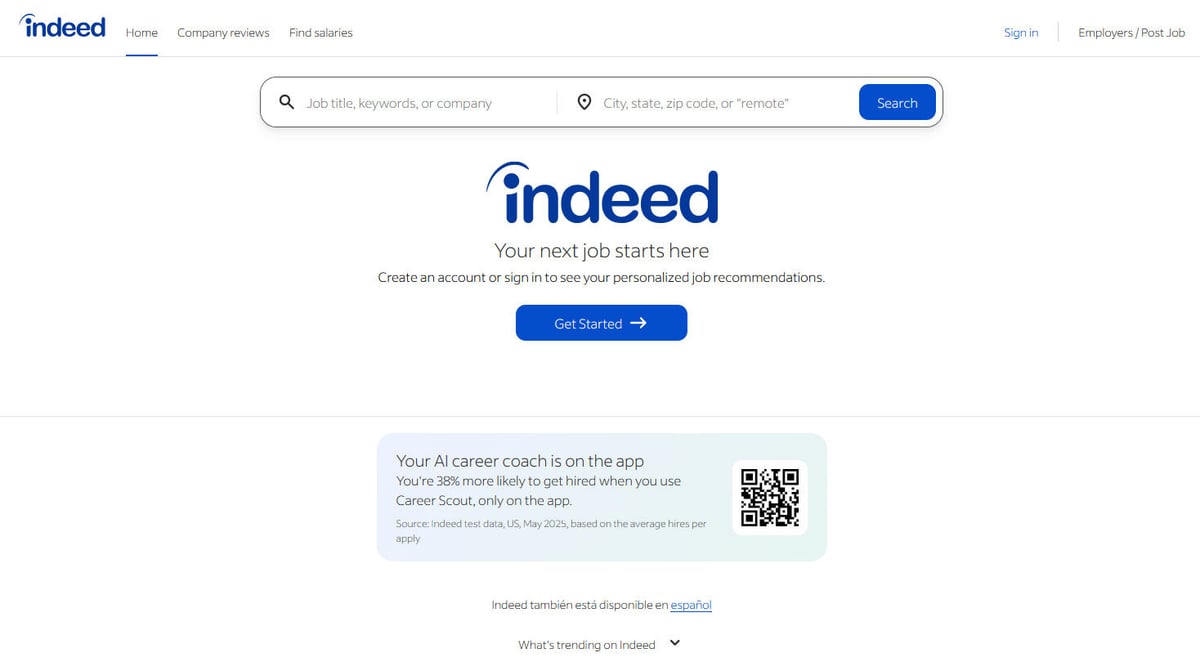
The World's Job Search Engine
Indeed is the largest and most influential job board globally, acting as a massive aggregator that pulls listings from company career pages, recruitment agencies, and other job boards. It provides a comprehensive view of the global labor market, offering real-time data on hiring trends, skills demand, and economic health.
Diverse Data Ecosystem
Beyond job titles and descriptions, Indeed is a treasure trove of employer branding through company reviews and transparent salary data. This variety makes it an essential resource for HR tech companies, economic researchers, and businesses looking to optimize their recruitment strategies or competitive positioning.
Strategic Value for Scraping
For organizations, scraping Indeed provides direct access to competitive intelligence. By extracting listings at scale, companies can monitor competitor expansion plans, track industry-wide salary fluctuations, and identify emerging skill requirements before they become mainstream, enabling data-driven workforce planning.
Why Scrape Indeed?
Discover the business value and use cases for extracting data from Indeed.
Salary Benchmarking
Extract real-time salary data across different roles and regions to ensure your company offers competitive compensation packages.
Recruitment Lead Generation
Identify companies that are actively hiring or expanding their teams to offer specialized staffing and HR services.
Market Trend Analysis
Monitor the volume of job postings to identify which industries are growing or contracting in real-time.
Competitive Intelligence
Track your competitors' hiring patterns to understand their strategic growth areas and technological shifts.
Niche Job Aggregation
Build specialized job boards by filtering and collecting specific listings that cater to a particular industry or skill set.
Skills Gap Research
Analyze job descriptions to identify the most in-demand skills and certifications required by employers today.
Scraping Challenges
Technical challenges you may encounter when scraping Indeed.
Aggressive Anti-Bot Layers
Indeed uses a combination of Cloudflare and DataDome to detect and block automated scripts via browser fingerprinting.
Dynamic Page Loading
Job search results and detailed descriptions are often loaded via JavaScript, requiring a browser-based scraping approach.
Obfuscated Selectors
The HTML structure and CSS class names are frequently changed or randomized to break traditional selector-based scrapers.
Severe Rate Limiting
Sending too many requests from a single IP address quickly triggers a 403 Forbidden error or a CAPTCHA challenge.
Scrape Indeed with AI
No coding required. Extract data in minutes with AI-powered automation.
How It Works
Describe What You Need
Tell the AI what data you want to extract from Indeed. Just type it in plain language — no coding or selectors needed.
AI Extracts the Data
Our artificial intelligence navigates Indeed, handles dynamic content, and extracts exactly what you asked for.
Get Your Data
Receive clean, structured data ready to export as CSV, JSON, or send directly to your apps and workflows.
Why Use AI for Scraping
AI makes it easy to scrape Indeed without writing any code. Our AI-powered platform uses artificial intelligence to understand what data you want — just describe it in plain language and the AI extracts it automatically.
How to scrape with AI:
- Describe What You Need: Tell the AI what data you want to extract from Indeed. Just type it in plain language — no coding or selectors needed.
- AI Extracts the Data: Our artificial intelligence navigates Indeed, handles dynamic content, and extracts exactly what you asked for.
- Get Your Data: Receive clean, structured data ready to export as CSV, JSON, or send directly to your apps and workflows.
Why use AI for scraping:
- Built-in Stealth Browser: Automatio uses advanced fingerprinting technology to bypass Cloudflare and DataDome without manual configuration.
- Integrated Residential Proxies: Automatically rotate through high-quality residential IPs to mimic real user traffic and avoid regional blocks.
- Visual Selector Intelligence: The point-and-click interface allows you to select job data visually, bypassing the need to deal with obfuscated HTML code.
- Automated Pagination & Scheduling: Easily set up the scraper to navigate through hundreds of pages and run on a schedule to keep your data fresh.
No-Code Web Scrapers for Indeed
Point-and-click alternatives to AI-powered scraping
Several no-code tools like Browse.ai, Octoparse, Axiom, and ParseHub can help you scrape Indeed. These tools use visual interfaces to select elements, but they come with trade-offs compared to AI-powered solutions.
Typical Workflow with No-Code Tools
Common Challenges
Learning curve
Understanding selectors and extraction logic takes time
Selectors break
Website changes can break your entire workflow
Dynamic content issues
JavaScript-heavy sites often require complex workarounds
CAPTCHA limitations
Most tools require manual intervention for CAPTCHAs
IP blocking
Aggressive scraping can get your IP banned
No-Code Web Scrapers for Indeed
Several no-code tools like Browse.ai, Octoparse, Axiom, and ParseHub can help you scrape Indeed. These tools use visual interfaces to select elements, but they come with trade-offs compared to AI-powered solutions.
Typical Workflow with No-Code Tools
- Install browser extension or sign up for the platform
- Navigate to the target website and open the tool
- Point-and-click to select data elements you want to extract
- Configure CSS selectors for each data field
- Set up pagination rules to scrape multiple pages
- Handle CAPTCHAs (often requires manual solving)
- Configure scheduling for automated runs
- Export data to CSV, JSON, or connect via API
Common Challenges
- Learning curve: Understanding selectors and extraction logic takes time
- Selectors break: Website changes can break your entire workflow
- Dynamic content issues: JavaScript-heavy sites often require complex workarounds
- CAPTCHA limitations: Most tools require manual intervention for CAPTCHAs
- IP blocking: Aggressive scraping can get your IP banned
Code Examples
import requests
from bs4 import BeautifulSoup

# Note: Indeed heavily blocks standard requests. Use headers and proxies.
headers = {
    'User-Agent': 'Mozilla/5.0 (Windows NT 10.0; Win64; x64) AppleWebKit/537.36 (KHTML, like Gecko) Chrome/91.0.4472.124 Safari/537.36'
}
url = 'https://www.indeed.com/jobs?q=python+developer'

try:
    # Sending request with headers to mimic a browser
    response = requests.get(url, headers=headers, timeout=10)
    soup = BeautifulSoup(response.text, 'html.parser')

    # Searching for job beacons (Indeed's listing container)
    for job in soup.find_all('div', class_='job_seen_beacon'):
        title = job.find('h2').text.strip()
        company = job.find('span', {'data-testid': 'company-name'}).text.strip()
        print(f'Job Found: {title} at {company}')
except Exception as e:
    print(f'Blocked or error: {e}')
When to Use
Best for static HTML pages where content is loaded server-side. The fastest and simplest approach when JavaScript rendering isn't required.
Advantages
- ●Fastest execution (no browser overhead)
- ●Lowest resource consumption
- ●Easy to parallelize with asyncio
- ●Great for APIs and static pages
Limitations
- ●Cannot execute JavaScript
- ●Fails on SPAs and dynamic content
- ●May struggle with complex anti-bot systems
How to Scrape Indeed with Code
Python + Requests
import requests
from bs4 import BeautifulSoup
# Note: Indeed heavily blocks standard requests. Use headers and proxies.
headers = {
'User-Agent': 'Mozilla/5.0 (Windows NT 10.0; Win64; x64) AppleWebKit/537.36 (KHTML, like Gecko) Chrome/91.0.4472.124 Safari/537.36'
}
url = 'https://www.indeed.com/jobs?q=python+developer'
try:
# Sending request with headers to mimic a browser
response = requests.get(url, headers=headers, timeout=10)
soup = BeautifulSoup(response.text, 'html.parser')
# Searching for job beacons (Indeed's listing container)
for job in soup.find_all('div', class_='job_seen_beacon'):
title = job.find('h2').text.strip()
company = job.find('span', {'data-testid': 'company-name'}).text.strip()
print(f'Job Found: {title} at {company}')
except Exception as e:
print(f'Blocked or error: {e}')Python + Playwright
from playwright.sync_api import sync_playwright

def run():
    with sync_playwright() as p:
        # Launching browser with a visible UI often helps avoid detection during testing
        browser = p.chromium.launch(headless=True)
        page = browser.new_page()

        # Navigate to indeed and wait for content to render
        page.goto('https://www.indeed.com/jobs?q=data+analyst')
        page.wait_for_selector('.job_seen_beacon')

        # Extracting data using CSS selectors
        jobs = page.query_selector_all('.job_seen_beacon')
        for job in jobs:
            title = job.query_selector('h2').inner_text()
            company = job.query_selector('[data-testid="company-name"]').inner_text()
            print({'title': title, 'company': company})

        browser.close()

run()Python + Scrapy
import scrapy

class IndeedJobSpider(scrapy.Spider):
    name = 'indeed_spider'
    start_urls = ['https://www.indeed.com/jobs?q=engineer']

    def parse(self, response):
        # Iterate through job cards using CSS selectors
        for job in response.css('.job_seen_beacon'):
            yield {
                'title': job.css('h2 span::text').get(),
                'company': job.css('span[data-testid="company-name"]::text').get(),
                'location': job.css('[data-testid="text-location"]::text').get(),
            }

        # Pagination: Follow the link to the 'Next' page
        next_page = response.css('a[data-testid="pagination-page-next"]::attr(href)').get()
        if next_page:
yield response.follow(next_page, self.parse)Node.js + Puppeteer
const puppeteer = require('puppeteer');

(async () => {
    const browser = await puppeteer.launch({ headless: true });
    const page = await browser.newPage();

    // Setting user agent is crucial to avoid immediate 403
    await page.setUserAgent('Mozilla/5.0 (Windows NT 10.0; Win64; x64) AppleWebKit/537.36');

    await page.goto('https://www.indeed.com/jobs?q=marketing');
    await page.waitForSelector('.job_seen_beacon');

    const results = await page.evaluate(() => {
        return Array.from(document.querySelectorAll('.job_seen_beacon')).map(el => ({
            title: el.querySelector('h2').innerText,
            company: el.querySelector('[data-testid="company-name"]').innerText
        }));
    });

    console.log(results);
    await browser.close();
})();What You Can Do With Indeed Data
Explore practical applications and insights from Indeed data.
Dynamic Salary Benchmarking
HR departments and recruiters can monitor real-time salary offers to stay competitive in the talent market.
How to implement:
- 1Scrape job titles, locations, and salary ranges daily.
- 2Normalize data to annual figures.
- 3Analyze trends by industry and geographic region.
- 4Adjust internal pay scales based on market shifts.
Use Automatio to extract data from Indeed and build these applications without writing code.
What You Can Do With Indeed Data
- Dynamic Salary Benchmarking
HR departments and recruiters can monitor real-time salary offers to stay competitive in the talent market.
- Scrape job titles, locations, and salary ranges daily.
- Normalize data to annual figures.
- Analyze trends by industry and geographic region.
- Adjust internal pay scales based on market shifts.
- Recruitment Agency Lead Gen
Staffing firms can identify companies that are rapidly hiring to offer them outsourced recruitment services.
- Monitor Indeed for companies posting 5+ roles in a week.
- Extract company names and job categories.
- Identify hiring managers through LinkedIn correlation.
- Pitch specialized staffing solutions to growing firms.
- Tech Stack Intelligence
Software companies can analyze competitor job descriptions to see which technologies they are adopting.
- Scrape full job descriptions for specific competitor companies.
- Use keyword extraction to identify mentions of AWS, React, Python, etc.
- Map technological shifts over a 6-month period.
- Adjust product roadmaps to exploit competitor tech gaps.
- Labor Market Sentiment Analysis
Economic researchers use the volume and type of listings to predict regional economic health.
- Aggregate total job counts across various sectors.
- Track the ratio of part-time vs. full-time postings.
- Correlate data with government employment reports.
- Publish predictive reports on economic growth.
Supercharge your workflow with AI Automation
Automatio combines the power of AI agents, web automation, and smart integrations to help you accomplish more in less time.
What to get right first
Expert advice for successfully extracting data from Indeed.
Use Residential Proxies
Indeed easily detects datacenter IPs; residential proxies are essential for maintaining a high success rate.
Rotate User-Agents Regularly
Switch between different modern browser headers to avoid appearing as a single repetitive bot instance.
Implement Randomized Delays
Add human-like 'jitter' between actions, such as waiting 3-8 seconds between clicking different job listings.
Target Mobile URL Versions
The mobile site (m.indeed.com) sometimes features a simpler HTML structure that is easier to parse and less resource-heavy.
Extract Data from LD+JSON
Check the page source for script tags containing structured JSON data, which often holds clean job details regardless of UI changes.
Related Web Scraping

How to Scrape Arc.dev: The Complete Guide to Remote Job Data

How to Scrape Upwork

How to Scrape Toptal | Toptal Web Scraper Guide
How to Scrape Fiverr | Fiverr Web Scraper Guide

How to Scrape Freelancer.com: A Complete Technical Guide
How to Scrape Guru.com: A Comprehensive Web Scraping Guide

How to Scrape Charter Global | IT Services & Job Board Scraper
How to Scrape We Work Remotely: The Ultimate Guide
Frequently Asked Questions
Find answers to common questions about Indeed