

How to Scrape Freelancer.com: A Complete Technical Guide
Extract project listings, budgets, and employer data from Freelancer.com. Learn to bypass Cloudflare bot detection and automate B2B lead generation.
Free to start: 1,000 credits, no card, nothing to install.
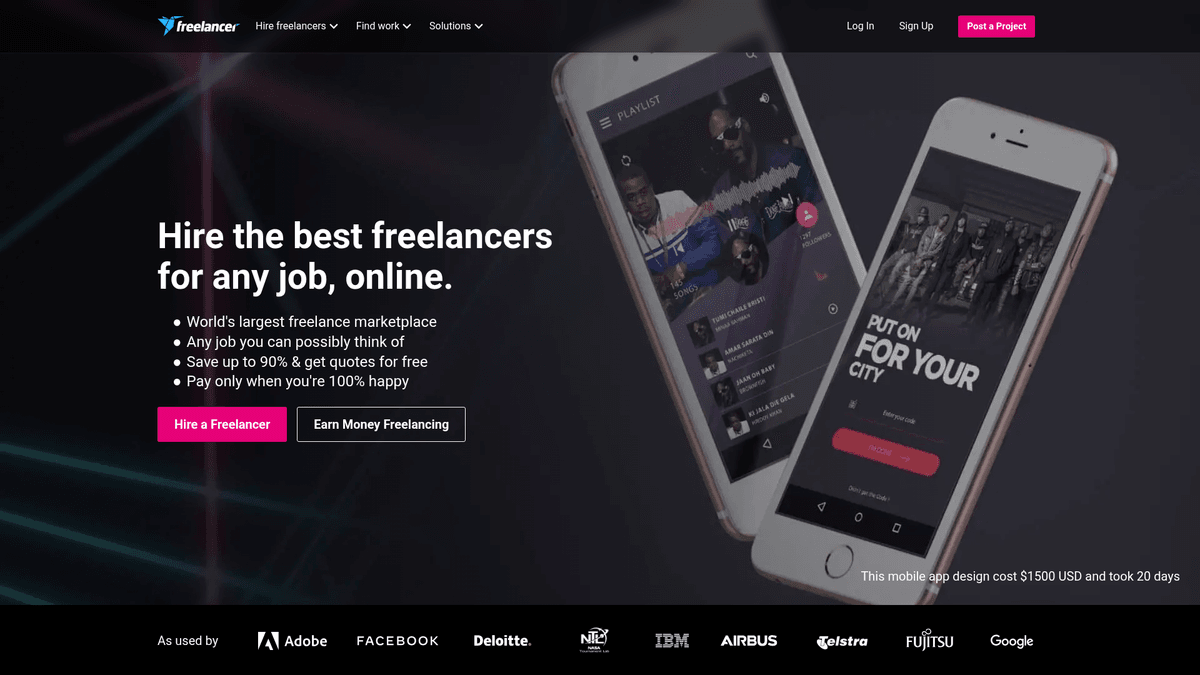
About Freelancer
Learn what Freelancer offers and what valuable data can be extracted from it.
The Global Freelance Hub
Freelancer.com is recognized as the world's largest marketplace for freelancing and crowdsourcing by total number of users and projects. It serves as a vital bridge between millions of employers and independent professionals across 247 countries and territories.
Wealth of Market Data
The platform hosts an immense volume of data spread over 2,700 categories. Every listing contains critical details such as project budgets, technical requirements, and employer feedback, offering a transparent view of the global gig economy.
Value for Data Extraction
Scraping this data is indispensable for businesses looking to perform market rate benchmarking or generate B2B leads. By monitoring project flows, companies can identify high-demand skills and adapt their strategies to current market conditions.
Why Scrape Freelancer?
Discover the business value and use cases for extracting data from Freelancer.
Lead Generation for Agencies
Identify high-value employers who frequently post large-scale projects in your niche to build a high-conversion outreach list.
Market Rate Benchmarking
Analyze the relationship between project budgets and average bid amounts to determine competitive pricing for your own services.
Tracking Skill Demand
Monitor the frequency of specific skill tags to identify emerging technology trends and shift your service offerings accordingly.
Competitor Analysis
Study the profiles and bid histories of top-rated freelancers to understand what portfolios and reviews win the most contracts.
Economic Market Research
Aggregate global project data to perform academic or industrial studies on wealth distribution and labor shifts in the gig economy.
Historical Project Analysis
Track the seasonal fluctuations of project types to optimize your marketing spend and resource allocation throughout the year.
Scraping Challenges
Technical challenges you may encounter when scraping Freelancer.
Cloudflare Protection
The platform employs sophisticated Web Application Firewalls that can detect automated traffic through JA3 fingerprinting and JS challenges.
Dynamic Content Loading
Much of the job data is rendered via React, meaning simple HTML parsers will fail to see the content without a headless browser.
Frequent Schema Changes
The front-end layout is updated regularly, which often breaks static CSS selectors and requires constant maintenance of the scraper logic.
Aggressive Rate Limiting
Rapidly browsing multiple project pages from a single IP address will quickly trigger temporary bans or reCAPTCHA prompts.
Data Normalization
Budgets are listed in various global currencies, requiring an integrated conversion step to perform accurate cross-market analysis.
Scrape Freelancer with AI
No coding required. Extract data in minutes with AI-powered automation.
How It Works
Describe What You Need
Tell the AI what data you want to extract from Freelancer. Just type it in plain language — no coding or selectors needed.
AI Extracts the Data
Our artificial intelligence navigates Freelancer, handles dynamic content, and extracts exactly what you asked for.
Get Your Data
Receive clean, structured data ready to export as CSV, JSON, or send directly to your apps and workflows.
Why Use AI for Scraping
No-Code Web Scrapers for Freelancer
Point-and-click alternatives to AI-powered scraping
Several no-code tools like Browse.ai, Octoparse, Axiom, and ParseHub can help you scrape Freelancer. These tools use visual interfaces to select elements, but they come with trade-offs compared to AI-powered solutions.
Typical Workflow with No-Code Tools
Common Challenges
Learning curve
Understanding selectors and extraction logic takes time
Selectors break
Website changes can break your entire workflow
Dynamic content issues
JavaScript-heavy sites often require complex workarounds
CAPTCHA limitations
Most tools require manual intervention for CAPTCHAs
IP blocking
Aggressive scraping can get your IP banned
Code Examples
import requests
from bs4 import BeautifulSoup

# Set headers to mimic a real browser
headers = {'User-Agent': 'Mozilla/5.0 (Windows NT 10.0; Win64; x64) AppleWebKit/537.36 (KHTML, like Gecko) Chrome/91.0.4472.124 Safari/537.36'}
url = 'https://www.freelancer.com/jobs/'

try:
    # Perform the GET request
    response = requests.get(url, headers=headers)
    response.raise_for_status()
    soup = BeautifulSoup(response.content, 'html.parser')

    # Extract job listings
    for job in soup.find_all('div', class_='JobSearchCard-primary'):
        title = job.find('a', class_='JobSearchCard-primary-heading-link').text.strip()
        print(f'Project Title: {title}')
except Exception as e:
    print(f'Scraping failed: {e}')
When to Use
Best for static HTML pages where content is loaded server-side. The fastest and simplest approach when JavaScript rendering isn't required.
Advantages
- ●Fastest execution (no browser overhead)
- ●Lowest resource consumption
- ●Easy to parallelize with asyncio
- ●Great for APIs and static pages
Limitations
- ●Cannot execute JavaScript
- ●Fails on SPAs and dynamic content
- ●May struggle with complex anti-bot systems
import asyncio
from playwright.async_api import async_playwright

async def scrape_freelancer():
    async with async_playwright() as p:
        # Launch browser with stealth settings
        browser = await p.chromium.launch(headless=True)
        page = await browser.new_page()
        await page.goto('https://www.freelancer.com/jobs/')

        # Wait for the project cards to render
        await page.wait_for_selector('.JobSearchCard-primary')
        jobs = await page.query_selector_all('.JobSearchCard-primary')

        for job in jobs:
            title_el = await job.query_selector('.JobSearchCard-primary-heading-link')
            if title_el:
                print(await title_el.inner_text())

        await browser.close()

asyncio.run(scrape_freelancer())
When to Use
Use when content loads dynamically via JavaScript, or when you need to interact with the page (clicks, scrolls, form fills). Handles modern anti-bot detection better.
Advantages
- ●Executes JavaScript like a real browser
- ●Handles SPAs and dynamic content
- ●Better anti-bot evasion with stealth plugins
- ●Can take screenshots and PDFs
Limitations
- ●Slower than HTTP requests
- ●Higher memory/CPU usage
- ●More complex to set up
import scrapy

class FreelancerSpider(scrapy.Spider):
    name = 'freelancer'
    start_urls = ['https://www.freelancer.com/jobs/']

    def parse(self, response):
        for job in response.css('.JobSearchCard-primary'):
            yield {
                'title': job.css('.JobSearchCard-primary-heading-link::text').get().strip(),
                'budget': job.css('.JobSearchCard-secondary-price::text').get().strip(),
                'skills': job.css('.JobSearchCard-primary-tags a::text').getall()
            }

        # Handle pagination
        next_page = response.css('a.Pagination-link--next::attr(href)').get()
        if next_page:
            yield response.follow(next_page, self.parse)
When to Use
Ideal for large-scale crawling projects that need to scrape thousands of pages. Built-in support for rate limiting, retries, and data pipelines.
Advantages
- ●Built for scale (millions of pages)
- ●Automatic request throttling
- ●Built-in data export pipelines
- ●Middleware system for proxies/headers
Limitations
- ●Steeper learning curve
- ●Overkill for small projects
- ●No native JavaScript rendering
const puppeteer = require('puppeteer');

(async () => {
  const browser = await puppeteer.launch();
  const page = await browser.newPage();
  // Set User-Agent to avoid detection
  await page.setUserAgent('Mozilla/5.0 (Windows NT 10.0; Win64; x64) AppleWebKit/537.36');
  await page.goto('https://www.freelancer.com/jobs/');
  await page.waitForSelector('.JobSearchCard-primary');

  const data = await page.evaluate(() => {
    return Array.from(document.querySelectorAll('.JobSearchCard-primary')).map(el => ({
      title: el.querySelector('.JobSearchCard-primary-heading-link').innerText.trim()
    }));
  });

  console.log(data);
  await browser.close();
})();
When to Use
Choose this if you're in a Node.js/JavaScript ecosystem or need tight integration with frontend tools. Similar capabilities to Playwright.
Advantages
- ●Native JavaScript/TypeScript support
- ●Chrome DevTools Protocol access
- ●Large ecosystem and community
- ●Good for JS-heavy projects
Limitations
- ●Chrome-only (vs Playwright's multi-browser)
- ●Similar overhead to Playwright
- ●Less mature stealth options
What You Can Do With Freelancer Data
Explore practical applications and insights from Freelancer data.
Market Rate Analysis
Identify the average payment for specific services to ensure your own pricing is competitive.
How to implement:
- 1Scrape budget ranges for targeted skill keywords.
- 2Categorize results by the employer's geographic region.
- 3Calculate the median and mean project value for the last 30 days.
- 4Adjust your service pricing strategy based on live market data.
Use Automatio to extract data from Freelancer and build these applications without writing code.
Strategic Lead Generation
Identify high-value employers who regularly post projects in your agency's niche.
How to implement:
- 1Extract employer usernames and historical project counts from new postings.
- 2Filter for employers with high project volumes or high-value budgets.
- 3Research the external company profile using the extracted employer details.
- 4Reach out via professional channels for long-term contract opportunities.
Use Automatio to extract data from Freelancer and build these applications without writing code.
Competitive Intelligence
Understand the bidding landscape to optimize your own project proposals.
How to implement:
- 1Scrape the number of bids and average bid amounts on relevant projects.
- 2Analyze the profile attributes of top-performing freelancers in your category.
- 3Identify the specific skill sets that command the highest premiums.
- 4Adjust your bidding logic to target less competitive or higher-value niches.
Use Automatio to extract data from Freelancer and build these applications without writing code.
Technology Trend Tracking
Monitor which programming languages or tools are gaining or losing market share.
How to implement:
- 1Extract all skill tags from every new job posting daily.
- 2Aggregate the frequency of each tag over a rolling 90-day period.
- 3Visualize shifts in technology demand (e.g., React vs. Vue).
- 4Invest in learning or hiring for skills that show consistent upward growth.
Use Automatio to extract data from Freelancer and build these applications without writing code.
Gig Economy Economic Research
Perform academic or industrial studies on global wealth distribution and digital labor.
How to implement:
- 1Collect longitudinal data on project volumes and freelancer locations.
- 2Correlate project success rates with the geographic origin of the employer.
- 3Analyze wealth transfer patterns between developed and developing economies.
- 4Publish findings on the evolution of remote digital labor markets.
Use Automatio to extract data from Freelancer and build these applications without writing code.
Supercharge your workflow with AI Automation
Automatio combines the power of AI agents, web automation, and smart integrations to help you accomplish more in less time.
What to get right first
Expert advice for successfully extracting data from Freelancer.
Use Residential Proxies
Data center IPs are often flagged instantly; high-quality residential proxies are essential for bypassing Cloudflare's reputation filters.
Target Skill-Specific URLs
Instead of scraping the general search page, target URLs like /jobs/python/ to reduce processing overhead and improve data relevance.
Mimic Human Browsing
Implement randomized wait times between 5 and 20 seconds between requests to avoid triggering behavioral bot detection.
Monitor Bid Density
Always extract the current number of bids alongside the budget to gauge the competitiveness and urgency of a project listing.
Sanitize Currency Data
Set up a post-processing step to convert all extracted budgets into a single base currency like USD for accurate statistical analysis.
Related Web Scraping
Upwork Scraper: Jobs, Budgets and Proposals in a table
How to Scrape Guru.com: A Comprehensive Web Scraping Guide
How to Scrape Fiverr | Fiverr Web Scraper Guide
How to Scrape Toptal | Toptal Web Scraper Guide
How to Scrape Arc.dev: The Complete Guide to Remote Job Data
Indeed Scraper: Job Titles, Pay and Companies in a Table
How to Scrape We Work Remotely: The Ultimate Guide
Frequently Asked Questions
Find answers to common questions about Freelancer
Is it legal to scrape data from Freelancer.com?
Scraping publicly available data such as job titles, descriptions, and budget ranges is generally legal for market research. However, you must always respect local data privacy laws (like GDPR) and avoid scraping personal contact information or private user data.
Does Freelancer.com have an official API?
Yes, Freelancer.com provides a comprehensive REST API for developers. While it is more stable than web scraping, it may have rate limits or restrict access to certain high-value datasets that are visible on the website.
How do I avoid getting blocked by Freelancer.com?
To prevent blocking, you should use a headless browser that handles JavaScript, rotate high-quality residential proxies, and use realistic User-Agents. Adding random delays and avoiding high-frequency bursts of requests will also help you stay under the radar.
What format is the scraped data usually in?
Most scraping tools, including Automatio, allow you to export data in structured formats like CSV, JSON, or XML. This makes it very simple to import the information into Excel, Google Sheets, or your own proprietary database.
Do I need to log in to scrape project data?
No, most project listings and basic freelancer profiles are publicly accessible without an account. It is generally safer to scrape without logging in, as it reduces the risk of your personal account being flagged for automated activity.
How often should I scrape for new leads?
For lead generation, scraping every 15 to 30 minutes is usually ideal to catch new projects quickly. If you are conducting long-term market research, daily or weekly extractions are typically sufficient and put less strain on your proxy resources.
What are the best proxies for Freelancer.com?
Residential proxies are the most effective because they use IP addresses assigned by ISPs to real households, making them much harder to detect than datacenter proxies. They are particularly useful for overcoming Cloudflare's strict anti-bot measures.
Can I scrape freelancer ratings and reviews?
Yes, freelancer ratings and historical review data are publicly visible on their profile pages. Extracting this data is highly valuable for identifying top-tier talent or analyzing the success factors of competitors in your category.