

How to Scrape Weather.com: A Guide to Weather Data Extraction
Learn how to scrape real-time weather data, forecasts, and air quality from Weather.com.
Free to start: 1,000 credits, no card, nothing to install.
About Weather.com
Learn what Weather.com offers and what valuable data can be extracted from it.
Global Meteorological Authority
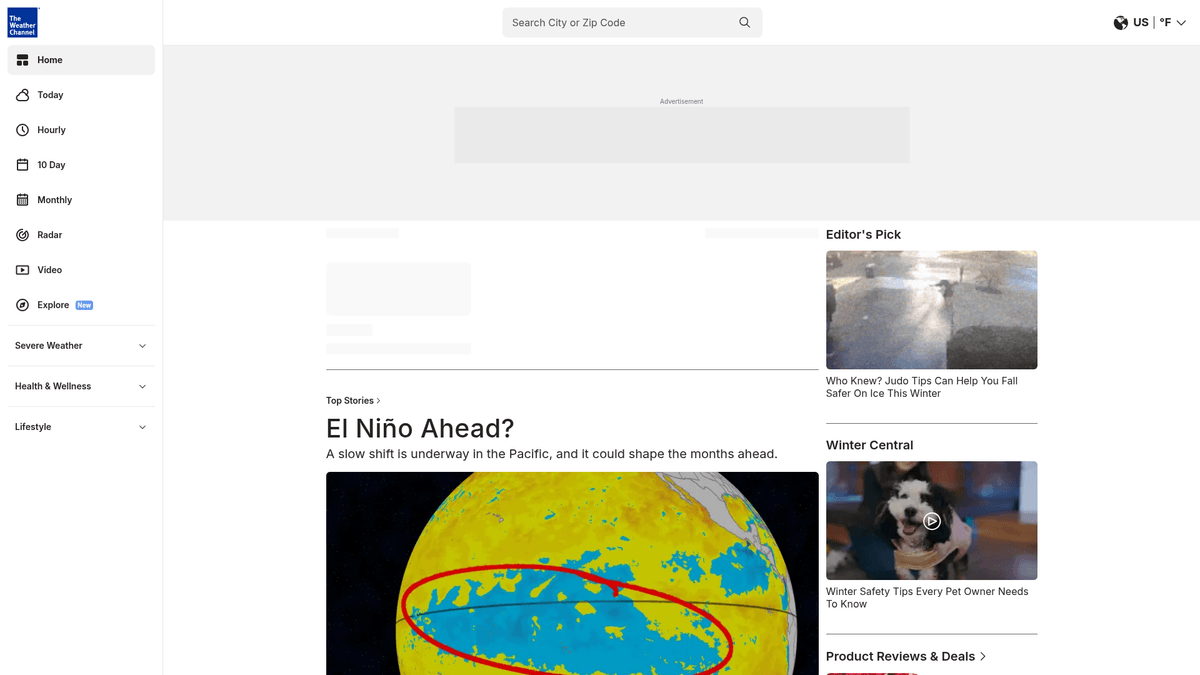
Weather.com, the digital flagship of The Weather Channel and owned by The Weather Company (an IBM subsidiary), is one of the world's most sophisticated weather forecasting platforms. It provides hyper-localized data ranging from hourly temperature fluctuations to 10-day forecasts, severe weather alerts, and high-resolution radar imagery for millions of locations worldwide.
Comprehensive Atmospheric Insights
The platform goes beyond basic temperature, offering structured data on air quality indices (AQI), UV radiation levels, allergy risks (pollen counts), and even flu activity trackers. This vast repository of environmental metrics is generated through proprietary forecasting models and a global network of sensors, making it a primary source for both consumer planning and enterprise-level risk management.
Strategic Value of Weather Data
Scraping Weather.com is invaluable for industries where atmospheric conditions dictate operational success. From agriculture and logistics to renewable energy and retail, automated data extraction allows businesses to build predictive models, optimize supply chains, and mitigate weather-related financial risks with real-time accuracy.
Why Scrape Weather.com?
Discover the business value and use cases for extracting data from Weather.com.
Supply Chain Resilience
Extract real-time severe weather alerts to proactively adjust logistics routes and prevent transit delays caused by storms or extreme temperatures.
Precision Agriculture
Monitor hyper-local rainfall and humidity data to automate irrigation schedules and optimize the application of weather-sensitive fertilizers.
Energy Demand Forecasting
Collect hourly temperature and 'Feels Like' data to predict utility load surges and manage power distribution more effectively during seasonal peaks.
Retail Merchandising Strategy
Analyze upcoming weather trends to align inventory levels and marketing campaigns for seasonal products like winter gear or cooling appliances.
Insurance Risk Modeling
Gather historical and real-time meteorological data to validate property damage claims and refine localized risk assessment models for underwriters.
Public Health Monitoring
Scrape air quality and pollen indices to power health-focused applications that alert sensitive populations to environmental risks in their area.
Scraping Challenges
Technical challenges you may encounter when scraping Weather.com.
Akamai Bot Management
The site uses Akamai's sophisticated detection systems which analyze TLS fingerprints and browser behavior to block automated scripts immediately.
Asynchronous React Rendering
Content is loaded dynamically via JavaScript after the initial page load, meaning simple HTTP clients will only receive an empty shell without the data.
IP-Based Localization
Weather.com serves different data and measurement units based on the requester's IP address, necessitating the use of specific regional proxies.
Frequent Selector Shifts
CSS class names are obfuscated and regenerated during build cycles, making it difficult to maintain stable scrapers using standard CSS selectors.
Aggressive Rate Limiting
The platform monitors request frequency per IP and will temporarily ban users who attempt to scrape high volumes of location data in a short window.
Scrape Weather.com with AI
No coding required. Extract data in minutes with AI-powered automation.
How It Works
Describe What You Need
Tell the AI what data you want to extract from Weather.com. Just type it in plain language — no coding or selectors needed.
AI Extracts the Data
Our artificial intelligence navigates Weather.com, handles dynamic content, and extracts exactly what you asked for.
Get Your Data
Receive clean, structured data ready to export as CSV, JSON, or send directly to your apps and workflows.
Why Use AI for Scraping
No-Code Web Scrapers for Weather.com
Point-and-click alternatives to AI-powered scraping
Several no-code tools like Browse.ai, Octoparse, Axiom, and ParseHub can help you scrape Weather.com. These tools use visual interfaces to select elements, but they come with trade-offs compared to AI-powered solutions.
Typical Workflow with No-Code Tools
Common Challenges
Learning curve
Understanding selectors and extraction logic takes time
Selectors break
Website changes can break your entire workflow
Dynamic content issues
JavaScript-heavy sites often require complex workarounds
CAPTCHA limitations
Most tools require manual intervention for CAPTCHAs
IP blocking
Aggressive scraping can get your IP banned
Code Examples
import requests
from bs4 import BeautifulSoup

# Note: Weather.com uses Akamai; simple requests are often blocked.
# We use a real User-Agent to try and pass basic filters.
headers = {
    'User-Agent': 'Mozilla/5.0 (Windows NT 10.0; Win64; x64) AppleWebKit/537.36 (KHTML, like Gecko) Chrome/119.0.0.0 Safari/537.36',
    'Accept-Language': 'en-US,en;q=0.9'
}

url = 'https://weather.com/weather/today/l/USNY0996:1:US'

try:
    response = requests.get(url, headers=headers)
    if response.status_code == 200:
        soup = BeautifulSoup(response.text, 'html.parser')
        # Use data-testid as CSS classes are dynamic
        temp = soup.find('span', {'data-testid': 'TemperatureValue'})
        if temp:
            print(f'Current Temperature: {temp.text}')
        else:
            print('Element not found. The site likely requires JavaScript rendering.')
    else:
        print(f'Failed to retrieve data: Status Code {response.status_code}')
except Exception as e:
    print(f'Error: {e}')
When to Use
Best for static HTML pages where content is loaded server-side. The fastest and simplest approach when JavaScript rendering isn't required.
Advantages
- ●Fastest execution (no browser overhead)
- ●Lowest resource consumption
- ●Easy to parallelize with asyncio
- ●Great for APIs and static pages
Limitations
- ●Cannot execute JavaScript
- ●Fails on SPAs and dynamic content
- ●May struggle with complex anti-bot systems
from playwright.sync_api import sync_playwright

def scrape_weather():
    with sync_playwright() as p:
        # Launching a headed or headless browser to handle Akamai and React
        browser = p.chromium.launch(headless=True)
        page = browser.new_page()

        # Navigate to a specific location (New York City in this case)
        page.goto('https://weather.com/weather/today/l/USNY0996:1:US')

        # Wait for the specific React-rendered element to appear
        page.wait_for_selector('[data-testid="TemperatureValue"]')

        # Extract data using stable data-testid attributes
        data = {
            'temp': page.inner_text('[data-testid="TemperatureValue"]'),
            'location': page.inner_text('h1[class*="CurrentConditions"]'),
            'details': page.inner_text('[data-testid="precipPhrase"]')
        }

        print(f"Weather for {data['location']}: {data['temp']} - {data['details']}")
        browser.close()

scrape_weather()
When to Use
Use when content loads dynamically via JavaScript, or when you need to interact with the page (clicks, scrolls, form fills). Handles modern anti-bot detection better.
Advantages
- ●Executes JavaScript like a real browser
- ●Handles SPAs and dynamic content
- ●Better anti-bot evasion with stealth plugins
- ●Can take screenshots and PDFs
Limitations
- ●Slower than HTTP requests
- ●Higher memory/CPU usage
- ●More complex to set up
import scrapy

class WeatherSpider(scrapy.Spider):
    name = 'weather_spider'
    start_urls = ['https://weather.com/weather/today/l/USNY0996:1:US']

    def parse(self, response):
        # Scrapy alone cannot handle the JS rendering on Weather.com
        # Integration with Scrapy-Playwright or Scrapy-Splash is required
        yield {
            'location': response.css('h1[class*="CurrentConditions"]::text').get(),
            'temperature': response.css('[data-testid="TemperatureValue"]::text').get(),
            'humidity': response.xpath('//span[@data-testid="PercentageValue"]/text()').get(),
            'uv_index': response.css('[data-testid="uvIndexValue"]::text').get()
        }
When to Use
Ideal for large-scale crawling projects that need to scrape thousands of pages. Built-in support for rate limiting, retries, and data pipelines.
Advantages
- ●Built for scale (millions of pages)
- ●Automatic request throttling
- ●Built-in data export pipelines
- ●Middleware system for proxies/headers
Limitations
- ●Steeper learning curve
- ●Overkill for small projects
- ●No native JavaScript rendering
const puppeteer = require('puppeteer');

(async () => {
  const browser = await puppeteer.launch();
  const page = await browser.newPage();

  // Set a realistic User-Agent to avoid immediate block
  await page.setUserAgent('Mozilla/5.0 (Windows NT 10.0; Win64; x64) AppleWebKit/537.36 (KHTML, like Gecko) Chrome/119.0.0.0 Safari/537.36');

  await page.goto('https://weather.com/weather/today/l/USNY0996:1:US', { waitUntil: 'networkidle2' });

  // Extracting data using the document evaluation
  const weatherData = await page.evaluate(() => {
    const temp = document.querySelector('[data-testid="TemperatureValue"]')?.innerText;
    const location = document.querySelector('h1[class*="CurrentConditions"]')?.innerText;
    return { temp, location };
  });

  console.log(weatherData);
  await browser.close();
})();
When to Use
Choose this if you're in a Node.js/JavaScript ecosystem or need tight integration with frontend tools. Similar capabilities to Playwright.
Advantages
- ●Native JavaScript/TypeScript support
- ●Chrome DevTools Protocol access
- ●Large ecosystem and community
- ●Good for JS-heavy projects
Limitations
- ●Chrome-only (vs Playwright's multi-browser)
- ●Similar overhead to Playwright
- ●Less mature stealth options
What You Can Do With Weather.com Data
Explore practical applications and insights from Weather.com data.
Supply Chain Risk Mitigation
Logistics companies can use scraped weather data to predict delays and reroute shipments before storms hit.
How to implement:
- 1Scrape real-time severe weather alerts and wind speeds for key shipping routes.
- 2Cross-reference weather data with current fleet GPS locations.
- 3Automatically notify dispatchers to reroute vehicles away from high-risk weather zones.
Use Automatio to extract data from Weather.com and build these applications without writing code.
Agricultural Yield Optimization
Farmers and AgTech firms can automate irrigation systems by tracking precise evaporation and rainfall forecasts.
How to implement:
- 1Extract daily precipitation probability and humidity levels for specific farm coordinates.
- 2Feed the data into a centralized soil management platform.
- 3Adjust automated irrigation timers to save water when significant rain is forecasted.
Use Automatio to extract data from Weather.com and build these applications without writing code.
Dynamic Retail Merchandising
E-commerce retailers can adjust their homepage features based on the local weather of the visitor (e.g., showing umbrellas vs sunglasses).
How to implement:
- 1Scrape 10-day forecasts for major metropolitan areas.
- 2Categorize regions by weather type (Rainy, Sunny, Heatwave).
- 3Update website product recommendations and email marketing triggers based on regional forecasts.
Use Automatio to extract data from Weather.com and build these applications without writing code.
Energy Load Prediction
Utility companies analyze 'Feels Like' temperatures to anticipate surges in air conditioning or heating demand.
How to implement:
- 1Collect hourly 'Feels Like' temperature data for a specific service grid.
- 2Compare real-time data against historical consumption patterns.
- 3Issue grid-balancing commands to prevent power outages during extreme temperature peaks.
Use Automatio to extract data from Weather.com and build these applications without writing code.
Health & Allergy Alert Services
Wellness apps can provide personalized daily alerts for users with asthma or seasonal allergies.
How to implement:
- 1Scrape high-resolution pollen counts (Tree, Grass, Weed) and AQI metrics.
- 2Segment data by zip code or city.
- 3Push automated mobile notifications to users when levels exceed a certain threshold.
Use Automatio to extract data from Weather.com and build these applications without writing code.
Supercharge your workflow with AI Automation
Automatio combines the power of AI agents, web automation, and smart integrations to help you accomplish more in less time.
What to get right first
Expert advice for successfully extracting data from Weather.com.
Leverage data-testid Attributes
Always target 'data-testid' attributes for your selectors as these remain stable even when the visual CSS classes are updated or obfuscated.
Utilize JSON-LD Scripts
Look for 'application/ld+json' blocks in the page source; these often contain structured meteorological data that is significantly easier to parse.
Rotate Geographic Proxies
Match your proxy location to the zip code or city you are scraping to ensure the site returns the correct local units and regional forecasts.
Simulate Human Interactions
Incorporate slight delays and occasional mouse movements into your scraper to better mimic a real user and bypass behavioral detection.
Monitor Network Responses
Inspect the Network tab for XHR requests that return raw JSON data, which can often be intercepted to get cleaner data than scraping the HTML UI.
Set Custom User Agents
Always use a modern, realistic User-Agent string from a common browser like Chrome or Safari to avoid being flagged by basic filter lists.
Related Web Scraping

GitHub Scraper: Repos, Stars and Languages in a table

How to Scrape Britannica: Educational Data Web Scraper
Worldometer Scraper: Population and Median Age in a table
Wikipedia Scraper: Titles, Sizes and Edit Dates in a table
How to Scrape Pollen.com: Local Allergy Data Extraction Guide
How to Scrape Poll-Maker: A Comprehensive Web Scraping Guide

How to Scrape Maven.com for Course and Instructor Data

MakerWorld Scraper: Models, Downloads and Likes in a table
Frequently Asked Questions
Find answers to common questions about Weather.com
Is it legal to scrape data from Weather.com?
Scraping publicly accessible weather data for internal research or personal projects is generally considered legal, but Weather.com's Terms of Service explicitly forbid automated collection. You should avoid republishing their proprietary forecasts for commercial gain without a license, as this may lead to legal challenges or copyright infringement claims.
Does Weather.com have an official API for developers?
Yes, IBM provides 'The Weather Company Data API' which offers programmatic access to their meteorological database. While this is the most reliable and 'official' way to get data, it is a premium paid service that can be cost-prohibitive for high-frequency or small-scale scraping projects.
How can I avoid getting blocked by Weather.com's anti-bot systems?
To bypass their Akamai protection, you must use a headless browser that can execute JavaScript and handle browser fingerprinting challenges. Combining this with a rotating residential proxy service and human-like delays between requests is the most effective way to stay under the radar.
What format can I save the weather data in?
The data can be saved in several structured formats, but JSON and CSV are the most common. JSON is particularly useful for weather data because it naturally supports the nested structure of hourly and daily forecasts, while CSV is better for analysis in spreadsheet software.
How often should I scrape for weather updates?
Weather data typically refreshes on the site every 15 to 60 minutes. For most use cases, scraping once an hour per location is sufficient; scraping more frequently than every 15 minutes increases your risk of detection without providing significant data value.
What kind of proxies work best for Weather.com?
Residential proxies are highly recommended over datacenter proxies because they use IP addresses assigned to real home users, making them much harder for Akamai to flag. Datacenter IPs are often blacklisted en masse by major weather platforms.
Can I scrape weather data for multiple cities at once?
Yes, you can automate a list of URLs or search queries for different locations. To do this efficiently without being blocked, you must use a tool that supports parallel processing and manages unique sessions and proxies for each location request.
Is historical weather data available on Weather.com?
Weather.com primarily focuses on current and future forecasts. For deep historical archives, you are better off scraping Weather Underground (a sister site) or using specialized historical climate databases that provide years of atmospheric records.
Why are my CSS selectors not working anymore?
Weather.com uses dynamic CSS classes that change every time they update their website. To fix this, stop using classes like '.CurrentConditions--tempValue--3KcRf' and instead use the 'data-testid' attribute, which is designed for testing and remains consistent.