

Cal.com Self-Hosted, Deploy in One Click
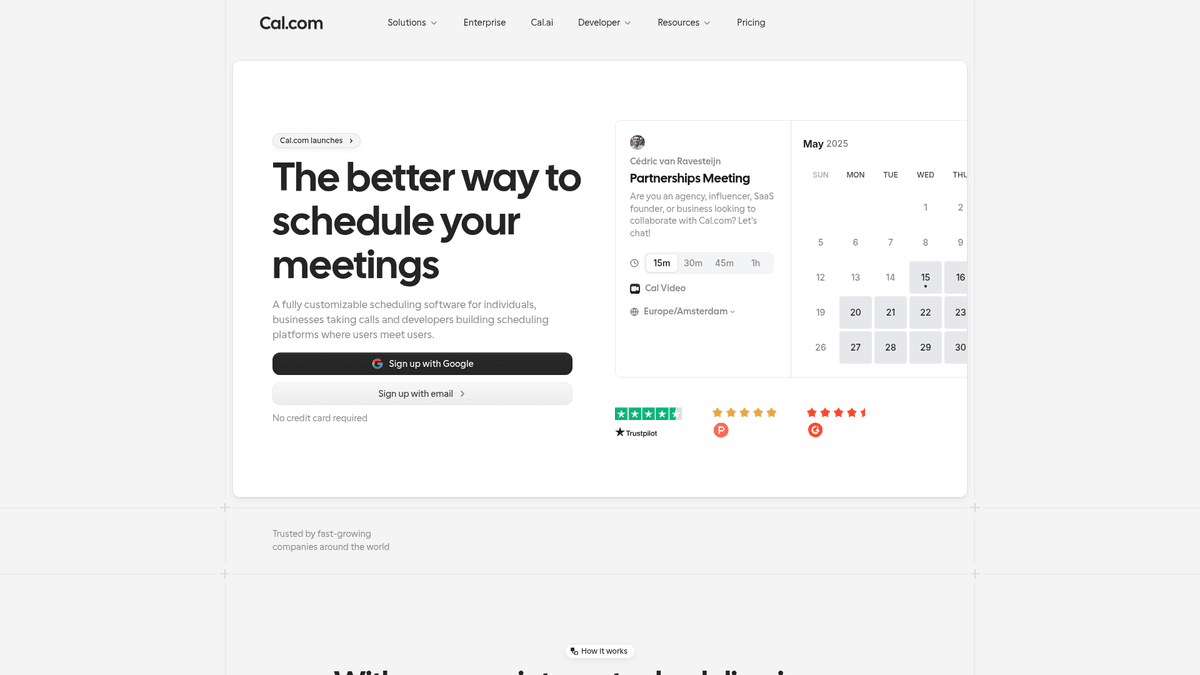
Cal.com is open-source booking infrastructure that removes the back-and-forth of scheduling. Deploying here gives you a private server, automated HTTPS, and total control over your availability data.
Calcom
Collaboration & ProductivityCalcom is a open source alternative to Calendly that allows to create scheduling and booking services.
What you get when you deploy Calcom
The server we rent for it, what it costs, and what the installer will ask you.
- Server
- CX23 · 2 vCPU · 4 GB RAM
- From
- $9/month
- Setup
- No configuration required
Included with every deployment
- Dedicated server, one app per machine
- HTTPS certificate issued automatically
- Free subdomain, custom domain optional
- Restart, resize, snapshot and restore
The project
Everything this page links to outside Automatio.
Deploy Calcom in one click
On your own server, with your own data. No terminal, no Docker commands, no certificate setup.
- 1
Pick a size
Start on the smallest server that fits the app. Resize later without reinstalling.
- 2
Press deploy
We rent the server, install the app with Docker, and point a subdomain at it.
- 3
Watch it come up
Provisioning runs unattended and takes a few minutes. When the HTTPS certificate lands, the app is live and your login details are on the deployment page.
Server size
Billed monthly with your Automatio subscription. Destroy the server any time and the charge stops. Every server: 20 TB traffic/month included, then $2.50 per TB.
Key Capabilities
Explore what Automatio can do for this use case
Universal Calendar Sync
Connect all your existing calendar accounts to prevent double-booking across different parts of your life. The app checks availability in real-time across every connected account and adds new bookings to your primary calendar instantly. This works with both professional and personal schedules to keep your time accurate.
- 1Google Calendar integration
- 2Outlook and Office 365 support
- 3Apple Calendar (iCloud) sync
- 4CalDAV and Exchange support
- 5Simultaneous multi-calendar checking
Key Capabilities
- Universal Calendar Sync
Connect all your existing calendar accounts to prevent double-booking across different parts of your life. The app checks availability in real-time across every connected account and adds new bookings to your primary calendar instantly. This works with both professional and personal schedules to keep your time accurate.
- Google Calendar integration
- Outlook and Office 365 support
- Apple Calendar (iCloud) sync
- CalDAV and Exchange support
- Simultaneous multi-calendar checking
- Flexible Event Types
Create diverse meeting formats including quick syncs, deep dives, or group interviews with granular control. You can toggle specific event types for public viewing or create secret, password-protected links for VIP clients. Each event type has its own duration, booking questions, and notice periods.
- Personalized booking URLs
- Team and round-robin links
- Secret or hidden event types
- Automated time zone detection
- Buffer time and notice settings
- Advanced Workflows
Automate the communication surrounding your meetings with custom triggers that handle notifications automatically. Send automated email or SMS reminders to attendees before the event and follow-up surveys after the meeting ends. This reduces no-show rates and streamlines your post-meeting administration.
- Email and SMS reminders
- WhatsApp notification support
- Customizable webhook triggers
- Post-meeting follow-up sequences
- Workflow templates for common tasks
- Integrated Payments
Charge for your time directly during the booking process to eliminate manual invoicing and late payments. By integrating with payment processors, you can require payment upfront to confirm a meeting. The system handles secure checkout flows and supports various global currencies.
- Stripe and PayPal support
- Multiple currency handling
- Automatic refund management
- Tax and VAT configuration
- Secure checkout experience
Why self-host Calcom
What to know first
Managed, DIY, or One-Click?
The three realistic ways to run {name}, compared honestly.
| Aspect | Managed SaaS | DIY on a VPS | Automatio one-click |
|---|---|---|---|
| User Limits | Paid per seat | Unlimited | Unlimited |
| Data Ownership | Shared with provider | 100% Private | 100% Private |
| Setup Time | Instant | 2+ hours | 10-15 minutes |
| SSL Certificates | Included | Manual Certbot | Automated HTTPS |
| Cost Shape | Recurring per user | Variable server cost | Fixed server + platform |
User Limits
Data Ownership
Setup Time
SSL Certificates
Cost Shape
Who this is for
People who actually run Calcom on their own server, and what changes when they do.
a solo founder shipping nights and weekends
Losing time to manual scheduling emails and paying high seat taxes for basic booking links.
Running it themselves provides a fixed-cost scheduling solution with no limits on link types or booking volume.
- Create a paid consulting link via Stripe
- Connect personal and work calendars
- Set up automated 24-hour reminders
a two-person agency
Needs to manage round-robin sales calls without expensive enterprise subscriptions for every team member.
They get team-wide scheduling and lead distribution for the same price as a single-user SaaS plan.
- Set up lead distribution for sales
- White-label the booking domain
- Integrate webhooks with an internal CRM
a privacy-conscious professional
Attendee data cannot be stored on US-based servers due to local compliance laws or client requirements.
Full control over where data lives, ensuring compliance with regional privacy regulations and data residency rules.
- Deploy to a server in a specific jurisdiction
- Customize data retention policies
- Secure intake forms for sensitive info
About This App
What this app does and where it fits.
The open-source scheduling infrastructure
Cal.com was founded as an open-source alternative to proprietary scheduling tools. It solves the problem of back-and-forth emails when finding a time to meet, but it does so while respecting user privacy and providing flexibility. Built with a stack including Next.js and Prisma, it has evolved into a comprehensive infrastructure used by organizations that require more control than a simple hosted link can provide.
Core philosophy and maturity
The project is built on the idea that scheduling should be as essential as email or the web itself. While the main corporate project has moved toward restricted licenses for enterprise features, the community version remains open for anyone to run. It is a mature project that has transitioned from a simple clone to a feature-rich ecosystem with its own app store. This allows you to add integrations for video conferencing, payments, and analytics. The infrastructure focus means it is designed to be embedded and modified to fit specific business logic.
The first hour with Cal.com
When you first launch your instance, the onboarding process guides you through connecting your primary calendar and setting your default availability. You will define event types that allow you to create different meeting formats, from 15-minute quick syncs to hour-long consultations. Within the first hour, most users have their primary booking link live, their calendars synced via their own API keys, and their SMTP settings confirmed so that notifications arrive in attendee inboxes.
Positioning in the market
In the landscape of scheduling tools, the app sits between basic hosted links and complex enterprise resource management systems. It is the choice for those who find proprietary tools too restrictive or expensive at scale. While it demands technical configuration, such as setting up developer keys for calendar providers, the reward is a system that grows with your team without per-user penalties or the data silos associated with proprietary cloud services.
Community Feedback
See what the community thinks about Calcom
“Has anyone else got experience self hosting cal.com and its system requirements? I noticed it’s using nearly 2GB of RAM just on idle after first setup. Seems pretty high?”
“I moved from Calendly because the per-seat pricing was getting ridiculous for my small team. Self-hosting Cal.com solved that instantly.”
“The fact that it is open source and I can self-host it is a huge win for privacy and data ownership.”
“The problem with cal.com open source self-hosting is that they have made it quite difficult to run yourself.”
“I am really hitting a wall LOL. I made a bug report becaue the public booking isn't working.”
“The docker version of cal.com is community-led... if you have problems you come to this GitHub page to post any issues.”
Related Videos
Watch tutorials, reviews, and discussions about Calcom
“One of the best things about Cal.com is that it is very customizable via environment variables for specific hosting needs.”
“You need to set up Google or Microsoft developer consoles to acquire your API keys for calendar sync.”
“The Docker installation simplifies running this on a standard VPS without managing dependencies manually.”
“You can set up different event types, including secret meetings that do not appear on your public profile.”
“The workflow engine allows you to send reminders to attendees without manual effort or external automation tools.”
“It is a feature-complete scheduling platform that you host on your own hardware to maintain data sovereignty.”
“The NEXT_PUBLIC_WEBAPP_URL variable must be exact or the application links and redirects will fail.”
“Connecting multiple calendars to check for conflicts is a primary function that works well in the self-hosted version.”
“Self-hosting bypasses the per-seat subscription fees that normally increase as your team grows.”
“You maintain full control over the PostgreSQL database which stores all booking metadata and user information.”
“Cal.com is a functional alternative to Calendly for users who want to avoid third-party data silos.”
“Running it via Docker makes future updates significantly easier as the project continues to evolve.”
“Confirm your firewall settings allow traffic on the specific ports defined in your docker-compose file.”
“The user interface is minimalist and functions similarly to proprietary equivalents without the tracking overhead.”
“A reverse proxy is necessary to manage SSL certificates and ensure your booking pages are secure for users.”
Supercharge your workflow with AI Automation
Automatio combines the power of AI agents, web automation, and smart integrations to help you accomplish more in less time.
What to get right first
The decisions that are painful to change later in Calcom.
Server Sizing
Choose a server with at least 4GB of RAM (CX23). The app can be heavy on memory during the initial build phase and under concurrent booking loads.
Configure SMTP Early
The app won't send booking confirmations without a mail provider. Set this up immediately after install so you don't miss notifications.
Use Post-Event Buffers
Always add a 5-10 minute buffer to your event types to avoid back-to-back meetings without breaks for note-taking or preparation.
Testimonials
What Our Users Say
Join thousands of satisfied users who have transformed their workflow
Jonathan Kogan
Co-Founder/CEO, rpatools.io
Automatio is one of the most used for RPA Tools both internally and externally. It saves us countless hours of work and we realized this could do the same for other startups and so we choose Automatio for most of our automation needs.
Mohammed Ibrahim
CEO, qannas.pro
I have used many tools over the past 5 years, Automatio is the Jack of All trades.. !! it could be your scraping bot in the morning and then it becomes your VA by the noon and in the evening it does your automations.. its amazing!
Ben Bressington
CTO, AiChatSolutions
Automatio is fantastic and simple to use to extract data from any website. This allowed me to replace a developer and do tasks myself as they only take a few minutes to setup and forget about it. Automatio is a game changer!
Sarah Chen
Head of Growth, ScaleUp Labs
We've tried dozens of automation tools, but Automatio stands out for its flexibility and ease of use. Our team productivity increased by 40% within the first month of adoption.
David Park
Founder, DataDriven.io
The AI-powered features in Automatio are incredible. It understands context and adapts to changes in websites automatically. No more broken scrapers!
Emily Rodriguez
Marketing Director, GrowthMetrics
Automatio transformed our lead generation process. What used to take our team days now happens automatically in minutes. The ROI is incredible.
Jonathan Kogan
Co-Founder/CEO, rpatools.io
Automatio is one of the most used for RPA Tools both internally and externally. It saves us countless hours of work and we realized this could do the same for other startups and so we choose Automatio for most of our automation needs.
Mohammed Ibrahim
CEO, qannas.pro
I have used many tools over the past 5 years, Automatio is the Jack of All trades.. !! it could be your scraping bot in the morning and then it becomes your VA by the noon and in the evening it does your automations.. its amazing!
Ben Bressington
CTO, AiChatSolutions
Automatio is fantastic and simple to use to extract data from any website. This allowed me to replace a developer and do tasks myself as they only take a few minutes to setup and forget about it. Automatio is a game changer!
Sarah Chen
Head of Growth, ScaleUp Labs
We've tried dozens of automation tools, but Automatio stands out for its flexibility and ease of use. Our team productivity increased by 40% within the first month of adoption.
David Park
Founder, DataDriven.io
The AI-powered features in Automatio are incredible. It understands context and adapts to changes in websites automatically. No more broken scrapers!
Emily Rodriguez
Marketing Director, GrowthMetrics
Automatio transformed our lead generation process. What used to take our team days now happens automatically in minutes. The ROI is incredible.
Related Self-Hosted Apps

Wiki.js
from $9/mo
The most powerful and extensible open source Wiki software.

Vikunja
from $9/mo
Vikunja is a self-hosted, open-source to-do list application to organize tasks, projects, and notes.

Twenty CRM
from $9/mo
Twenty is a modern CRM offering a powerful spreadsheet interface and open-source alternative to Salesforce.

FreeScout
from $9/mo
FreeScout is a free open source help desk and shared inbox system. It's a self-hosted alternative to HelpScout, Zendesk, and similar services that allows you to manage customer communications through email and a clean web interface. FreeScout makes it easy to organize support requests, track customer conversations, and collaborate with your team.

Focalboard
from $9/mo
Open source project management for technical teams

Excalidraw
from $9/mo
Excalidraw is a free and open source online diagramming tool that lets you easily create and share beautiful diagrams.
Frequently Asked Questions
Find answers to common questions about Calcom