


FreeScout Self-Hosted, Deploy in One Click
FreeScout is an open-source help desk and shared mailbox that works like Help Scout. Deploying it here gives you a private server, full data ownership, and HTTPS with no manual work.
FreeScout
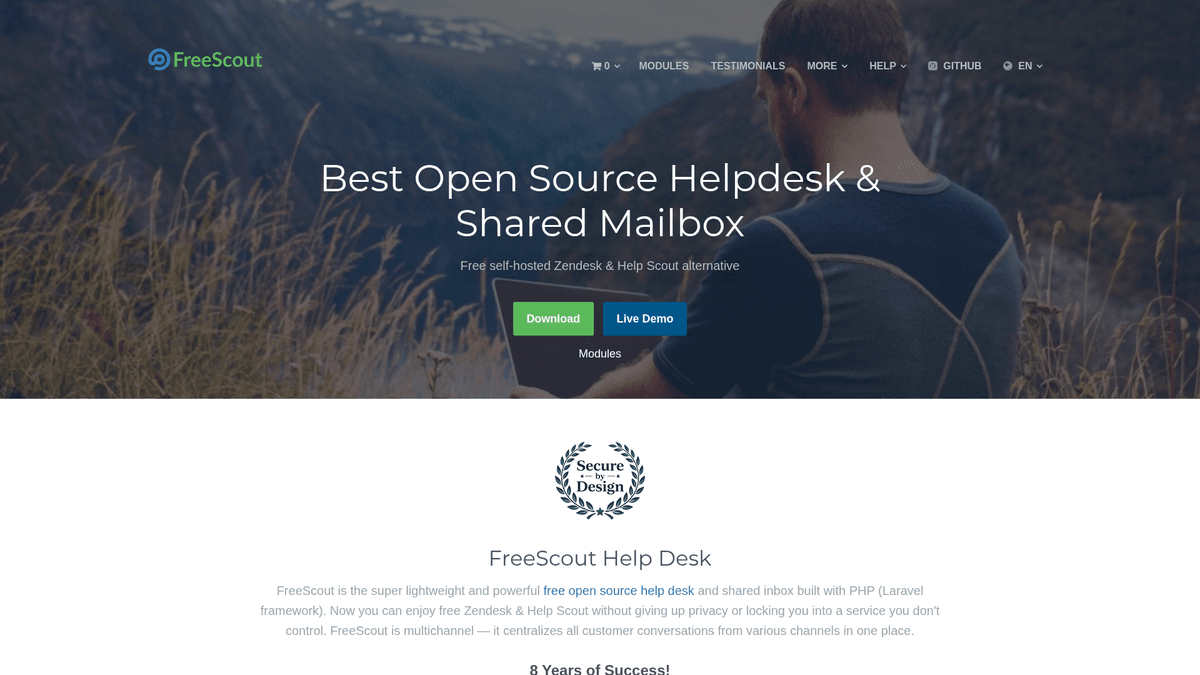
Collaboration & ProductivityFreeScout is a free open source help desk and shared inbox system. It's a self-hosted alternative to HelpScout, Zendesk, and similar services that allows you to manage customer communications through email and a clean web interface. FreeScout makes it easy to organize support requests, track customer conversations, and collaborate with your team.
What you get when you deploy FreeScout
The server we rent for it, what it costs, and what the installer will ask you.
- Server
- CX23 · 2 vCPU · 4 GB RAM
- From
- $9/month
- Setup
- No configuration required
Included with every deployment
- Dedicated server, one app per machine
- HTTPS certificate issued automatically
- Free subdomain, custom domain optional
- Restart, resize, snapshot and restore
The project
Everything this page links to outside Automatio.
Deploy FreeScout in one click
On your own server, with your own data. No terminal, no Docker commands, no certificate setup.
- 1
Pick a size
Start on the smallest server that fits the app. Resize later without reinstalling.
- 2
Press deploy
We rent the server, install the app with Docker, and point a subdomain at it.
- 3
Watch it come up
Provisioning runs unattended and takes a few minutes. When the HTTPS certificate lands, the app is live and your login details are on the deployment page.
Server size
Billed monthly with your Automatio subscription. Destroy the server any time and the charge stops. Every server: 20 TB traffic/month included, then $2.50 per TB.
Key Capabilities
Explore what Automatio can do for this use case
Shared mailboxes
Manage multiple email accounts like support or billing from a single collaborative interface. Team members can see who is currently viewing a message and assign conversations to specific colleagues to prevent duplicate replies. It transforms a standard inbox into a professional team tool.
- 1IMAP and SMTP support
- 2Collision detection system
- 3Unlimited mailbox accounts
- 4Conversation tagging
- 5Custom email signatures
Key Capabilities
- Shared mailboxes
Manage multiple email accounts like support or billing from a single collaborative interface. Team members can see who is currently viewing a message and assign conversations to specific colleagues to prevent duplicate replies. It transforms a standard inbox into a professional team tool.
- IMAP and SMTP support
- Collision detection system
- Unlimited mailbox accounts
- Conversation tagging
- Custom email signatures
- Internal conversations
Collaborate with your team behind the scenes directly within customer tickets. Internal notes allow for private team discussions that remain invisible to the customer but provide essential context for resolving the case. This feature streamlines handoffs and complex problem-solving.
- Private agent comments
- Internal-only note history
- Staff-only visibility
- User mention system
- Conversation forwarding
- Module ecosystem
Extend your help desk with dozens of official and community-built modules to suit your specific business needs. Add features like a public knowledge base, WooCommerce integration, or SLA tracking without bloating the core application. This keeps the software lightweight and fast.
- 50+ official add-ons
- Knowledge base module
- WooCommerce integration
- Slack and Discord alerts
- SAML and LDAP support
- Native mobile apps
Stay updated on customer inquiries with official apps available for iOS and Android devices. These apps support real-time push notifications and provide the same functionality as the web version. This ensures your support team can respond to urgent issues from anywhere.
- Official Android app
- Official iOS app
- Push notification alerts
- Full web functionality
- Secure remote access
Why self-host FreeScout
What to know first
Managed, DIY, or One-Click?
The three realistic ways to run {name}, compared honestly.
| Aspect | Managed SaaS | DIY on a VPS | Automatio one-click |
|---|---|---|---|
| Monthly Cost | High (Per Agent) | Low (VPS only) | $9/mo (Fixed Fee) |
| Data Privacy | Vendor-hosted | 100% Yours | 100% Yours |
| Setup Time | Instant | 1-2 Hours | A few minutes |
| User Limits | Paid per seat | Unlimited | Unlimited |
| HTTPS/SSL | Included | Manual Config | Automatic |
Monthly Cost
Data Privacy
Setup Time
User Limits
HTTPS/SSL
Who this is for
People who actually run FreeScout on their own server, and what changes when they do.
a solo founder shipping nights and weekends
Professional support bills are eating through early product revenue.
Provides a polished customer-facing help desk for the fixed price of a single VPS.
- Connecting a custom support domain
- Setting up automated out-of-office replies
- Managing support tickets via the mobile app
a small support team at a growing startup
Scaling software costs linearly with every new hire.
Enables unlimited support agents without the monthly software bill increasing.
- Using collision detection to avoid double-replying
- Tagging tickets by product category
- Monitoring team response times
a privacy-conscious agency owner
Handling sensitive client data that cannot be stored on proprietary clouds.
Maintains total control over data residency and encryption protocols.
- Configuring custom backup schedules
- Auditing internal note history
- Managing client-specific mailboxes
About This App
What this app does and where it fits.
What is FreeScout?
FreeScout is an open-source, professional-grade help desk and shared mailbox system that serves as a direct alternative to proprietary platforms like Help Scout and Zendesk. Built on the Laravel PHP framework, it provides a clean, familiar web interface for teams to manage customer communication collaboratively. Unlike standard email clients, it is designed specifically for customer success workflows, allowing multiple agents to view, assign, and track email conversations in real-time without the risk of duplicate replies or unassigned messages.
Core collaboration features
At its heart, FreeScout fetches emails from your support addresses via IMAP and allows your team to manage them as structured tickets. It includes essential features like 'collision detection', which alerts team members if another agent is already viewing or replying to a message. It also supports internal notes, which are private team discussions that exist within the customer's email thread but are never visible to the customer. This enables agents to ask questions and share context privately before sending a formal response to the client.
The first hour with FreeScout
After deployment, your first task is setting up your initial mailbox. You will need your email provider's IMAP and SMTP details. Once the connection is verified, emails from your support address will automatically flow into the dashboard. You can then invite your team members, assign them permissions to specific mailboxes, and set up your first 'Saved Replies' to speed up responses to common questions. The user interface is intuitive, closely mimicking the lightweight design of modern SaaS help desks, ensuring your team can transition from a standard inbox to a professional support workflow quickly.
Why it fits growing teams
The primary advantage of FreeScout is the removal of the 'per-seat' tax. While major SaaS providers charge per agent per month, FreeScout allows you to add as many agents as you need for a flat infrastructure cost. It also uses a modular architecture, meaning the base software remains lean and fast, while advanced features like WooCommerce integration, SLA tracking, and Slack notifications can be added as optional modules. This makes it a practical choice for startups and agencies that value data sovereignty and budget predictability.
Community Feedback
See what the community thinks about FreeScout
“It's the best replacement for Help Scout if you don't want to pay per user. The interface is almost identical in the best way possible.”
“The modules are worth every penny, it's how they keep the project alive. I bought the Tags and Saved Replies modules immediately.”
“Initial email setup can be tricky if your SMTP provider is strict about the From header, but once it works, it is rock solid.”
“I needed a helpdesk but didn’t want to pay for one. Freescout was the answer.”
“Support even with the free plugin. I got great 1:1 service.”
“Freescout is efficient, straight to the point, Help Scout offers the same functionality at a fraction of the cost.”
Related Videos
Watch tutorials, reviews, and discussions about FreeScout
“It is a free open-source shared inbox and help desk that is a direct alternative to Help Scout.”
“The main thing that I like about this is that it's very easy to use and it looks almost exactly like Help Scout.”
“FreeScout is written in PHP using the Laravel framework which makes it very fast and responsive.”
“One of the best features is collision detection so you don't have two people responding to the same ticket.”
“You can add as many users as you want without having to pay per user or per month.”
“If you're tired of paying per seat for tools like Zendesk or Help Scout, this is a great alternative.”
“The setup requires an IMAP and SMTP connection to work correctly with your existing email.”
“The module system allows you to add features like Telegram integration or WooCommerce support.”
“The interface is clean and doesn't feel cluttered like some other open-source help desks.”
“Internal notes allow you to talk to your team without the customer seeing the conversation.”
“FreeScout gives you full control over your customer data which is vital for privacy compliance.”
“You can use it to manage multiple brands or companies from a single installation.”
“The mobile apps are available but require a small one-time payment to support the developer.”
“Setting up the cron job is the most important part of the installation for fetching emails.”
“The community has developed dozens of modules to extend the core functionality significantly.”
Supercharge your workflow with AI Automation
Automatio combines the power of AI agents, web automation, and smart integrations to help you accomplish more in less time.
What to get right first
The decisions that are painful to change later in FreeScout.
Use dedicated SMTP
For high-volume support, use a transactional service like Postmark or AWS SES rather than local mailers to ensure deliverability.
Enable the tags module
If managing multiple users, the Tags module is the most effective way to categorize requests and generate meaningful workflow reports.
Start with CX23
The CX23 plan provides 4GB of RAM, which prevents performance bottlenecks when processing large attachments or high ticket volumes.
Testimonials
What Our Users Say
Join thousands of satisfied users who have transformed their workflow
Jonathan Kogan
Co-Founder/CEO, rpatools.io
Automatio is one of the most used for RPA Tools both internally and externally. It saves us countless hours of work and we realized this could do the same for other startups and so we choose Automatio for most of our automation needs.
Mohammed Ibrahim
CEO, qannas.pro
I have used many tools over the past 5 years, Automatio is the Jack of All trades.. !! it could be your scraping bot in the morning and then it becomes your VA by the noon and in the evening it does your automations.. its amazing!
Ben Bressington
CTO, AiChatSolutions
Automatio is fantastic and simple to use to extract data from any website. This allowed me to replace a developer and do tasks myself as they only take a few minutes to setup and forget about it. Automatio is a game changer!
Sarah Chen
Head of Growth, ScaleUp Labs
We've tried dozens of automation tools, but Automatio stands out for its flexibility and ease of use. Our team productivity increased by 40% within the first month of adoption.
David Park
Founder, DataDriven.io
The AI-powered features in Automatio are incredible. It understands context and adapts to changes in websites automatically. No more broken scrapers!
Emily Rodriguez
Marketing Director, GrowthMetrics
Automatio transformed our lead generation process. What used to take our team days now happens automatically in minutes. The ROI is incredible.
Jonathan Kogan
Co-Founder/CEO, rpatools.io
Automatio is one of the most used for RPA Tools both internally and externally. It saves us countless hours of work and we realized this could do the same for other startups and so we choose Automatio for most of our automation needs.
Mohammed Ibrahim
CEO, qannas.pro
I have used many tools over the past 5 years, Automatio is the Jack of All trades.. !! it could be your scraping bot in the morning and then it becomes your VA by the noon and in the evening it does your automations.. its amazing!
Ben Bressington
CTO, AiChatSolutions
Automatio is fantastic and simple to use to extract data from any website. This allowed me to replace a developer and do tasks myself as they only take a few minutes to setup and forget about it. Automatio is a game changer!
Sarah Chen
Head of Growth, ScaleUp Labs
We've tried dozens of automation tools, but Automatio stands out for its flexibility and ease of use. Our team productivity increased by 40% within the first month of adoption.
David Park
Founder, DataDriven.io
The AI-powered features in Automatio are incredible. It understands context and adapts to changes in websites automatically. No more broken scrapers!
Emily Rodriguez
Marketing Director, GrowthMetrics
Automatio transformed our lead generation process. What used to take our team days now happens automatically in minutes. The ROI is incredible.
Related Self-Hosted Apps

Wiki.js
from $9/mo
The most powerful and extensible open source Wiki software.

Vikunja
from $9/mo
Vikunja is a self-hosted, open-source to-do list application to organize tasks, projects, and notes.

Twenty CRM
from $9/mo
Twenty is a modern CRM offering a powerful spreadsheet interface and open-source alternative to Salesforce.

Focalboard
from $9/mo
Open source project management for technical teams

Excalidraw
from $9/mo
Excalidraw is a free and open source online diagramming tool that lets you easily create and share beautiful diagrams.

Calcom
from $9/mo
Calcom is a open source alternative to Calendly that allows to create scheduling and booking services.
Frequently Asked Questions
Find answers to common questions about FreeScout