

Self-Host Twenty CRM: One-Click Deploy on Your Own VPS
Twenty CRM is a modern platform for managing customer relationships and sales pipelines. Deploying here gives you a dedicated server, full data ownership, and automated HTTPS.
Twenty CRM
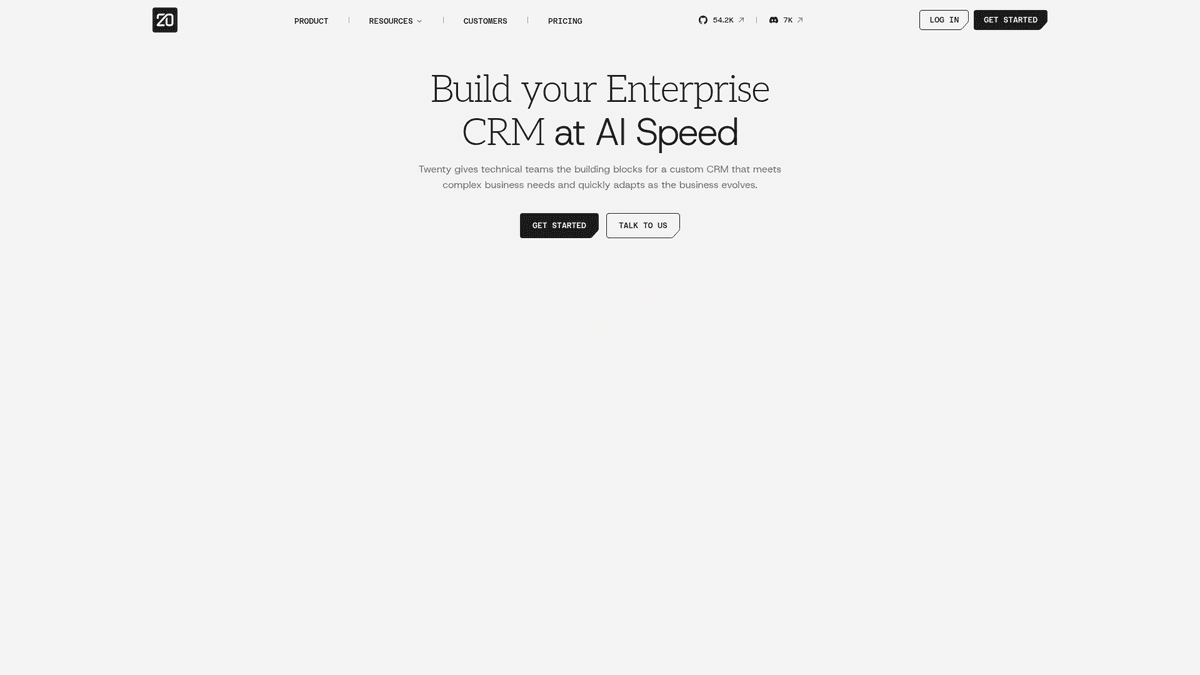
Collaboration & ProductivityTwenty is a modern CRM offering a powerful spreadsheet interface and open-source alternative to Salesforce.
What you get when you deploy Twenty CRM
The server we rent for it, what it costs, and what the installer will ask you.
- Server
- CX23 · 2 vCPU · 4 GB RAM
- From
- $9/month
- Setup
- No configuration required
Included with every deployment
- Dedicated server, one app per machine
- HTTPS certificate issued automatically
- Free subdomain, custom domain optional
- Restart, resize, snapshot and restore
The project
Everything this page links to outside Automatio.
Deploy Twenty CRM in one click
On your own server, with your own data. No terminal, no Docker commands, no certificate setup.
- 1
Pick a size
Start on the smallest server that fits the app. Resize later without reinstalling.
- 2
Press deploy
We rent the server, install the app with Docker, and point a subdomain at it.
- 3
Watch it come up
Provisioning runs unattended and takes a few minutes. When the HTTPS certificate lands, the app is live and your login details are on the deployment page.
Server size
Billed monthly with your Automatio subscription. Destroy the server any time and the charge stops. Every server: 20 TB traffic/month included, then $2.50 per TB.
Key Capabilities
Explore what Automatio can do for this use case
Pipeline Management
Track deals and lead progress through customizable stages using high-performance table or kanban views. The interface supports keyboard shortcuts and real-time notifications to help sales teams move through cycles without the lag of legacy enterprise databases.
- 1Custom deal stages and fields
- 2Kanban and interactive table layouts
- 3Automated activity logging
- 4Bulk CSV import and export
Key Capabilities
- Pipeline Management
Track deals and lead progress through customizable stages using high-performance table or kanban views. The interface supports keyboard shortcuts and real-time notifications to help sales teams move through cycles without the lag of legacy enterprise databases.
- Custom deal stages and fields
- Kanban and interactive table layouts
- Automated activity logging
- Bulk CSV import and export
- Extensible Data Framework
Build specialized business applications on top of the CRM engine using the version 2.0 framework. You can define custom objects and server-side logic via a dedicated SDK, allowing the tool to function as a relational database for any business entity.
- Custom object creation via UI or SDK
- React-based SDK for developers
- Per-workspace database migrations
- Full GraphQL API access
- AI-Powered Automation
Automate routine CRM tasks using built-in agentic AI capabilities. The platform can scan communication threads to score leads, extract budgets, and draft email replies, reducing the manual entry work that leads to CRM data rot.
- Automated lead scoring and ranking
- Budget extraction from messages
- AI-drafted email replies
- Context-aware AI chat interface
- Built-in Productivity Tools
Streamline daily operations with integrated tasks, notes, and a global search bar. The system includes a browser extension for capturing LinkedIn profiles directly into the CRM and supports syncing with Gmail and Outlook.
- LinkedIn profile scraper extension
- Email and calendar synchronization
- Markdown-compatible note editor
- Global search command palette
Why self-host Twenty CRM
What to know first
Managed, DIY, or One-Click?
The three realistic ways to run {name}, compared honestly.
| Aspect | Managed SaaS | DIY on a VPS | Automatio one-click |
|---|---|---|---|
| Setup Time | Instant | 1-2 hours via CLI | ~15 minutes |
| Monthly Cost | High (per-user fees) | Low (VPS cost) | Low (VPS cost) |
| Data Ownership | Third-party cloud | 100% yours | 100% yours |
| Maintenance | Automatic | Manual Docker work | One-click updates |
| Certificates | Included | Manual Certbot setup | Automated Let's Encrypt |
Setup Time
Monthly Cost
Data Ownership
Maintenance
Certificates
Who this is for
People who actually run Twenty CRM on their own server, and what changes when they do.
a solo founder
Tired of free-tier CRM limits and per-user fees.
Professional-grade deal tracking with zero monthly license costs.
- Manage early sales pipelines
- Sync leads from LinkedIn directly
- Track early customer feedback notes
a small agency
Needs a shared workspace for client projects without high overhead.
A single source of truth for lead budgets and project timelines across a team.
- Log all client communications
- Manage project and deal status
- Share lead data across the team
a developer building tools
Wants to build custom business software without starting from zero.
Uses the SDK to create custom data objects and wire up webhooks for automation.
- Build a custom call recorder bridge
- Wire up specific Slack webhooks
- Create custom objects for hardware inventory
a privacy-conscious researcher
Collecting sensitive contact data that cannot leave a private network.
Deploys an instance to ensure total data residency while maintaining a modern database.
- Store confidential source lists
- Track sensitive outreach efforts
- Keep records on a private VPS
About This App
What this app does and where it fits.
An Open-Source Alternative to the Giants
Twenty CRM emerged as a response to the complexity and high cost of legacy systems like Salesforce and HubSpot. Built with a developer-first mindset using React, Node.js, and PostgreSQL, it aims to provide a high-quality user experience without typical enterprise bloat. The project emphasizes transparency and extensibility, allowing teams to own both their data and their source code. It bridges the gap between a clean interface (UX) and a powerful underlying engine (DX).
How It Works
At its core, Twenty functions as a relational database wrapper tailored for sales operations. It organizes data into workspaces where every entity (companies, people, opportunities) is a customizable object. The interface provides standard views like pipelines and tables, but the real power lies in the Framework approach introduced in version 2.0. This allows developers to build custom logic and UI components directly into the CRM, effectively using Twenty as a foundation for specialized business applications with built-in authentication, permissions, and data modeling.
The First Hour
Setting up Twenty involves defining your workspace and importing existing data. A new user will likely start by connecting the LinkedIn extension to populate their database and setting up Deal Stages to match their sales cycle. Because the system supports keyboard shortcuts and a command-palette style search, navigation feels faster than older CRM platforms. The system also supports syncing with Gmail and Outlook to centralize customer communication in a single timeline.
Positioning and Maturity
While still evolving compared to decades-old incumbents, Twenty has reached a stable production status. It fits small to medium businesses that have outgrown spreadsheets but find proprietary CRMs too rigid or expensive. For teams with engineering resources, it offers a middle ground between buying a finished product and building a CRM from scratch, providing the agility needed for fast-moving startups and agencies.
Community Feedback
See what the community thinks about Twenty CRM
“Twenty has been AMAZING. It avoids the clunky and overwhelming interfaces of competitors like SuiteCRM.”
“Moved from HubSpot in an afternoon. It ranks as a top-tier indie alternative that allows small businesses to avoid expensive SaaS subscriptions.”
“I self-hosted a CRM a few weeks ago... The bill that came today was very much unexpected. Be careful with resource requirements.”
“The flexibility is really what made the difference. Our needs evolve very fast. I discover a new need and in two clicks I can address it.”
“It is just such a nicer experience than dealing with a Salesforce or a HubSpot. My mission has been to get every tool API-accessible.”
“Upgrade your CRM game with twenty – the free, open-source alternative to Salesforce!”
Related Videos
Watch tutorials, reviews, and discussions about Twenty CRM
“Twenty is built with a developer-first approach, using a clean React and NestJS stack.”
“Setting up the environment variables is the most critical part of the Docker install.”
“The custom objects feature allows you to extend the CRM far beyond just sales.”
“Having your database locally on your own VPS gives you full ownership of your leads.”
“The UI responsiveness is better than most legacy CRMs I have used.”
“Twenty removes the friction of per-user pricing found in platforms like Salesforce.”
“The command menu, accessible with Ctrl+K, makes switching views very fast.”
“Data privacy is the main driver for teams moving from cloud CRMs to self-hosted Twenty.”
“The framework allows you to build custom business logic directly into the CRM engine.”
“It provides a unified view of all customer interactions across different channels.”
“The worker service in the Docker compose handles the heavy lifting of data processing.”
“You need to configure your email server settings to enable invitation emails.”
“The relational database structure underneath is clean and easy to query if needed.”
“Filtering and sorting in the spreadsheet view feels very natural and fast.”
“For teams wanting to stay lean, self-hosting this is an excellent choice to avoid SaaS bills.”
Supercharge your workflow with AI Automation
Automatio combines the power of AI agents, web automation, and smart integrations to help you accomplish more in less time.
What to get right first
The decisions that are painful to change later in Twenty CRM.
Pick CX33 for Real Workloads
While the app can boot on 2GB, the 4GB (CX33) server size provides the necessary headroom for PostgreSQL migrations and AI processes during active usage.
Set Your Server URL First
Ensure your SERVER_URL environment variable is correctly set to your domain before the first login to avoid broken links and ensuring webhooks resolve.
Backup Before Version Jumps
Twenty releases often include significant schema changes. Use the deployment page to take a snapshot before triggering an update.
Testimonials
What Our Users Say
Join thousands of satisfied users who have transformed their workflow
Jonathan Kogan
Co-Founder/CEO, rpatools.io
Automatio is one of the most used for RPA Tools both internally and externally. It saves us countless hours of work and we realized this could do the same for other startups and so we choose Automatio for most of our automation needs.
Mohammed Ibrahim
CEO, qannas.pro
I have used many tools over the past 5 years, Automatio is the Jack of All trades.. !! it could be your scraping bot in the morning and then it becomes your VA by the noon and in the evening it does your automations.. its amazing!
Ben Bressington
CTO, AiChatSolutions
Automatio is fantastic and simple to use to extract data from any website. This allowed me to replace a developer and do tasks myself as they only take a few minutes to setup and forget about it. Automatio is a game changer!
Sarah Chen
Head of Growth, ScaleUp Labs
We've tried dozens of automation tools, but Automatio stands out for its flexibility and ease of use. Our team productivity increased by 40% within the first month of adoption.
David Park
Founder, DataDriven.io
The AI-powered features in Automatio are incredible. It understands context and adapts to changes in websites automatically. No more broken scrapers!
Emily Rodriguez
Marketing Director, GrowthMetrics
Automatio transformed our lead generation process. What used to take our team days now happens automatically in minutes. The ROI is incredible.
Jonathan Kogan
Co-Founder/CEO, rpatools.io
Automatio is one of the most used for RPA Tools both internally and externally. It saves us countless hours of work and we realized this could do the same for other startups and so we choose Automatio for most of our automation needs.
Mohammed Ibrahim
CEO, qannas.pro
I have used many tools over the past 5 years, Automatio is the Jack of All trades.. !! it could be your scraping bot in the morning and then it becomes your VA by the noon and in the evening it does your automations.. its amazing!
Ben Bressington
CTO, AiChatSolutions
Automatio is fantastic and simple to use to extract data from any website. This allowed me to replace a developer and do tasks myself as they only take a few minutes to setup and forget about it. Automatio is a game changer!
Sarah Chen
Head of Growth, ScaleUp Labs
We've tried dozens of automation tools, but Automatio stands out for its flexibility and ease of use. Our team productivity increased by 40% within the first month of adoption.
David Park
Founder, DataDriven.io
The AI-powered features in Automatio are incredible. It understands context and adapts to changes in websites automatically. No more broken scrapers!
Emily Rodriguez
Marketing Director, GrowthMetrics
Automatio transformed our lead generation process. What used to take our team days now happens automatically in minutes. The ROI is incredible.
Related Self-Hosted Apps

Wiki.js
from $9/mo
The most powerful and extensible open source Wiki software.

Vikunja
from $9/mo
Vikunja is a self-hosted, open-source to-do list application to organize tasks, projects, and notes.

FreeScout
from $9/mo
FreeScout is a free open source help desk and shared inbox system. It's a self-hosted alternative to HelpScout, Zendesk, and similar services that allows you to manage customer communications through email and a clean web interface. FreeScout makes it easy to organize support requests, track customer conversations, and collaborate with your team.

Focalboard
from $9/mo
Open source project management for technical teams

Excalidraw
from $9/mo
Excalidraw is a free and open source online diagramming tool that lets you easily create and share beautiful diagrams.

Calcom
from $9/mo
Calcom is a open source alternative to Calendly that allows to create scheduling and booking services.
Frequently Asked Questions
Find answers to common questions about Twenty CRM