

Vikunja Self-Hosted: One-Click Deploy on Your Own VPS
Vikunja handles everything from simple lists to complex team projects with Kanban and Gantt views. Deploying here gives you a private server and automated HTTPS without the setup headache.
Vikunja
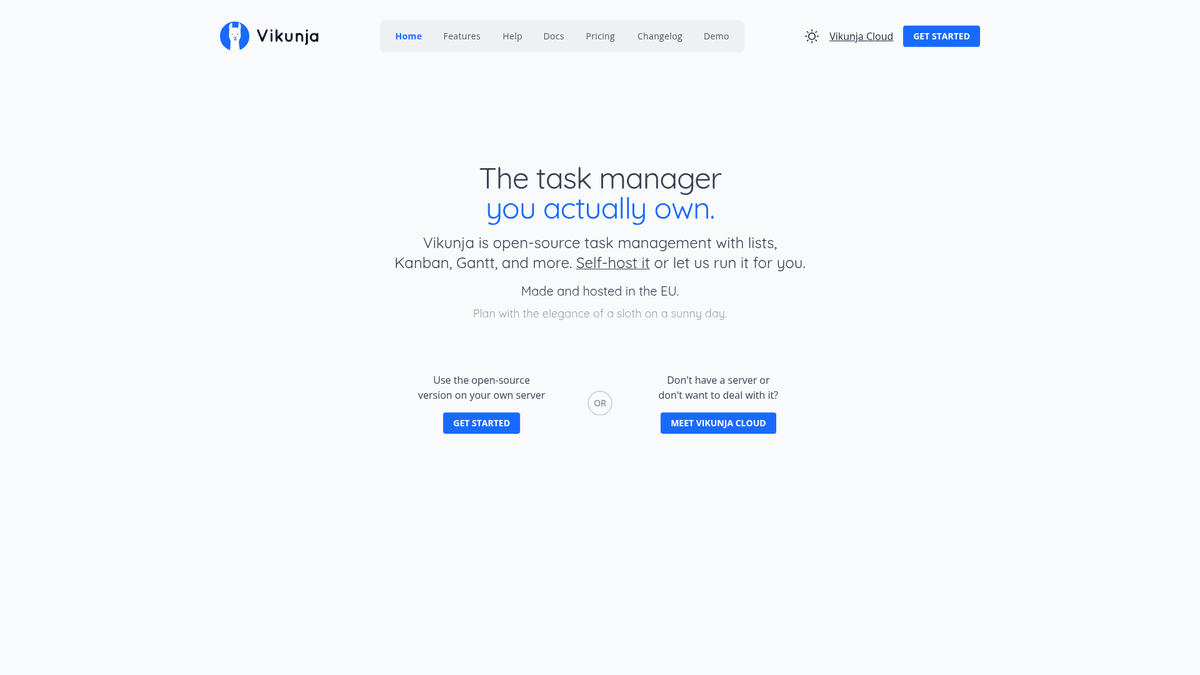
Collaboration & ProductivityVikunja is a self-hosted, open-source to-do list application to organize tasks, projects, and notes.
What you get when you deploy Vikunja
The server we rent for it, what it costs, and what the installer will ask you.
- Server
- CX23 · 2 vCPU · 4 GB RAM
- From
- $9/month
- Setup
- No configuration required
Included with every deployment
- Dedicated server, one app per machine
- HTTPS certificate issued automatically
- Free subdomain, custom domain optional
- Restart, resize, snapshot and restore
The project
Everything this page links to outside Automatio.
Deploy Vikunja in one click
On your own server, with your own data. No terminal, no Docker commands, no certificate setup.
- 1
Pick a size
Start on the smallest server that fits the app. Resize later without reinstalling.
- 2
Press deploy
We rent the server, install the app with Docker, and point a subdomain at it.
- 3
Watch it come up
Provisioning runs unattended and takes a few minutes. When the HTTPS certificate lands, the app is live and your login details are on the deployment page.
Server size
Billed monthly with your Automatio subscription. Destroy the server any time and the charge stops. Every server: 20 TB traffic/month included, then $2.50 per TB.
Key Capabilities
Explore what Automatio can do for this use case
Multiple Project Views
Switch between list, table, kanban board, and Gantt chart views for any project. This flexibility allows you to visualize your progress according to the complexity of the task at hand.
- 1Interactive Gantt charts for timelines
- 2Drag-and-drop Kanban boards
- 3Table view for bulk editing
- 4Classic list view for simple tasks
Key Capabilities
- Multiple Project Views
Switch between list, table, kanban board, and Gantt chart views for any project. This flexibility allows you to visualize your progress according to the complexity of the task at hand.
- Interactive Gantt charts for timelines
- Drag-and-drop Kanban boards
- Table view for bulk editing
- Classic list view for simple tasks
- Namespace Organization
Group your projects into namespaces to separate work, personal life, and side projects. This hierarchical structure keeps your dashboard clean and focused even with hundreds of tasks.
- Hierarchical project nesting
- Color-coded categories
- Team-specific namespaces
- Custom icons for projects
- Smart Task Filtering
Create custom views using a powerful filtering syntax to see exactly what you need. You can save these filters as permanent views to track high-priority items or upcoming deadlines.
- Filter by due date or priority
- Label-based search queries
- Save custom filter views
- Global search across projects
- Team Collaboration
Share projects or entire namespaces with team members and assign specific tasks to individuals. It provides a central place for comments and file attachments within every task.
- User mentions in comments
- Granular permission levels
- Task assignments and watchers
- Shared team namespaces
Why self-host Vikunja
What to know first
Managed, DIY, or One-Click?
The three realistic ways to run {name}, compared honestly.
| Aspect | Managed SaaS | DIY on a VPS | Automatio one-click |
|---|---|---|---|
| Setup Time | Instant | 1-2 Hours | 15 Minutes |
| Data Ownership | Third-party host | Complete control | Complete control |
| HTTPS/SSL | Included | Manual setup | Automatic |
| User Limits | Per-seat pricing | Hardware limited | Hardware limited |
Setup Time
Data Ownership
HTTPS/SSL
User Limits
Who this is for
People who actually run Vikunja on their own server, and what changes when they do.
a solo founder shipping nights and weekends
Monthly subscriptions for project management tools eating into small margins.
A powerful, unified project tracker for a single low server cost.
- Building a product roadmap
- Setting recurring social media tasks
- Tracking feature requests
a two-person agency
Difficulty sharing project boards with clients without hitting seat limits.
Unlimited client workspaces and shared boards without per-user pricing.
- Onboarding new client projects
- Assigning tasks to freelancers
- Reviewing timelines via Gantt
a privacy-conscious professional
Uncomfortable with corporate clouds having access to a complete record of daily activities.
Total control over data residency on a private dedicated instance.
- Managing personal finances tasks
- Tracking confidential work projects
- Syncing grocery lists privately
About This App
What this app does and where it fits.
What is Vikunja?
Vikunja is a feature-rich, open-source task management application designed to handle everything from simple grocery lists to complex multi-user projects. Built with a focus on flexibility, it provides a variety of ways to visualize your work, including lists, kanban boards, and Gantt charts. The project is highly modular, consisting of a Go-based API and a modern Vue frontend, making it both performant and pleasant to use. It is widely considered the most viable open-source alternative to proprietary tools like Todoist, Trello, and Asana.
Core Philosophy and Maturity
Developed by Konrad Abicht and a growing community of contributors, Vikunja follows a philosophy of total data sovereignty. It is licensed under the AGPL-3.0, ensuring it remains open and free. Unlike many task managers that force you into a single way of working, Vikunja assumes that different projects require different perspectives. A simple daily checklist works best as a list, but a three-month development project is far easier to manage via a Gantt chart or a Kanban board. The platform is mature, with stable releases and a consistent update cycle.
Your First Hour with Vikunja
Once deployed, the first thing you will do is create a Namespace, a top-level category like Work or Personal. Inside that namespace, you create Projects. Adding your first few tasks is intuitive, but the real power appears when you start adding metadata. You can assign priorities, due dates, and labels. In the first hour, you should explore the Saved Filters feature, which allows you to create custom dashboards. For example, you can create a view that only shows tasks due in the next 48 hours across all projects that are labeled High Priority.
Competitive Landscape
Compared to Todoist, Vikunja offers Gantt charts and Kanban boards for free. Compared to Trello, it offers much better list-based organization and hierarchical projects. Where it truly shines is in its self-hosting capabilities. It provides a native mobile app for Android and iOS that connects directly to your instance, meaning you don't lose the convenience of a smartphone app just because you chose to own your data.
Community Feedback
See what the community thinks about Vikunja
“Vikunja is the closest thing I've found to a self-hosted Todoist. The Gantt chart view alone is worth the switch.”
“I've tried almost every self-hosted task manager and Vikunja is the only one that feels like a polished, modern app rather than a weekend project.”
“I use the web app all the time on my phone... mostly to review my tasks when I'm away from my desk.”
“The import from Todoist worked perfectly for me, kept all my dates and labels.”
“It's great, but setting up the mail server part was a bit of a headache at first.”
“The CalDAV sync is a life saver for keeping my phone calendar in sync with my work tasks.”
Related Videos
Watch tutorials, reviews, and discussions about Vikunja
“Vikunja is an open source self-hosted task management app that is very powerful and has a lot of features.”
“One of the things I like most is the different views you can have for your tasks: list, gantt, and kanban.”
“You can set up namespaces to group your projects which is really helpful for organizing different areas of life.”
“The quick add bar is fantastic; you can just start typing and it will parse things like dates and labels automatically.”
“It has a really robust API if you want to integrate it with other services or build your own tools on top of it.”
“The installation via Docker is pretty straightforward, usually involving an API, a frontend, and a database container.”
“The interface is very clean and snappy, not bogged down by a lot of unnecessary animations.”
“The 'Smart Filters' feature allows you to create lists based on criteria like due dates or priority levels.”
“You can share entire namespaces or individual projects with other users on your instance.”
“There's support for CalDAV, which means you can sync your Vikunja tasks with external calendars.”
“Vikunja handles subtasks really well, allowing you to nest tasks within tasks for complex workflows.”
“The ability to add attachments directly to tasks is a huge plus for keeping project files organized.”
“Vikunja supports markdown in the task descriptions, so you can have nicely formatted notes.”
“The Kanban board is very flexible; you can move cards around and the UI updates instantly.”
“If you're coming from Todoist or Trello, Vikunja has built-in importers to bring your data over.”
Supercharge your workflow with AI Automation
Automatio combines the power of AI agents, web automation, and smart integrations to help you accomplish more in less time.
What to get right first
The decisions that are painful to change later in Vikunja.
Use Saved Filters
Don't just rely on project views. Create a saved filter for Tasks due today to use as your daily landing page.
Mobile App Connection
When setting up the official mobile app, use the full HTTPS URL provided by Automatio to ensure a secure connection.
Keyboard Shortcuts
Learn the n shortcut to quickly create a new task from anywhere in the interface to stay in flow.
Testimonials
What Our Users Say
Join thousands of satisfied users who have transformed their workflow
Jonathan Kogan
Co-Founder/CEO, rpatools.io
Automatio is one of the most used for RPA Tools both internally and externally. It saves us countless hours of work and we realized this could do the same for other startups and so we choose Automatio for most of our automation needs.
Mohammed Ibrahim
CEO, qannas.pro
I have used many tools over the past 5 years, Automatio is the Jack of All trades.. !! it could be your scraping bot in the morning and then it becomes your VA by the noon and in the evening it does your automations.. its amazing!
Ben Bressington
CTO, AiChatSolutions
Automatio is fantastic and simple to use to extract data from any website. This allowed me to replace a developer and do tasks myself as they only take a few minutes to setup and forget about it. Automatio is a game changer!
Sarah Chen
Head of Growth, ScaleUp Labs
We've tried dozens of automation tools, but Automatio stands out for its flexibility and ease of use. Our team productivity increased by 40% within the first month of adoption.
David Park
Founder, DataDriven.io
The AI-powered features in Automatio are incredible. It understands context and adapts to changes in websites automatically. No more broken scrapers!
Emily Rodriguez
Marketing Director, GrowthMetrics
Automatio transformed our lead generation process. What used to take our team days now happens automatically in minutes. The ROI is incredible.
Jonathan Kogan
Co-Founder/CEO, rpatools.io
Automatio is one of the most used for RPA Tools both internally and externally. It saves us countless hours of work and we realized this could do the same for other startups and so we choose Automatio for most of our automation needs.
Mohammed Ibrahim
CEO, qannas.pro
I have used many tools over the past 5 years, Automatio is the Jack of All trades.. !! it could be your scraping bot in the morning and then it becomes your VA by the noon and in the evening it does your automations.. its amazing!
Ben Bressington
CTO, AiChatSolutions
Automatio is fantastic and simple to use to extract data from any website. This allowed me to replace a developer and do tasks myself as they only take a few minutes to setup and forget about it. Automatio is a game changer!
Sarah Chen
Head of Growth, ScaleUp Labs
We've tried dozens of automation tools, but Automatio stands out for its flexibility and ease of use. Our team productivity increased by 40% within the first month of adoption.
David Park
Founder, DataDriven.io
The AI-powered features in Automatio are incredible. It understands context and adapts to changes in websites automatically. No more broken scrapers!
Emily Rodriguez
Marketing Director, GrowthMetrics
Automatio transformed our lead generation process. What used to take our team days now happens automatically in minutes. The ROI is incredible.
Related Self-Hosted Apps

Wiki.js
from $9/mo
The most powerful and extensible open source Wiki software.

Twenty CRM
from $9/mo
Twenty is a modern CRM offering a powerful spreadsheet interface and open-source alternative to Salesforce.

FreeScout
from $9/mo
FreeScout is a free open source help desk and shared inbox system. It's a self-hosted alternative to HelpScout, Zendesk, and similar services that allows you to manage customer communications through email and a clean web interface. FreeScout makes it easy to organize support requests, track customer conversations, and collaborate with your team.

Focalboard
from $9/mo
Open source project management for technical teams

Excalidraw
from $9/mo
Excalidraw is a free and open source online diagramming tool that lets you easily create and share beautiful diagrams.

Calcom
from $9/mo
Calcom is a open source alternative to Calendly that allows to create scheduling and booking services.
Frequently Asked Questions
Find answers to common questions about Vikunja