

Metabase Self-Hosted, Deploy in One Click
Metabase is the simplest way to share data and build dashboards across your company. Deploying it via Automatio gives you a private server, total data ownership, and automated HTTPS.
Metabase
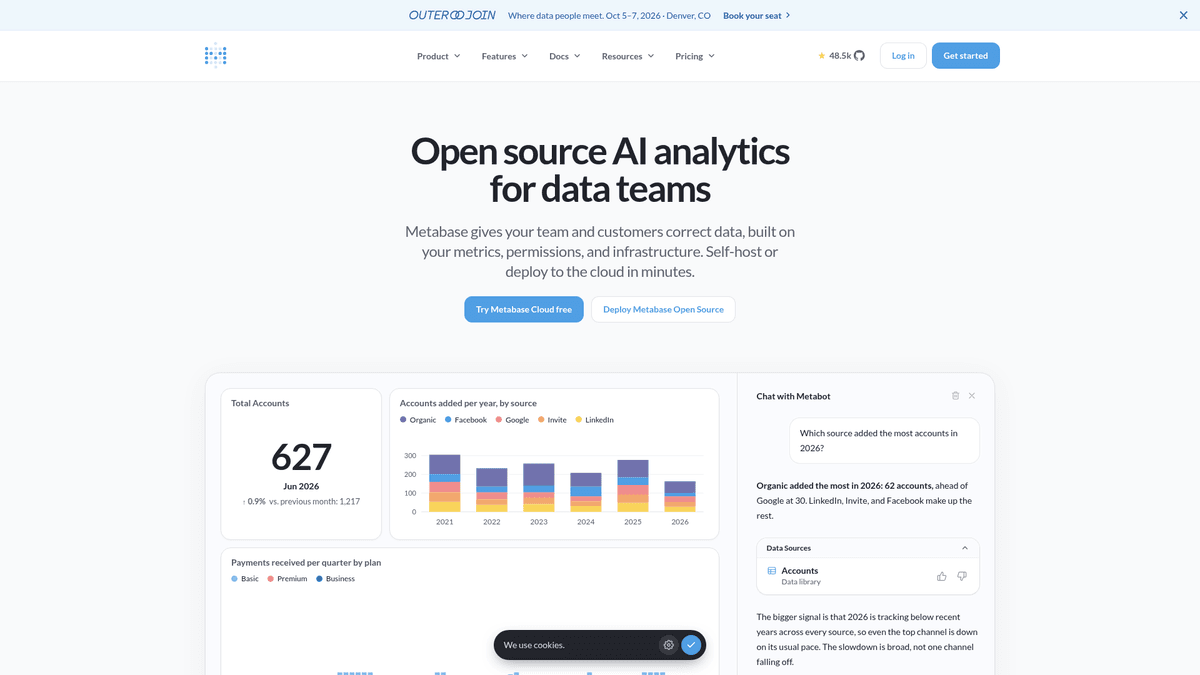
AnalyticsMetabase is an open source business intelligence tool that allows you to ask questions and visualize data.
What you get when you deploy Metabase
The server we rent for it, what it costs, and what the installer will ask you.
- Server
- CX23 · 2 vCPU · 4 GB RAM
- From
- $9/month
- Setup
- No configuration required
Included with every deployment
- Dedicated server, one app per machine
- HTTPS certificate issued automatically
- Free subdomain, custom domain optional
- Restart, resize, snapshot and restore
The project
Everything this page links to outside Automatio.
Deploy Metabase in one click
On your own server, with your own data. No terminal, no Docker commands, no certificate setup.
- 1
Pick a size
Start on the smallest server that fits the app. Resize later without reinstalling.
- 2
Press deploy
We rent the server, install the app with Docker, and point a subdomain at it.
- 3
Watch it come up
Provisioning runs unattended and takes a few minutes. When the HTTPS certificate lands, the app is live and your login details are on the deployment page.
Server size
Billed monthly with your Automatio subscription. Destroy the server any time and the charge stops. Every server: 20 TB traffic/month included, then $2.50 per TB.
Key Capabilities
Explore what Automatio can do for this use case
Visual Query Builder
Allow non-technical users to ask questions of their data without writing a single line of SQL. The interface supports filtering, joining tables, and complex aggregations through a simple GUI. This democratizes data access across the entire organization.
- 1Interactive filtering and sorting
- 2Multi-table joins via GUI
- 3Custom formula support
- 4Drill-through actions on charts
Key Capabilities
- Visual Query Builder
Allow non-technical users to ask questions of their data without writing a single line of SQL. The interface supports filtering, joining tables, and complex aggregations through a simple GUI. This democratizes data access across the entire organization.
- Interactive filtering and sorting
- Multi-table joins via GUI
- Custom formula support
- Drill-through actions on charts
- Native SQL Editor
A full-featured SQL editor for power users who need to write complex analytical queries directly. It supports syntax highlighting, variables for creating interactive dashboards, and query snippets for reusability. Results can be instantly visualized in dozens of chart types.
- SQL variable mapping to filters
- Reusable query snippets
- Live result visualization
- Direct CSV and Excel exports
- X-Ray Insights
Automatically explore data schemas and generate baseline dashboards without manual configuration. Metabase analyzes your tables and suggests the most relevant metrics, trends, and distributions based on your data types. It provides an instant starting point for any new dataset.
- Automatic dashboard generation
- Schema-aware metric suggestions
- Trend and outlier detection
- Categorical data distribution
- Subscriptions and Alerts
Keep your team informed by scheduling automated data deliveries to email or Slack. You can set up dashboard snapshots on a regular cadence or configure alerts to trigger when specific metrics hit a defined threshold. This ensures no one misses critical changes in the data.
- Email and Slack integrations
- Threshold-based alerts
- Scheduled PDF and image delivery
- Granular delivery timing
Why self-host Metabase
What to know first
Managed, DIY, or One-Click?
The three realistic ways to run {name}, compared honestly.
| Aspect | Managed SaaS | DIY on a VPS | Automatio one-click |
|---|---|---|---|
| Setup Time | Instant | 1-2 hours | A few minutes |
| Maintenance | Zero | High (Manual OS updates) | Zero |
| Data Privacy | Shared with vendor | Private and isolated | Private and isolated |
| SSL/HTTPS | Included | Manual setup | Automatic Let's Encrypt |
| Cost Shape | $85/mo starter fee | Variable VPS cost | Flat VPS + Platform fee |
Setup Time
Maintenance
Data Privacy
SSL/HTTPS
Cost Shape
Who this is for
People who actually run Metabase on their own server, and what changes when they do.
a solo founder
Paying for expensive BI seats while trying to keep burn low.
They get a professional-grade analytics suite for the price of a small server with no per-user fees.
- Build an investor dashboard with MRR charts
- Track daily active user signups
- Share bug report trends with a part-time dev
a data analyst
Spending all day answering the same simple data questions for marketing.
They can set up a self-service environment where colleagues query data safely without help.
- Create X-Ray dashboards for new collections
- Clean up raw tables using Virtual Models
- Schedule weekly Slack reports for sales
an engineering lead
Building custom admin panels for every internal tool request.
Metabase acts as an instant, powerful admin UI for any existing database.
- Monitor server health logs stored in SQL
- Audit database changes via query history
- Connect multiple data sources into one view
a small non-profit
Managing donor data across messy spreadsheets and expensive tools.
They gain a centralized, secure place to track impact without per-user licensing fees.
- Visualize donation trends by region
- Generate quarterly impact reports for the board
- Monitor volunteer hours via database joins
About This App
What this app does and where it fits.
Professional BI for Everyone
Metabase is one of the most widely adopted open-source business intelligence tools. Originally built to solve the problem of complex and technical data tools like Tableau or Looker, it focuses on accessibility. It allows anyone in a company to ask questions of their data using a visual interface, while still providing a robust SQL editor for data scientists and engineers. It is licensed under the AGPL, ensuring a mature and extensively documented open-source core.
How it Works
At its core, Metabase is a Java application that connects to your existing data sources. It supports a vast array of databases including PostgreSQL, MySQL, MongoDB, and modern data warehouses like Snowflake or BigQuery. Once connected, it scans your schema to understand the relationships between tables. It does not move your data; it simply queries it and visualizes the results. This architecture makes it an ideal layer on top of your existing stack, providing a unified interface for disparate data silos.
Your First Hour with Metabase
After the initial deployment, a setup wizard helps you connect your first database. Within minutes, you can use the X-Ray feature to instantly generate dashboards that visualize your data trends. From there, you can start building Questions, the atomic unit of the tool. You might join an orders table with a users table to see which region has the highest lifetime value. Once your questions are saved, you can drag and drop them onto a Dashboard, add interactive filters, and share a secret link with your team.
Self-Hosting vs. Alternatives
While proprietary tools like PowerBI offer deep integration with the Microsoft ecosystem, they often lock you into specific workflows and per-seat pricing. Metabase offers a more flexible approach that feels natural to modern developers. By self-hosting, you avoid the data tax of SaaS providers and keep your most valuable asset under your own control, behind your own firewall.
Community Feedback
See what the community thinks about Metabase
“Metabase is really the easiest BI tool I've ever used. You don't need to know SQL to get answers, but the editor is there when you need it.”
“The best thing about self-hosting Metabase is not worrying about the bill when I add 50 viewers. Proprietary tools would kill me on seat costs.”
“I’ve been running Metabase in Docker for 3 years. It's solid, but definitely give it at least 2GB of RAM or it will crash during heavy queries.”
“The H2 database is a trap. I lost a week of dashboards because I didn't migrate to Postgres early enough. Don't make my mistake.”
“Every company sits on a mountain of data. Almost nobody outside the data team can actually use it. Metabase fixes this.”
“It suggests 2GB RAM as a minimum, but as a starter server for general purpose use, 4GB is much safer to avoid JVM crashes.”
Related Videos
Watch tutorials, reviews, and discussions about Metabase
“Metabase is a very popular open-source business intelligence tool.”
“Metabase is a very popular open-source business intelligence tool.”
Supercharge your workflow with AI Automation
Automatio combines the power of AI agents, web automation, and smart integrations to help you accomplish more in less time.
What to get right first
The decisions that are painful to change later in Metabase.
Provision 4GB RAM
Metabase runs on the JVM. While 2GB is the absolute minimum, anything less than 4GB will likely lead to out-of-memory errors during heavy data processing or large exports.
Migrate from H2 Immediately
The software starts with a file-based H2 database by default. This can corrupt or lose data during a crash. Use a dedicated Postgres instance as the application database.
Use Virtual Models
Spend time renaming cryptic database columns and pre-calculating complex joins using the Models feature to make the data friendlier for non-technical staff.
Testimonials
What Our Users Say
Join thousands of satisfied users who have transformed their workflow
Jonathan Kogan
Co-Founder/CEO, rpatools.io
Automatio is one of the most used for RPA Tools both internally and externally. It saves us countless hours of work and we realized this could do the same for other startups and so we choose Automatio for most of our automation needs.
Mohammed Ibrahim
CEO, qannas.pro
I have used many tools over the past 5 years, Automatio is the Jack of All trades.. !! it could be your scraping bot in the morning and then it becomes your VA by the noon and in the evening it does your automations.. its amazing!
Ben Bressington
CTO, AiChatSolutions
Automatio is fantastic and simple to use to extract data from any website. This allowed me to replace a developer and do tasks myself as they only take a few minutes to setup and forget about it. Automatio is a game changer!
Sarah Chen
Head of Growth, ScaleUp Labs
We've tried dozens of automation tools, but Automatio stands out for its flexibility and ease of use. Our team productivity increased by 40% within the first month of adoption.
David Park
Founder, DataDriven.io
The AI-powered features in Automatio are incredible. It understands context and adapts to changes in websites automatically. No more broken scrapers!
Emily Rodriguez
Marketing Director, GrowthMetrics
Automatio transformed our lead generation process. What used to take our team days now happens automatically in minutes. The ROI is incredible.
Jonathan Kogan
Co-Founder/CEO, rpatools.io
Automatio is one of the most used for RPA Tools both internally and externally. It saves us countless hours of work and we realized this could do the same for other startups and so we choose Automatio for most of our automation needs.
Mohammed Ibrahim
CEO, qannas.pro
I have used many tools over the past 5 years, Automatio is the Jack of All trades.. !! it could be your scraping bot in the morning and then it becomes your VA by the noon and in the evening it does your automations.. its amazing!
Ben Bressington
CTO, AiChatSolutions
Automatio is fantastic and simple to use to extract data from any website. This allowed me to replace a developer and do tasks myself as they only take a few minutes to setup and forget about it. Automatio is a game changer!
Sarah Chen
Head of Growth, ScaleUp Labs
We've tried dozens of automation tools, but Automatio stands out for its flexibility and ease of use. Our team productivity increased by 40% within the first month of adoption.
David Park
Founder, DataDriven.io
The AI-powered features in Automatio are incredible. It understands context and adapts to changes in websites automatically. No more broken scrapers!
Emily Rodriguez
Marketing Director, GrowthMetrics
Automatio transformed our lead generation process. What used to take our team days now happens automatically in minutes. The ROI is incredible.
Related Self-Hosted Apps

Uptime Kuma
from $9/mo
Uptime Kuma is a free and open source monitoring tool that allows you to monitor your websites and applications.

Umami
from $9/mo
Umami is a simple, fast, privacy-focused alternative to Google Analytics.

Plausible
from $9/mo
Plausible is a open source, self-hosted web analytics platform that lets you track website traffic and user behavior.

Netdata
from $9/mo
Netdata is a real-time performance monitoring tool that provides comprehensive system metrics, application monitoring, and infrastructure health insights.

Grafana
from $9/mo
Grafana is an open source platform for data visualization and monitoring.

Formbricks
from $9/mo
Formbricks is an open-source survey and form platform for collecting user data.

ClickHouse
from $9/mo
ClickHouse is an open-source column-oriented DBMS (columnar database management system) for online analytical processing (OLAP) that allows users to generate analytical reports using SQL queries in real-time. ClickHouse works 100-1000x faster than traditional database management systems, and processes hundreds of millions to over a billion rows and tens of gigabytes of data per server per second.
Frequently Asked Questions
Find answers to common questions about Metabase