

AI Blog Website Builder
Receive a publication layout with article archives, author profiles, and topic pages. You own the clean code, published with HTTPS on a free subdomain.
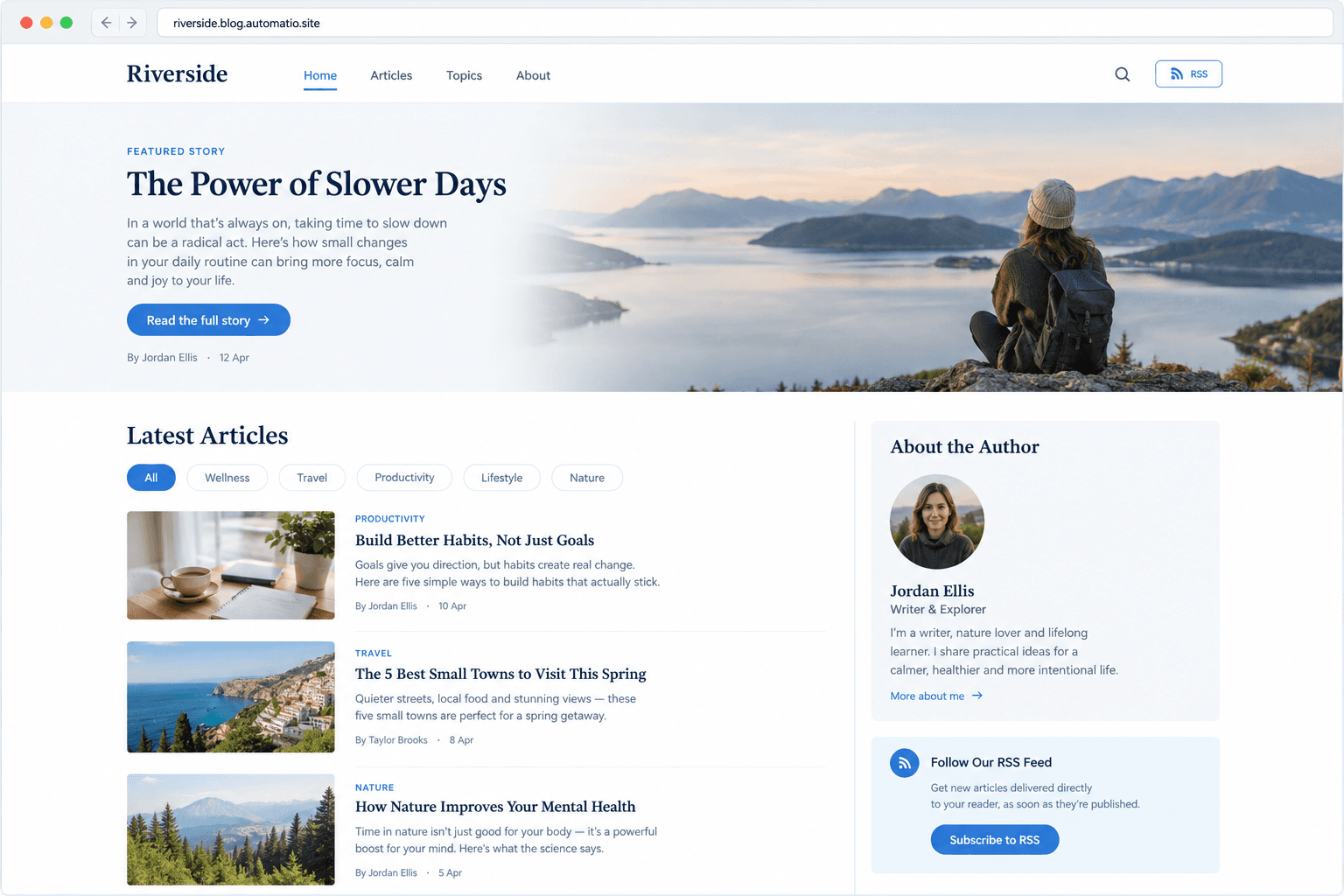
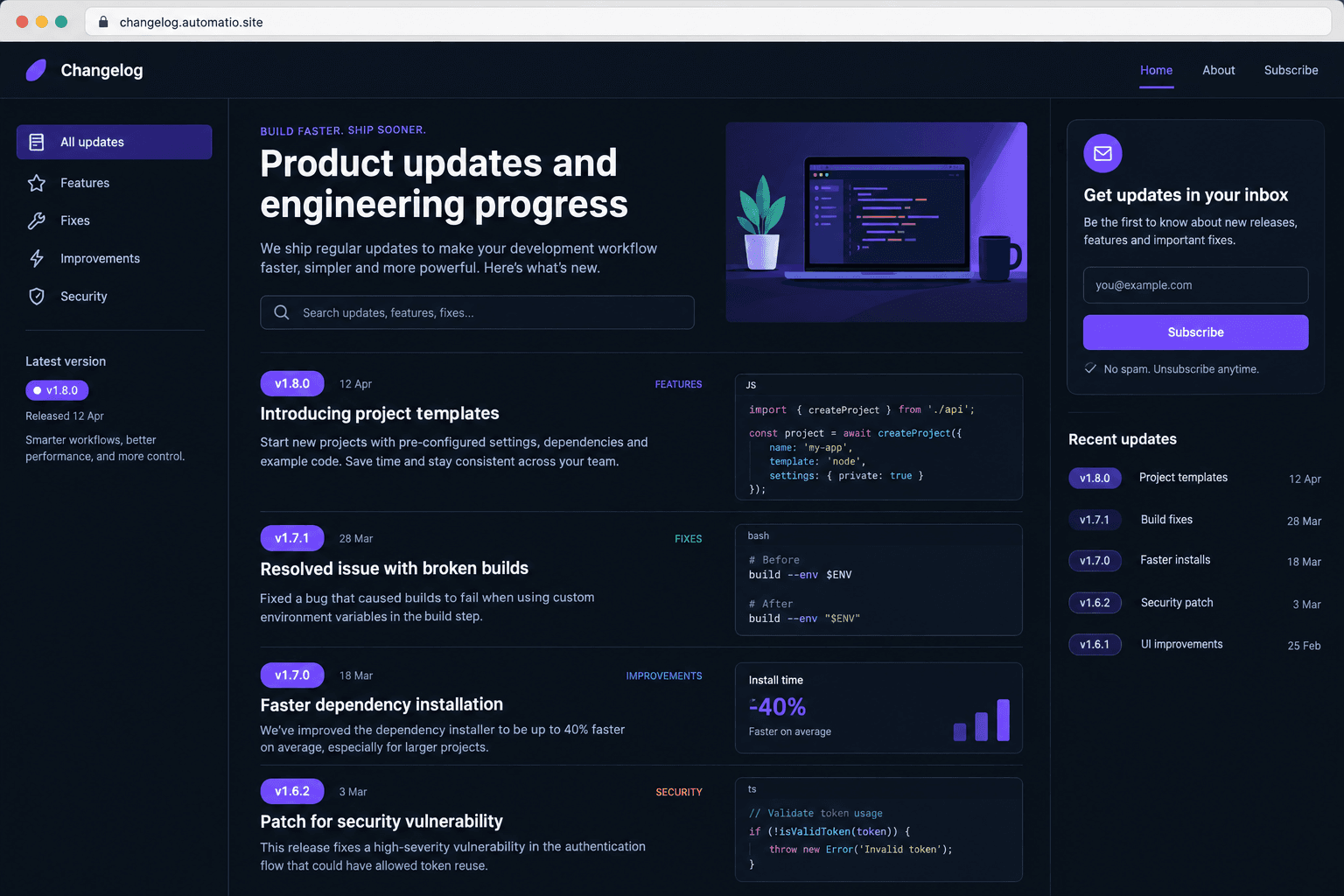
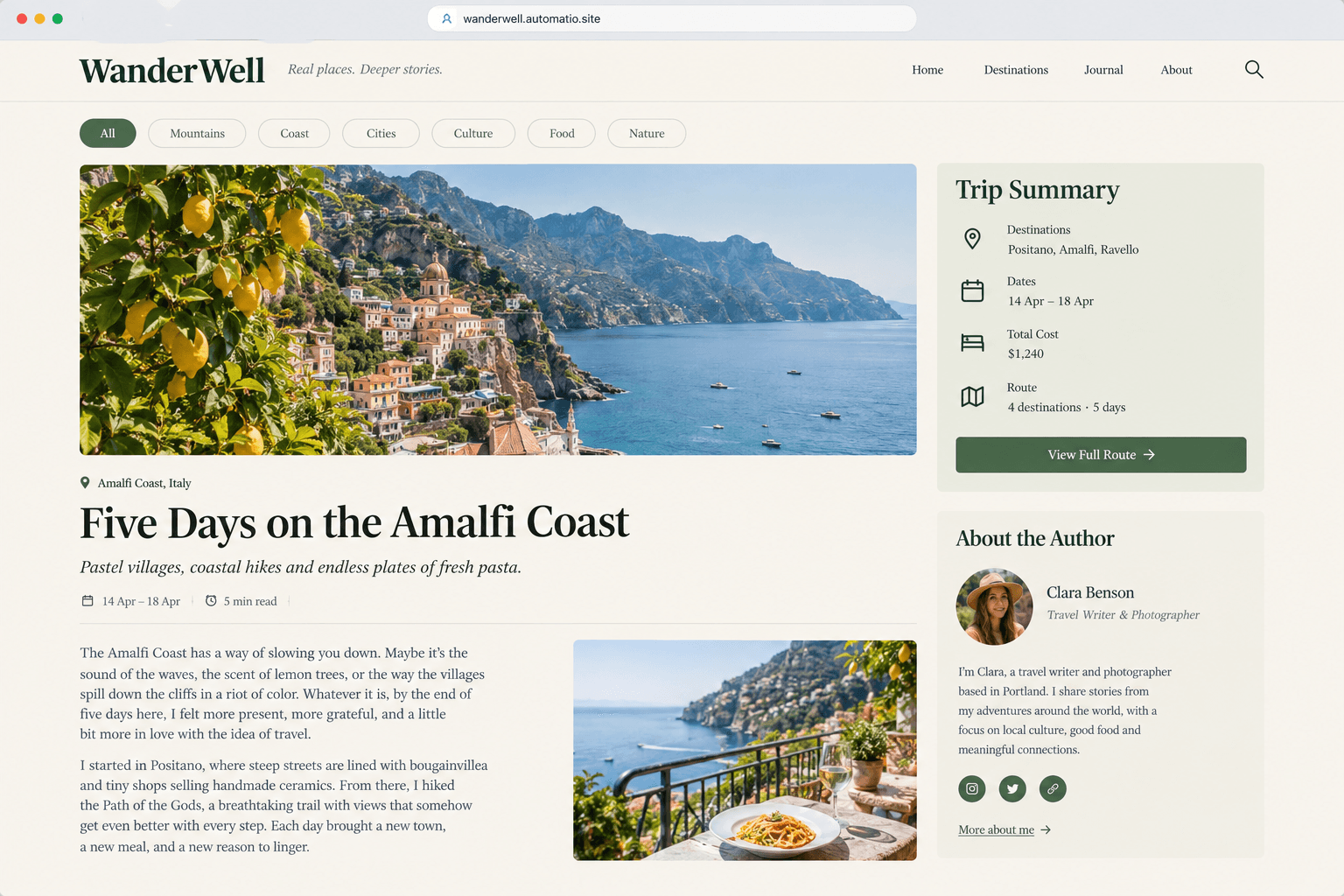
Starting prompt
AI renders of what each prompt could build. Your result will be different.
What's inside
The parts that earn their place — and what each one is actually for.
Editorial archive layouts
Organize your articles with clean chronological feeds and topic filters. Readers browse through past work using chronological feeds and topic filters. The layout adapts to keep content readable across mobile and desktop screens.
- 1Topic and tag filtering lists
- 2Featured post highlighting cards
- 3Chronological archive browsing
- 4Estimated article read times
What's inside
- Editorial archive layouts
Organize your articles with clean chronological feeds and topic filters. Readers browse through past work using chronological feeds and topic filters. The layout adapts to keep content readable across mobile and desktop screens.
- Topic and tag filtering lists
- Featured post highlighting cards
- Chronological archive browsing
- Estimated article read times
- Longform reading typography
Every long-form article needs careful typographic balance to keep readers focused on words. Styles define readable line lengths, distinct heading scales, and accessible color contrast. Authors can present complex text essays without visual clutter interrupting the flow.
- Tailored body typography and line heights
- Styled inline pull quotes and blockquotes
- Embedded footnote styling support
- Semantic header hierarchies from H1 to H4
- Content syndication feed
Give your dedicated followers direct access to new publications using an RSS feed. Feed aggregators can index updates directly without requiring manual site visits.
- Standardized RSS XML feed generation
- Full or summary content syndication
- Auto-discovery meta tags in page headers
- Direct compatibility with desktop feed readers
- Subscriber lead capture
Collect email addresses from your audience using an embedded newsletter signup module on a paid plan. Readers submit their email addresses directly through forms placed under articles or in site navigation. Submissions connect directly to backend storage on a paid plan.
- Under-article signup placement blocks
- Form validation for valid email syntax
- Stored subscriber entries on a paid plan
- Customizable callout headlines and notices
From idea to live site
Four steps, one chat. No setup, no boilerplate, no handoff.
Describe your publication layout
Detail your desired blog sections in chat, specifying categories, reading layouts, and profile bios. Mention whether you need distinct features like reading time estimates.
Review the live preview
Inspect your generated site directly in the browser interface. Navigate between archives, story views, and tag filters to evaluate the typographic balance.
Refine details via chat
Request typography tweaks, adjust column widths, or add custom metadata tags through simple follow-up prompts. The agent updates the code to match your instructions.
Publish your blog
Deploy your complete blog to a public HTTPS URL on a free subdomain. Connecting a custom domain and storing reader submissions runs on a paid plan.
Template, agency, or AI?
The three honest ways to get it built, including where the others win.
| Aspect | Template builder | Agency or freelancer | Automatio |
|---|---|---|---|
| Layout changes | WordPress requires modifying PHP templates or navigating complex theme panels. | An agency writes bespoke templates based on developer availability. | Describe design revisions directly in chat to change layout markup. |
| Maintenance | WordPress requires frequent plugin updates and security monitoring. | The agency handles maintenance under a recurring monthly retainer. | Generates static code that runs without plugin ecosystems. |
| Data storage | Relies on third-party form plugins or marketing software integrations. | Developers integrate and connect third-party email service APIs. | Stores newsletter signups in a managed database on a paid plan. |
| Code ownership | Content depends on the CMS platform and theme you choose. | Bespoke code is provided to the client upon final payment. | Full ownership of the generated React source files from day one. |
Layout changes
Maintenance
Data storage
Code ownership
Who this is for
Real situations, and what changes once it exists.
an independent essayist
Frustrated with managing dozens of plugin updates and theme errors just to publish personal essays.
You get a streamlined, elegant publishing space that focuses on your words rather than site maintenance.
- Adjust article typography and column widths in chat
- Publish an introductory series of three personal essays
- Set up an RSS feed link in the main navigation
a technical founder
Needs an engineering blog that displays formatted code cleanly without slow template bloat.
Deploys a responsive changelog and technical diary with native syntax styling for multiple languages.
- Add release note tags across recent technical posts
- Test syntax formatting across technical code blocks
- Connect a custom domain on a paid plan
a solo niche curator
Tired of generic site templates where changing header layouts requires buying expensive add-ons.
Allows tailoring every category listing and archive page through natural conversation with the agent.
- Group articles into three distinct editorial themes
- Review mobile reading comfort in the browser preview
- Enable a reader signup form on a paid plan
What separates a good one from a bad one
The decisions that matter, and the mistakes that show up in bad examples.
Why reading ergonomics matter
A successful article is defined by whether a visitor can read it comfortably from start to finish. When text lines stretch across an entire browser window at desktop resolutions, tracking from the end of one line to the beginning of the next requires deliberate neck and eye movement. This strain can lead some readers to skim or leave early. Many editorial standards favor a column measure between 60 and 70 characters, close to ten words per line. A well-constructed site avoids overloading screens with intrusive sidebars or multi-layered share buttons that distract from written arguments.
The architecture of digital trust
Establishing who wrote an article is essential for editorial credibility. Placing author information prominently above the fold (complete with an avatar, name, and publication date) signals human accountability before a reader commits their time. At the bottom of the article, a dedicated biographical container provides context, linking out to verified professional social profiles or specialized author archives. These structural touchpoints reassure readers and help separate serious writing from mass-produced web content. When you build with clean code instead of heavy frameworks, your authors are highlighted alongside the site's aesthetic elements.
Managing attention and flow
Long stretches of unformatted body copy tire the eye. Clean digital publications introduce rhythm through deliberate styling for secondary elements. Adding generous top margins before subheadings creates logical breathing room between ideas. Image containers benefit from slight corner radiuses that elevate diagrams off the background canvas, while stylized blockquotes isolate notable ideas. When readers reach the end of an essay, an automated related posts section (configured to match categories while filtering out the current article) provides natural next steps to explore. Storing reader emails for long-term engagement happens via subscriber lists on a paid plan.
Supercharge your workflow with AI Automation
Automatio combines the power of AI agents, web automation, and smart integrations to help you accomplish more in less time.
Get it right the first time
What to specify up front, and what can wait for version two.
Define content taxonomy early
Establish three to five clear topic categories before generating your pages, as retrofitting category hierarchies across dozens of posts requires restructuring links.
Lock down reading width
Constrain your article content container to 65 characters up front rather than using broad pixel widths to ensure better reading comfort across all devices.
Style headings with margins
Add extra margin above H2 and H3 elements within the post container to clearly delineate where one section concludes and the next begins.
Related Build with AI


Before you start
The questions people actually ask first.