

Build a Portfolio Website with AI
A clean showcase for your work featuring filterable project grids, deep-dive case study pages, and an about section. You get real code you own, published with HTTPS on a free subdomain.
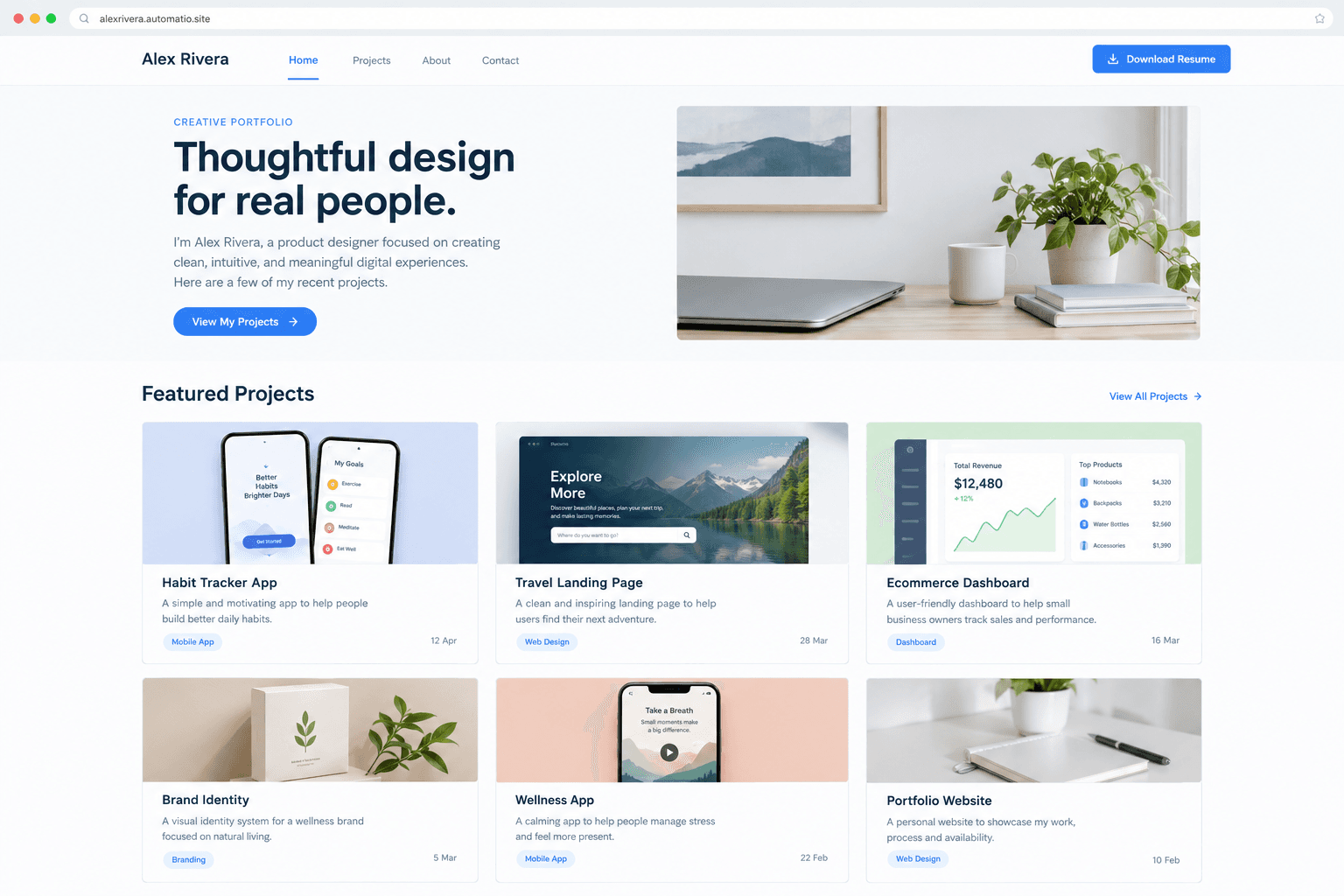
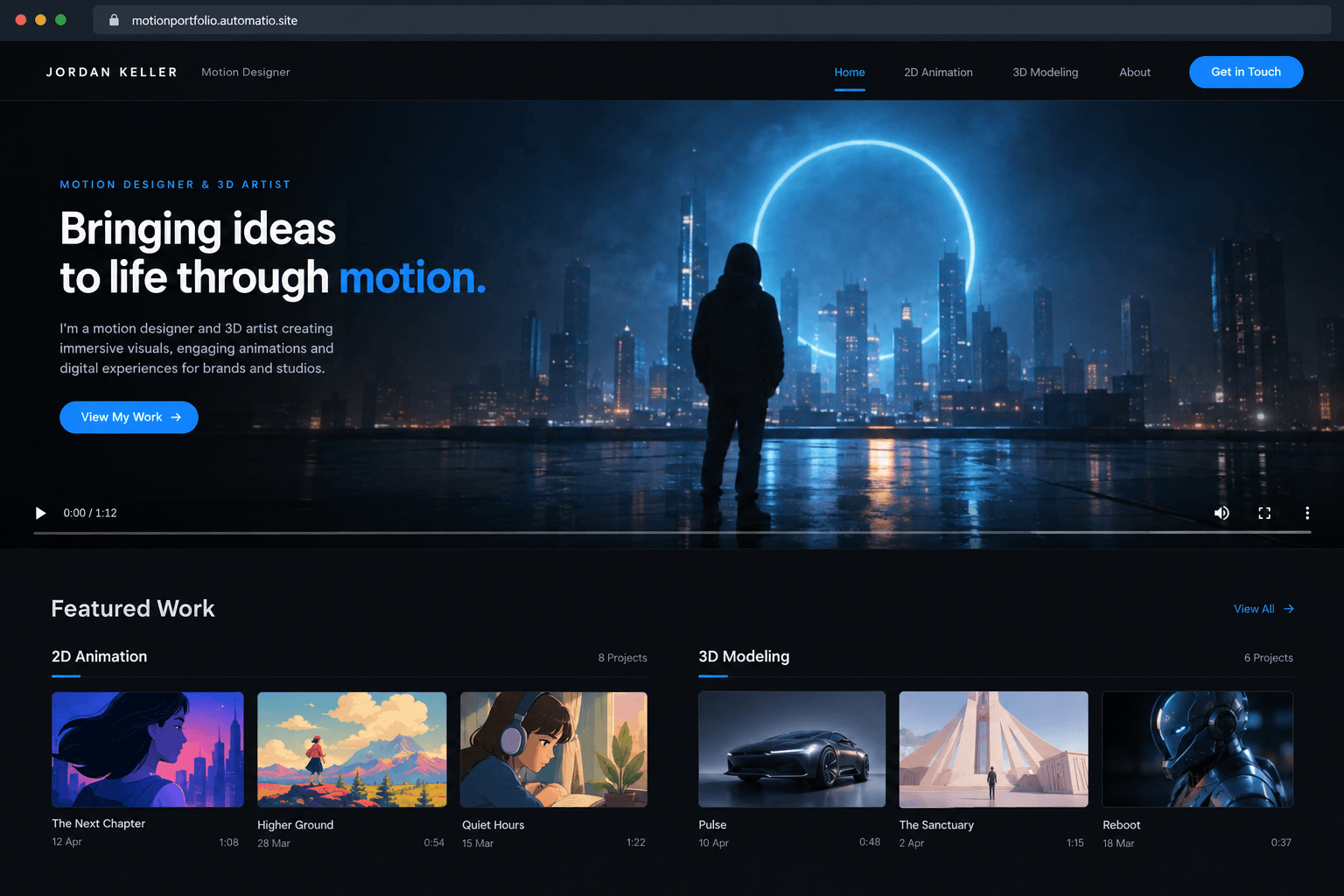
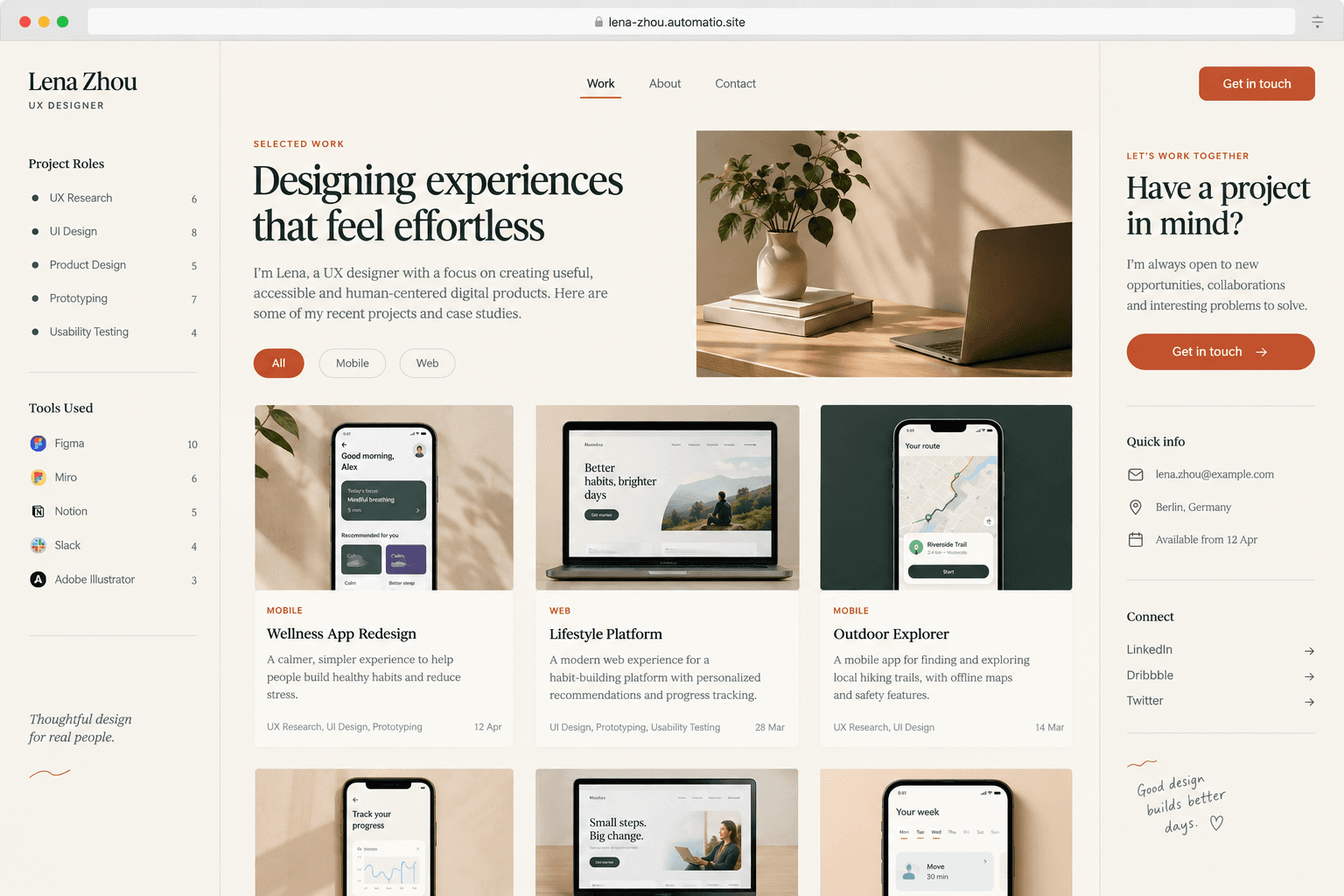
Starting prompt
AI renders of what each prompt could build. Your result will be different.
What's inside
The parts that earn their place — and what each one is actually for.
Case study templates
Present the narrative of your work rather than just a collection of images. Hiring managers use these pages to understand your individual contribution and how you solve design problems. You get structured layouts that keep your process and results organized for fast reading.
- 1Problem and solution breakdown cards
- 2Before and after image comparison sliders
- 3Role and tool requirement badges
- 4Previous and next project navigation links
What's inside
- Case study templates
Present the narrative of your work rather than just a collection of images. Hiring managers use these pages to understand your individual contribution and how you solve design problems. You get structured layouts that keep your process and results organized for fast reading.
- Problem and solution breakdown cards
- Before and after image comparison sliders
- Role and tool requirement badges
- Previous and next project navigation links
- Filterable project grids
Organize your work into clear categories so visitors can find relevant examples quickly. A grid that allows filtering by industry or discipline helps prospective clients see your specific expertise without distraction. The layout adjusts automatically to look clean on any screen size.
- Category toggle pills for fast navigation
- Interactive hover states for project metadata
- Flexible responsive column layouts
- Direct routing to dedicated project subpages
- Lead capture database
On a paid plan, submissions from your contact form are saved directly to a database for easy management. This prevents important inquiries from getting lost in email filters or spam folders. You can review project briefs and client details in one centralized location.
- Custom fields for budget and timeline data
- Form validation for valid contact info
- Database storage for leads on a paid plan
- Success notifications for site visitors
- Interactive media support
Showcase dynamic work using video players and embedded prototype frames. Static screenshots often fail to capture the feel of an app or the fluid motion of a video reel. You can include responsive containers for external media that load without shifting your page layout.
- Embedded video players for reels
- Iframe support for live design prototypes
- Click-to-expand image lightboxes
- Optimized image asset handling
From idea to live site
Four steps, one chat. No setup, no boilerplate, no handoff.
Describe your work
Tell the agent about your creative discipline, the types of projects you showcase, and your preferred aesthetic. Mention specific pages like a gallery, about me, or case studies.
Review the preview
Watch as the agent writes the React code and generates your site layout. You can interact with the live preview to test navigation, contact forms, and mobile responsiveness.
Refine via conversation
Ask for adjustments to typography, spacing, or colors by typing a message. You can add new sections or reorder your projects until the site looks exactly right.
Launch to the web
Publish your portfolio to a free subdomain to go live. If you want a professional brand address, you can connect your own custom domain on a paid plan.
Template, agency, or AI?
The three honest ways to get it built, including where the others win.
| Aspect | Template builder | Agency or freelancer | Automatio |
|---|---|---|---|
| Ownership | Built and hosted inside the platform | You own the final site once the developer delivers the source files | You own the source code and can export it to host anywhere at any time |
| Ongoing changes | You must learn their own visual editor to move elements around | You pay for developer hours whenever you need to add a new project | Describe the changes you want in chat and watch the code update |
| Lead management | Saving form data depends on the platform's plan or plugins | Built-in custom database setup that requires manual security updates | Integrated database saves your form submissions on a paid plan |
| Hosting and setup | Included in the platform fee but limited to their specific servers | You choose and manage your own hosting and SSL certificates | Free subdomain included, or your own domain on a paid plan |
Ownership
Ongoing changes
Lead management
Hosting and setup
Who this is for
Real situations, and what changes once it exists.
a freelance illustrator
Maintaining a site often takes more time than the actual creative work.
You can update your gallery and text just by chatting with the agent, keeping your site fresh without touching a site builder.
- Upload new artwork to the featured gallery on a paid plan
- Update your service pricing list
- Connect a custom domain on a paid plan
a software engineer
Generic site builders output code that feels unprofessional for a developer.
You get a clean, semantic React portfolio that you can export and host yourself, reflecting your technical standards.
- Add a new project with a link to a GitHub repo
- Refine the mobile navigation interaction
- Review inquiry data saved to the database on a paid plan
a creative agency founder
Hiring a developer for a simple agency site is too expensive for a new shop.
You get a custom showcase that reflects your agency brand and stores client leads in a database on a paid plan.
- Add a team biography section with photos
- List new service packages for branding
- Organize client work by industry category
What separates a good one from a bad one
The decisions that matter, and the mistakes that show up in bad examples.
The purpose of a digital portfolio
A site exists to prove competence to a specific viewer. Many creators fail by treating their site as a dump for every project they ever finished. Hiring managers often scan a page quickly, looking for evidence that you understand the relationship between a design choice and a business result. A successful site presents a small selection of high-quality work, framed by a narrative that explains the constraints and the outcome of every project. Every design choice, from the font weight of your headlines to the transition speed of your gallery, should serve the narrative of your professional expertise.
Designing for the scanner
Project grids require clear hierarchy and legible metadata. If a visitor cannot quickly tell what your role was on a project page, they may leave the page. Avoid heavy scroll animations that slow down navigation or hide content behind complex interactions. Professional presentation relies on consistent typography and ample whitespace, ensuring that the work itself remains the focus. For high-resolution media like video reels or large image sets, securing file storage on a paid plan is necessary.
Maintenance and longevity
Portfolios are never truly finished. The friction of updating a site can leave content feeling stagnant and no longer reflective of your current skill level. Choosing a structure that allows for rapid additions of new case studies ensures the site grows alongside your career. When you need to capture inquiries directly into a project management flow, using a database on a paid plan allows you to store and review lead data without relying on personal email inboxes.
Supercharge your workflow with AI Automation
Automatio combines the power of AI agents, web automation, and smart integrations to help you accomplish more in less time.
Get it right the first time
What to specify up front, and what can wait for version two.
Curate your projects
Show your three best projects in depth rather than ten small projects with no context or explanation.
Test on mobile devices
Review your project grid and case studies on a phone to ensure the text is readable and images load properly.
Use clear callouts
Make your contact information and resume download obvious in both the header and the footer of every page.
Track your leads
Use a database on a paid plan to save form submissions so you have a permanent record of client inquiries outside of your inbox.
Related Build with AI


Before you start
The questions people actually ask first.