

Build a Word Game with AI
You get a playable puzzle board, an interactive keyboard, and a rules view powered by a lexicon. Everything is real code you own, published with HTTPS on a free subdomain.
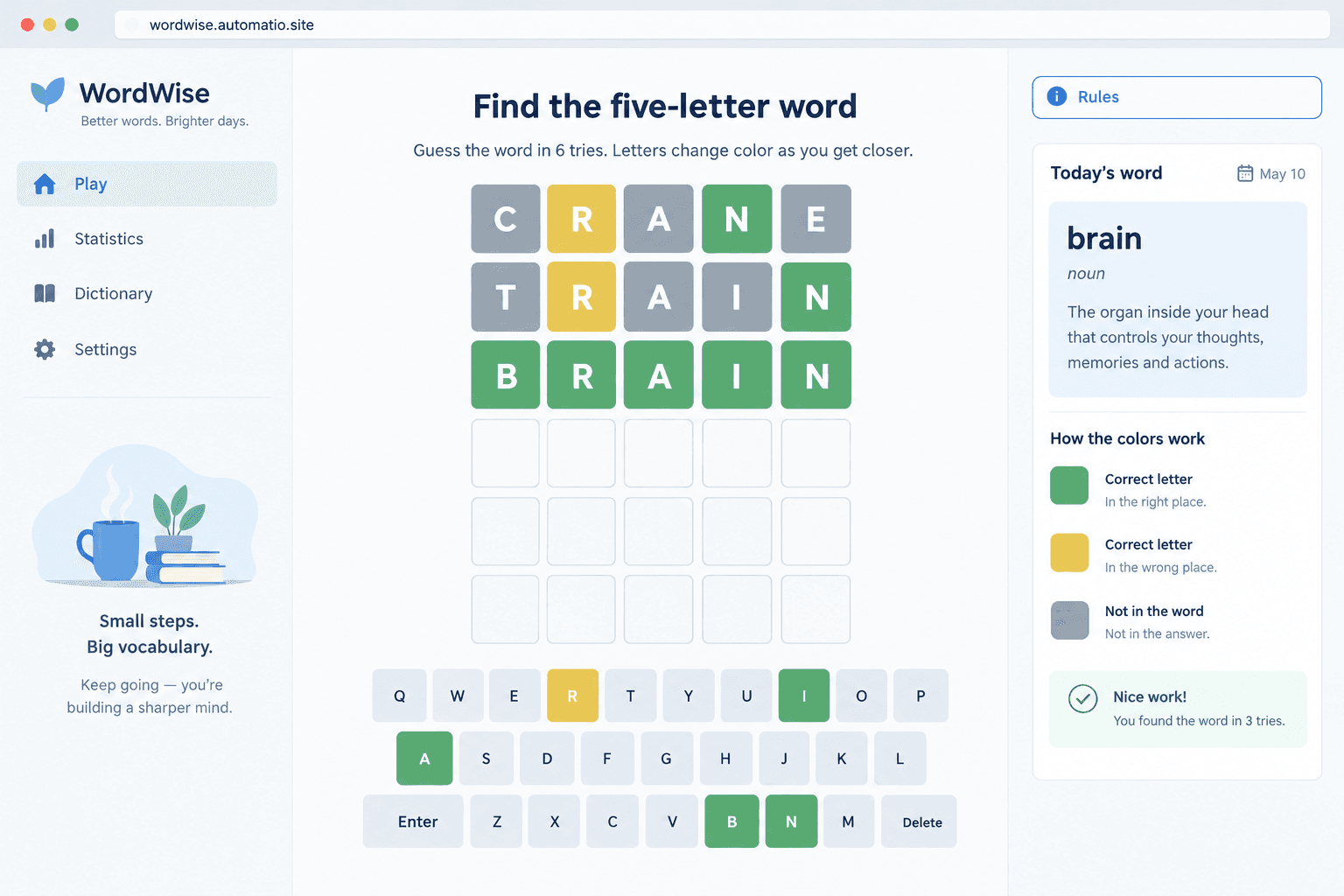
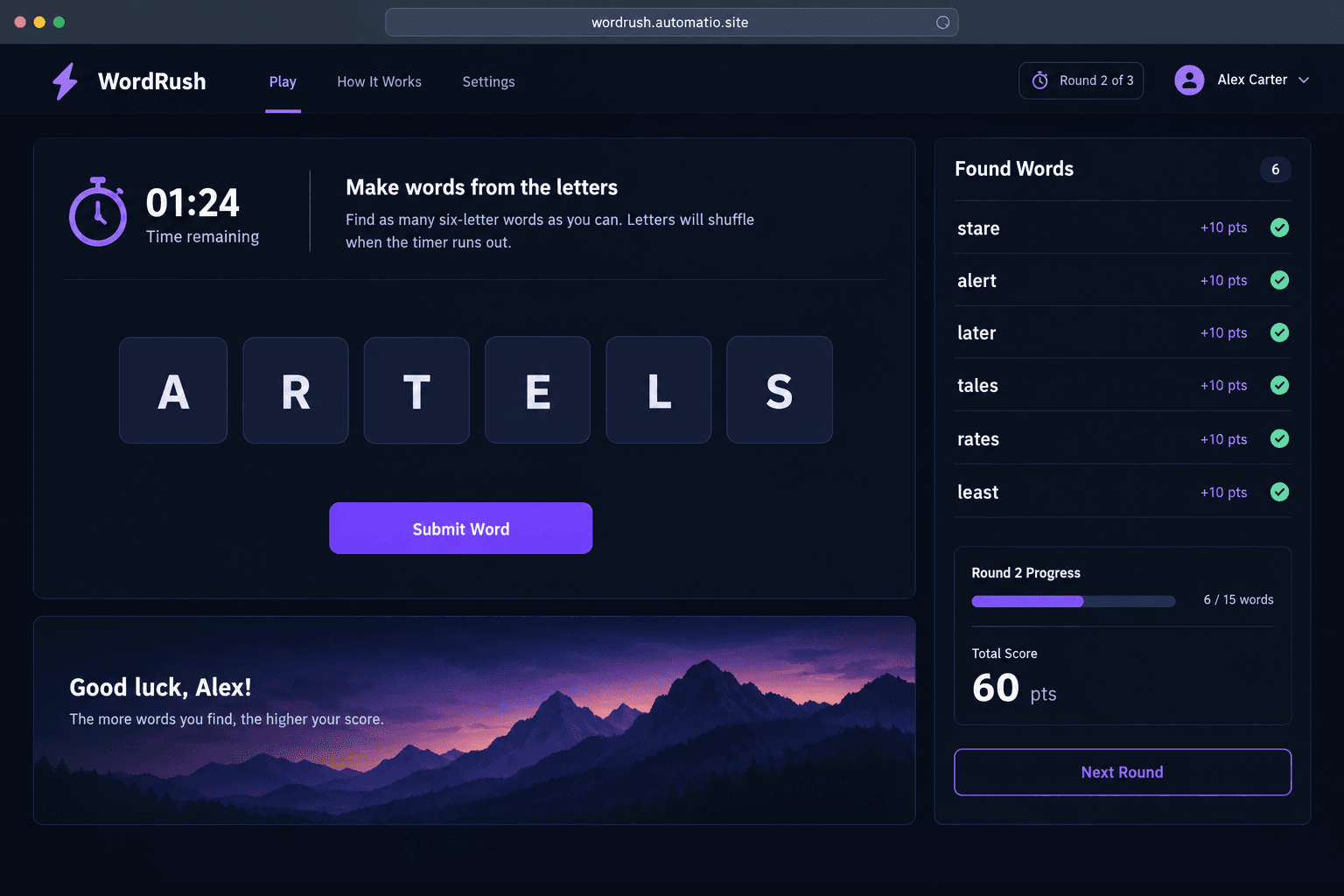
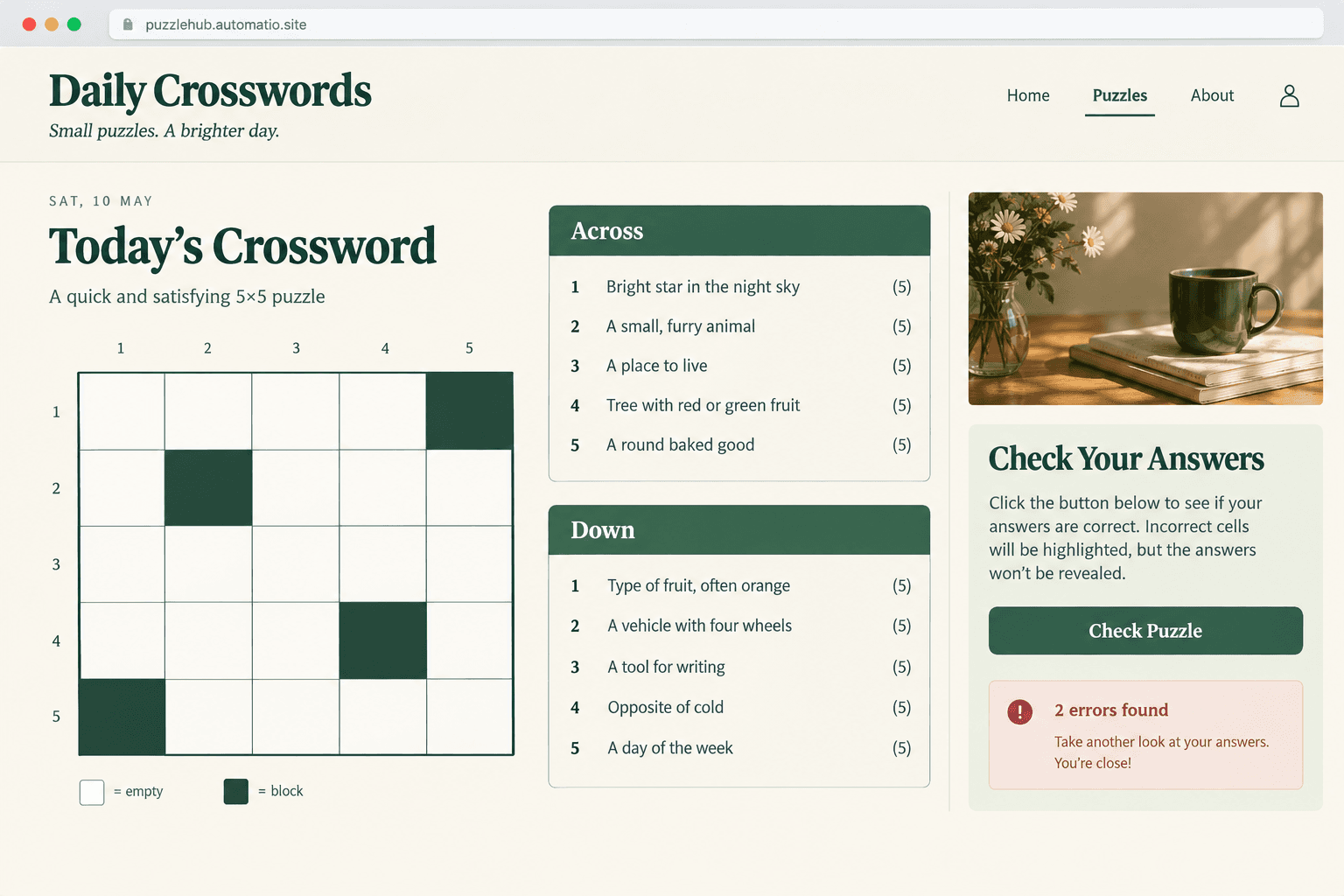
Starting prompt
AI renders of what each prompt could build. Your result will be different.
What's inside
The parts that earn their place — and what each one is actually for.
Dictionary validation engine
Ensure player guesses match recognized English terms before submitting them to the board. The engine runs a local dictionary lookup to verify word validity. It keeps gameplay fair by preventing arbitrary keyboard typing from registering as valid attempts.
- 1Local array of acceptable five-letter words
- 2Rejection state for invalid guess attempts
- 3Expandable dictionary lists for custom vocabularies
- 4Client-side validation without external API dependencies
What's inside
- Dictionary validation engine
Ensure player guesses match recognized English terms before submitting them to the board. The engine runs a local dictionary lookup to verify word validity. It keeps gameplay fair by preventing arbitrary keyboard typing from registering as valid attempts.
- Local array of acceptable five-letter words
- Rejection state for invalid guess attempts
- Expandable dictionary lists for custom vocabularies
- Client-side validation without external API dependencies
- Interactive tile board
Display a responsive grid that accepts keyboard and virtual input with clear visual states. Colored tiles update to signify exact letter matches, misplaced letters, and absent characters. This feedback guides players toward the correct hidden solution across multiple attempts.
- High-contrast color modes for accessibility
- Animated tile flips on submitted rows
- Integrated on-screen touch keyboard
- Locking mechanism for completed attempt rows
- Saved player statistics
On a paid plan, store player win streaks, guess distributions, and match history across multiple sessions. This capability lets players track their performance over days and weeks.
- Persistent win percentage calculations on a paid plan
- Visual guess distribution bar charts on a paid plan
- Max and current streak counters on a paid plan
- Cross-session progress preservation on a paid plan
- Custom puzzle creator
Configure secret words, round limits, and clue hints through a dedicated administration view. On a paid plan, creators can prepare custom daily puzzles for classrooms, corporate events, or themed newsletters. On a paid plan, players access the created challenges via unique shareable links.
- Custom secret word entry screen
- Configurable attempt count from four to eight tries
- Optional definition hints for difficult words
- Shareable puzzle links on a paid plan
From idea to live site
Four steps, one chat. No setup, no boilerplate, no handoff.
Describe your word game
Specify the game rules, board dimensions, word length, and dictionary preferences in the chat. Mention any special mechanics like color feedback or clue definitions.
Playtest in live preview
Try typing words on the interactive board directly inside the workspace preview. Test win states, invalid word handling, and keyboard inputs.
Refine mechanics in chat
Ask for modifications like dark mode styling, alternative tile animations, or different alphabet layouts. The code updates according to your instructions.
Publish to the web
Deploy your game with HTTPS on a free subdomain to share with players. Connecting a custom domain is available on a paid plan.
Template, agency, or AI?
The three honest ways to get it built, including where the others win.
| Aspect | Template builder | Agency or freelancer | Automatio |
|---|---|---|---|
| Code ownership | Hosted within the platform's own engine | You receive custom source files upon contract completion | You own and can export the raw HTML, CSS, and JavaScript |
| Custom game rules | Configured through pre-set visual node editors and engine plugins | An engineering team builds bespoke mechanics to your specification | Described in plain English and generated directly by AI |
| Player accounts | Managed automatically by the platform ecosystem | Engineers build bespoke backend databases and auth services | Available by enabling database options on a paid plan |
| Maintenance | Adjust settings and republish through the visual dashboard | Requires submitting revision tickets and waiting on schedules | Describe required styling or word rule changes in chat |
| Infrastructure | Managed cloud hosting bundled within the platform subscription | Client pays for separate cloud infrastructure and pipelines | Deploys on a free subdomain, or on your domain on a paid plan |
Code ownership
Custom game rules
Player accounts
Maintenance
Infrastructure
Who this is for
Real situations, and what changes once it exists.
an indie puzzle developer
Struggling to code custom game logic, input handlers, and dictionary checks from scratch.
Produces a functional browser game with tile animations and working win conditions without wrestling with game frameworks.
- Test letter validation against custom word lists
- Adjust grid sizes from five to six letters
- Deploy the playable game on a free subdomain
an esl teacher
Off-the-shelf word games include obscure words that confuse language learners.
Builds targeted spelling and vocabulary challenges tailored precisely to classroom lesson plans.
- Load targeted curriculum vocabulary lists
- Set hint definitions for difficult terms
- Share game links with students for homework
a newsletter author
Readers open newsletters passively and bounce without interacting.
Publishes a custom themed word puzzle that subscribers can open from a link.
- Draft weekly themed puzzles for upcoming issues
- Customize color palettes to match branding
- Track daily player completion stats on a paid plan
What separates a good one from a bad one
The decisions that matter, and the mistakes that show up in bad examples.
Handling grid state and logic
A browser puzzle must balance intuitive keyboard controls with responsive visual feedback. Players expect physical keyboard typing to register just as reliably as clicks on an on-screen virtual keyboard. When a guess is submitted, tile animations reveal letter accuracy using clear color indicators: exact position, wrong spot, or absent from the target word. A common hurdle in basic implementations is failing to lock input during letter reveals, which causes stray keystrokes to corrupt the next row. Handling double letters correctly is another frequent difficulty. If a guess contains two copies of a letter but the solution only contains one, the engine must prioritize the green match and only light up a yellow match if a second instance of that letter exists in the target word.
Managing the word lexicon
The core of any word challenge lies in its word list. Developers need to distinguish between allowable guess words and curated answer lists. A player should be able to submit valid but obscure English terms without being greeted by an error message. However, the mystery solutions themselves should stick to recognizable vocabulary so solving remains satisfying rather than frustrating. Hardcoding word lists directly in client-side scripts works cleanly for straightforward casual titles, but rotating secret words daily or saving community completion rates requires a database on a paid plan.
Mobile playability and accessibility
Board layouts need to remain legible on mobile viewports without forcing players to zoom or scroll horizontally. On-screen keyboards must provide ample tap targets while leaving room for the game board. Incorporating high-contrast color modes ensures players with color blindness can distinguish correct positions from partial matches. Simple touches, such as adding a definition window after a win, make the experience educational as well as entertaining.
Supercharge your workflow with AI Automation
Automatio combines the power of AI agents, web automation, and smart integrations to help you accomplish more in less time.
Get it right the first time
What to specify up front, and what can wait for version two.
Split guesses from answers
Use a broad dictionary for valid player guesses while restricting target solutions to common everyday words to avoid unfair losses.
Handle repeated letters early
Specify exact duplicate-letter matching rules in your initial prompt to avoid logic bugs in the grid state machine.
Optimize virtual keyboard sizing
Ensure the virtual keyboard fits neatly into small touchscreens alongside the puzzle grid for better mobile playability.
Plan persistence needs
Store daily win streaks and historical player statistics in a database on a paid plan for long-term engagement.
Related Build with AI


Before you start
The questions people actually ask first.