

Build a Resume Website with AI
A professional site with an interactive career timeline, project gallery, and PDF link. Real code you own, published with HTTPS on a free subdomain.
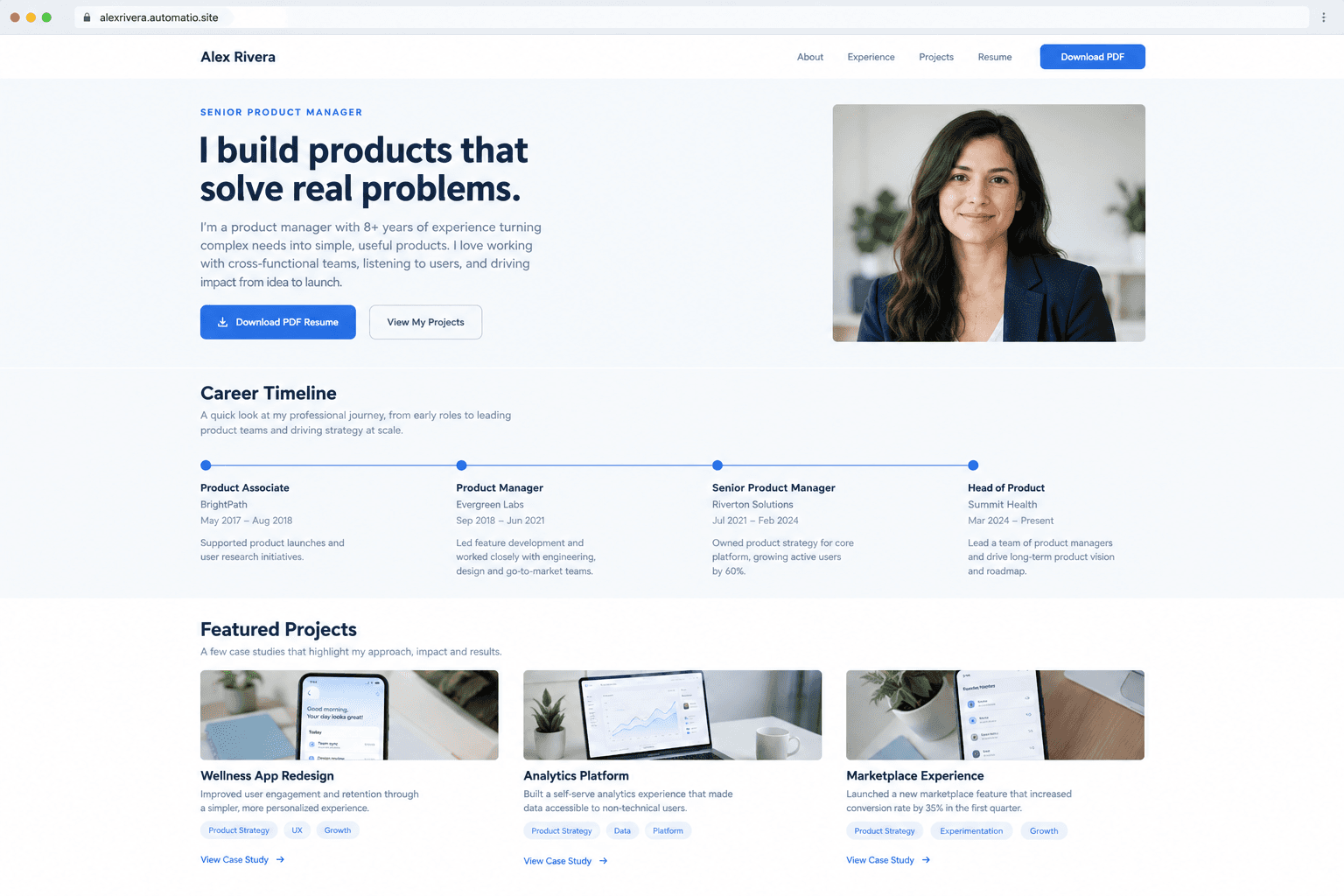
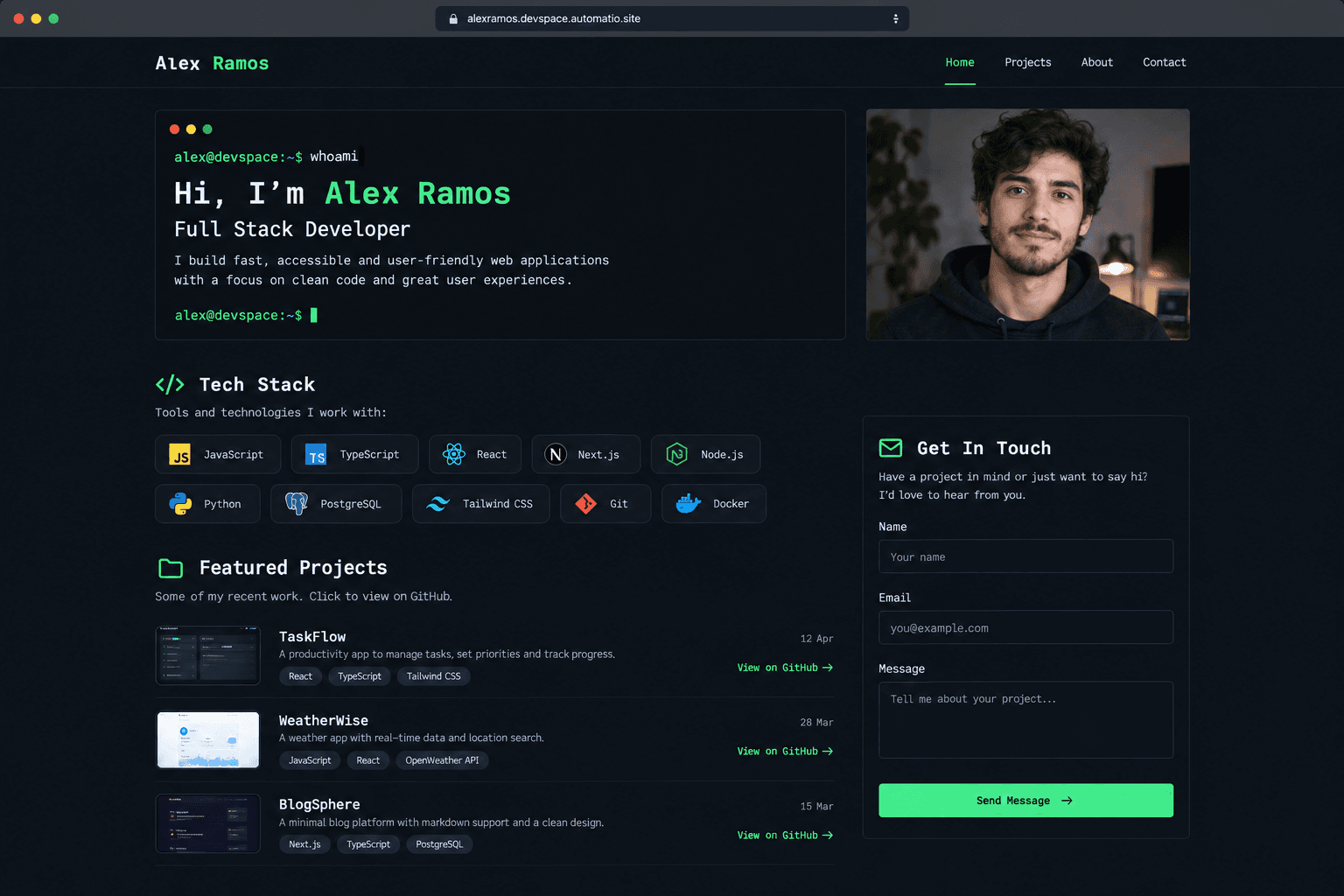
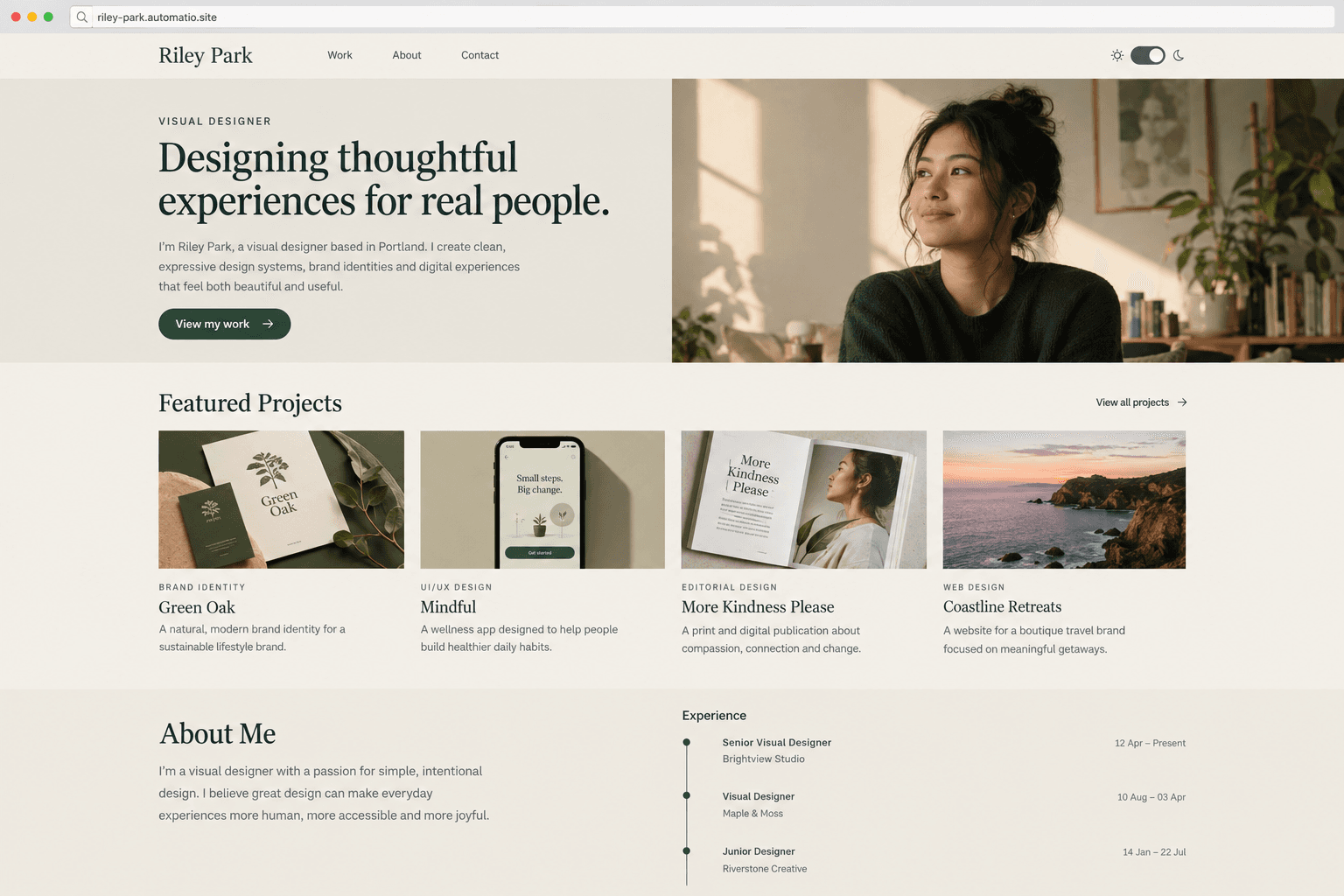
Starting prompt
AI renders of what each prompt could build. Your result will be different.
What's inside
The parts that earn their place — and what each one is actually for.
Interactive career timeline
Move beyond the static bullet points of a paper resume with a scrollable journey through your professional history. This section highlights your progression and milestones in a way that feels dynamic rather than just a list of chores. It helps recruiters visualize your growth and the context of your transitions between roles.
- 1Animated vertical scrolling
- 2Expandable role descriptions
- 3Company logo and date markers
- 4Direct links to project case studies
What's inside
- Interactive career timeline
Move beyond the static bullet points of a paper resume with a scrollable journey through your professional history. This section highlights your progression and milestones in a way that feels dynamic rather than just a list of chores. It helps recruiters visualize your growth and the context of your transitions between roles.
- Animated vertical scrolling
- Expandable role descriptions
- Company logo and date markers
- Direct links to project case studies
- Project gallery cards
Showcase the work behind the titles with dedicated cards for your best projects. Each card holds images, descriptions of your role, and links to live results or repositories. This provides the concrete evidence of your skills that a text-only document lacks.
- Responsive grid for visual work
- Category tags for skill filtering
- Rich text for impact summaries
- Link integration for GitHub or live demos
- Narrative about section
Tell the story of how you work and what you value in a way that a generic profile cannot. This space allows for personality and a conversational tone that helps hiring teams understand your cultural fit before the first call. It bridges the gap between technical skills and professional identity.
- Typewriter effect introductions
- Professional headshot integration
- Social media link buttons
- Personal mission statement area
- Recruiter contact form
Allow interested hiring managers to reach out directly through a professional form. This keeps your personal email address off the page. All submissions are stored for your review on a paid plan.
- Custom fields for role type
- Simple fields to reduce spam
- Saved submissions on a paid plan
- Success message redirects
From idea to live site
Four steps, one chat. No setup, no boilerplate, no handoff.
Describe your career
Start a chat by listing your roles, your proudest projects, and the specific style you want. The AI agent writes the React and TypeScript code from your message.
Review the live preview
Watch the sections of your site appear in a side-by-side window. You see the interactive timeline and project grid come together in the preview as the code is generated.
Refine with a comment
If you want to change a color, add a skill badge, or reorder your experience, just ask in the chat. The agent edits the code and the preview updates to show the change.
Publish and share
Put your site live on a free subdomain with HTTPS included. You can connect a custom domain or add a database for a contact form on a paid plan.
Template, agency, or AI?
The three honest ways to get it built, including where the others win.
| Aspect | Template builder | Agency or freelancer | Automatio |
|---|---|---|---|
| Code ownership | Built and hosted inside the platform | You own the final files | Full source code export |
| Design control | Built on the platform's theme grids | High but slow to change | Conversational edits in chat |
| Content updates | Manual drag and drop | Back-and-forth email cycle | Ask the agent to update text |
| Hosting | Included monthly cost | Self-managed server | Free subdomain or your own on a paid plan |
| PDF bridge | Manual file upload | Designed separately | Built into your site code |
Code ownership
Design control
Content updates
Hosting
PDF bridge
Who this is for
Real situations, and what changes once it exists.
a developer with side projects
A flat PDF cannot show live code or interactive terminal demos.
You host a live portfolio that proves your technical skills through direct action.
- link to live GitHub repositories
- list technical stacks for each project
- review lead inquiries on a paid plan
a designer switching industries
Generic templates fail to tell the story of their transferable skills.
You use a custom narrative layout to bridge the gap between your past and future career focus.
- upload case study screenshots on a paid plan
- adjust brand colors in chat
- connect a custom domain on a paid plan
a senior leader seeking a board seat
Standard resume builders look too informal for executive positioning.
You get a professional profile that highlights strategic impact over daily tasks.
- refine the executive summary
- list board memberships and advisory roles
- leave sensitive details off the public site
What separates a good one from a bad one
The decisions that matter, and the mistakes that show up in bad examples.
The human side of the hire
A traditional PDF resume is designed to pass through an Applicant Tracking System (ATS), which means it is often stripped of personality to ensure it can be parsed. An online presence is the second half of that equation. It is built for the human who reviews your profile after you have passed the initial screen. While a recruiter might only spend a short time on your document, a well-structured site allows them to go deeper into your specific projects and results without the constraints of a one-page document. It provides visual proof of competence that simple text cannot match.
Designing for information density
The most effective sites in this category prioritize information density and clarity over decorative elements. A common mistake is building a site that is too busy with animations that distract from the content. A good build focuses on a strong hero section that states exactly what you do, followed by an interactive timeline that shows your growth. You also have to decide what stays on the main page and what warrants a separate view. Typically, your top three projects should have high-level summaries on the home page, with the option to read a full case study on a dedicated sub-page for those who want the details.
Connecting digital to the document
Your website should never replace your traditional CV; it should enhance it. This means your contact information and a download link for the PDF version must be visible on every page, usually in the header or a floating footer. The goal is to make it as easy as possible for a hiring manager to take the next step. If your site makes them hunt for a way to save your information for their internal files, they are likely to leave. A successful build uses the website to prove competence through visuals and interactive elements, then hands off to the PDF for the formal hiring process.
Supercharge your workflow with AI Automation
Automatio combines the power of AI agents, web automation, and smart integrations to help you accomplish more in less time.
Get it right the first time
What to specify up front, and what can wait for version two.
Quantify your results
Include specific numbers like "increased engagement by 150%" in your experience descriptions. Data provides concrete proof of your impact.
Prioritize the hero fold
Ensure your name, title, and value proposition are visible without scrolling. Reviewers often decide quickly whether to stay on your site.
Include a PDF bridge
Always have a clear download button for your CV in the navigation. Many hiring managers need a file they can print or upload to internal systems.
Limit complex animations
Avoid heavy effects that slow down the page load. A clean, fast-loading site looks more professional than one cluttered with decorative motion.
Related Build with AI


Before you start
The questions people actually ask first.