
How to Scrape American Museum of Natural History (AMNH)
Scrape American Museum of Natural History (AMNH) data. Extract specimens, exhibits, and archives for scientific research and educational use.
Anti-Bot Protection Detected
- Cloudflare
- Enterprise-grade WAF and bot management. Uses JavaScript challenges, CAPTCHAs, and behavioral analysis. Requires browser automation with stealth settings.
- Rate Limiting
- Limits requests per IP/session over time. Can be bypassed with rotating proxies, request delays, and distributed scraping.
- IP Blocking
- Blocks known datacenter IPs and flagged addresses. Requires residential or mobile proxies to circumvent effectively.
- Browser Fingerprinting
- Identifies bots through browser characteristics: canvas, WebGL, fonts, plugins. Requires spoofing or real browser profiles.
About American Museum of Natural History
Learn what American Museum of Natural History offers and what valuable data can be extracted from it.
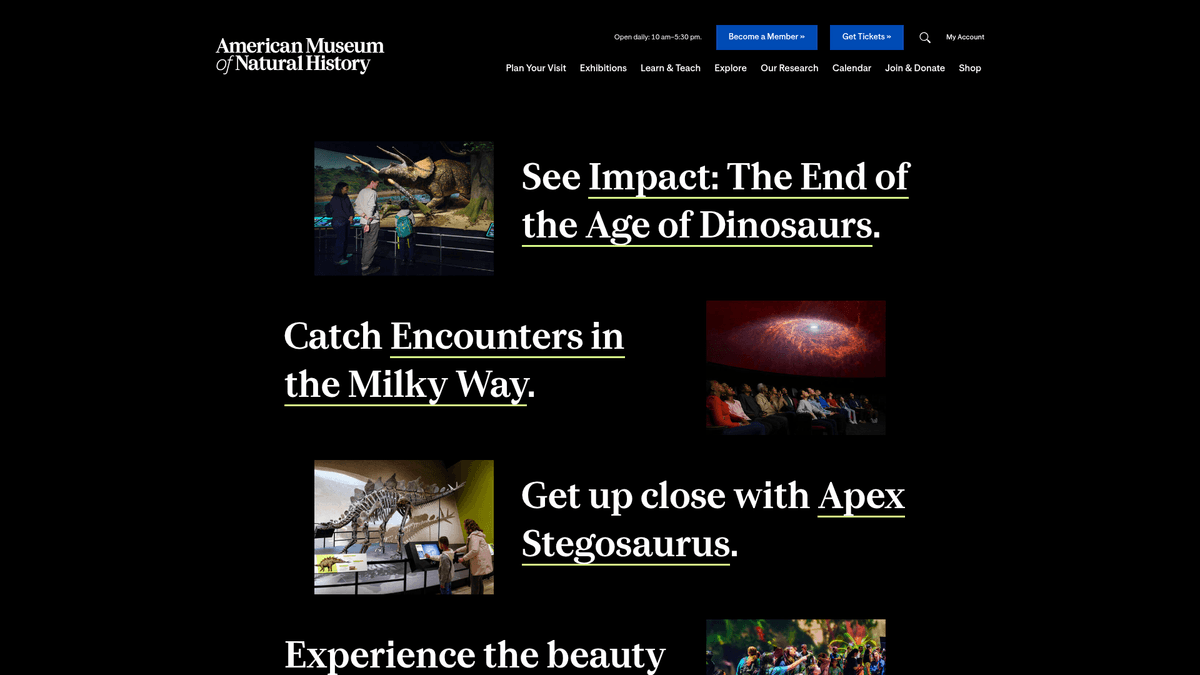
The American Museum of Natural History (AMNH), located in New York City, is one of the world's preeminent scientific and cultural institutions. Founded in 1869, the museum conducts a wide range of scientific research and education programs, housing a massive collection of over 34 million specimens and artifacts. It is particularly famous for its dinosaur halls, ocean life exhibits, and the Rose Center for Earth and Space.
The website contains extensive databases for its archaeological, ethnographic, and biological collections. These digital archives include high-resolution images, detailed metadata on specimens, geographical discovery data, and historical records. These archives are hosted across various subdomains including data.amnh.org and digitalcollections.amnh.org.
For researchers, students, and data scientists, this repository provides a wealth of information spanning billions of years of Earth's history. Scraping this data is essential for modern biodiversity research, digital preservation, and tracking historical scientific expeditions.
Why Scrape American Museum of Natural History?
Discover the business value and use cases for extracting data from American Museum of Natural History.
Global Biodiversity Analysis
Accessing millions of specimen records allows researchers to study species distribution and the impact of climate change on biodiversity over centuries.
Machine Learning Training
High-quality archival images and scientific taxonomies provide an ideal dataset for training computer vision models for species and artifact identification.
Educational Data Aggregation
Developers can scrape exhibition schedules and scientific facts to build educational apps or digital tour guides that stay updated with the museum's latest findings.
Historical Research & Provenance
Scraping archival catalogs helps historians track the discovery, movement, and ownership history of rare artifacts and biological specimens.
Bibliometric Research
Extracting data from the digital library's thousands of scientific publications enables the analysis of research trends and citation networks in natural sciences.
Cultural Heritage Preservation
Digital archives of ethnographic materials can be indexed to monitor and promote the preservation of global cultural heritage across diverse human civilizations.
Scraping Challenges
Technical challenges you may encounter when scraping American Museum of Natural History.
Cloudflare WAF Protection
The museum uses aggressive Cloudflare security that triggers CAPTCHAs and JS challenges if it detects automated browser fingerprints or high-speed traffic.
Complex AJAX-Loaded Catalogs
Many search result pages use internal API calls and dynamic loading, meaning standard HTML scrapers will often return empty results without JavaScript execution.
Deeply Nested Table Structures
Scientific metadata is often stored in legacy HTML table structures with inconsistent nesting, making it difficult to maintain reliable CSS selectors across different departments.
Massive Pagination Scale
With databases containing millions of items, navigating through thousands of paginated search results requires efficient session management to avoid memory leaks or timeouts.
Subdomain Fragmentation
Data is scattered across various subdomains like data.amnh.org and digitallibrary.amnh.org, each with slightly different security settings and page layouts.
Scrape American Museum of Natural History with AI
No coding required. Extract data in minutes with AI-powered automation.
How It Works
Describe What You Need
Tell the AI what data you want to extract from American Museum of Natural History. Just type it in plain language — no coding or selectors needed.
AI Extracts the Data
Our artificial intelligence navigates American Museum of Natural History, handles dynamic content, and extracts exactly what you asked for.
Get Your Data
Receive clean, structured data ready to export as CSV, JSON, or send directly to your apps and workflows.
Why Use AI for Scraping
AI makes it easy to scrape American Museum of Natural History without writing any code. Our AI-powered platform uses artificial intelligence to understand what data you want — just describe it in plain language and the AI extracts it automatically.
How to scrape with AI:
- Describe What You Need: Tell the AI what data you want to extract from American Museum of Natural History. Just type it in plain language — no coding or selectors needed.
- AI Extracts the Data: Our artificial intelligence navigates American Museum of Natural History, handles dynamic content, and extracts exactly what you asked for.
- Get Your Data: Receive clean, structured data ready to export as CSV, JSON, or send directly to your apps and workflows.
Why use AI for scraping:
- Automated Anti-Bot Solving: Automatio automatically handles complex browser fingerprints and Cloudflare challenges, ensuring your extraction continues without being blocked by security walls.
- Visual Specimen Selection: Instead of writing complex CSS selectors for scientific tables, you can visually click the data fields you need across any of the museum's diverse subdomains.
- Smart Pagination Management: Effortlessly crawl through thousands of archive pages by simply pointing Automatio to the 'Next' button or defining a range of page numbers to visit.
- Scheduled Data Syncing: Set your scraper to run on a weekly or monthly schedule to automatically capture new research publications and exhibition announcements as they are posted.
- Integrated Proxy Rotation: Automatio's built-in residential proxy support prevents IP-based rate limiting, allowing you to scrape large volumes of specimen data safely and consistently.
No-Code Web Scrapers for American Museum of Natural History
Point-and-click alternatives to AI-powered scraping
Several no-code tools like Browse.ai, Octoparse, Axiom, and ParseHub can help you scrape American Museum of Natural History. These tools use visual interfaces to select elements, but they come with trade-offs compared to AI-powered solutions.
Typical Workflow with No-Code Tools
Common Challenges
Learning curve
Understanding selectors and extraction logic takes time
Selectors break
Website changes can break your entire workflow
Dynamic content issues
JavaScript-heavy sites often require complex workarounds
CAPTCHA limitations
Most tools require manual intervention for CAPTCHAs
IP blocking
Aggressive scraping can get your IP banned
No-Code Web Scrapers for American Museum of Natural History
Several no-code tools like Browse.ai, Octoparse, Axiom, and ParseHub can help you scrape American Museum of Natural History. These tools use visual interfaces to select elements, but they come with trade-offs compared to AI-powered solutions.
Typical Workflow with No-Code Tools
- Install browser extension or sign up for the platform
- Navigate to the target website and open the tool
- Point-and-click to select data elements you want to extract
- Configure CSS selectors for each data field
- Set up pagination rules to scrape multiple pages
- Handle CAPTCHAs (often requires manual solving)
- Configure scheduling for automated runs
- Export data to CSV, JSON, or connect via API
Common Challenges
- Learning curve: Understanding selectors and extraction logic takes time
- Selectors break: Website changes can break your entire workflow
- Dynamic content issues: JavaScript-heavy sites often require complex workarounds
- CAPTCHA limitations: Most tools require manual intervention for CAPTCHAs
- IP blocking: Aggressive scraping can get your IP banned
Code Examples
import requests
from bs4 import BeautifulSoup

# Target URL for museum staff directory
url = 'https://www.amnh.org/research/staff-directory'
headers = {'User-Agent': 'Mozilla/5.0 (Windows NT 10.0; Win64; x64) AppleWebKit/537.36'}

try:
    response = requests.get(url, headers=headers)
    response.raise_for_status()
    soup = BeautifulSoup(response.text, 'html.parser')

    # Extract staff members
    staff_list = soup.select('.staff-member-card')
    for staff in staff_list:
        name = staff.select_one('.name').text.strip()
        print(f'Staff Name: {name}')
except Exception as e:
    print(f'Error: {e}')
When to Use
Best for static HTML pages where content is loaded server-side. The fastest and simplest approach when JavaScript rendering isn't required.
Advantages
- ●Fastest execution (no browser overhead)
- ●Lowest resource consumption
- ●Easy to parallelize with asyncio
- ●Great for APIs and static pages
Limitations
- ●Cannot execute JavaScript
- ●Fails on SPAs and dynamic content
- ●May struggle with complex anti-bot systems
How to Scrape American Museum of Natural History with Code
Python + Requests
import requests
from bs4 import BeautifulSoup
# Target URL for museum staff directory
url = 'https://www.amnh.org/research/staff-directory'
headers = {'User-Agent': 'Mozilla/5.0 (Windows NT 10.0; Win64; x64) AppleWebKit/537.36'}
try:
response = requests.get(url, headers=headers)
response.raise_for_status()
soup = BeautifulSoup(response.text, 'html.parser')
# Extract staff members
staff_list = soup.select('.staff-member-card')
for staff in staff_list:
name = staff.select_one('.name').text.strip()
print(f'Staff Name: {name}')
except Exception as e:
print(f'Error: {e}')Python + Playwright
from playwright.sync_api import sync_playwright

def run():
    with sync_playwright() as p:
        browser = p.chromium.launch(headless=True)
        page = browser.new_page()
        page.goto('https://data.amnh.org/anthropology/collections')

        # Wait for dynamic results to load
        page.wait_for_selector('.specimen-result-item')

        # Extract data
        items = page.eval_on_selector_all('.specimen-result-item', 'elements => elements.map(e => e.innerText)')
        for item in items:
            print(item)

        browser.close()
run()Python + Scrapy
import scrapy

class AmnhSpider(scrapy.Spider):
    name = 'amnh'
    start_urls = ['https://www.amnh.org/exhibitions']

    def parse(self, response):
        # Scrape exhibit titles and links
        for exhibit in response.css('.exhibit-card'):
            yield {
                'title': exhibit.css('.title::text').get(),
                'link': exhibit.css('a::attr(href)').get()
            }

        # Follow pagination if available
        next_page = response.css('a.next::attr(href)').get()
        if next_page:
yield response.follow(next_page, self.parse)Node.js + Puppeteer
const puppeteer = require('puppeteer');

(async () => {
  const browser = await puppeteer.launch();
  const page = await browser.newPage();
  await page.goto('https://www.amnh.org/calendar');

  // Wait for the calendar events to load
  await page.waitForSelector('.event-item');

  const events = await page.evaluate(() => {
    return Array.from(document.querySelectorAll('.event-item')).map(event => ({
      title: event.querySelector('.event-title').innerText,
      date: event.querySelector('.event-date').innerText
    }));
  });

  console.log(events);
  await browser.close();
})();What You Can Do With American Museum of Natural History Data
Explore practical applications and insights from American Museum of Natural History data.
Biodiversity Monitoring System
Aggregate biological specimen records to create a historical species distribution map.
How to implement:
- 1Scrape specimen discovery coordinates and dates.
- 2Normalize geographical data for mapping.
- 3Integrate data into GIS software to analyze population shifts over time.
Use Automatio to extract data from American Museum of Natural History and build these applications without writing code.
What You Can Do With American Museum of Natural History Data
- Biodiversity Monitoring System
Aggregate biological specimen records to create a historical species distribution map.
- Scrape specimen discovery coordinates and dates.
- Normalize geographical data for mapping.
- Integrate data into GIS software to analyze population shifts over time.
- Educational Content Hub
Create an automated portal for students to explore high-quality museum exhibits remotely.
- Extract high-resolution images and detailed exhibit text.
- Categorize data by scientific field (e.g., Paleontology, Zoology).
- Update the portal weekly with new exhibit data.
- Researcher Staff Directory
Build a database of specialized scientists to facilitate academic collaboration.
- Scrape the research staff directory for names, roles, and emails.
- Index profiles by area of expertise.
- Set up alerts for new research publications or blog posts.
- Historical Artifact Index
Develop a searchable catalog of ethnographic items for cultural studies.
- Scrape catalog numbers and cultural descriptions from the anthropology database.
- Cross-reference material types with geographic origins.
- Analyze artistic trends across different civilizations.
- Museum Event Tracker
Monitor exhibition schedules and ticket prices for competitive analysis or tourism apps.
- Scrape the AMNH calendar and ticketed exhibition pages.
- Extract event dates and entry fees.
- Export data to a calendar feed for tourism platforms.
Supercharge your workflow with AI Automation
Automatio combines the power of AI agents, web automation, and smart integrations to help you accomplish more in less time.
What to get right first
Expert advice for successfully extracting data from American Museum of Natural History.
Utilize OAI-PMH Protocols
For the Digital Library, check for OAI-PMH endpoints. These are designed for harvesting metadata and are much more stable and polite than scraping the frontend HTML.
Analyze the Network Tab
Open your browser's developer tools and look for XHR/Fetch requests. You can often find internal JSON endpoints that provide cleaner data than the visible website.
Check the XML Sitemap
Visit amnh.org/sitemap.xml to find a structured list of thousands of deep links. This is often the fastest way to discover and scrape individual specimen pages.
Implement Random Delays
To avoid triggering rate limits, set a random delay between 5 and 15 seconds for each request, mimicking the behavior of a human researcher browsing the site.
Target Scientific Subdomains
Focus your efforts on data.amnh.org for structured specimen catalogs, as these pages often contain more detailed metadata than the main informational site.
Extract Text from PDFs
If you are scraping research publications, ensure your pipeline includes a step to download and parse PDFs, as much of the scientific detail is contained within these files.
Related Web Scraping

How to Scrape GitHub | The Ultimate 2025 Technical Guide

How to Scrape Pollen.com: Local Allergy Data Extraction Guide

How to Scrape Britannica: Educational Data Web Scraper

How to Scrape RethinkEd: A Technical Data Extraction Guide

How to Scrape Wikipedia: The Ultimate Web Scraping Guide

How to Scrape Weather.com: A Guide to Weather Data Extraction

How to Scrape Worldometers for Real-Time Global Statistics
How to Scrape Poll-Maker: A Comprehensive Web Scraping Guide
Frequently Asked Questions
Find answers to common questions about American Museum of Natural History