
How to Scrape Wikipedia: The Ultimate Web Scraping Guide
Discover how to scrape Wikipedia data like article text, infoboxes, and categories. Learn the best tools and tips for efficient Wikipedia web scraping for...
Anti-Bot Protection Detected
- Rate Limiting
- Limits requests per IP/session over time. Can be bypassed with rotating proxies, request delays, and distributed scraping.
- User-Agent Filtering
- IP Blocking
- Blocks known datacenter IPs and flagged addresses. Requires residential or mobile proxies to circumvent effectively.
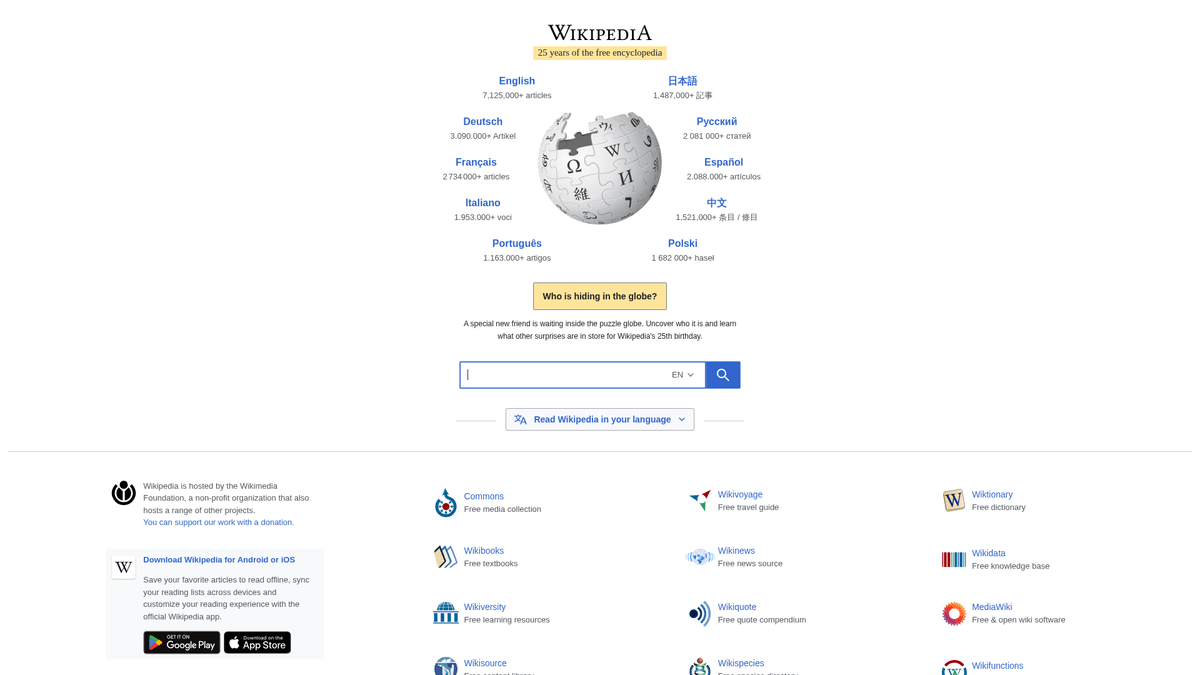
About Wikipedia
Learn what Wikipedia offers and what valuable data can be extracted from it.
The World's Knowledge Base
Wikipedia is a free, multilingual online encyclopedia written and maintained by a community of volunteers through a model of open collaboration and using a wiki-based editing system. It is the largest and most-read reference work in history and serves as a fundamental source of information for the global public. Owned by the Wikimedia Foundation, it contains tens of millions of articles across hundreds of languages.
Wealth of Structured Data
The website hosts a vast amount of structured and semi-structured data, including article titles, full-text descriptions, hierarchical categories, infoboxes containing specific attributes, and geographic coordinates for locations. Every article is extensively cross-linked and backed by references, making it one of the most interconnected datasets available on the web.
Business and Research Value
Scraping Wikipedia is highly valuable for a wide range of applications, including training Large Language Models (LLMs), building knowledge graphs, conducting academic research, and performing entity linking. Its open-license nature (Creative Commons) makes it a preferred choice for developers and researchers looking for high-quality, verified data for data enrichment and competitive intelligence.
Why Scrape Wikipedia?
Discover the business value and use cases for extracting data from Wikipedia.
Large Scale AI Training
Wikipedia provides one of the world's most high-quality, multilingual text corpora essential for training LLMs and NLP models.
Knowledge Graph Construction
Structured data from infoboxes allows researchers to build complex relational databases and semantic knowledge graphs with verified facts.
Historical Trend Analysis
Scraping article revision histories enables the study of how public perception and scientific facts evolve over long periods of time.
Automated Fact-Checking
Populate real-time fact-checking tools by verifying claims against verified encyclopedic entries and citations programmatically.
Market and Industry Intelligence
Track corporate histories, leadership changes, and sector trends by extracting data from specific industry-related article categories.
Entity Linking and SEO
Use Wikipedia's internal link structure to enrich your own datasets with authoritative entity relationships and canonical IDs.
Scraping Challenges
Technical challenges you may encounter when scraping Wikipedia.
Aggressive Rate Limiting
Wikipedia monitors request frequency heavily and will block IPs that exceed thresholds without identifying themselves properly via headers.
Infobox Template Variance
Different topics use entirely different internal templates (e.g., 'Template:Infobox person' vs 'Template:Infobox company'), making universal parsing difficult.
Massive Data Volume
With over 60 million articles across hundreds of languages, managing storage and processing power for a full-site scrape is a significant hurdle.
Evolving Bot Detection
Due to server strain from AI crawlers in 2025, Wikimedia has implemented more sophisticated TLS fingerprinting and traffic analysis to manage bot load.
HTML Structural Complexity
The parser output can contain deeply nested tables and complex Wikitext artifacts that require advanced cleaning to extract pure text.
Scrape Wikipedia with AI
No coding required. Extract data in minutes with AI-powered automation.
How It Works
Describe What You Need
Tell the AI what data you want to extract from Wikipedia. Just type it in plain language — no coding or selectors needed.
AI Extracts the Data
Our artificial intelligence navigates Wikipedia, handles dynamic content, and extracts exactly what you asked for.
Get Your Data
Receive clean, structured data ready to export as CSV, JSON, or send directly to your apps and workflows.
Why Use AI for Scraping
AI makes it easy to scrape Wikipedia without writing any code. Our AI-powered platform uses artificial intelligence to understand what data you want — just describe it in plain language and the AI extracts it automatically.
How to scrape with AI:
- Describe What You Need: Tell the AI what data you want to extract from Wikipedia. Just type it in plain language — no coding or selectors needed.
- AI Extracts the Data: Our artificial intelligence navigates Wikipedia, handles dynamic content, and extracts exactly what you asked for.
- Get Your Data: Receive clean, structured data ready to export as CSV, JSON, or send directly to your apps and workflows.
Why use AI for scraping:
- Visual No-Code Selection: Select specific elements like Infobox keys, table rows, or category links visually without writing complex CSS selectors or RegEx.
- Built-in Proxy Rotation: Automatically rotate through residential and data center proxies to bypass rate limits and avoid IP-based blocking during large scrapes.
- Automated Pagination Handling: Effortlessly navigate through deep category hierarchies or search results using Automatio's intelligent next-page detection features.
- Cloud-Based Scheduling: Run your scraping tasks on cloud servers and set them to repeat at specific intervals to monitor article revisions or new additions automatically.
- Direct Data Integration: Seamlessly export your scraped Wikipedia data to Google Sheets, CSV, or via Webhooks into your own production database.
No-Code Web Scrapers for Wikipedia
Point-and-click alternatives to AI-powered scraping
Several no-code tools like Browse.ai, Octoparse, Axiom, and ParseHub can help you scrape Wikipedia. These tools use visual interfaces to select elements, but they come with trade-offs compared to AI-powered solutions.
Typical Workflow with No-Code Tools
Common Challenges
Learning curve
Understanding selectors and extraction logic takes time
Selectors break
Website changes can break your entire workflow
Dynamic content issues
JavaScript-heavy sites often require complex workarounds
CAPTCHA limitations
Most tools require manual intervention for CAPTCHAs
IP blocking
Aggressive scraping can get your IP banned
No-Code Web Scrapers for Wikipedia
Several no-code tools like Browse.ai, Octoparse, Axiom, and ParseHub can help you scrape Wikipedia. These tools use visual interfaces to select elements, but they come with trade-offs compared to AI-powered solutions.
Typical Workflow with No-Code Tools
- Install browser extension or sign up for the platform
- Navigate to the target website and open the tool
- Point-and-click to select data elements you want to extract
- Configure CSS selectors for each data field
- Set up pagination rules to scrape multiple pages
- Handle CAPTCHAs (often requires manual solving)
- Configure scheduling for automated runs
- Export data to CSV, JSON, or connect via API
Common Challenges
- Learning curve: Understanding selectors and extraction logic takes time
- Selectors break: Website changes can break your entire workflow
- Dynamic content issues: JavaScript-heavy sites often require complex workarounds
- CAPTCHA limitations: Most tools require manual intervention for CAPTCHAs
- IP blocking: Aggressive scraping can get your IP banned
Code Examples
import requests
from bs4 import BeautifulSoup

# Wikipedia URL to scrape
url = 'https://en.wikipedia.org/wiki/Web_scraping'
# Wikimedia suggests identifying your bot in the User-Agent
headers = {'User-Agent': 'DataScraperBot/1.0 (contact@example.com)'}

try:
    response = requests.get(url, headers=headers)
    response.raise_for_status() # Raise error for bad status codes

    soup = BeautifulSoup(response.text, 'html.parser')

    # Extracting the main title
    title = soup.find('h1', id='firstHeading').text
    print(f'Article Title: {title}')

    # Extracting the first paragraph of the lead section
    first_para = soup.find('div', class_='mw-parser-output').p.text
    print(f'Summary Snippet: {first_para}')

except requests.exceptions.RequestException as e:
    print(f'An error occurred: {e}')
When to Use
Best for static HTML pages where content is loaded server-side. The fastest and simplest approach when JavaScript rendering isn't required.
Advantages
- ●Fastest execution (no browser overhead)
- ●Lowest resource consumption
- ●Easy to parallelize with asyncio
- ●Great for APIs and static pages
Limitations
- ●Cannot execute JavaScript
- ●Fails on SPAs and dynamic content
- ●May struggle with complex anti-bot systems
How to Scrape Wikipedia with Code
Python + Requests
import requests
from bs4 import BeautifulSoup
# Wikipedia URL to scrape
url = 'https://en.wikipedia.org/wiki/Web_scraping'
# Wikimedia suggests identifying your bot in the User-Agent
headers = {'User-Agent': 'DataScraperBot/1.0 (contact@example.com)'}
try:
response = requests.get(url, headers=headers)
response.raise_for_status() # Raise error for bad status codes
soup = BeautifulSoup(response.text, 'html.parser')
# Extracting the main title
title = soup.find('h1', id='firstHeading').text
print(f'Article Title: {title}')
# Extracting the first paragraph of the lead section
first_para = soup.find('div', class_='mw-parser-output').p.text
print(f'Summary Snippet: {first_para}')
except requests.exceptions.RequestException as e:
print(f'An error occurred: {e}')Python + Playwright
from playwright.sync_api import sync_playwright

def scrape_wikipedia():
    with sync_playwright() as p:
        # Launch headless browser
        browser = p.chromium.launch(headless=True)
        page = browser.new_page()

        # Navigate to a random Wikipedia article
        page.goto('https://en.wikipedia.org/wiki/Special:Random')

        # Wait for the heading element to load
        page.wait_for_selector('#firstHeading')

        # Extract the title
        title = page.inner_text('#firstHeading')
        print(f'Random Article Title: {title}')

        # Close the browser session
        browser.close()

if __name__ == '__main__':
scrape_wikipedia()Python + Scrapy
import scrapy

class WikiSpider(scrapy.Spider):
    name = 'wiki_spider'
    allowed_domains = ['en.wikipedia.org']
    # Starting with a category page to crawl multiple articles
    start_urls = ['https://en.wikipedia.org/wiki/Category:Web_scraping']

    def parse(self, response):
        # Extract all article links from the category page
        links = response.css('.mw-category-group a::attr(href)').getall()
        for link in links:
            yield response.follow(link, self.parse_article)

    def parse_article(self, response):
        # Yield structured data for each article page
        yield {
            'title': response.css('#firstHeading::text').get(),
            'url': response.url,
            'categories': response.css('#mw-normal-catlinks ul li a::text').getall()
}Node.js + Puppeteer
const puppeteer = require('puppeteer');

(async () => {
  // Launch the browser
  const browser = await puppeteer.launch();
  const page = await browser.newPage();

  // Set a custom User-Agent to avoid generic bot blocks
  await page.setUserAgent('MyResearchScraper/1.0');

  // Navigate to target article
  await page.goto('https://en.wikipedia.org/wiki/Artificial_intelligence');

  // Execute script in the context of the page to extract data
  const pageData = await page.evaluate(() => {
    const title = document.querySelector('#firstHeading').innerText;
    const firstSection = document.querySelector('.mw-parser-output > p:not(.mw-empty-elt)').innerText;
    return { title, firstSection };
  });

  console.log('Title:', pageData.title);
  await browser.close();
})();What You Can Do With Wikipedia Data
Explore practical applications and insights from Wikipedia data.
Machine Learning Training Datasets
Researchers benefit by using the vast, multilingual text to train and fine-tune language models.
How to implement:
- 1Download article dumps via Wikimedia's public dumps.
- 2Clean Wikitext using parsers like mwparserfromhell.
- 3Tokenize and structure text for model ingestion.
Use Automatio to extract data from Wikipedia and build these applications without writing code.
What You Can Do With Wikipedia Data
- Machine Learning Training Datasets
Researchers benefit by using the vast, multilingual text to train and fine-tune language models.
- Download article dumps via Wikimedia's public dumps.
- Clean Wikitext using parsers like mwparserfromhell.
- Tokenize and structure text for model ingestion.
- Automated Knowledge Graph Building
Tech companies can build structured relationship maps between entities for search engine optimization.
- Scrape infoboxes to identify entity attributes.
- Extract internal links to define relationships between articles.
- Map extracted data to ontologies like DBpedia or Wikidata.
- Historical Revision Tracking
Journalists and historians benefit by monitoring how facts change over time on controversial topics.
- Scrape the 'History' tab of specific articles.
- Extract diffs between specific revision IDs.
- Analyze editing patterns and user contribution frequencies.
- Geographic Data Mapping
Travel and logistics apps can extract coordinates of landmarks to build custom map layers.
- Filter for articles within 'Category:Coordinates'.
- Extract latitude and longitude attributes from the HTML.
- Format data for GIS software or Google Maps API.
- Sentiment and Bias Analysis
Social scientists use the data to study cultural biases across different language versions of the same article.
- Scrape the same article across multiple language subdomains.
- Perform translation or cross-lingual sentiment analysis.
- Identify differences in coverage or framing of historical events.
Supercharge your workflow with AI Automation
Automatio combines the power of AI agents, web automation, and smart integrations to help you accomplish more in less time.
What to get right first
Expert advice for successfully extracting data from Wikipedia.
Prioritize the Official API
The MediaWiki Action API is the most stable method for data extraction, providing structured JSON and reducing server overhead.
Identity Your Scraper
Always include a descriptive User-Agent string that includes your project name and a contact email to help Wikimedia staff identify your bot.
Utilize Database Dumps
For massive, site-wide analysis, download the official XML/SQL dumps from dumps.wikimedia.org instead of crawling live pages.
Monitor Last-Modified Headers
Use HTTP HEAD requests to check the 'Last-Modified' date before scraping to avoid re-extracting data from articles that haven't changed.
Leverage Language Subdomains
Target specific subdomains like 'es.wikipedia.org' or 'de.wikipedia.org' to gather localized information that may not exist in the English version.
Target the Correct CSS Classes
Focus your scraper on '.mw-parser-output' for main text and '.infobox' for structured data to filter out unwanted sidebar and footer noise.
Related Web Scraping

How to Scrape GitHub | The Ultimate 2025 Technical Guide

How to Scrape Pollen.com: Local Allergy Data Extraction Guide

How to Scrape Worldometers for Real-Time Global Statistics

How to Scrape RethinkEd: A Technical Data Extraction Guide

How to Scrape Weather.com: A Guide to Weather Data Extraction

How to Scrape Britannica: Educational Data Web Scraper

How to Scrape American Museum of Natural History (AMNH)
How to Scrape Poll-Maker: A Comprehensive Web Scraping Guide
Frequently Asked Questions
Find answers to common questions about Wikipedia