
How to Scrape Archive.org | Internet Archive Web Scraper
Learn how to scrape Archive.org for historical snapshots and media metadata. \n\nKey Data: Extract books, videos, and web archives. \n\nTools: Use APIs and...
Anti-Bot Protection Detected
- Rate Limiting
- Limits requests per IP/session over time. Can be bypassed with rotating proxies, request delays, and distributed scraping.
- IP Blocking
- Blocks known datacenter IPs and flagged addresses. Requires residential or mobile proxies to circumvent effectively.
- Account Restrictions
- WAF Protections
About Archive.org
Learn what Archive.org offers and what valuable data can be extracted from it.
Overview of Archive.org
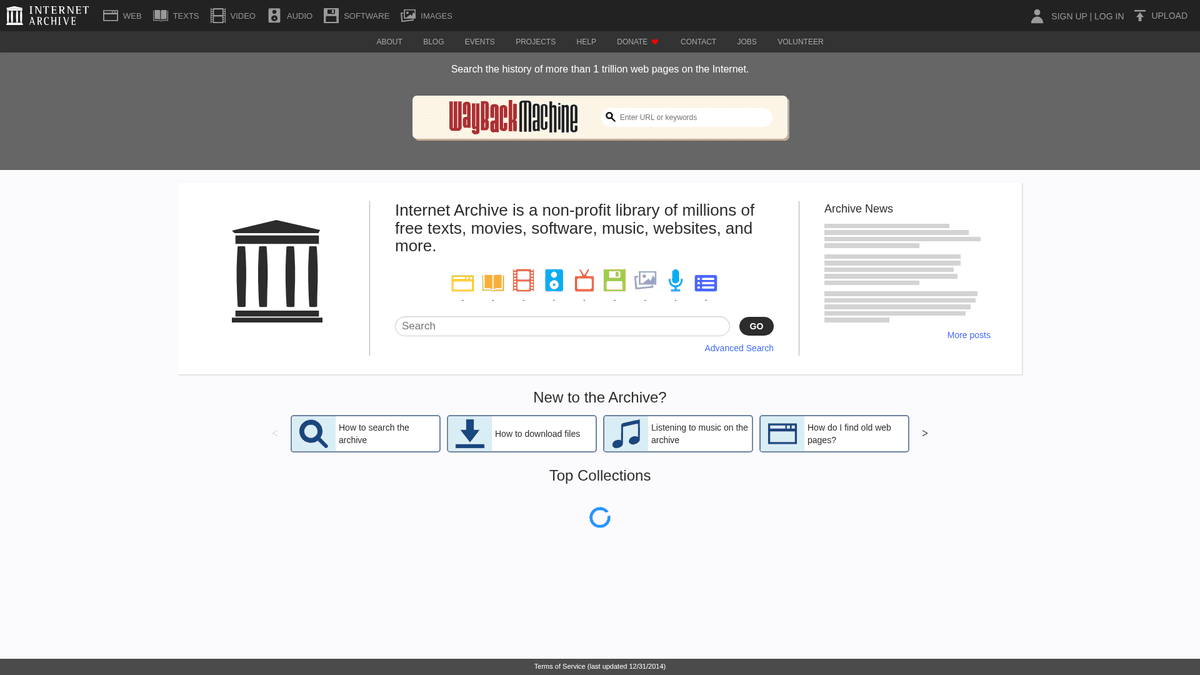
Archive.org, known as the Internet Archive, is a non-profit digital library based in San Francisco. Its mission is to provide universal access to all knowledge by archiving digital artifacts, including the famous Wayback Machine which has saved over 800 billion web pages.
Digital Collections
The site hosts a massive variety of listings: over 38 million books and texts, 14 million audio recordings, and millions of videos and software programs. These are organized into collections with rich metadata fields such as Item Title, Creator, and Usage Rights.
Why Scrape Archive.org
This data is invaluable for researchers, journalists, and developers. It enables longitudinal studies of the web, the recovery of lost content, and the creation of massive datasets for Natural Language Processing (NLP) and machine learning models.
Why Scrape Archive.org?
Discover the business value and use cases for extracting data from Archive.org.
Historical Web Analysis
Scraping the Wayback Machine allows you to track the evolution of a brand's messaging, product offerings, and pricing over several decades.
Lost Content Recovery
Retrieve articles, code, or documentation from websites that have gone offline or were deleted, effectively serving as a digital backup for lost research.
SEO and Domain Auditing
Analyze the historical backlink profiles and content structures of expired domains before purchasing them for SEO redirect strategies.
Legal Evidence Collection
Gather time-stamped snapshots of public web pages to serve as forensic evidence in intellectual property or regulatory compliance cases.
AI Model Training
Extract massive, diverse datasets of historical text and public domain media to train Large Language Models on the evolution of human language.
Competitive Intelligence
Monitor how competitors have historically shifted their strategic positioning or changed their Terms of Service to gain market advantages.
Scraping Challenges
Technical challenges you may encounter when scraping Archive.org.
Aggressive Rate Limiting
Archive.org frequently returns 503 'Service Unavailable' errors when it detects high-frequency automated requests to its search or calendar pages.
Inconsistent HTML Structures
Historical snapshots preserve the original site's code, meaning a single scraper must often handle dozens of different HTML layouts for one URL.
Massive Data Scale
With petabytes of data available, identifying the specific snapshot or metadata file you need requires sophisticated filtering via the CDX API.
Complex Timestamp Navigation
Wayback Machine URLs use a nested timestamp system that makes direct navigation difficult without programmatic URL construction.
Scrape Archive.org with AI
No coding required. Extract data in minutes with AI-powered automation.
How It Works
Describe What You Need
Tell the AI what data you want to extract from Archive.org. Just type it in plain language — no coding or selectors needed.
AI Extracts the Data
Our artificial intelligence navigates Archive.org, handles dynamic content, and extracts exactly what you asked for.
Get Your Data
Receive clean, structured data ready to export as CSV, JSON, or send directly to your apps and workflows.
Why Use AI for Scraping
AI makes it easy to scrape Archive.org without writing any code. Our AI-powered platform uses artificial intelligence to understand what data you want — just describe it in plain language and the AI extracts it automatically.
How to scrape with AI:
- Describe What You Need: Tell the AI what data you want to extract from Archive.org. Just type it in plain language — no coding or selectors needed.
- AI Extracts the Data: Our artificial intelligence navigates Archive.org, handles dynamic content, and extracts exactly what you asked for.
- Get Your Data: Receive clean, structured data ready to export as CSV, JSON, or send directly to your apps and workflows.
Why use AI for scraping:
- Visual Date Selection: Automatio allows you to visually interact with the Wayback Machine calendar to select and cycle through snapshots without writing complex regex logic.
- Dynamic Content Rendering: The browser-based engine ensures that archived pages containing legacy JavaScript or Flash components are rendered correctly before data extraction.
- Intelligent Retry Logic: Automatio can be configured to automatically handle the frequent 503 errors and temporary IP blocks common when scraping Archive.org.
- Structured Data Mapping: Convert messy historical HTML into clean CSV or JSON formats, making it easy to perform longitudinal analysis on archived content.
No-Code Web Scrapers for Archive.org
Point-and-click alternatives to AI-powered scraping
Several no-code tools like Browse.ai, Octoparse, Axiom, and ParseHub can help you scrape Archive.org. These tools use visual interfaces to select elements, but they come with trade-offs compared to AI-powered solutions.
Typical Workflow with No-Code Tools
Common Challenges
Learning curve
Understanding selectors and extraction logic takes time
Selectors break
Website changes can break your entire workflow
Dynamic content issues
JavaScript-heavy sites often require complex workarounds
CAPTCHA limitations
Most tools require manual intervention for CAPTCHAs
IP blocking
Aggressive scraping can get your IP banned
No-Code Web Scrapers for Archive.org
Several no-code tools like Browse.ai, Octoparse, Axiom, and ParseHub can help you scrape Archive.org. These tools use visual interfaces to select elements, but they come with trade-offs compared to AI-powered solutions.
Typical Workflow with No-Code Tools
- Install browser extension or sign up for the platform
- Navigate to the target website and open the tool
- Point-and-click to select data elements you want to extract
- Configure CSS selectors for each data field
- Set up pagination rules to scrape multiple pages
- Handle CAPTCHAs (often requires manual solving)
- Configure scheduling for automated runs
- Export data to CSV, JSON, or connect via API
Common Challenges
- Learning curve: Understanding selectors and extraction logic takes time
- Selectors break: Website changes can break your entire workflow
- Dynamic content issues: JavaScript-heavy sites often require complex workarounds
- CAPTCHA limitations: Most tools require manual intervention for CAPTCHAs
- IP blocking: Aggressive scraping can get your IP banned
Code Examples
import requests
from bs4 import BeautifulSoup

# Define the target URL for a collection
url = 'https://archive.org/details/texts'
headers = {'User-Agent': 'ArchiveScraper/1.0 (contact: email@example.com)'}

try:
    # Send request with headers
    response = requests.get(url, headers=headers)
    response.raise_for_status()

    # Parse HTML content
    soup = BeautifulSoup(response.text, 'html.parser')
    items = soup.select('.item-ia')

    for item in items:
        title = item.select_one('.ttl').get_text(strip=True) if item.select_one('.ttl') else 'No Title'
        link = 'https://archive.org' + item.select_one('a')['href']
        print(f'Item Found: {title} | Link: {link}')
except Exception as e:
    print(f'Error occurred: {e}')
When to Use
Best for static HTML pages where content is loaded server-side. The fastest and simplest approach when JavaScript rendering isn't required.
Advantages
- ●Fastest execution (no browser overhead)
- ●Lowest resource consumption
- ●Easy to parallelize with asyncio
- ●Great for APIs and static pages
Limitations
- ●Cannot execute JavaScript
- ●Fails on SPAs and dynamic content
- ●May struggle with complex anti-bot systems
How to Scrape Archive.org with Code
Python + Requests
import requests
from bs4 import BeautifulSoup
# Define the target URL for a collection
url = 'https://archive.org/details/texts'
headers = {'User-Agent': 'ArchiveScraper/1.0 (contact: email@example.com)'}
try:
# Send request with headers
response = requests.get(url, headers=headers)
response.raise_for_status()
# Parse HTML content
soup = BeautifulSoup(response.text, 'html.parser')
items = soup.select('.item-ia')
for item in items:
title = item.select_one('.ttl').get_text(strip=True) if item.select_one('.ttl') else 'No Title'
link = 'https://archive.org' + item.select_one('a')['href']
print(f'Item Found: {title} | Link: {link}')
except Exception as e:
print(f'Error occurred: {e}')Python + Playwright
from playwright.sync_api import sync_playwright

def scrape_archive():
    with sync_playwright() as p:
        # Launch headless browser
        browser = p.chromium.launch(headless=True)
        page = browser.new_page()

        # Navigate to search results
        page.goto('https://archive.org/search.php?query=web+scraping')

        # Wait for dynamic results to load
        page.wait_for_selector('.item-ia')

        # Extract titles from listings
        items = page.query_selector_all('.item-ia')
        for item in items:
            title = item.query_selector('.ttl').inner_text()
            print(f'Extracted Title: {title}')

        browser.close()

if __name__ == '__main__':
scrape_archive()Python + Scrapy
import scrapy

class ArchiveSpider(scrapy.Spider):
    name = 'archive_spider'
    start_urls = ['https://archive.org/details/movies']

    def parse(self, response):
        # Iterate through item containers
        for item in response.css('.item-ia'):
            yield {
                'title': item.css('.ttl::text').get().strip(),
                'url': response.urljoin(item.css('a::attr(href)').get()),
                'views': item.css('.views::text').get()
            }

        # Handle pagination using 'next' link
        next_page = response.css('a.next::attr(href)').get()
        if next_page:
yield response.follow(next_page, self.parse)Node.js + Puppeteer
const puppeteer = require('puppeteer');

(async () => {
  const browser = await puppeteer.launch();
  const page = await browser.newPage();

  // Access a specific media section
  await page.goto('https://archive.org/details/audio');

  // Ensure elements are rendered
  await page.waitForSelector('.item-ia');

  // Extract data from the page context
  const data = await page.evaluate(() => {
    const cards = Array.from(document.querySelectorAll('.item-ia'));
    return cards.map(card => ({
      title: card.querySelector('.ttl')?.innerText.trim(),
      id: card.getAttribute('data-id')
    }));
  });

  console.log(data);
  await browser.close();
})();What You Can Do With Archive.org Data
Explore practical applications and insights from Archive.org data.
Historical Competitor Pricing
Retailers analyze old website versions to understand how competitors have adjusted prices over years.
How to implement:
- 1Fetch competitor domain snapshots from the Wayback Machine API.
- 2Identify relevant timestamps for quarterly or yearly reviews.
- 3Scrape price and product catalog data from archived HTML.
- 4Analyze the pricing delta over time to inform current strategies.
Use Automatio to extract data from Archive.org and build these applications without writing code.
What You Can Do With Archive.org Data
- Historical Competitor Pricing
Retailers analyze old website versions to understand how competitors have adjusted prices over years.
- Fetch competitor domain snapshots from the Wayback Machine API.
- Identify relevant timestamps for quarterly or yearly reviews.
- Scrape price and product catalog data from archived HTML.
- Analyze the pricing delta over time to inform current strategies.
- Content Authority Recovery
SEO agencies recover high-authority content from expired domains to rebuild site traffic and value.
- Search for expired high-DA domains in your niche.
- Locate the most recent healthy snapshots on Archive.org.
- Bulk scrape original articles and media assets.
- Re-publish content on new sites to regain historical search rankings.
- Evidence for Digital Litigation
Legal teams use verified archive timestamps to prove the existence of specific web content in court.
- Query the Wayback Machine for a specific URL and date range.
- Capture full-page screenshots and raw HTML logs.
- Validate the archive's cryptographic timestamp through the API.
- Generate a legal exhibit showing the historical state of the site.
- Large Language Model Training
AI researchers scrape public domain books and newspapers to build massive, copyright-safe training corpora.
- Filter Archive.org collections by 'publicdomain' usage rights.
- Use the Metadata API to find items with 'plaintext' formats.
- Batch download .txt files using the S3-compatible interface.
- Clean and tokenize the data for ingestion into LLM training pipelines.
- Linguistic Evolution Analysis
Academics study how language usage and slang have changed by scraping decades of web text.
- Define a set of target keywords or linguistic markers.
- Extract text from web archives across different decades.
- Perform sentiment and frequency analysis on the extracted corpus.
- Visualize the shift in language patterns over the timeline.
Supercharge your workflow with AI Automation
Automatio combines the power of AI agents, web automation, and smart integrations to help you accomplish more in less time.
What to get right first
Expert advice for successfully extracting data from Archive.org.
Use the CDX Server API
Instead of crawling the web UI, use the CDX API to get a list of all available snapshots for a URL in a structured JSON format.
The 'id_' Raw Content Trick
Append 'id_' to the timestamp in a Wayback URL (e.g., /web/2022id_/) to retrieve the original raw HTML without the Archive.org navigation bar.
Implement Exponential Backoff
When you encounter a 503 error, double the wait time between requests to allow the Archive.org servers to recover and avoid a permanent ban.
Identify Your Crawler
Include a descriptive User-Agent string and a contact email so the Internet Archive staff can reach out to you if your bot is causing issues.
Filter by MIME Type
When using the Metadata or CDX APIs, filter results to 'text/html' to avoid wasting bandwidth on images, CSS, or binary files.
Sample Your Snapshots
To reduce load and speed up scraping, target one snapshot per month or year rather than attempting to download every single archived version.
Related Web Scraping

How to Scrape GitHub | The Ultimate 2025 Technical Guide

How to Scrape Weather.com: A Guide to Weather Data Extraction

How to Scrape RethinkEd: A Technical Data Extraction Guide

How to Scrape Pollen.com: Local Allergy Data Extraction Guide

How to Scrape Wikipedia: The Ultimate Web Scraping Guide

How to Scrape Britannica: Educational Data Web Scraper

How to Scrape Worldometers for Real-Time Global Statistics

How to Scrape American Museum of Natural History (AMNH)
Frequently Asked Questions
Find answers to common questions about Archive.org