
How to Scrape AssetColumn: Real Estate & Wholesale Leads
Master AssetColumn web scraping to extract off-market real estate leads, wholesale deals, and ARV data. Automate your property research and gain a...
Anti-Bot Protection Detected
- Cloudflare
- Enterprise-grade WAF and bot management. Uses JavaScript challenges, CAPTCHAs, and behavioral analysis. Requires browser automation with stealth settings.
- Rate Limiting
- Limits requests per IP/session over time. Can be bypassed with rotating proxies, request delays, and distributed scraping.
- Login Wall
- IP Blocking
- Blocks known datacenter IPs and flagged addresses. Requires residential or mobile proxies to circumvent effectively.
About AssetColumn
Learn what AssetColumn offers and what valuable data can be extracted from it.
The Investors' Marketplace
AssetColumn is a specialized online marketplace specifically built for the real estate investment community, including wholesalers, house flippers, and cash buyers. Unlike retail platforms like Zillow, AssetColumn focuses exclusively on 'distressed' properties, off-market wholesale contracts, and properties listed at least 10% below market value. The platform serves as a hub for finding high-margin opportunities that need 'TLC' (Tender Loving Care).
High-Margin Opportunities
It provides users with calculated financial metrics such as Estimated Repair Costs and After Repair Value (ARV), making it a primary resource for professionals who need to identify potential profit margins before contacting a seller. By aggregating data from this platform, users can perform deep market analysis and track price trends across different states to gain a competitive edge in identifying high-yield real estate deals.
Why Scraping Matters
Scraping AssetColumn allows real estate professionals to bypass manual searching and build a database of off-market inventory. This data is essential for identifying motivated sellers and undervalued properties before they reach mainstream listings, providing a significant advantage in the competitive fix-and-flip and wholesaling industry.
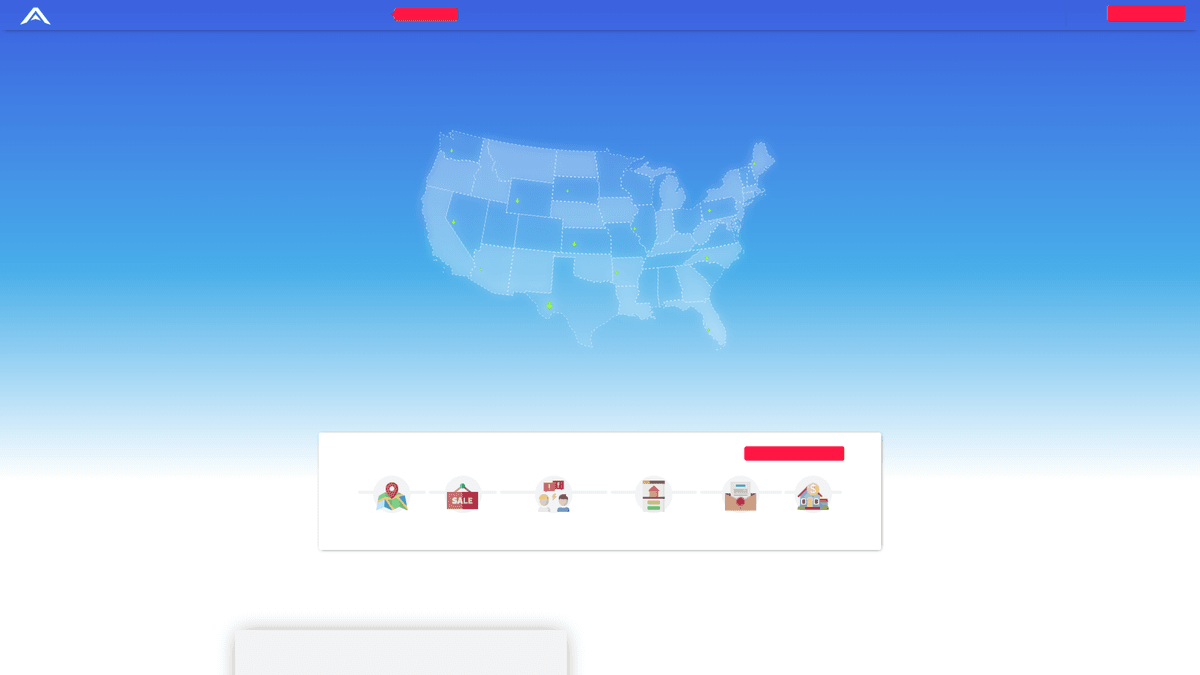
Why Scrape AssetColumn?
Discover the business value and use cases for extracting data from AssetColumn.
Access Exclusive Off-Market Deals
Scrape listings for wholesale, fix-and-flip, and distressed properties that are rarely featured on retail platforms like Zillow or the MLS.
Automated Investment Analysis
Extract After Repair Value (ARV) and estimated repair costs to automatically calculate potential ROI across thousands of properties in seconds.
Lead Generation for Lenders
Identify active house flippers and wholesalers who frequently post new deals and may require private or hard money financing for their next project.
Wholesaler Network Mapping
Build a comprehensive database of active wholesalers by region, tracking their historical deal volume and inventory patterns to identify reliable partners.
Real-Time Deal Alerts
Monitor the 'Hot Deals' section and receive immediate notifications the moment a high-margin opportunity is posted to beat other investors.
Market Profit Benchmarking
Analyze price-per-square-foot trends for distressed inventory to determine which ZIP codes offer the highest potential profit margins for investors.
Scraping Challenges
Technical challenges you may encounter when scraping AssetColumn.
Cloudflare Bot Detection
AssetColumn uses Cloudflare to mitigate automated traffic, which often triggers CAPTCHAs or blocks for standard scraping scripts that lack proper fingerprinting.
The 7-Day Access Delay
Free accounts face a mandatory delay for new listings, requiring a logged-in premium session for scrapers to capture the most competitive deals in real-time.
Metered Login Walls
Crucial seller contact information is hidden behind a member login wall and is often metered, making it difficult to scrape contact details at high volumes.
Dynamic Financial Renders
Key investment metrics like profit percentages are sometimes calculated dynamically via JavaScript, necessitating a tool that can fully render the DOM.
Frequent Selector Updates
The site structure for property cards and detail pages is updated periodically, which can break fragile CSS or XPath selectors in traditional scrapers.
Scrape AssetColumn with AI
No coding required. Extract data in minutes with AI-powered automation.
How It Works
Describe What You Need
Tell the AI what data you want to extract from AssetColumn. Just type it in plain language — no coding or selectors needed.
AI Extracts the Data
Our artificial intelligence navigates AssetColumn, handles dynamic content, and extracts exactly what you asked for.
Get Your Data
Receive clean, structured data ready to export as CSV, JSON, or send directly to your apps and workflows.
Why Use AI for Scraping
AI makes it easy to scrape AssetColumn without writing any code. Our AI-powered platform uses artificial intelligence to understand what data you want — just describe it in plain language and the AI extracts it automatically.
How to scrape with AI:
- Describe What You Need: Tell the AI what data you want to extract from AssetColumn. Just type it in plain language — no coding or selectors needed.
- AI Extracts the Data: Our artificial intelligence navigates AssetColumn, handles dynamic content, and extracts exactly what you asked for.
- Get Your Data: Receive clean, structured data ready to export as CSV, JSON, or send directly to your apps and workflows.
Why use AI for scraping:
- Visual Login Handling: Automatio easily manages member authentication, allowing you to record the login flow once and scrape data hidden behind the secure member portal.
- Seamless JS Execution: The browser-based engine handles all dynamic JavaScript perfectly, ensuring that ARV values and repair estimates are fully loaded before extraction.
- Built-in Proxy Rotation: Automatically use residential proxies to bypass Cloudflare protection and avoid IP-based rate limiting while crawling thousands of property listings.
- Intelligent Task Scheduling: Set your scraper to run at specific intervals—such as every 15 minutes—to ensure you are the first to capture new wholesale contracts as they go live.
- Zero-Code Data Cleaning: Use built-in tools to clean currency symbols and commas from pricing data on the fly, delivering structured, numerical data ready for your spreadsheets.
No-Code Web Scrapers for AssetColumn
Point-and-click alternatives to AI-powered scraping
Several no-code tools like Browse.ai, Octoparse, Axiom, and ParseHub can help you scrape AssetColumn. These tools use visual interfaces to select elements, but they come with trade-offs compared to AI-powered solutions.
Typical Workflow with No-Code Tools
Common Challenges
Learning curve
Understanding selectors and extraction logic takes time
Selectors break
Website changes can break your entire workflow
Dynamic content issues
JavaScript-heavy sites often require complex workarounds
CAPTCHA limitations
Most tools require manual intervention for CAPTCHAs
IP blocking
Aggressive scraping can get your IP banned
No-Code Web Scrapers for AssetColumn
Several no-code tools like Browse.ai, Octoparse, Axiom, and ParseHub can help you scrape AssetColumn. These tools use visual interfaces to select elements, but they come with trade-offs compared to AI-powered solutions.
Typical Workflow with No-Code Tools
- Install browser extension or sign up for the platform
- Navigate to the target website and open the tool
- Point-and-click to select data elements you want to extract
- Configure CSS selectors for each data field
- Set up pagination rules to scrape multiple pages
- Handle CAPTCHAs (often requires manual solving)
- Configure scheduling for automated runs
- Export data to CSV, JSON, or connect via API
Common Challenges
- Learning curve: Understanding selectors and extraction logic takes time
- Selectors break: Website changes can break your entire workflow
- Dynamic content issues: JavaScript-heavy sites often require complex workarounds
- CAPTCHA limitations: Most tools require manual intervention for CAPTCHAs
- IP blocking: Aggressive scraping can get your IP banned
Code Examples
import requests
from bs4 import BeautifulSoup

# Standard headers to simulate a browser request
headers = {
    'User-Agent': 'Mozilla/5.0 (Windows NT 10.0; Win64; x64) AppleWebKit/537.36 (KHTML, like Gecko) Chrome/91.0.4472.124 Safari/537.36'
}

def scrape_assetcolumn(url):
    try:
        # Sending request to the main listings page
        response = requests.get(url, headers=headers)
        response.raise_for_status()
        soup = BeautifulSoup(response.text, 'html.parser')

        # Target property listing cards
        listings = soup.find_all('div', class_='latest-houses-item')
        for item in listings:
            title = item.find('h3').text.strip() if item.find('h3') else 'N/A'
            price = item.find('b').text.strip() if item.find('b') else 'N/A'
            print(f'Property: {title} | Asking Price: {price}')
    except Exception as e:
        print(f'An error occurred: {e}')

# Run the scraper
scrape_assetcolumn('https://www.assetcolumn.com/for-sale')
When to Use
Best for static HTML pages where content is loaded server-side. The fastest and simplest approach when JavaScript rendering isn't required.
Advantages
- ●Fastest execution (no browser overhead)
- ●Lowest resource consumption
- ●Easy to parallelize with asyncio
- ●Great for APIs and static pages
Limitations
- ●Cannot execute JavaScript
- ●Fails on SPAs and dynamic content
- ●May struggle with complex anti-bot systems
How to Scrape AssetColumn with Code
Python + Requests
import requests
from bs4 import BeautifulSoup
# Standard headers to simulate a browser request
headers = {
'User-Agent': 'Mozilla/5.0 (Windows NT 10.0; Win64; x64) AppleWebKit/537.36 (KHTML, like Gecko) Chrome/91.0.4472.124 Safari/537.36'
}
def scrape_assetcolumn(url):
try:
# Sending request to the main listings page
response = requests.get(url, headers=headers)
response.raise_for_status()
soup = BeautifulSoup(response.text, 'html.parser')
# Target property listing cards
listings = soup.find_all('div', class_='latest-houses-item')
for item in listings:
title = item.find('h3').text.strip() if item.find('h3') else 'N/A'
price = item.find('b').text.strip() if item.find('b') else 'N/A'
print(f'Property: {title} | Asking Price: {price}')
except Exception as e:
print(f'An error occurred: {e}')
# Run the scraper
scrape_assetcolumn('https://www.assetcolumn.com/for-sale')Python + Playwright
import asyncio
from playwright.async_api import async_playwright

async def run():
    async with async_playwright() as p:
        # Launching browser with headless mode
        browser = await p.chromium.launch(headless=True)
        page = await browser.new_page()

        # Navigate to the target page and wait for listings to load
        await page.goto('https://www.assetcolumn.com/for-sale')
        await page.wait_for_selector('h3')

        # Select listing elements
        elements = await page.query_selector_all('div.latest-houses-item')
        for el in elements:
            title = await (await el.query_selector('h3')).inner_text()
            price = await (await el.query_selector('b')).inner_text()
            print(f'Found: {title} at {price}')

        await browser.close()

asyncio.run(run())Python + Scrapy
import scrapy

class AssetColumnSpider(scrapy.Spider):
    name = 'assetcolumn'
    start_urls = ['https://www.assetcolumn.com/for-sale']

    def parse(self, response):
        # Iterate through property cards using CSS selectors
        for property_card in response.css('.latest-houses-item'):
            yield {
                'title': property_card.css('h3 a::text').get().strip(),
                'asking_price': property_card.xpath('.//b/text()').get(),
                'url': response.urljoin(property_card.css('h3 a::attr(href)').get()),
                'arv': property_card.xpath('//text()[contains(., "ARV")]/following-sibling::text()').get()
            }

        # Simple pagination logic
        next_page = response.css('a.next::attr(href)').get()
        if next_page:
yield response.follow(next_page, self.parse)Node.js + Puppeteer
const puppeteer = require('puppeteer');

(async () => {
  const browser = await puppeteer.launch();
  const page = await browser.newPage();

  // Mimic real user-agent to bypass basic detection
  await page.setUserAgent('Mozilla/5.0 (Windows NT 10.0; Win64; x64) AppleWebKit/537.36');
  await page.goto('https://www.assetcolumn.com/for-sale', { waitUntil: 'networkidle2' });

  const data = await page.evaluate(() => {
    // Extract data directly from the DOM
    return Array.from(document.querySelectorAll('.latest-houses-item')).map(item => ({
      title: item.querySelector('h3')?.innerText.trim(),
      price: item.querySelector('b')?.innerText.trim()
    }));
  });

  console.log(data);
  await browser.close();
})();What You Can Do With AssetColumn Data
Explore practical applications and insights from AssetColumn data.
Off-Market Lead Generation
Identify and contact property owners for wholesale opportunities before they hit the open market.
How to implement:
- 1Scrape latest deals including seller phone numbers.
- 2Upload data to an automated outreach system.
- 3Filter leads by specific zip codes and ARV ratios.
Use Automatio to extract data from AssetColumn and build these applications without writing code.
What You Can Do With AssetColumn Data
- Off-Market Lead Generation
Identify and contact property owners for wholesale opportunities before they hit the open market.
- Scrape latest deals including seller phone numbers.
- Upload data to an automated outreach system.
- Filter leads by specific zip codes and ARV ratios.
- Wholesale Pricing Benchmarking
Compare your own wholesale deal margins against currently active listings in the same city.
- Extract property types and asking prices for the last 90 days.
- Calculate the average price per square foot per neighborhood.
- Adjust your wholesale offers based on real-time market averages.
- Investment Opportunity Alerts
Create a custom alert system that notifies you of properties meeting strict ROI criteria.
- Schedule a daily scrape of new AssetColumn listings.
- Filter results by ARV, Repair Costs, and Potential Profit.
- Send automated alerts to Slack or Email for top-tier opportunities.
- Wholesaler Network Mapping
Identify the most active wholesalers in specific regions to build your buyer or seller network.
- Scrape seller profiles and their historical listing volume.
- Categorize wholesalers by state and specialization (e.g., flips vs. rentals).
- Reach out to high-volume sellers for off-market partnerships.
- Market Profit Heat Maps
Aggregate listing volume and potential profit by Zip Code to identify geographic clusters of distressed properties.
- Scrape listings across all major US metropolitan areas.
- Group listing frequency and average margin by zip code.
- Visualize trends using BI tools like Tableau or PowerBI.
Supercharge your workflow with AI Automation
Automatio combines the power of AI agents, web automation, and smart integrations to help you accomplish more in less time.
What to get right first
Expert advice for successfully extracting data from AssetColumn.
Target State-Specific Slugs
Use state-level URLs like /for-sale/fl or /for-sale/tx to scrape data in smaller chunks, which prevents hitting deep pagination limits.
Implement Cookie Persistence
When scraping behind a login, ensure your tool saves the session state or cookies to avoid repetitive login attempts that trigger security alerts.
Sanitize Numerical Fields
Use Regex to strip symbols like '$' and '%' from the ARV and profit fields so they can be exported as clean integers for mathematical analysis.
Monitor Forum User Data
Scrape the AssetColumn forums to track wholesaler reputations and sentiment, helping you vet the reliability of sellers before contacting them.
Use Residential USA Proxies
Since AssetColumn is a US-centric real estate platform, using USA-based residential proxies reduces the likelihood of being flagged by anti-bot filters.
Rotate User-Agent Strings
Always rotate your User-Agent strings to mimic various modern browsers, preventing the site from identifying a consistent 'bot-like' footprint.
Related Web Scraping
How to Scrape Century 21 Property Listings

How to Scrape Sacramento Delta Property Management
How to Scrape LivePiazza: Philadelphia Real Estate Scraper
How to Scrape Century 21: A Technical Real Estate Guide
How to Scrape Locations Hawaii | Locations Hawaii Web Scraper
How to Scrape RE/MAX (remax.com) Real Estate Listings
How to Scrape HotPads: A Complete Guide to Extracting Rental Data
How to Scrape Homes.com: Real Estate Data Extraction Guide
Frequently Asked Questions
Find answers to common questions about AssetColumn