
How to Scrape CoinBrain: A Guide for Crypto Data Extraction
Master CoinBrain web scraping to extract real-time crypto prices, liquidity, and market caps from 3M+ tokens across Ethereum, BNB, and more networks.
Anti-Bot Protection Detected
- Cloudflare
- Enterprise-grade WAF and bot management. Uses JavaScript challenges, CAPTCHAs, and behavioral analysis. Requires browser automation with stealth settings.
- JavaScript Challenge
- Requires executing JavaScript to access content. Simple requests fail; need headless browser like Playwright or Puppeteer.
- Rate Limiting
- Limits requests per IP/session over time. Can be bypassed with rotating proxies, request delays, and distributed scraping.
- IP Blocking
- Blocks known datacenter IPs and flagged addresses. Requires residential or mobile proxies to circumvent effectively.
About CoinBrain
Learn what CoinBrain offers and what valuable data can be extracted from it.
Comprehensive Crypto Analytics
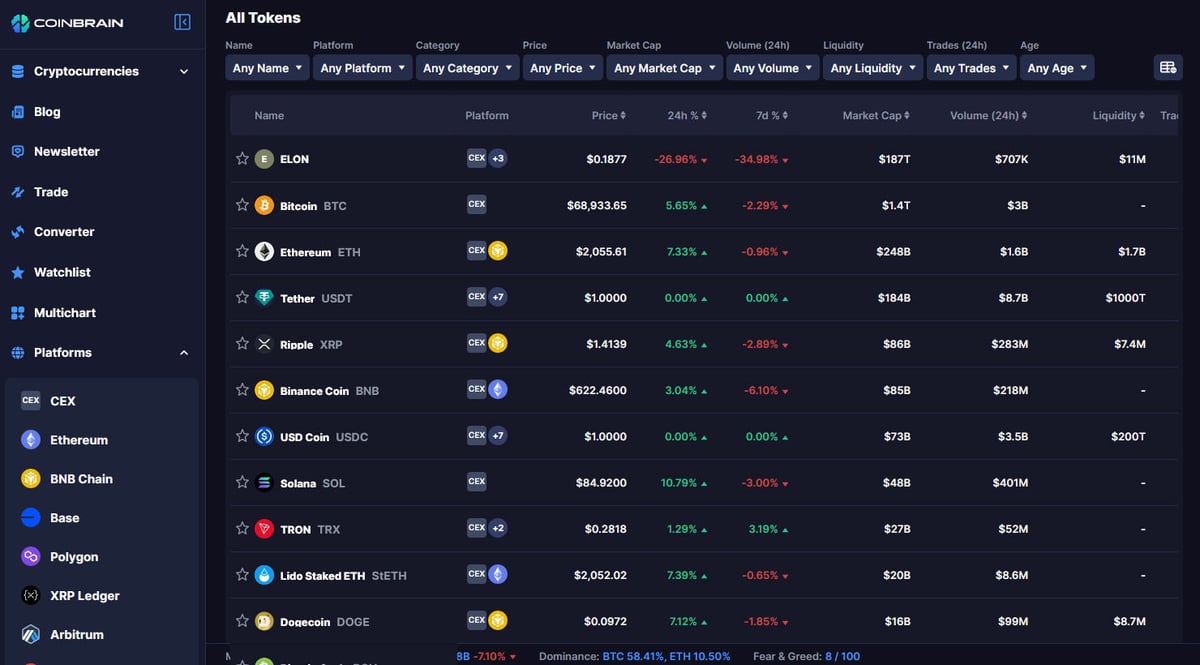
CoinBrain is a next-generation crypto analytics platform designed for traders to identify "hidden gems" and trending tokens. It aggregates traditional market data with alternative on-chain insights, providing a comprehensive view of the decentralized finance (DeFi) landscape through multi-chain support.
Data Depth and Visibility
The platform tracks millions of tokens across multiple blockchains, offering tools like trade history, liquidity analysis, and safety checks. For scrapers, this data is invaluable for building trading bots, market monitors, or sentiment analysis tools that require high-fidelity on-chain data.
Professional Trading Insights
By indexing projects on the BNB and Ethereum blockchains, CoinBrain serves as a vital resource for Web3 developers and investors. The platform's automated safety scores and liquidity tracking provide a robust foundation for competitive market research and algorithmic trading strategies.
Why Scrape CoinBrain?
Discover the business value and use cases for extracting data from CoinBrain.
Cross-Chain Arbitrage Detection
Identify price differences for the same token across multiple decentralized exchanges and blockchains to capitalize on market inefficiencies in real-time.
Automated New Listing Alerts
Monitor the 'Recently Added' section to discover micro-cap tokens and early-stage projects as soon as they are indexed, gaining a competitive edge over manual traders.
Liquidity Pool Security Monitoring
Scrape liquidity depth and security audit scores to build automated tools that detect potential rug-pulls or sudden liquidity withdrawals.
Social Sentiment Integration
Extract proprietary social sentiment metrics to correlate on-chain price action with off-chain hype from platforms like X and Reddit.
Machine Learning Data Sourcing
Build high-resolution historical datasets of token performance and holder counts to train predictive models for DeFi market movements.
Portfolio Valuation for DeFi
Aggregate price data for obscure tokens not listed on major centralized exchanges to provide accurate valuation for diverse decentralized portfolios.
Scraping Challenges
Technical challenges you may encounter when scraping CoinBrain.
Advanced Cloudflare Protection
CoinBrain uses Cloudflare Turnstile and JS challenges that block standard HTTP clients, requiring specialized browsers that can mimic human behavior.
Asynchronous React Rendering
The website is a dynamic single-page application where data is loaded via internal API calls after the initial page load, making static HTML scraping impossible.
Extreme Data Volatility
Crypto prices and trading volumes change every second; maintaining a high-frequency scraper without triggering rate limits is a significant technical hurdle.
Frequent Selector Updates
The front-end structure and CSS classes are updated frequently by the developers, which can break fragile scraping scripts that rely on hardcoded selectors.
Scrape CoinBrain with AI
No coding required. Extract data in minutes with AI-powered automation.
How It Works
Describe What You Need
Tell the AI what data you want to extract from CoinBrain. Just type it in plain language — no coding or selectors needed.
AI Extracts the Data
Our artificial intelligence navigates CoinBrain, handles dynamic content, and extracts exactly what you asked for.
Get Your Data
Receive clean, structured data ready to export as CSV, JSON, or send directly to your apps and workflows.
Why Use AI for Scraping
AI makes it easy to scrape CoinBrain without writing any code. Our AI-powered platform uses artificial intelligence to understand what data you want — just describe it in plain language and the AI extracts it automatically.
How to scrape with AI:
- Describe What You Need: Tell the AI what data you want to extract from CoinBrain. Just type it in plain language — no coding or selectors needed.
- AI Extracts the Data: Our artificial intelligence navigates CoinBrain, handles dynamic content, and extracts exactly what you asked for.
- Get Your Data: Receive clean, structured data ready to export as CSV, JSON, or send directly to your apps and workflows.
Why use AI for scraping:
- Bypassing Anti-Bot Walls: Automatio utilizes advanced browser fingerprinting and proxy rotation to seamlessly navigate Cloudflare security screens without manual intervention.
- No-Code Dynamic Extraction: The visual builder allows you to select elements that load dynamically via JavaScript, ensuring you capture real-time price data exactly as seen in the browser.
- 24/7 Cloud Monitoring: Schedule your scrapers to run at specific intervals in the cloud, maintaining a constant stream of crypto data without keeping your own hardware running.
- Seamless Webhook Integration: Instantly push scraped price alerts or new listings to Discord, Telegram, or your custom trading bot via built-in Webhook support.
No-Code Web Scrapers for CoinBrain
Point-and-click alternatives to AI-powered scraping
Several no-code tools like Browse.ai, Octoparse, Axiom, and ParseHub can help you scrape CoinBrain. These tools use visual interfaces to select elements, but they come with trade-offs compared to AI-powered solutions.
Typical Workflow with No-Code Tools
Common Challenges
Learning curve
Understanding selectors and extraction logic takes time
Selectors break
Website changes can break your entire workflow
Dynamic content issues
JavaScript-heavy sites often require complex workarounds
CAPTCHA limitations
Most tools require manual intervention for CAPTCHAs
IP blocking
Aggressive scraping can get your IP banned
No-Code Web Scrapers for CoinBrain
Several no-code tools like Browse.ai, Octoparse, Axiom, and ParseHub can help you scrape CoinBrain. These tools use visual interfaces to select elements, but they come with trade-offs compared to AI-powered solutions.
Typical Workflow with No-Code Tools
- Install browser extension or sign up for the platform
- Navigate to the target website and open the tool
- Point-and-click to select data elements you want to extract
- Configure CSS selectors for each data field
- Set up pagination rules to scrape multiple pages
- Handle CAPTCHAs (often requires manual solving)
- Configure scheduling for automated runs
- Export data to CSV, JSON, or connect via API
Common Challenges
- Learning curve: Understanding selectors and extraction logic takes time
- Selectors break: Website changes can break your entire workflow
- Dynamic content issues: JavaScript-heavy sites often require complex workarounds
- CAPTCHA limitations: Most tools require manual intervention for CAPTCHAs
- IP blocking: Aggressive scraping can get your IP banned
Code Examples
import requests
from bs4 import BeautifulSoup

headers = {
    "User-Agent": "Mozilla/5.0 (Windows NT 10.0; Win64; x64) AppleWebKit/537.36 (KHTML, like Gecko) Chrome/91.0.4472.124 Safari/537.36"
}

def scrape_coinbrain(url):
    # Using a session to manage cookies which help pass basic checks
    session = requests.Session()
    try:
        response = session.get(url, headers=headers)
        if response.status_code == 200:
            soup = BeautifulSoup(response.text, 'html.parser')
            # Note: Selectors may be dynamic, always verify current DOM
            price = soup.select_one('.token-price-selector')
            print(f'Price: {price.text.strip() if price else "Not Found"}')
        else:
            print(f'Blocked or Error: {response.status_code}')
    except Exception as e:
        print(f'Error: {e}')

scrape_coinbrain("https://coinbrain.com/coins/eth-0x...")
When to Use
Best for static HTML pages where content is loaded server-side. The fastest and simplest approach when JavaScript rendering isn't required.
Advantages
- ●Fastest execution (no browser overhead)
- ●Lowest resource consumption
- ●Easy to parallelize with asyncio
- ●Great for APIs and static pages
Limitations
- ●Cannot execute JavaScript
- ●Fails on SPAs and dynamic content
- ●May struggle with complex anti-bot systems
How to Scrape CoinBrain with Code
Python + Requests
import requests
from bs4 import BeautifulSoup
headers = {
"User-Agent": "Mozilla/5.0 (Windows NT 10.0; Win64; x64) AppleWebKit/537.36 (KHTML, like Gecko) Chrome/91.0.4472.124 Safari/537.36"
}
def scrape_coinbrain(url):
# Using a session to manage cookies which help pass basic checks
session = requests.Session()
try:
response = session.get(url, headers=headers)
if response.status_code == 200:
soup = BeautifulSoup(response.text, 'html.parser')
# Note: Selectors may be dynamic, always verify current DOM
price = soup.select_one('.token-price-selector')
print(f'Price: {price.text.strip() if price else "Not Found"}')
else:
print(f'Blocked or Error: {response.status_code}')
except Exception as e:
print(f'Error: {e}')
scrape_coinbrain("https://coinbrain.com/coins/eth-0x...")Python + Playwright
from playwright.sync_api import sync_playwright

def run(playwright):
    browser = playwright.chromium.launch(headless=True)
    context = browser.new_context(user_agent="Mozilla/5.0 (Windows NT 10.0; Win64; x64) AppleWebKit/537.36")
    page = context.new_page()
    page.goto("https://coinbrain.com/trending")

    # Wait for the dynamic token elements to appear
    page.wait_for_selector('.coin-row')

    coins = page.query_selector_all('.coin-row')
    for coin in coins[:5]:
        name = coin.query_selector('.coin-name').inner_text()
        price = coin.query_selector('.coin-price').inner_text()
        print(f'Token: {name}, Price: {price}')

    browser.close()

with sync_playwright() as pw:
run(pw)Python + Scrapy
import scrapy

class CoinbrainSpider(scrapy.Spider):
    name = 'coinbrain_spider'
    start_urls = ['https://coinbrain.com/new-coins']

    def parse(self, response):
        # Scrapy-Playwright middleware is recommended for JS execution
        for coin in response.css('.coin-list-item'):
            yield {
                'name': coin.css('.name::text').get(),
                'symbol': coin.css('.symbol::text').get(),
                'price': coin.css('.price::text').get(),
            }

        next_page = response.css('a.next-page::attr(href)').get()
        if next_page:
yield response.follow(next_page, self.parse)Node.js + Puppeteer
const puppeteer = require('puppeteer');

(async () => {
  const browser = await puppeteer.launch({ headless: true });
  const page = await browser.newPage();
  await page.setUserAgent('Mozilla/5.0 (Windows NT 10.0; Win64; x64) AppleWebKit/537.36');
  await page.goto('https://coinbrain.com/trending');

  // Wait for React to hydrate and load data
  await page.waitForSelector('.token-list');

  const data = await page.evaluate(() => {
    const items = document.querySelectorAll('.token-row');
    return Array.from(items).map(item => ({
      name: item.querySelector('.name')?.innerText,
      price: item.querySelector('.price')?.innerText
    }));
  });

  console.log(data);
  await browser.close();
})();What You Can Do With CoinBrain Data
Explore practical applications and insights from CoinBrain data.
DeFi Arbitrage Bot
Traders can use real-time price data to spot differences between chains and execute profitable swaps.
How to implement:
- 1Scrape prices for the same token across different blockchain networks.
- 2Identify price discrepancies greater than transaction fees.
- 3Trigger a swap via a DEX aggregator API when conditions are met.
- 4Log all successful trades for performance analysis.
Use Automatio to extract data from CoinBrain and build these applications without writing code.
What You Can Do With CoinBrain Data
- DeFi Arbitrage Bot
Traders can use real-time price data to spot differences between chains and execute profitable swaps.
- Scrape prices for the same token across different blockchain networks.
- Identify price discrepancies greater than transaction fees.
- Trigger a swap via a DEX aggregator API when conditions are met.
- Log all successful trades for performance analysis.
- New Token Sniper
Investors can monitor the 'New Coins' section to invest in projects immediately after they are indexed.
- Set up a script to scrape the newest listed tokens every 60 seconds.
- Filter tokens based on the CoinBrain safety score and liquidity.
- Send automated alerts to a Discord or Telegram channel.
- Analyze holder distribution for potential rug-pull risks.
- Market Sentiment Dashboard
Analysts can aggregate price changes and volume to determine which chains are gaining traction.
- Scrape 24h volume and price change for the top 500 tokens.
- Categorize data by blockchain (Ethereum, BNB, Base, etc.).
- Visualize the net movement of capital between ecosystems.
- Publish daily reports for crypto community insights.
- Historical Price Analysis for ML
Researchers can collect data to train machine learning models for crypto price prediction.
- Schedule daily scrapes of token prices and market caps.
- Store data in a time-series database like InfluxDB or PostgreSQL.
- Correlate price movements with on-chain liquidity changes.
- Train regression models to identify patterns preceding price surges.
Supercharge your workflow with AI Automation
Automatio combines the power of AI agents, web automation, and smart integrations to help you accomplish more in less time.
What to get right first
Expert advice for successfully extracting data from CoinBrain.
Intercept Internal API Requests
Use the browser's Network tab to identify JSON-based XHR requests; scraping these endpoints directly is often more reliable and efficient than parsing HTML.
Utilize Residential Proxies
Datacenter IPs are frequently flagged by crypto platforms; residential proxies provide better success rates for bypassing regional or IP-based rate limiting.
Implement Random Delays
Vary the timing between your requests to mimic natural human browsing patterns and avoid triggering sophisticated bot-detection algorithms.
Prioritize Contract Addresses
When scraping, always collect the smart contract address as the primary key to ensure data accuracy across different networks and DEXs.
Check Official API Limits First
Before building a high-scale scraper, review the CoinBrain dev-tools documentation to see if your data needs can be met by their official API tier.
Related Web Scraping

How to Scrape Yahoo Finance: Extract Stock Market Data
How to Scrape Moon.ly | Step-by-Step NFT Data Extraction Guide

How to Scrape Rocket Mortgage: A Comprehensive Guide
How to Scrape Open Collective: Financial and Contributor Data Guide
How to Scrape jup.ag: Jupiter DEX Web Scraper Guide

How to Scrape Indiegogo: The Ultimate Crowdfunding Data Extraction Guide
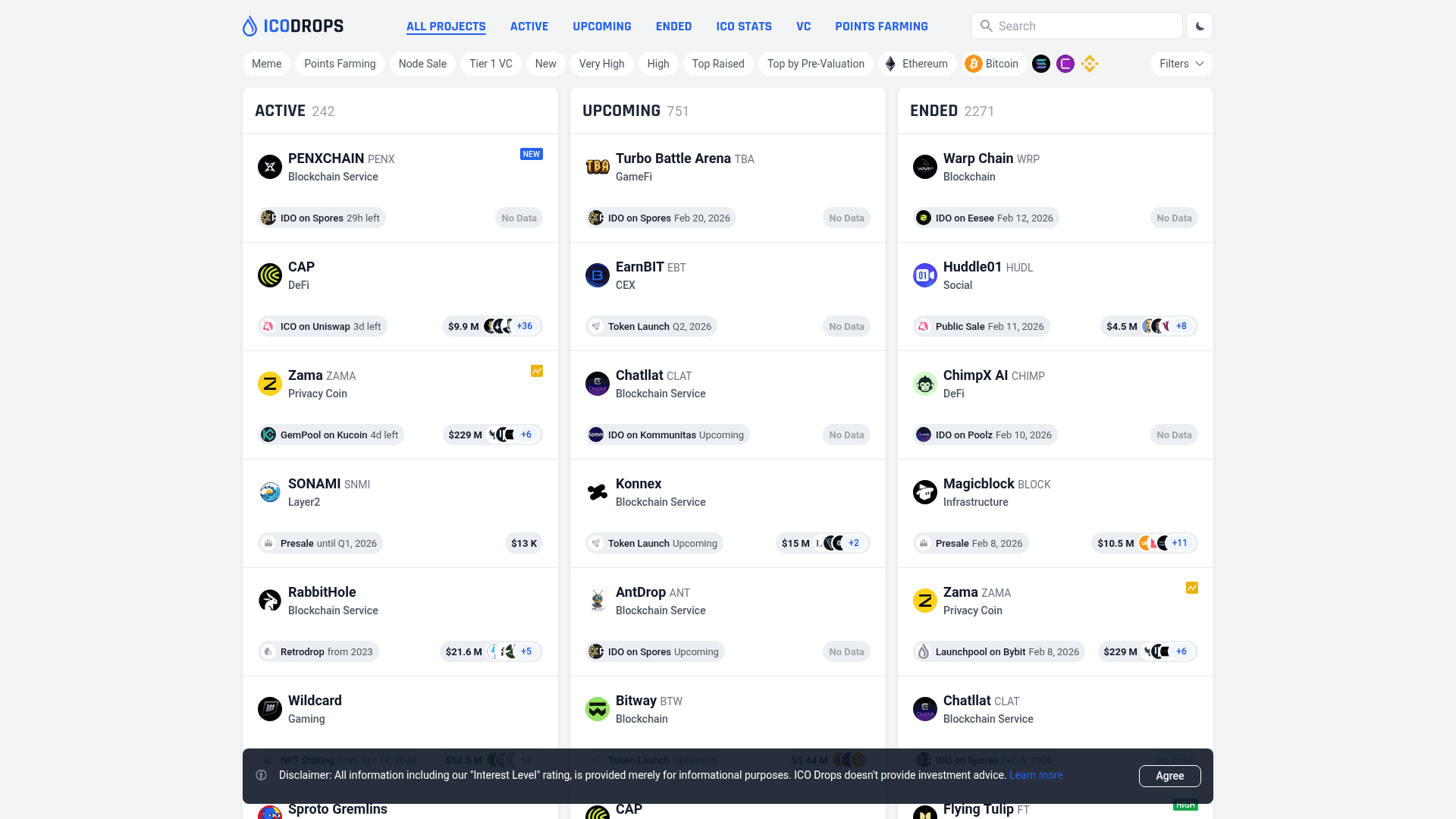
How to Scrape ICO Drops: Comprehensive Crypto Data Guide
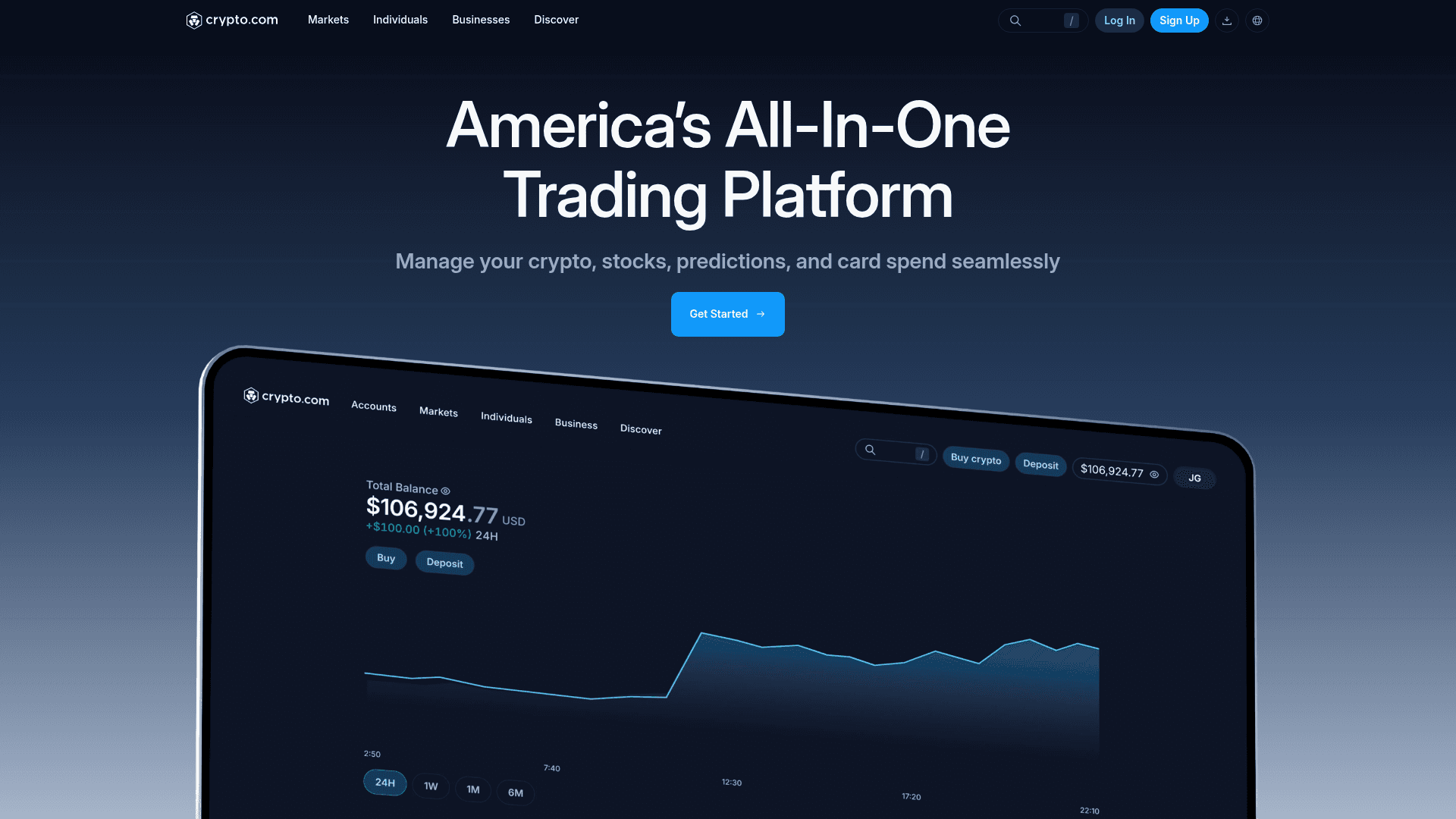
How to Scrape Crypto.com: Comprehensive Market Data Guide
Frequently Asked Questions
Find answers to common questions about CoinBrain