
How to Scrape SlideShare: Extract Presentations and Transcripts
Master SlideShare scraping to extract slide images, titles, and text transcripts. Overcome Cloudflare and JavaScript walls to gather professional insights.
Anti-Bot Protection Detected
- Cloudflare
- Enterprise-grade WAF and bot management. Uses JavaScript challenges, CAPTCHAs, and behavioral analysis. Requires browser automation with stealth settings.
- Rate Limiting
- Limits requests per IP/session over time. Can be bypassed with rotating proxies, request delays, and distributed scraping.
- IP Blocking
- Blocks known datacenter IPs and flagged addresses. Requires residential or mobile proxies to circumvent effectively.
- Browser Fingerprinting
- Identifies bots through browser characteristics: canvas, WebGL, fonts, plugins. Requires spoofing or real browser profiles.
- Login Wall for Downloads
About SlideShare
Learn what SlideShare offers and what valuable data can be extracted from it.
The Professional Knowledge Hub
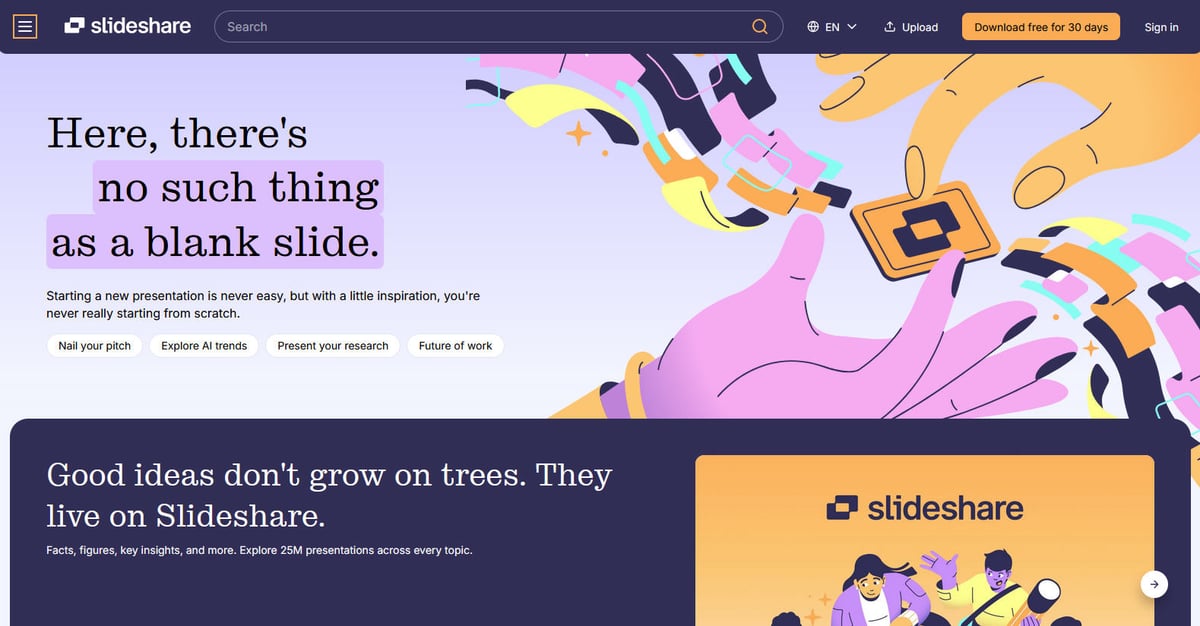
SlideShare, now part of the Scribd ecosystem, is the world's largest repository for professional content. It hosts over 25 million presentations, infographics, and documents uploaded by industry experts and major corporations. This makes it an unparalleled source of high-quality, curated information.
Data for Market Intelligence
The platform's content is structured into categories like Technology, Business, and Healthcare. For researchers, this means access to expert decks that aren't indexed as standard text elsewhere. Scraping this data allows for massive aggregation of industry trends and educational materials.
Why it Matters for Data Science
Unlike standard websites, SlideShare stores much of its value in visual formats. Scraping involves capturing the slide images and the associated SEO transcripts, providing a dual-layered dataset for both visual and text-based analysis, which is critical for modern competitive intelligence.
Why Scrape SlideShare?
Discover the business value and use cases for extracting data from SlideShare.
B2B Lead Generation
Identify and extract contact details of industry experts and decision-makers who upload high-quality presentations in specialized niches.
Market Trend Analysis
Aggregate transcripts from thousands of industry decks to perform keyword analysis and identify emerging trends before they hit mainstream reports.
Competitive Intelligence
Monitor the presentation strategies of competitors, including the specific topics they emphasize at conferences and their internal messaging.
Educational Content Aggregation
Collect and categorize high-value educational slides and documents for internal knowledge management or research databases.
NLP and AI Model Training
Utilize the vast library of professional-grade text transcripts to train and fine-tune language models on industry-specific terminology.
Historical Industry Archiving
Track the evolution of business strategies and technology standards by scraping historical presentation data across different years.
Scraping Challenges
Technical challenges you may encounter when scraping SlideShare.
Cloudflare Bot Management
SlideShare employs Cloudflare to detect and block non-human traffic, often resulting in 403 Forbidden errors for simple scripts.
Lazy Loading Slide Images
The presentation viewer only loads slide images as they enter the viewport, requiring automated scrolling or interaction to capture every slide.
JavaScript-Heavy Rendering
Key elements of the user interface and data visualization require a full browser environment to render properly before extraction.
Aggressive Rate Limiting
Making too many requests in a short period from the same IP address will trigger CAPTCHAs or temporary bans.
Scrape SlideShare with AI
No coding required. Extract data in minutes with AI-powered automation.
How It Works
Describe What You Need
Tell the AI what data you want to extract from SlideShare. Just type it in plain language — no coding or selectors needed.
AI Extracts the Data
Our artificial intelligence navigates SlideShare, handles dynamic content, and extracts exactly what you asked for.
Get Your Data
Receive clean, structured data ready to export as CSV, JSON, or send directly to your apps and workflows.
Why Use AI for Scraping
AI makes it easy to scrape SlideShare without writing any code. Our AI-powered platform uses artificial intelligence to understand what data you want — just describe it in plain language and the AI extracts it automatically.
How to scrape with AI:
- Describe What You Need: Tell the AI what data you want to extract from SlideShare. Just type it in plain language — no coding or selectors needed.
- AI Extracts the Data: Our artificial intelligence navigates SlideShare, handles dynamic content, and extracts exactly what you asked for.
- Get Your Data: Receive clean, structured data ready to export as CSV, JSON, or send directly to your apps and workflows.
Why use AI for scraping:
- Effortless Anti-Bot Bypass: Automatio automatically manages browser fingerprints and proxy rotation to stay invisible to Cloudflare and other security measures.
- Visual Data Selection: Select exactly which metadata or transcript sections to scrape using a point-and-click interface, eliminating the need for complex CSS selectors.
- Dynamic Content Handling: Easily set up automated scrolling and wait conditions to ensure every lazy-loaded slide image is fully rendered before capture.
- Automated Scheduling: Configure your scraper to run at specific intervals to capture new uploads from targeted categories or user profiles without manual intervention.
- Direct Integration: Push extracted SlideShare data directly into Google Sheets or via Webhooks to feed your sales or research pipelines in real-time.
No-Code Web Scrapers for SlideShare
Point-and-click alternatives to AI-powered scraping
Several no-code tools like Browse.ai, Octoparse, Axiom, and ParseHub can help you scrape SlideShare. These tools use visual interfaces to select elements, but they come with trade-offs compared to AI-powered solutions.
Typical Workflow with No-Code Tools
Common Challenges
Learning curve
Understanding selectors and extraction logic takes time
Selectors break
Website changes can break your entire workflow
Dynamic content issues
JavaScript-heavy sites often require complex workarounds
CAPTCHA limitations
Most tools require manual intervention for CAPTCHAs
IP blocking
Aggressive scraping can get your IP banned
No-Code Web Scrapers for SlideShare
Several no-code tools like Browse.ai, Octoparse, Axiom, and ParseHub can help you scrape SlideShare. These tools use visual interfaces to select elements, but they come with trade-offs compared to AI-powered solutions.
Typical Workflow with No-Code Tools
- Install browser extension or sign up for the platform
- Navigate to the target website and open the tool
- Point-and-click to select data elements you want to extract
- Configure CSS selectors for each data field
- Set up pagination rules to scrape multiple pages
- Handle CAPTCHAs (often requires manual solving)
- Configure scheduling for automated runs
- Export data to CSV, JSON, or connect via API
Common Challenges
- Learning curve: Understanding selectors and extraction logic takes time
- Selectors break: Website changes can break your entire workflow
- Dynamic content issues: JavaScript-heavy sites often require complex workarounds
- CAPTCHA limitations: Most tools require manual intervention for CAPTCHAs
- IP blocking: Aggressive scraping can get your IP banned
Code Examples
import requests
from bs4 import BeautifulSoup

# Set headers to mimic a real browser
headers = {
    'User-Agent': 'Mozilla/5.0 (Windows NT 10.0; Win64; x64) AppleWebKit/537.36 (KHTML, like Gecko) Chrome/91.0.4472.124 Safari/537.36'
}

def scrape_basic_meta(url):
    try:
        response = requests.get(url, headers=headers, timeout=10)
        response.raise_for_status()

        soup = BeautifulSoup(response.text, 'html.parser')

        # Extracting the transcript which is often hidden for SEO
        transcript_div = soup.find('div', id='transcription')
        transcript = transcript_div.get_text(strip=True) if transcript_div else "No transcript found"

        print(f"Title: {soup.title.string}")
        print(f"Snippet: {transcript[:200]}...")

    except Exception as e:
        print(f"An error occurred: {e}")

scrape_basic_meta('https://www.slideshare.net/example-presentation')
When to Use
Best for static HTML pages where content is loaded server-side. The fastest and simplest approach when JavaScript rendering isn't required.
Advantages
- ●Fastest execution (no browser overhead)
- ●Lowest resource consumption
- ●Easy to parallelize with asyncio
- ●Great for APIs and static pages
Limitations
- ●Cannot execute JavaScript
- ●Fails on SPAs and dynamic content
- ●May struggle with complex anti-bot systems
How to Scrape SlideShare with Code
Python + Requests
import requests
from bs4 import BeautifulSoup
# Set headers to mimic a real browser
headers = {
'User-Agent': 'Mozilla/5.0 (Windows NT 10.0; Win64; x64) AppleWebKit/537.36 (KHTML, like Gecko) Chrome/91.0.4472.124 Safari/537.36'
}
def scrape_basic_meta(url):
try:
response = requests.get(url, headers=headers, timeout=10)
response.raise_for_status()
soup = BeautifulSoup(response.text, 'html.parser')
# Extracting the transcript which is often hidden for SEO
transcript_div = soup.find('div', id='transcription')
transcript = transcript_div.get_text(strip=True) if transcript_div else "No transcript found"
print(f"Title: {soup.title.string}")
print(f"Snippet: {transcript[:200]}...")
except Exception as e:
print(f"An error occurred: {e}")
scrape_basic_meta('https://www.slideshare.net/example-presentation')Python + Playwright
from playwright.sync_api import sync_playwright

def scrape_dynamic_slides(url):
    with sync_playwright() as p:
        # Launch a headless browser
        browser = p.chromium.launch(headless=True)
        context = browser.new_context(user_agent="Mozilla/5.0")
        page = context.new_page()

        # Navigate to SlideShare page
        page.goto(url, wait_until="networkidle")

        # Wait for the slide images to render
        page.wait_for_selector('.slide_image')

        # Extract all slide image URLs
        slides = page.query_selector_all('.slide_image')
        image_urls = [slide.get_attribute('src') for slide in slides]

        print(f"Found {len(image_urls)} slides")
        for url in image_urls:
            print(url)

        browser.close()

scrape_dynamic_slides('https://www.slideshare.net/example-presentation')Python + Scrapy
import scrapy

class SlideshareSpider(scrapy.Spider):
    name = 'slideshare_spider'
    allowed_domains = ['slideshare.net']
    start_urls = ['https://www.slideshare.net/explore']

    def parse(self, response):
        # Extract presentation links from category pages
        links = response.css('a.presentation-link::attr(href)').getall()
        for link in links:
            yield response.follow(link, self.parse_presentation)

    def parse_presentation(self, response):
        yield {
            'title': response.css('h1.presentation-title::text').get(strip=True),
            'author': response.css('.author-name::text').get(strip=True),
            'views': response.css('.view-count::text').get(strip=True),
            'transcript': " ".join(response.css('.transcription p::text').getall())
}Node.js + Puppeteer
const puppeteer = require('puppeteer');

(async () => {
  const browser = await puppeteer.launch();
  const page = await browser.newPage();

  // Mimic a human browser to bypass basic filters
  await page.setUserAgent('Mozilla/5.0 (Windows NT 10.0; Win64; x64) AppleWebKit/537.36');

  await page.goto('https://www.slideshare.net/example-presentation');

  // Wait for the dynamic content to load
  await page.waitForSelector('.presentation-title');

  const data = await page.evaluate(() => {
    const title = document.querySelector('.presentation-title').innerText;
    const slideCount = document.querySelectorAll('.slide_image').length;
    return { title, slideCount };
  });

  console.log(data);
  await browser.close();
})();What You Can Do With SlideShare Data
Explore practical applications and insights from SlideShare data.
B2B Lead Generation
Identify high-value prospects by scraping authors of presentations in niche technical categories.
How to implement:
- 1Scrape authors from specific categories like 'Enterprise Software'.
- 2Extract author profile links and social media handles.
- 3Match author data with LinkedIn profiles for outreach.
Use Automatio to extract data from SlideShare and build these applications without writing code.
What You Can Do With SlideShare Data
- B2B Lead Generation
Identify high-value prospects by scraping authors of presentations in niche technical categories.
- Scrape authors from specific categories like 'Enterprise Software'.
- Extract author profile links and social media handles.
- Match author data with LinkedIn profiles for outreach.
- Competitive Content Analysis
Benchmark your content strategy by analyzing the presentation frequency and view counts of rivals.
- Crawl the profiles of top 10 competitors.
- Calculate average slide count and view engagement metrics.
- Identify the most popular tags and topics they cover.
- AI Training Data Extraction
Gather thousands of professional transcripts to train domain-specific language models.
- Iterate through the sitemap or category pages.
- Extract clean text transcripts from professional decks.
- Filter and clean the data for industry-specific terminology.
- Automated Market Newsletters
Curate the best presentations on a weekly basis for industry-focused newsletters.
- Monitor 'Latest' uploads in targeted categories.
- Sort by view count and upload date to find trending content.
- Export titles and thumbnails to a mailing list system.
Supercharge your workflow with AI Automation
Automatio combines the power of AI agents, web automation, and smart integrations to help you accomplish more in less time.
What to get right first
Expert advice for successfully extracting data from SlideShare.
Prioritize the SEO Transcript
Instead of using OCR on images, scrape the 'transcription' div at the bottom of the page which contains the full text optimized for search engines.
Rotate Residential Proxies
Use residential proxies to mimic real user behavior and avoid getting flagged by SlideShare's IP-based rate limiting systems.
Mimic Human Navigation
Add random delays between actions and vary your scrolling speed to appear more like a professional researcher browsing the site.
Extract the Highest Resolution
Inspect the 'srcset' attribute of slide images to find the URL for the highest resolution version available on their CDN.
Monitor Specific Uploaders
To maintain a high-quality dataset, focus your scraping on uploader profile pages rather than broad and noisy search result pages.
Check Document Metadata
Don't ignore the sidebars; they often contain valuable tags, categories, and related presentation links that can expand your crawling reach.
Related Web Scraping

How to Scrape GitHub | The Ultimate 2025 Technical Guide

How to Scrape Pollen.com: Local Allergy Data Extraction Guide

How to Scrape Britannica: Educational Data Web Scraper

How to Scrape RethinkEd: A Technical Data Extraction Guide

How to Scrape Wikipedia: The Ultimate Web Scraping Guide

How to Scrape Weather.com: A Guide to Weather Data Extraction

How to Scrape Worldometers for Real-Time Global Statistics

How to Scrape American Museum of Natural History (AMNH)
Frequently Asked Questions
Find answers to common questions about SlideShare