
How to Scrape xkcd Comics: API and Web Scraping Guide
Learn how to scrape xkcd comic metadata, transcripts, and image URLs. Use the official JSON API or Python for NLP research and offline archiving.
About xkcd
Learn what xkcd offers and what valuable data can be extracted from it.
The World of xkcd
xkcd, created by Randall Munroe, is a legendary webcomic focused on romance, sarcasm, math, and language. Since its launch in 2005, it has become a cornerstone of internet culture, known for its stick-figure drawings and deeply intellectual humor regarding science and technology.
Data Available for Extraction
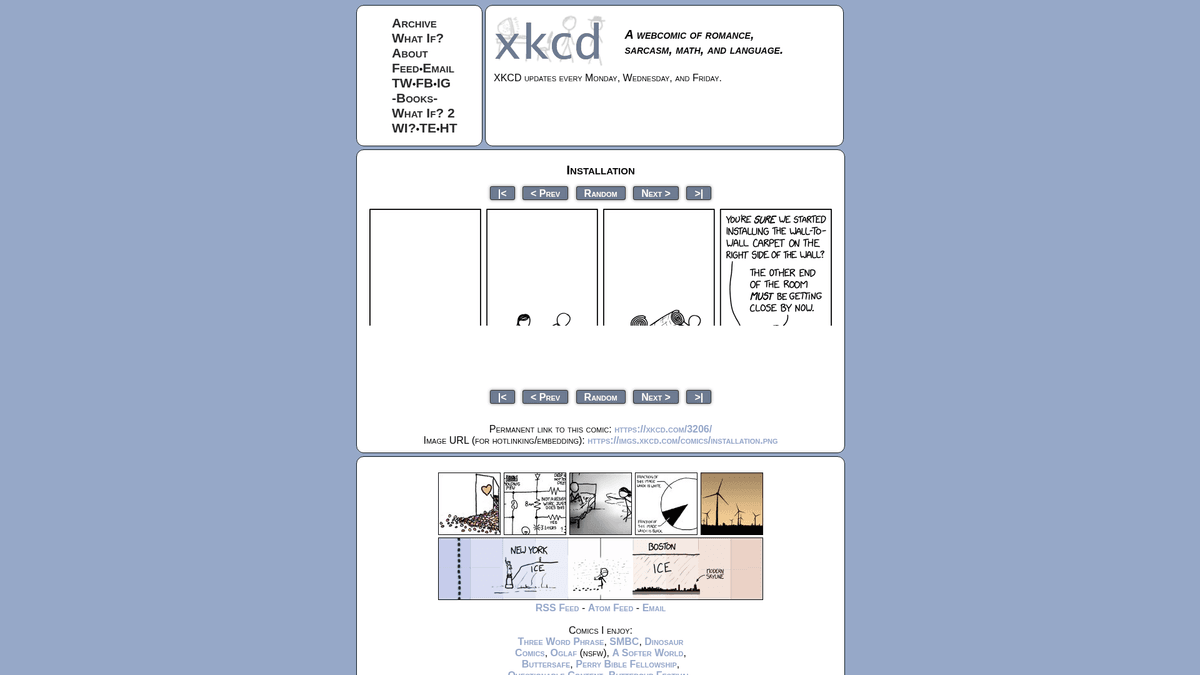
The website provides access to over 2,800 comics. Each entry contains a unique comic number, a title, a protocol-relative image URL, and the famous 'alt-text' (found in the image title attribute) which often contains the final punchline. Most comics also include a detailed text transcript.
Why Researchers Scrape xkcd
Scraping this data is highly valuable for Natural Language Processing (NLP) and sentiment analysis of technical humor. The transcripts provide a clean dataset of human-generated descriptions, while the sequential numbering makes it an ideal target for practicing web crawling and archival automation.
Why Scrape xkcd?
Discover the business value and use cases for extracting data from xkcd.
Linguistic Humor Research
Researchers use xkcd transcripts to study the use of sarcasm, puns, and technical jargon in modern internet English. The text data provides a rich source for training models to understand complex humor.
Scientific Trend Analysis
By extracting comic topics and keywords, data scientists can map the intersection of pop culture and scientific milestones over the last two decades. This helps in understanding how technical concepts permeate public consciousness.
Cultural Archiving
Scraping allows for the creation of a comprehensive, offline digital library of one of the internet's most influential webcomics. This ensures that the cultural context and specific scientific jokes are preserved regardless of site availability.
Sentiment Analysis Training
The contrast between the simple stick-figure drawings and the complex text provides a unique dataset for multimodal sentiment analysis. Scrapers can pair image metadata with alt-text to train AI on subtext detection.
Searchable Comic Database
Building a local index of all comics, including their transcripts and alt-text, allows developers to create high-performance search tools. This is particularly useful for finding 'relevant xkcd' comics based on niche technical keywords.
Bot and Integration Development
Automated scraping enables the creation of Slack, Discord, or social media bots that can fetch and display relevant comics. These integrations often rely on the scraped metadata to provide context alongside the image.
Scraping Challenges
Technical challenges you may encounter when scraping xkcd.
Alt-Text Attribute Selection
The punchline is uniquely stored in the 'title' attribute of the image tag rather than as visible text. Scrapers must be specifically configured to target this HTML attribute rather than the standard text content.
Protocol-Relative URL Formatting
Many older comics use protocol-relative URLs (starting with //) for image sources. Scrapers need logic to prepend 'https:' to these strings to ensure the images can be correctly downloaded or displayed.
Interactive JavaScript Comics
Occasional 'special' comics are built as complex JavaScript games or interactive experiences rather than static images. These pages require headless browsers or specialized handling as they do not follow the standard HTML comic structure.
Transcript Inconsistency
While most comics include transcripts, the formatting can vary significantly between the early 2000s and the present day. This requires flexible parsing logic or regular expressions to clean and normalize the text data.
Large Image Stitching
Unique comics like #1110 (Click and Drag) are composed of hundreds of individual image tiles. Scraping these requires a script that can identify the tile coordinate system and programmatically reconstruct the full high-resolution image.
Scrape xkcd with AI
No coding required. Extract data in minutes with AI-powered automation.
How It Works
Describe What You Need
Tell the AI what data you want to extract from xkcd. Just type it in plain language — no coding or selectors needed.
AI Extracts the Data
Our artificial intelligence navigates xkcd, handles dynamic content, and extracts exactly what you asked for.
Get Your Data
Receive clean, structured data ready to export as CSV, JSON, or send directly to your apps and workflows.
Why Use AI for Scraping
AI makes it easy to scrape xkcd without writing any code. Our AI-powered platform uses artificial intelligence to understand what data you want — just describe it in plain language and the AI extracts it automatically.
How to scrape with AI:
- Describe What You Need: Tell the AI what data you want to extract from xkcd. Just type it in plain language — no coding or selectors needed.
- AI Extracts the Data: Our artificial intelligence navigates xkcd, handles dynamic content, and extracts exactly what you asked for.
- Get Your Data: Receive clean, structured data ready to export as CSV, JSON, or send directly to your apps and workflows.
Why use AI for scraping:
- Attribute Extraction via Point-and-Click: Automatio allows users to simply click on the comic image and select the 'title' attribute for extraction. This eliminates the need to write complex CSS selectors or XPATH queries to capture the hidden punchline text.
- Intelligent Sequential Pagination: Users can easily set up a loop to crawl through comics by incrementing the ID in the URL. Automatio handles the navigation automatically, ensuring every comic from #1 to the present is captured without manual intervention.
- Zero-Coding Data Formatting: Automatio can automatically prepend 'https:' to image sources and clean transcripts as it scrapes. This means the final output is ready for use in a database or application without requiring post-processing scripts.
- Scheduled Updates for New Releases: You can schedule Automatio to check for new comics every Monday, Wednesday, and Friday. This ensures your local archive or integrated bot stays up to date with the latest releases without any recurring manual work.
No-Code Web Scrapers for xkcd
Point-and-click alternatives to AI-powered scraping
Several no-code tools like Browse.ai, Octoparse, Axiom, and ParseHub can help you scrape xkcd. These tools use visual interfaces to select elements, but they come with trade-offs compared to AI-powered solutions.
Typical Workflow with No-Code Tools
Common Challenges
Learning curve
Understanding selectors and extraction logic takes time
Selectors break
Website changes can break your entire workflow
Dynamic content issues
JavaScript-heavy sites often require complex workarounds
CAPTCHA limitations
Most tools require manual intervention for CAPTCHAs
IP blocking
Aggressive scraping can get your IP banned
No-Code Web Scrapers for xkcd
Several no-code tools like Browse.ai, Octoparse, Axiom, and ParseHub can help you scrape xkcd. These tools use visual interfaces to select elements, but they come with trade-offs compared to AI-powered solutions.
Typical Workflow with No-Code Tools
- Install browser extension or sign up for the platform
- Navigate to the target website and open the tool
- Point-and-click to select data elements you want to extract
- Configure CSS selectors for each data field
- Set up pagination rules to scrape multiple pages
- Handle CAPTCHAs (often requires manual solving)
- Configure scheduling for automated runs
- Export data to CSV, JSON, or connect via API
Common Challenges
- Learning curve: Understanding selectors and extraction logic takes time
- Selectors break: Website changes can break your entire workflow
- Dynamic content issues: JavaScript-heavy sites often require complex workarounds
- CAPTCHA limitations: Most tools require manual intervention for CAPTCHAs
- IP blocking: Aggressive scraping can get your IP banned
Code Examples
import requests
from bs4 import BeautifulSoup

def scrape_xkcd_page(comic_id):
    url = f'https://xkcd.com/{comic_id}/'
    headers = {'User-Agent': 'ScrapingGuideBot/1.0'}

    # Send request to the comic page
    response = requests.get(url, headers=headers)
    if response.status_code == 200:
        soup = BeautifulSoup(response.text, 'html.parser')

        # Extract the title and image metadata
        comic_div = soup.find(id='comic')
        img = comic_div.find('img')

        data = {
            'title': soup.find(id='ctitle').text,
            'img_url': 'https:' + img['src'],
            'alt_text': img['title']
        }
        return data

# Example: Scrape comic #1000
print(scrape_xkcd_page(1000))
When to Use
Best for static HTML pages where content is loaded server-side. The fastest and simplest approach when JavaScript rendering isn't required.
Advantages
- ●Fastest execution (no browser overhead)
- ●Lowest resource consumption
- ●Easy to parallelize with asyncio
- ●Great for APIs and static pages
Limitations
- ●Cannot execute JavaScript
- ●Fails on SPAs and dynamic content
- ●May struggle with complex anti-bot systems
How to Scrape xkcd with Code
Python + Requests
import requests
from bs4 import BeautifulSoup
def scrape_xkcd_page(comic_id):
url = f'https://xkcd.com/{comic_id}/'
headers = {'User-Agent': 'ScrapingGuideBot/1.0'}
# Send request to the comic page
response = requests.get(url, headers=headers)
if response.status_code == 200:
soup = BeautifulSoup(response.text, 'html.parser')
# Extract the title and image metadata
comic_div = soup.find(id='comic')
img = comic_div.find('img')
data = {
'title': soup.find(id='ctitle').text,
'img_url': 'https:' + img['src'],
'alt_text': img['title']
}
return data
# Example: Scrape comic #1000
print(scrape_xkcd_page(1000))Python + Playwright
from playwright.sync_api import sync_playwright

def scrape_with_playwright(comic_id):
    with sync_playwright() as p:
        browser = p.chromium.launch(headless=True)
        page = browser.new_page()
        page.goto(f'https://xkcd.com/{comic_id}/')

        # Wait for the comic element to load
        page.wait_for_selector('#comic img')

        title = page.inner_text('#ctitle')
        img_src = page.get_attribute('#comic img', 'src')
        alt_text = page.get_attribute('#comic img', 'title')

        print(f'Comic {comic_id}: {title}')
        print(f'Alt Text: {alt_text}')

        browser.close()

scrape_with_playwright(2500)Python + Scrapy
import scrapy

class XkcdSpider(scrapy.Spider):
    name = 'xkcd_spider'
    start_urls = ['https://xkcd.com/1/']

    def parse(self, response):
        yield {
            'num': response.url.split('/')[-2],
            'title': response.css('#ctitle::text').get(),
            'img_url': response.urljoin(response.css('#comic img::attr(src)').get()),
            'alt': response.css('#comic img::attr(title)').get()
        }

        # Follow the 'Next' button to crawl the entire archive
        next_page = response.css('a[rel="next"]::attr(href)').get()
        if next_page and next_page != '#':
yield response.follow(next_page, self.parse)Node.js + Puppeteer
const puppeteer = require('puppeteer');

(async () => {
  const browser = await puppeteer.launch();
  const page = await browser.newPage();
  await page.goto('https://xkcd.com/614/');

  const comicData = await page.evaluate(() => {
    const img = document.querySelector('#comic img');
    return {
      title: document.querySelector('#ctitle').innerText,
      imgUrl: img.src,
      altText: img.title
    };
  });

  console.log(comicData);
  await browser.close();
})();What You Can Do With xkcd Data
Explore practical applications and insights from xkcd data.
NLP Sentiment Analysis
Researchers can analyze the text of thousands of comics to see how the tone of technical humor has evolved over decades.
How to implement:
- 1Extract transcripts and alt-text using the JSON API.
- 2Tokenize the text and remove standard stop words.
- 3Apply a sentiment analyzer like VADER or TextBlob.
- 4Visualize sentiment trends relative to the comic release years.
Use Automatio to extract data from xkcd and build these applications without writing code.
What You Can Do With xkcd Data
- NLP Sentiment Analysis
Researchers can analyze the text of thousands of comics to see how the tone of technical humor has evolved over decades.
- Extract transcripts and alt-text using the JSON API.
- Tokenize the text and remove standard stop words.
- Apply a sentiment analyzer like VADER or TextBlob.
- Visualize sentiment trends relative to the comic release years.
- Technical Keyword Extraction
Create a database of technical terms frequently used in pop culture to identify emerging tech trends.
- Scrape all comic titles and transcripts.
- Identify scientific and technical keywords using an NER model.
- Calculate keyword frequency and density across different eras of the comic.
- Map these keywords to real-world technology release dates (e.g., Python 3, SpaceX).
- Offline Comic Browser App
Developers can create mobile-friendly, offline-first applications for fans to read comics without an internet connection.
- Scrape all image URLs and associated metadata.
- Download images and compress them for mobile performance.
- Create a local SQLite database with titles, numbers, and alt-text.
- Build a UI that reveals the 'alt-text' on long-press or tap.
- AI Image Caption Training
Use the highly descriptive alt-text and transcripts as a dataset for training machine learning models to describe complex scenes.
- Download comic images and their corresponding transcripts.
- Clean the data to remove non-descriptive 'punchline' humor from transcripts.
- Use the image-text pairs to fine-tune a multimodal LLM.
- Evaluate the model's ability to generate humor or technical descriptions.
Supercharge your workflow with AI Automation
Automatio combines the power of AI agents, web automation, and smart integrations to help you accomplish more in less time.
What to get right first
Expert advice for successfully extracting data from xkcd.
Prioritize the JSON API
Check the xkcd.com/info.0.json endpoint before parsing the HTML. The API provides the cleanest data and is less prone to breaking if the website's layout changes.
Respect the Crawl Delay
Add a small delay of 1 to 2 seconds between requests. While the site is very permissive, being a polite scraper prevents unnecessary load on their servers and reduces the risk of temporary rate limiting.
Map the Permanent Links
Always extract the 'Permanent Link' found on the page. This ensures your data remains valid even if the comic is moved or if you are scraping from a dynamic source like the homepage.
Utilize explainxkcd.com for Depth
If you need more detailed explanations or fully corrected transcripts, consider scraping the community-run explainxkcd wiki alongside the main site. It provides deeper context that the official metadata often lacks.
Handle Error Redirects
Some comic IDs might be skipped or redirect to external project pages. Ensure your scraper can handle 404 errors or non-standard page structures without crashing the entire crawl process.
Related Web Scraping

How to Scrape GitHub | The Ultimate 2025 Technical Guide

How to Scrape Pollen.com: Local Allergy Data Extraction Guide

How to Scrape Britannica: Educational Data Web Scraper

How to Scrape RethinkEd: A Technical Data Extraction Guide

How to Scrape Wikipedia: The Ultimate Web Scraping Guide

How to Scrape Weather.com: A Guide to Weather Data Extraction

How to Scrape Worldometers for Real-Time Global Statistics

How to Scrape American Museum of Natural History (AMNH)
Frequently Asked Questions
Find answers to common questions about xkcd