
American Museum of Natural History (AMNH) 데이터 스크래핑 방법
American Museum of Natural History (AMNH) 데이터를 스크래핑하세요. 과학적 연구 및 교육적 용도를 위해 표본, 전시 및 아카이브 정보를 추출합니다.
봇 방지 보호 감지됨
- Cloudflare
- 엔터프라이즈급 WAF 및 봇 관리. JavaScript 챌린지, CAPTCHA, 행동 분석 사용. 스텔스 설정의 브라우저 자동화 필요.
- 속도 제한
- 시간당 IP/세션별 요청 제한. 회전 프록시, 요청 지연, 분산 스크래핑으로 우회 가능.
- IP 차단
- 알려진 데이터센터 IP와 표시된 주소 차단. 효과적인 우회를 위해 주거용 또는 모바일 프록시 필요.
- 브라우저 핑거프린팅
- 브라우저 특성으로 봇 식별: canvas, WebGL, 글꼴, 플러그인. 스푸핑 또는 실제 브라우저 프로필 필요.
American Museum of Natural History 정보
American Museum of Natural History이 제공하는 것과 추출할 수 있는 가치 있는 데이터를 알아보세요.
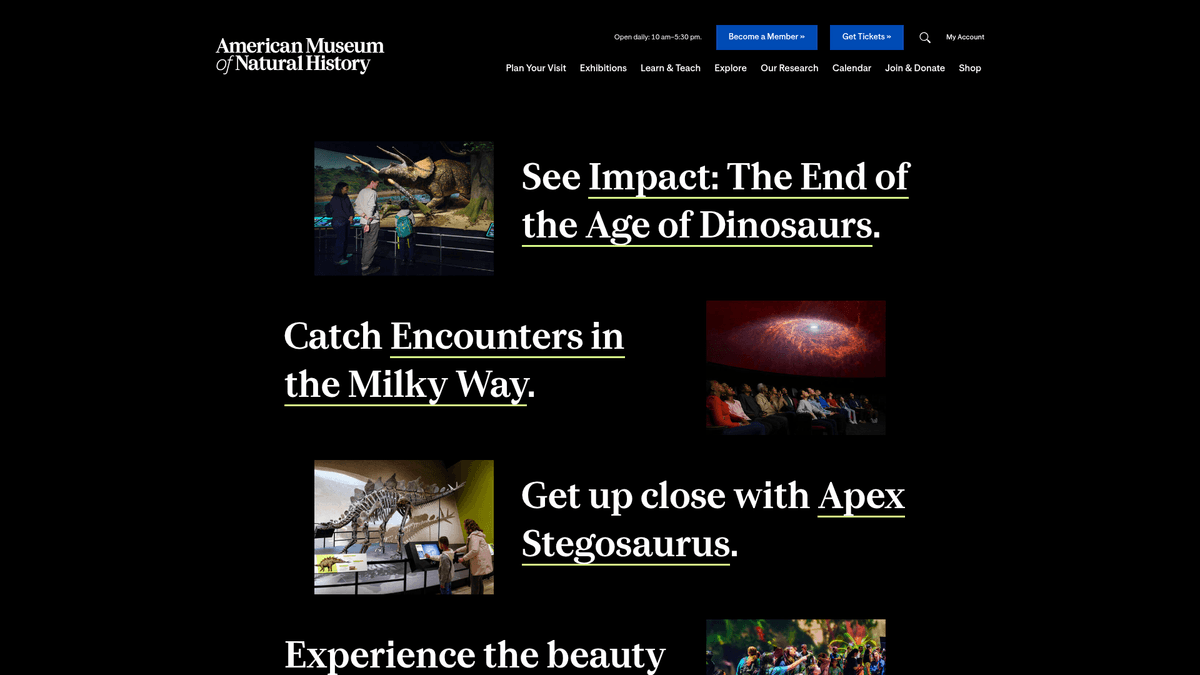
뉴욕시에 위치한 American Museum of Natural History (AMNH)는 세계 최고의 과학 및 문화 기관 중 하나입니다. 1869년에 설립된 이 박물관은 광범위한 과학 연구 및 교육 프로그램을 운영하며, 3,400만 점 이상의 표본과 유물을 보유하고 있습니다. 특히 공룡 홀, 해양 생물 전시, 로스 지구 및 우주 센터(Rose Center for Earth and Space)로 잘 알려져 있습니다.
이 웹사이트는 고고학, 민속학, 생물학 컬렉션에 대한 방대한 데이터베이스를 포함하고 있습니다. 이러한 디지털 아카이브에는 고해상도 이미지, 표본에 대한 상세 메타데이터, 지리적 발견 데이터 및 역사적 기록이 포함됩니다. 이 아카이브들은 data.amnh.org 및 digitalcollections.amnh.org를 포함한 다양한 서브도메인에서 호스팅됩니다.
연구자, 학생, 데이터 과학자들에게 이 저장소는 수십억 년에 걸친 지구의 역사를 아우르는 풍부한 정보를 제공합니다. 이 데이터를 스크래핑하는 것은 현대 생물 다양성 연구, 디지털 보존 및 역사적 과학 탐사 추적에 필수적입니다.
왜 American Museum of Natural History을 스크래핑해야 하나요?
American Museum of Natural History에서 데이터 추출의 비즈니스 가치와 사용 사례를 알아보세요.
학술 및 과학 연구
생물 다양성 및 종 모니터링
교육용 콘텐츠 수집
역사 및 문화 분석
아카이브 보존 및 디지털 카탈로그 제작
과학 인력 및 출판물 추적
스크래핑 과제
American Museum of Natural History 스크래핑 시 겪을 수 있는 기술적 과제.
공격적인 Cloudflare 봇 방지 보안
검색 결과의 동적 콘텐츠 로딩
API 응답 내의 복잡한 중첩 JSON 구조
연구용 서브도메인의 엄격한 rate limiting
프론트엔드 CSS selector의 빈번한 변경
AI로 American Museum of Natural History 스크래핑
코딩 불필요. AI 기반 자동화로 몇 분 만에 데이터 추출.
작동 방식
필요한 것을 설명하세요
American Museum of Natural History에서 어떤 데이터를 추출하고 싶은지 AI에게 알려주세요. 자연어로 입력하기만 하면 됩니다 — 코딩이나 셀렉터가 필요 없습니다.
AI가 데이터를 추출
인공지능이 American Museum of Natural History을 탐색하고, 동적 콘텐츠를 처리하며, 요청한 것을 정확히 추출합니다.
데이터 받기
CSV, JSON으로 내보내거나 앱과 워크플로에 직접 전송할 수 있는 깨끗하고 구조화된 데이터를 받으세요.
스크래핑에 AI를 사용하는 이유
AI를 사용하면 코드를 작성하지 않고도 American Museum of Natural History을 쉽게 스크래핑할 수 있습니다. 인공지능 기반 플랫폼이 원하는 데이터를 이해합니다 — 자연어로 설명하기만 하면 AI가 자동으로 추출합니다.
How to scrape with AI:
- 필요한 것을 설명하세요: American Museum of Natural History에서 어떤 데이터를 추출하고 싶은지 AI에게 알려주세요. 자연어로 입력하기만 하면 됩니다 — 코딩이나 셀렉터가 필요 없습니다.
- AI가 데이터를 추출: 인공지능이 American Museum of Natural History을 탐색하고, 동적 콘텐츠를 처리하며, 요청한 것을 정확히 추출합니다.
- 데이터 받기: CSV, JSON으로 내보내거나 앱과 워크플로에 직접 전송할 수 있는 깨끗하고 구조화된 데이터를 받으세요.
Why use AI for scraping:
- 복잡한 네비게이션을 위한 코딩 불필요
- 동적 JavaScript 렌더링 자동 처리
- 데이터 동기화를 위한 예약 실행 기능
- 로컬 IP 차단을 방지하는 클라우드 실행
- Google Sheets 또는 JSON API로 직접 내보내기
American Museum of Natural History을 위한 노코드 웹 스크래퍼
AI 기반 스크래핑의 포인트 앤 클릭 대안
Browse.ai, Octoparse, Axiom, ParseHub와 같은 여러 노코드 도구를 사용하면 코드 작성 없이 American Museum of Natural History을 스크래핑할 수 있습니다. 이러한 도구는 일반적으로 시각적 인터페이스를 사용하여 데이터를 선택하지만, 복잡한 동적 콘텐츠나 봇 방지 조치에서는 어려움을 겪을 수 있습니다.
노코드 도구의 일반적인 워크플로
일반적인 문제점
학습 곡선
셀렉터와 추출 로직을 이해하는 데 시간이 걸림
셀렉터 깨짐
웹사이트 변경으로 전체 워크플로우가 깨질 수 있음
동적 콘텐츠 문제
JavaScript가 많은 사이트는 복잡한 해결 방법 필요
CAPTCHA 제한
대부분의 도구는 CAPTCHA에 수동 개입 필요
IP 차단
공격적인 스크래핑은 IP 차단으로 이어질 수 있음
American Museum of Natural History을 위한 노코드 웹 스크래퍼
Browse.ai, Octoparse, Axiom, ParseHub와 같은 여러 노코드 도구를 사용하면 코드 작성 없이 American Museum of Natural History을 스크래핑할 수 있습니다. 이러한 도구는 일반적으로 시각적 인터페이스를 사용하여 데이터를 선택하지만, 복잡한 동적 콘텐츠나 봇 방지 조치에서는 어려움을 겪을 수 있습니다.
노코드 도구의 일반적인 워크플로
- 브라우저 확장 프로그램 설치 또는 플랫폼 가입
- 대상 웹사이트로 이동하여 도구 열기
- 포인트 앤 클릭으로 추출할 데이터 요소 선택
- 각 데이터 필드에 대한 CSS 셀렉터 구성
- 여러 페이지 스크래핑을 위한 페이지네이션 규칙 설정
- CAPTCHA 처리 (주로 수동 해결 필요)
- 자동 실행을 위한 스케줄링 구성
- 데이터를 CSV, JSON으로 내보내기 또는 API로 연결
일반적인 문제점
- 학습 곡선: 셀렉터와 추출 로직을 이해하는 데 시간이 걸림
- 셀렉터 깨짐: 웹사이트 변경으로 전체 워크플로우가 깨질 수 있음
- 동적 콘텐츠 문제: JavaScript가 많은 사이트는 복잡한 해결 방법 필요
- CAPTCHA 제한: 대부분의 도구는 CAPTCHA에 수동 개입 필요
- IP 차단: 공격적인 스크래핑은 IP 차단으로 이어질 수 있음
코드 예제
import requests
from bs4 import BeautifulSoup

# 박물관 직원 명부 타겟 URL
url = 'https://www.amnh.org/research/staff-directory'
headers = {'User-Agent': 'Mozilla/5.0 (Windows NT 10.0; Win64; x64) AppleWebKit/537.36'}

try:
    response = requests.get(url, headers=headers)
    response.raise_for_status()
    soup = BeautifulSoup(response.text, 'html.parser')

    # 직원 정보 추출
    staff_list = soup.select('.staff-member-card')
    for staff in staff_list:
        name = staff.select_one('.name').text.strip()
        print(f'Staff Name: {name}')
except Exception as e:
    print(f'Error: {e}')
사용 시기
JavaScript가 최소한인 정적 HTML 페이지에 가장 적합합니다. 블로그, 뉴스 사이트, 단순 이커머스 제품 페이지에 이상적입니다.
장점
- ●가장 빠른 실행 속도 (브라우저 오버헤드 없음)
- ●최소한의 리소스 소비
- ●asyncio로 쉽게 병렬화 가능
- ●API와 정적 페이지에 적합
제한 사항
- ●JavaScript 실행 불가
- ●SPA 및 동적 콘텐츠에서 실패
- ●복잡한 봇 방지 시스템에 어려움
코드로 American Museum of Natural History 스크래핑하는 방법
Python + Requests
import requests
from bs4 import BeautifulSoup
# 박물관 직원 명부 타겟 URL
url = 'https://www.amnh.org/research/staff-directory'
headers = {'User-Agent': 'Mozilla/5.0 (Windows NT 10.0; Win64; x64) AppleWebKit/537.36'}
try:
response = requests.get(url, headers=headers)
response.raise_for_status()
soup = BeautifulSoup(response.text, 'html.parser')
# 직원 정보 추출
staff_list = soup.select('.staff-member-card')
for staff in staff_list:
name = staff.select_one('.name').text.strip()
print(f'Staff Name: {name}')
except Exception as e:
print(f'Error: {e}')Python + Playwright
from playwright.sync_api import sync_playwright

def run():
    with sync_playwright() as p:
        browser = p.chromium.launch(headless=True)
        page = browser.new_page()
        page.goto('https://data.amnh.org/anthropology/collections')

        # 동적 결과가 로드될 때까지 대기
        page.wait_for_selector('.specimen-result-item')

        # 데이터 추출
        items = page.eval_on_selector_all('.specimen-result-item', 'elements => elements.map(e => e.innerText)')
        for item in items:
            print(item)

        browser.close()
run()Python + Scrapy
import scrapy

class AmnhSpider(scrapy.Spider):
    name = 'amnh'
    start_urls = ['https://www.amnh.org/exhibitions']

    def parse(self, response):
        # 전시 제목 및 링크 스크래핑
        for exhibit in response.css('.exhibit-card'):
            yield {
                'title': exhibit.css('.title::text').get(),
                'link': exhibit.css('a::attr(href)').get()
            }

        # 페이지네이션 처리
        next_page = response.css('a.next::attr(href)').get()
        if next_page:
yield response.follow(next_page, self.parse)Node.js + Puppeteer
const puppeteer = require('puppeteer');

(async () => {
  const browser = await puppeteer.launch();
  const page = await browser.newPage();
  await page.goto('https://www.amnh.org/calendar');

  // 캘린더 이벤트가 로드될 때까지 대기
  await page.waitForSelector('.event-item');

  const events = await page.evaluate(() => {
    return Array.from(document.querySelectorAll('.event-item')).map(event => ({
      title: event.querySelector('.event-title').innerText,
      date: event.querySelector('.event-date').innerText
    }));
  });

  console.log(events);
  await browser.close();
})();American Museum of Natural History 데이터로 할 수 있는 것
American Museum of Natural History 데이터의 실용적인 응용 프로그램과 인사이트를 탐색하세요.
생물 다양성 모니터링 시스템
생물 표본 기록을 수집하여 역사적인 종 분포 지도를 생성합니다.
구현 방법:
- 1표본 발견 좌표 및 날짜를 스크래핑합니다.
- 2매핑을 위해 지리 데이터를 표준화합니다.
- 3데이터를 GIS 소프트웨어에 통합하여 시간에 따른 개체군 변화를 분석합니다.
Automatio를 사용하여 American Museum of Natural History에서 데이터를 추출하고 코드 작성 없이 이러한 애플리케이션을 구축하세요.
American Museum of Natural History 데이터로 할 수 있는 것
- 생물 다양성 모니터링 시스템
생물 표본 기록을 수집하여 역사적인 종 분포 지도를 생성합니다.
- 표본 발견 좌표 및 날짜를 스크래핑합니다.
- 매핑을 위해 지리 데이터를 표준화합니다.
- 데이터를 GIS 소프트웨어에 통합하여 시간에 따른 개체군 변화를 분석합니다.
- 교육용 콘텐츠 허브
학생들이 원격으로 고품질 박물관 전시를 탐색할 수 있는 자동화된 포털을 구축합니다.
- 고해상도 이미지와 상세 전시 텍스트를 추출합니다.
- 과학 분야별(예: 고생물학, 동물학)로 데이터를 분류합니다.
- 새로운 전시 데이터로 포털을 매주 업데이트합니다.
- 연구원 명부
학술적 협업을 용이하게 하기 위해 전문 과학자 데이터베이스를 구축합니다.
- 연구원 명단에서 이름, 직책, 이메일을 스크래핑합니다.
- 전문 분야별로 프로필을 색인화합니다.
- 새로운 연구 논문이나 블로그 게시물에 대한 알림을 설정합니다.
- 역사적 유물 인덱스
문화 연구를 위한 민속학 아이템의 검색 가능한 카탈로그를 개발합니다.
- 인류학 데이터베이스에서 카탈로그 번호와 문화적 설명을 스크래핑합니다.
- 재료 유형과 지리적 기원을 교차 참조합니다.
- 다양한 문명에 걸친 예술적 트렌드를 분석합니다.
- 박물관 이벤트 트래커
경쟁 분석이나 관광 앱을 위해 전시 일정과 티켓 가격을 모니터링합니다.
- AMNH 캘린더 및 유료 전시 페이지를 스크래핑합니다.
- 이벤트 날짜와 입장료를 추출합니다.
- 관광 플랫폼용 캘린더 피드로 데이터를 내보냅니다.
워크플로를 강화하세요 AI 자동화
Automatio는 AI 에이전트, 웹 자동화 및 스마트 통합의 힘을 결합하여 더 짧은 시간에 더 많은 것을 달성할 수 있도록 도와줍니다.
American Museum of Natural History 스크래핑 프로 팁
American Museum of Natural History에서 성공적으로 데이터를 추출하기 위한 전문가 조언.
메인 마케팅 사이트를 스크래핑하는 대신 정형 데이터를 제공하는 data.amnh.org와 같은 서브도메인을 타겟팅하세요.
네트워크 탭에서 배경 XHR 요청을 확인하여 검색 인터페이스에서 사용되는 숨겨진 JSON API를 찾아보세요.
보안 차단을 피하기 위해 요청 사이에 최소 3초 이상의 지연 시간을 구현하세요.
대규모 데이터셋을 스크래핑하는 경우 Cloudflare 보호를 우회하기 위해 주거용 프록시(residential proxies)를 사용하세요.
박물관 측에서 주기적으로 프론트엔드 아키텍처를 업데이트하므로 CSS selector의 변경 사항을 정기적으로 확인하세요.
다양한 브라우저와 기기를 모방할 수 있도록 User-Agent 문자열을 로테이션하세요.
관련 Web Scraping

How to Scrape GitHub | The Ultimate 2025 Technical Guide

How to Scrape Pollen.com: Local Allergy Data Extraction Guide

How to Scrape Britannica: Educational Data Web Scraper

How to Scrape RethinkEd: A Technical Data Extraction Guide

How to Scrape Wikipedia: The Ultimate Web Scraping Guide

How to Scrape Weather.com: A Guide to Weather Data Extraction

How to Scrape Worldometers for Real-Time Global Statistics
How to Scrape Poll-Maker: A Comprehensive Web Scraping Guide
American Museum of Natural History에 대한 자주 묻는 질문
American Museum of Natural History에 대한 일반적인 질문에 대한 답변 찾기