

How to Scrape Car.info | Vehicle Data & Valuation Extraction Guide
Learn how to scrape Car.info to extract vehicle specifications, history, and real-time market valuations. A technical guide for automotive data research.
Free to start: 1,000 credits, no card, nothing to install.
About Car.info
Learn what Car.info offers and what valuable data can be extracted from it.
Comprehensive Automotive Information Hub
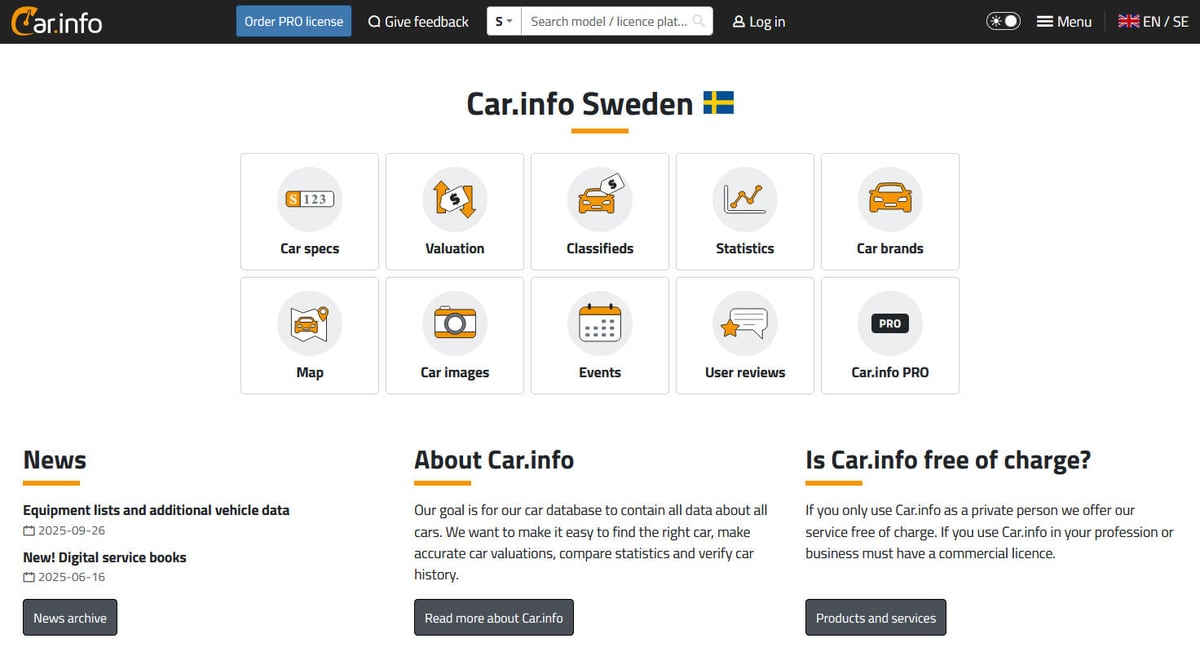
Car.info is one of the most comprehensive automotive information platforms, primarily serving the Swedish market but containing extensive data on vehicles worldwide. It provides a unique one-stop-shop for identifying any vehicle using its license plate or VIN, offering details ranging from engine specifications to historical ownership and current market value.
High-Value Data Aggregation
The platform aggregates data from various sources, including official registries and numerous classified listing sites. This makes it a goldmine for automotive businesses, insurance companies, and market researchers who need precise, aggregated data on vehicle performance, fuel efficiency, and real-world resale trends.
Strategic Data Extraction
With its depth of data covering millions of vehicles, scraping Car.info allows users to build powerful analytical tools, track market trends, and verify vehicle integrity at scale. Whether you are monitoring used car prices or performing fleet analysis, this platform provides the necessary technical depth.
Why Scrape Car.info?
Discover the business value and use cases for extracting data from Car.info.
Real-Time Market Valuation
Extract historical and current valuation data to build precise pricing models for the Swedish and European used car markets.
Vehicle Specification Cataloging
Build a comprehensive database of technical specs, including engine codes, horsepower, and fuel efficiency metrics for millions of vehicles.
Ownership History Verification
Automate the tracking of ownership changes and mileage milestones to verify the integrity of vehicles in large commercial fleets.
Competitive Intelligence
Monitor market supply and demand trends by fuel type, brand, and production year to identify shifts in consumer preference.
Inventory Enrichment
Use registration plate lookups to automatically populate missing technical details and equipment lists on classified car listing websites.
Scraping Challenges
Technical challenges you may encounter when scraping Car.info.
Advanced Anti-Bot Defense
Car.info utilizes sophisticated protection like DataDome and Cloudflare, which detect and block automated traffic using fingerprinting.
JavaScript-Heavy Rendering
Technical specifications and pricing history are often loaded dynamically via XHR requests, requiring a scraper that handles JS execution.
Complex Nested Selectors
Data is organized within deeply nested divs and complex CSS classes rather than standard HTML tables, making simple parsing difficult.
Regional Path Redirection
The site uses localized URL structures (like /en-se/) that can redirect based on IP location, potentially leading to inconsistent data labels.
Scrape Car.info with AI
No coding required. Extract data in minutes with AI-powered automation.
How It Works
Describe What You Need
Tell the AI what data you want to extract from Car.info. Just type it in plain language — no coding or selectors needed.
AI Extracts the Data
Our artificial intelligence navigates Car.info, handles dynamic content, and extracts exactly what you asked for.
Get Your Data
Receive clean, structured data ready to export as CSV, JSON, or send directly to your apps and workflows.
Why Use AI for Scraping
No-Code Web Scrapers for Car.info
Point-and-click alternatives to AI-powered scraping
Several no-code tools like Browse.ai, Octoparse, Axiom, and ParseHub can help you scrape Car.info. These tools use visual interfaces to select elements, but they come with trade-offs compared to AI-powered solutions.
Typical Workflow with No-Code Tools
Common Challenges
Learning curve
Understanding selectors and extraction logic takes time
Selectors break
Website changes can break your entire workflow
Dynamic content issues
JavaScript-heavy sites often require complex workarounds
CAPTCHA limitations
Most tools require manual intervention for CAPTCHAs
IP blocking
Aggressive scraping can get your IP banned
Code Examples
import requests
from bs4 import BeautifulSoup

# Car.info is protected by Cloudflare; realistic headers are mandatory
url = 'https://www.car.info/en-se/search?q=volvo+v60'
headers = {
    'User-Agent': 'Mozilla/5.0 (Windows NT 10.0; Win64; x64) AppleWebKit/537.36 (KHTML, like Gecko) Chrome/118.0.0.0 Safari/537.36'
}

try:
    response = requests.get(url, headers=headers)
    response.raise_for_status()
    soup = BeautifulSoup(response.text, 'html.parser')
    # Example selector for search results
    for car in soup.select('.search-result-item'):
        name = car.select_one('.title').text.strip()
        price = car.select_one('.price').text.strip() if car.select_one('.price') else 'N/A'
        print(f'Model: {name} | Price: {price}')
except Exception as e:
    print(f'Error: {e}')
When to Use
Best for static HTML pages where content is loaded server-side. The fastest and simplest approach when JavaScript rendering isn't required.
Advantages
- ●Fastest execution (no browser overhead)
- ●Lowest resource consumption
- ●Easy to parallelize with asyncio
- ●Great for APIs and static pages
Limitations
- ●Cannot execute JavaScript
- ●Fails on SPAs and dynamic content
- ●May struggle with complex anti-bot systems
import asyncio
from playwright.async_api import async_playwright

async def scrape_car_specs():
    async with async_playwright() as p:
        browser = await p.chromium.launch(headless=True)
        page = await browser.new_page()
        await page.goto('https://www.car.info/en-se/volvo/v60/v60-2023-22874136')
        # Wait for dynamic spec table
        await page.wait_for_selector('.tech-spec-table')
        specs = await page.query_selector_all('.tech-spec-row')
        for spec in specs:
            label = await spec.query_selector('.label')
            value = await spec.query_selector('.value')
            if label and value:
                print(f'{await label.inner_text()}: {await value.inner_text()}')
        await browser.close()

asyncio.run(scrape_car_specs())
When to Use
Use when content loads dynamically via JavaScript, or when you need to interact with the page (clicks, scrolls, form fills). Handles modern anti-bot detection better.
Advantages
- ●Executes JavaScript like a real browser
- ●Handles SPAs and dynamic content
- ●Better anti-bot evasion with stealth plugins
- ●Can take screenshots and PDFs
Limitations
- ●Slower than HTTP requests
- ●Higher memory/CPU usage
- ●More complex to set up
import scrapy

class CarInfoSpider(scrapy.Spider):
    name = 'car_spider'
    start_urls = ['https://www.car.info/en-se/volvo/v60']

    def parse(self, response):
        for car in response.css('.car-listing'):
            yield {
                'model': car.css('.model-name::text').get(),
                'year': car.css('.model-year::text').get(),
                'valuation': car.css('.valuation-range::text').get(),
            }
        # Pagination handling
        next_page = response.css('a.next-btn::attr(href)').get()
        if next_page:
            yield response.follow(next_page, self.parse)
When to Use
Ideal for large-scale crawling projects that need to scrape thousands of pages. Built-in support for rate limiting, retries, and data pipelines.
Advantages
- ●Built for scale (millions of pages)
- ●Automatic request throttling
- ●Built-in data export pipelines
- ●Middleware system for proxies/headers
Limitations
- ●Steeper learning curve
- ●Overkill for small projects
- ●No native JavaScript rendering
const puppeteer = require('puppeteer');

(async () => {
  const browser = await puppeteer.launch();
  const page = await browser.newPage();
  await page.goto('https://www.car.info/en-se/spots');
  await page.waitForSelector('.spot-item');
  const data = await page.evaluate(() => {
    return Array.from(document.querySelectorAll('.spot-item')).map(item => ({
      car: item.querySelector('.car-name')?.innerText,
      plate: item.querySelector('.license-plate')?.innerText,
      location: item.querySelector('.spot-location')?.innerText
    }));
  });
  console.log(data);
  await browser.close();
})();
When to Use
Choose this if you're in a Node.js/JavaScript ecosystem or need tight integration with frontend tools. Similar capabilities to Playwright.
Advantages
- ●Native JavaScript/TypeScript support
- ●Chrome DevTools Protocol access
- ●Large ecosystem and community
- ●Good for JS-heavy projects
Limitations
- ●Chrome-only (vs Playwright's multi-browser)
- ●Similar overhead to Playwright
- ●Less mature stealth options
What You Can Do With Car.info Data
Explore practical applications and insights from Car.info data.
Used Car Price Benchmarking
Dealers set competitive prices based on real-time market averages extracted from the site.
How to implement:
- 1Scrape daily listings for specific models
- 2Aggregate data by year and mileage
- 3Calculate average market value
- 4Adjust inventory pricing accordingly
Use Automatio to extract data from Car.info and build these applications without writing code.
Vehicle History Verification
Buyers verify if a car's advertised specs match official registry data to prevent fraud.
How to implement:
- 1Input license plate into search
- 2Extract official engine and owner count data
- 3Compare results with seller claims
- 4Identify discrepancies in specifications
Use Automatio to extract data from Car.info and build these applications without writing code.
Fuel Efficiency Analysis
Researchers analyze trends in fuel consumption across different car generations for reports.
How to implement:
- 1Scrape WLTP consumption data for top-selling models
- 2Group results by manufacturer and production year
- 3Identify shifts toward EV and Hybrid efficiency
- 4Generate historical trend reports
Use Automatio to extract data from Car.info and build these applications without writing code.
Automotive Lead Generation
Service centers target cars reaching specific mileage or age intervals for maintenance packages.
How to implement:
- 1Scrape mileage data from active listings
- 2Identify cars exceeding 100,000 km benchmarks
- 3Categorize vehicles by engine type for targeted servicing
- 4Offer specialized maintenance leads to repair shops
Use Automatio to extract data from Car.info and build these applications without writing code.
Market Demand Heatmaps
Identify which vehicle models are most frequently spotted in specific regions using spotting data.
How to implement:
- 1Scrape the 'Spots' section for location data
- 2Extract model name and frequency per city
- 3Map vehicle density using geographic data
- 4Analyze regional preferences for brands
Use Automatio to extract data from Car.info and build these applications without writing code.
Supercharge your workflow with AI Automation
Automatio combines the power of AI agents, web automation, and smart integrations to help you accomplish more in less time.
What to get right first
Expert advice for successfully extracting data from Car.info.
Monitor XHR for JSON Data
Use the Network tab in browser DevTools to identify internal API calls (api.car.info) that return clean JSON data for car specifications.
Use Registration Plate URL Pattern
Speed up extraction by navigating directly to /license-plate/S/[PLATE] to bypass brand and model search pages entirely.
Force the English Language Path
Always include /en-se/ in your start URLs to ensure that data labels like 'Horsepower' and 'Mileage' remain consistent in English.
Mimic Human Mouse Behavior
When using automation, implement randomized delays and scrolling to avoid triggering behavioral detection systems like DataDome.
Follow the 'goto' Redirects
Car.info uses intermediate redirect pages for external ads; configure your scraper to follow these links to reach the original source listings.
Related Web Scraping
How to Scrape CSS Author: A Comprehensive Web Scraping Guide
How to Scrape Bilregistret.ai: Swedish Vehicle Data Extraction Guide
How to Scrape Biluppgifter.se: Vehicle Data Extraction Guide
How to Scrape The AA (theaa.com): A Technical Guide for Car & Insurance Data
How to Scrape GoAbroad Study Abroad Programs

How to Scrape ResearchGate: Publication and Researcher Data
Statista Scraper: Titles, Regions and Dates in a table

How to Scrape Weebly Websites: Extract Data from Millions of Sites
Frequently Asked Questions
Find answers to common questions about Car.info
Is it legal to scrape Car.info?
Scraping publicly available automotive data for personal use or market research is generally acceptable. However, you should respect their terms of service, avoid scraping personal owner details, and never reproduce their copyrighted photos for commercial gain.
Does Car.info have an official API?
Yes, Car.info provides a commercial B2B API for high-volume users. This is the recommended route for enterprises requiring stable, high-speed access to the Swedish vehicle registry and valuation data without the risk of blocking.
How do I avoid getting blocked by Car.info?
To prevent blocking, you must use a headless browser that can execute JavaScript and rotate high-quality residential proxies. Avoid using data center IPs, as these are almost always flagged and blocked by their Cloudflare security layer.
What type of proxies work best for Car.info?
Residential rotating proxies are the most effective. Because Car.info uses advanced fingerprinting, residential IPs from European regions (especially Sweden) appear more like genuine user traffic and have a much higher success rate.
How often should I scrape for valuation updates?
Automotive market prices do not fluctuate hourly. A weekly or monthly scrape is usually sufficient for tracking depreciation and market trends while minimizing the load on the target website's servers.
Can I extract car images from the site?
Yes, car images are accessible in the HTML, but they are often hosted on a CDN. While you can scrape the image URLs, be aware that many of these photos are owned by the original listing sites and may have copyright restrictions.
What format is the scraped data available in?
When using a tool like Automatio, you can export your findings in CSV, JSON, or Excel formats. You can also automate the data flow directly into a Google Sheet or an external database via Webhooks.
Does Car.info require a login to see car prices?
Most of the core data, including technical specs and current market valuations, is publicly available without an account. However, some advanced history details or custom reports may require a registered professional account.