

How to Scrape Google Search Results
Learn how to scrape Google Search results to extract organic rankings, snippets, and ads for SEO monitoring and market research in 2025 using this guide.
Free to start: 1,000 credits, no card, nothing to install.
About Google
Learn what Google offers and what valuable data can be extracted from it.
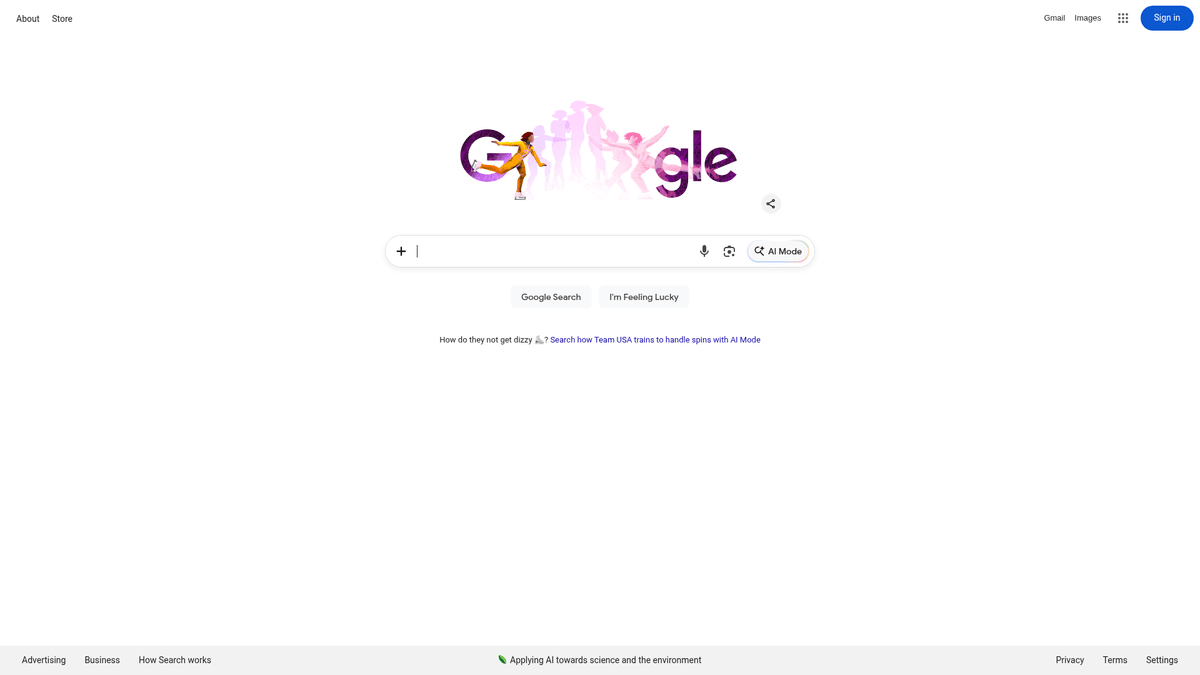
Google is the world's most widely used search engine, operated by Google LLC. It indexes billions of web pages, allowing users to find information through organic links, paid advertisements, and rich media widgets like maps, news, and image carousels.
The website contains massive amounts of data ranging from search engine result rankings and metadata to real-time news updates and local business listings. This data represents a real-time reflection of current user intent, market trends, and competitive positioning across every industry.
Scraping this data is highly valuable for businesses performing search engine optimization (SEO) monitoring, lead generation via local results, and competitive intelligence. Because Google is the primary source of web traffic, understanding its ranking patterns is essential for any modern digital marketing or research project.
Why Scrape Google?
Discover the business value and use cases for extracting data from Google.
SEO Monitoring
Track organic keyword rankings over time to analyze the effectiveness of your SEO strategies and monitor fluctuations in search visibility.
Lead Generation
Extract local business details from Google Maps and search results, including phone numbers and physical addresses, to build high-quality B2B prospect lists.
Competitive Intelligence
Monitor competitor ad copies, featured snippets, and ranking positions to understand their digital marketing tactics and counter them effectively.
Market Trend Analysis
Collect data from 'People Also Ask' and 'Related Searches' to identify emerging consumer questions and trending topics in any niche.
E-commerce Price Tracking
Scrape Google Shopping results to monitor product pricing and availability across multiple retailers in real-time.
Brand Reputation Management
Track mentions of your brand in search and news results to stay informed about public perception and respond to potential PR issues quickly.
Scraping Challenges
Technical challenges you may encounter when scraping Google.
Aggressive Anti-Bot Systems
Google employs advanced detection methods like TLS fingerprinting and reCAPTCHA to identify and block automated scraping scripts instantly.
Volatile DOM Structure
The HTML structure of search results changes frequently without notice, which can break static CSS or XPath selectors used by traditional scrapers.
Geographic Result Variance
Search results are highly localized; without precise residential proxies, it is difficult to see exactly what users in specific cities or countries are seeing.
Rate Limiting and IP Bans
Sending too many requests from a single IP address leads to immediate '403 Forbidden' errors or persistent CAPTCHA challenges that stop automation.
JavaScript-Heavy Components
Many modern search features like AI Overviews and interactive maps require full JavaScript rendering, making simple HTTP requests insufficient.
Scrape Google with AI
No coding required. Extract data in minutes with AI-powered automation.
How It Works
Describe What You Need
Tell the AI what data you want to extract from Google. Just type it in plain language — no coding or selectors needed.
AI Extracts the Data
Our artificial intelligence navigates Google, handles dynamic content, and extracts exactly what you asked for.
Get Your Data
Receive clean, structured data ready to export as CSV, JSON, or send directly to your apps and workflows.
Why Use AI for Scraping
No-Code Web Scrapers for Google
Point-and-click alternatives to AI-powered scraping
Several no-code tools like Browse.ai, Octoparse, Axiom, and ParseHub can help you scrape Google. These tools use visual interfaces to select elements, but they come with trade-offs compared to AI-powered solutions.
Typical Workflow with No-Code Tools
Common Challenges
Learning curve
Understanding selectors and extraction logic takes time
Selectors break
Website changes can break your entire workflow
Dynamic content issues
JavaScript-heavy sites often require complex workarounds
CAPTCHA limitations
Most tools require manual intervention for CAPTCHAs
IP blocking
Aggressive scraping can get your IP banned
Code Examples
import requests
from bs4 import BeautifulSoup

# Google requires a realistic User-Agent to return results
headers = {
    'User-Agent': 'Mozilla/5.0 (Windows NT 10.0; Win64; x64) AppleWebKit/537.36 (KHTML, like Gecko) Chrome/120.0.0.0 Safari/537.36'
}

# The 'q' parameter is for the search query
url = 'https://www.google.com/search?q=web+scraping+tutorial'

try:
    response = requests.get(url, headers=headers, timeout=10)
    response.raise_for_status() # Check for HTTP errors

    soup = BeautifulSoup(response.text, 'html.parser')

    # Organic results are often wrapped in containers with the class '.tF2Cxc'
    for result in soup.select('.tF2Cxc'):
        title = result.select_one('h3').text if result.select_one('h3') else 'No Title'
        link = result.select_one('a')['href'] if result.select_one('a') else 'No Link'
        print(f'Title: {title}
URL: {link}
')
except Exception as e:
    print(f'An error occurred: {e}')
When to Use
Best for static HTML pages where content is loaded server-side. The fastest and simplest approach when JavaScript rendering isn't required.
Advantages
- ●Fastest execution (no browser overhead)
- ●Lowest resource consumption
- ●Easy to parallelize with asyncio
- ●Great for APIs and static pages
Limitations
- ●Cannot execute JavaScript
- ●Fails on SPAs and dynamic content
- ●May struggle with complex anti-bot systems
from playwright.sync_api import sync_playwright

def scrape_google():
    with sync_playwright() as p:
        # Launching headless browser
        browser = p.chromium.launch(headless=True)
        page = browser.new_page(user_agent='Mozilla/5.0 (Windows NT 10.0; Win64; x64) AppleWebKit/537.36 (KHTML, like Gecko) Chrome/122.0.0.0 Safari/537.36')

        # Navigating to Google Search
        page.goto('https://www.google.com/search?q=best+web+scrapers+2025')

        # Wait for organic results to load
        page.wait_for_selector('.tF2Cxc')

        # Extract data
        results = page.query_selector_all('.tF2Cxc')
        for res in results:
            title_el = res.query_selector('h3')
            link_el = res.query_selector('a')
            if title_el and link_el:
                print(f"{title_el.inner_text()}: {link_el.get_attribute('href')}")

        browser.close()

scrape_google()
When to Use
Use when content loads dynamically via JavaScript, or when you need to interact with the page (clicks, scrolls, form fills). Handles modern anti-bot detection better.
Advantages
- ●Executes JavaScript like a real browser
- ●Handles SPAs and dynamic content
- ●Better anti-bot evasion with stealth plugins
- ●Can take screenshots and PDFs
Limitations
- ●Slower than HTTP requests
- ●Higher memory/CPU usage
- ●More complex to set up
import scrapy

class GoogleSearchSpider(scrapy.Spider):
    name = 'google_spider'
    allowed_domains = ['google.com']
    start_urls = ['https://www.google.com/search?q=python+web+scraping']

    def parse(self, response):
        # Loop through organic search result containers
        for result in response.css('.tF2Cxc'):
            yield {
                'title': result.css('h3::text').get(),
                'link': result.css('a::attr(href)').get(),
                'snippet': result.css('.VwiC3b::text').get()
            }

        # Handle pagination by finding the 'Next' button
        next_page = response.css('a#pnnext::attr(href)').get()
        if next_page:
            yield response.follow(next_page, self.parse)
When to Use
Ideal for large-scale crawling projects that need to scrape thousands of pages. Built-in support for rate limiting, retries, and data pipelines.
Advantages
- ●Built for scale (millions of pages)
- ●Automatic request throttling
- ●Built-in data export pipelines
- ●Middleware system for proxies/headers
Limitations
- ●Steeper learning curve
- ●Overkill for small projects
- ●No native JavaScript rendering
const puppeteer = require('puppeteer');

(async () => {
  const browser = await puppeteer.launch();
  const page = await browser.newPage();

  // Essential: Set a real user agent
  await page.setUserAgent('Mozilla/5.0 (Windows NT 10.0; Win64; x64) AppleWebKit/537.36 (KHTML, like Gecko) Chrome/119.0.0.0 Safari/537.36');

  await page.goto('https://www.google.com/search?q=scraping+best+practices');

  // Extracting organic results
  const data = await page.evaluate(() => {
    const items = Array.from(document.querySelectorAll('.tF2Cxc'));
    return items.map(el => ({
      title: el.querySelector('h3')?.innerText,
      link: el.querySelector('a')?.href,
      snippet: el.querySelector('.VwiC3b')?.innerText
    }));
  });

  console.log(data);
  await browser.close();
})();
When to Use
Choose this if you're in a Node.js/JavaScript ecosystem or need tight integration with frontend tools. Similar capabilities to Playwright.
Advantages
- ●Native JavaScript/TypeScript support
- ●Chrome DevTools Protocol access
- ●Large ecosystem and community
- ●Good for JS-heavy projects
Limitations
- ●Chrome-only (vs Playwright's multi-browser)
- ●Similar overhead to Playwright
- ●Less mature stealth options
What You Can Do With Google Data
Explore practical applications and insights from Google data.
Daily SEO Rank Tracker
Marketing agencies can monitor the search ranking of client keywords on a daily basis to measure SEO ROI.
How to implement:
- 1Define a list of priority keywords and target regions.
- 2Schedule an automated scraper to run every 24 hours.
- 3Extract the top 20 organic results for each keyword.
- 4Compare current rankings with historical data in a dashboard.
Use Automatio to extract data from Google and build these applications without writing code.
Local Competitor Monitoring
Small businesses can scrape Google Local Pack results to identify competitors and their review ratings.
How to implement:
- 1Search for business categories with location modifiers (e.g., 'plumbers London').
- 2Extract business names, ratings, and number of reviews from the Maps section.
- 3Identify competitors with low ratings as potential outreach leads for consulting.
- 4Track changes in the local map rankings over time.
Use Automatio to extract data from Google and build these applications without writing code.
Google Ads Intelligence
PPC managers can monitor which competitors are bidding on their brand keywords and what ad copy they use.
How to implement:
- 1Search for high-intent or brand-specific keywords.
- 2Extract titles, descriptions, and display URLs from the 'Sponsored' section.
- 3Analyze the landing pages used by competitors.
- 4Report trademark violations if competitors bid on protected brand names.
Use Automatio to extract data from Google and build these applications without writing code.
AI Model Training Data
Researchers can collect massive amounts of current snippets and related questions to train language models.
How to implement:
- 1Generate a wide variety of informational search queries.
- 2Scrape the 'People Also Ask' and Knowledge Graph sections.
- 3Process the text snippets to create question-answer pairs.
- 4Feed the structured data into machine learning pipelines.
Use Automatio to extract data from Google and build these applications without writing code.
Market Sentiment Analysis
Brands can monitor Google News results to track how their brand or industry is being discussed in real-time.
How to implement:
- 1Set up a scrape for the 'News' tab for specific brand keywords.
- 2Extract headlines and publication dates from news results.
- 3Perform sentiment analysis on headlines to detect PR crises.
- 4Aggregate the most frequently mentioned media outlets.
Use Automatio to extract data from Google and build these applications without writing code.
Supercharge your workflow with AI Automation
Automatio combines the power of AI agents, web automation, and smart integrations to help you accomplish more in less time.
What to get right first
Expert advice for successfully extracting data from Google.
Use Residential Proxies
Avoid datacenter IPs as they are almost always flagged; residential proxies are necessary to mimic real home users and bypass Google's security.
Include Location Parameters
Append parameters like 'gl' for country and 'hl' for language to the search URL to ensure consistent results regardless of your proxy's exact location.
Randomize Request Intervals
Introduce random delays between 5 and 20 seconds between queries to avoid pattern detection and mimic natural human browsing behavior.
Mimic Realistic Headers
Always use a modern User-Agent and include headers like 'Accept-Language' and 'Referer' to look more like a legitimate browser session.
Target Mobile and Desktop
Google shows different results for mobile and desktop users; scrape both by alternating your User-Agent strings to get a full picture of the SERPs.
Start Small and Scale
Begin by scraping a few queries to verify your selectors and proxy performance before launching massive, high-volume scraping campaigns.
Related Web Scraping
How to Scrape Biluppgifter.se: Vehicle Data Extraction Guide
How to Scrape CSS Author: A Comprehensive Web Scraping Guide
How to Scrape Bilregistret.ai: Swedish Vehicle Data Extraction Guide

How to Scrape The AA (theaa.com): A Technical Guide for Car & Insurance Data
How to Scrape Car.info | Vehicle Data & Valuation Extraction Guide
How to Scrape GoAbroad Study Abroad Programs
How to Scrape ResearchGate: Publication and Researcher Data
Statista Scraper: Titles, Regions and Dates in a table
Frequently Asked Questions
Find answers to common questions about Google
Is it legal to scrape Google Search results?
Scraping publicly available data from Google is generally considered legal, but it directly violates Google's Terms of Service. It is important to avoid scraping personal information and to use the data in compliance with local regulations like GDPR or CCPA.
Does Google have an official API for search results?
Yes, Google provides the Custom Search JSON API. However, it is limited in functionality, has a daily query cap, and can be quite expensive compared to building a custom web scraper for high-volume needs.
How do I avoid getting blocked by Google?
The key to avoiding blocks is using high-quality rotating residential proxies combined with a headless browser. You should also randomize your scraping schedule and avoid high frequencies that trigger rate-limiting alarms.
What is the best format for exporting Google data?
Most users export Google search data into CSV or JSON formats. CSV is excellent for spreadsheet analysis in Excel or Google Sheets, while JSON is ideal for developers integrating the data into other applications or databases.
How often should I scrape Google for SEO purposes?
For standard rank tracking, scraping once every 24 hours is typically sufficient to monitor trends. For highly competitive or news-related niches, you may need to scrape every few hours to capture real-time SERP movements.
Can I scrape Google Maps data along with search results?
Yes, you can scrape local pack results from the main search page or navigate directly to Google Maps. This allows you to extract business names, ratings, review counts, and physical addresses at scale.
Why do search results differ between my scraper and my browser?
Google results are personalized based on cookies, search history, and IP location. To get 'clean' and consistent data, your scraper should use an incognito-style session and specific geographic URL parameters.
Do I need a headless browser to scrape Google?
While simple search results can be scraped with basic HTTP requests, a headless browser is highly recommended. It allows you to render JavaScript components like AI snippets, maps, and 'People Also Ask' widgets which are otherwise invisible.