

How to Scrape Trustpilot: Extract Reviews & Ratings (2025)
Master Trustpilot scraping to monitor brand reputation. Learn to extract review text, star ratings, and TrustScores while bypassing Cloudflare blocks.
Free to start: 1,000 credits, no card, nothing to install.
About Trustpilot
Learn what Trustpilot offers and what valuable data can be extracted from it.
The Global Standard for Customer Feedback
Trustpilot is a leading global review platform that serves as a bridge between businesses and consumers through genuine feedback. Founded in 2007 and headquartered in Denmark, it provides a transparent space for people to share their buying and service experiences with millions of companies across a vast range of industries. The platform has become one of the most trusted resources for online shoppers and a critical tool for businesses to manage their online presence.
High-Value Qualitative Data
The website hosts a wealth of data including company TrustScores, categorized business listings, and detailed, timestamped user reviews. Each review often includes a star rating, a specific title, detailed text description, and the reviewer's verification status. This structured and qualitative data provides a comprehensive view of customer satisfaction and brand performance over time.
Why Scrape Trustpilot?
Scraping Trustpilot allows businesses and researchers to aggregate thousands of individual experiences into structured datasets for large-scale analysis. This data is invaluable for monitoring brand reputation, performing sentiment analysis, tracking competitor performance, and identifying emerging market trends. By automating data collection, organizations can gain real-time insights into customer pain points and service excellence.
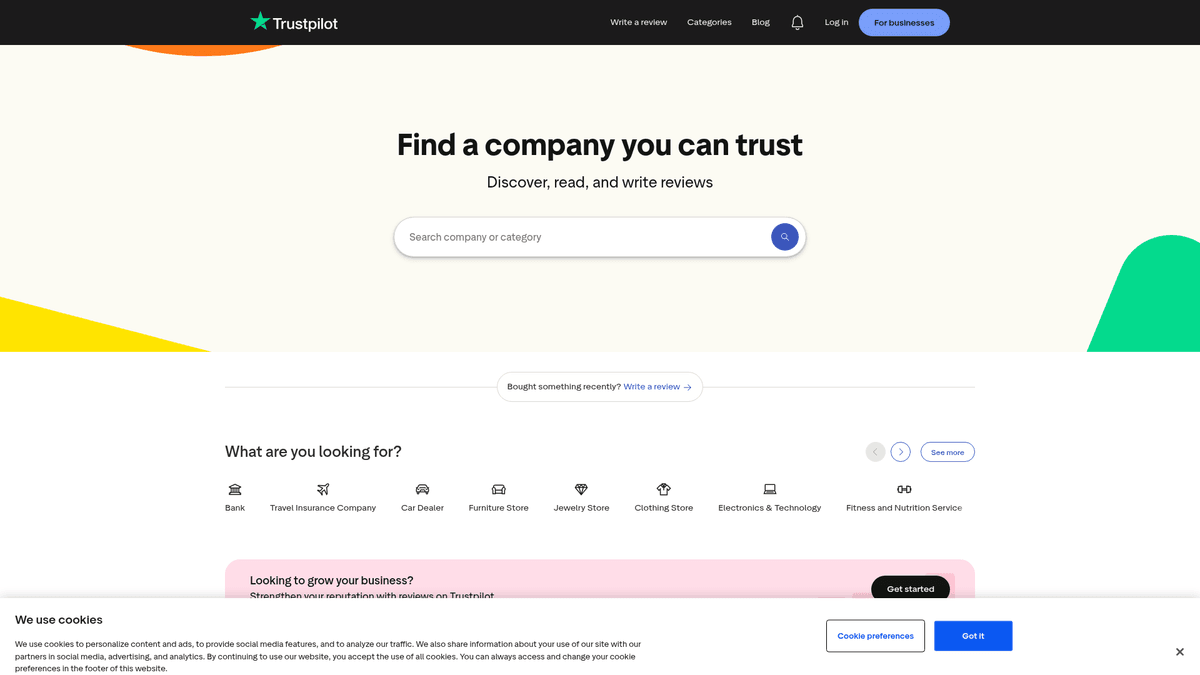
Why Scrape Trustpilot?
Discover the business value and use cases for extracting data from Trustpilot.
Real-Time Reputation Management
Monitor brand sentiment across global markets to identify and address negative feedback before it impacts conversion rates.
Competitor Weakness Discovery
Analyze competitor reviews to find recurring customer complaints and use those insights to improve your own product's value proposition.
High-Intent Lead Generation
Identify users who leave 1-star reviews for competitors as warm leads who are actively looking for a more reliable alternative.
Sentiment Analysis for NLP
Extract massive datasets of authentic human language to train machine learning models for industry-specific sentiment and emotion detection.
Market Trend Identification
Scrape category-wide data to observe shifts in consumer expectations and service standards across different industries in real-time.
Dynamic Social Proof Integration
Automate the collection of your latest 5-star reviews to display them as live social proof on your checkout and landing pages.
Scraping Challenges
Technical challenges you may encounter when scraping Trustpilot.
Advanced Anti-Bot Mitigation
Trustpilot uses Cloudflare and Turnstile challenges that frequently block standard automated requests and headless browsers.
Deep Pagination Restrictions
The platform often limits review visibility or triggers login walls for users attempting to navigate deep into search results beyond the initial pages.
Volatile Frontend Structure
Frequent updates to the website's React-based DOM structure and dynamic class names can break fragile, selector-based scraping scripts.
Strict Rate Limiting
Sending requests too rapidly from the same IP range will trigger Error 1015, resulting in temporary or permanent IP bans.
Scrape Trustpilot with AI
No coding required. Extract data in minutes with AI-powered automation.
How It Works
Describe What You Need
Tell the AI what data you want to extract from Trustpilot. Just type it in plain language — no coding or selectors needed.
AI Extracts the Data
Our artificial intelligence navigates Trustpilot, handles dynamic content, and extracts exactly what you asked for.
Get Your Data
Receive clean, structured data ready to export as CSV, JSON, or send directly to your apps and workflows.
Why Use AI for Scraping
No-Code Web Scrapers for Trustpilot
Point-and-click alternatives to AI-powered scraping
Several no-code tools like Browse.ai, Octoparse, Axiom, and ParseHub can help you scrape Trustpilot. These tools use visual interfaces to select elements, but they come with trade-offs compared to AI-powered solutions.
Typical Workflow with No-Code Tools
Common Challenges
Learning curve
Understanding selectors and extraction logic takes time
Selectors break
Website changes can break your entire workflow
Dynamic content issues
JavaScript-heavy sites often require complex workarounds
CAPTCHA limitations
Most tools require manual intervention for CAPTCHAs
IP blocking
Aggressive scraping can get your IP banned
Code Examples
import requests
from bs4 import BeautifulSoup

# Using a custom session to simulate a real browser
def scrape_trustpilot(slug):
    url = f'https://www.trustpilot.com/review/{slug}'
    headers = {
        'User-Agent': 'Mozilla/5.0 (Windows NT 10.0; Win64; x64) AppleWebKit/537.36 (KHTML, like Gecko) Chrome/119.0.0.0 Safari/537.36'
    }

    response = requests.get(url, headers=headers)
    if response.status_code == 200:
        soup = BeautifulSoup(response.text, 'html.parser')
        reviews = []
        # Selector for review containers (note: classes change often)
        for card in soup.select('section.styles_reviewCard__hc_vR'):
            data = {
                'title': card.select_one('h2').text if card.select_one('h2') else None,
                'rating': card.select_one('div.star-rating_starRating__Bdb_f img')['alt'] if card.select_one('img') else None,
                'text': card.select_one('p[data-service-review-text-typography]').text if card.select_one('p') else None
            }
            reviews.append(data)
        return reviews
    return None

# Example usage
print(scrape_trustpilot('www.apple.com'))
When to Use
Best for static HTML pages where content is loaded server-side. The fastest and simplest approach when JavaScript rendering isn't required.
Advantages
- ●Fastest execution (no browser overhead)
- ●Lowest resource consumption
- ●Easy to parallelize with asyncio
- ●Great for APIs and static pages
Limitations
- ●Cannot execute JavaScript
- ●Fails on SPAs and dynamic content
- ●May struggle with complex anti-bot systems
import asyncio
from playwright.async_api import async_playwright

async def run():
    async with async_playwright() as p:
        browser = await p.chromium.launch(headless=True)
        context = await browser.new_context(user_agent='Mozilla/5.0')
        page = await context.new_page()

        await page.goto('https://www.trustpilot.com/review/www.apple.com')

        # Wait for dynamic content to load
        await page.wait_for_selector('section.styles_reviewCard__hc_vR')

        reviews = await page.evaluate('''() => {
            return Array.from(document.querySelectorAll('section.styles_reviewCard__hc_vR')).map(card => ({
                author: card.querySelector('span.typography_appearance-default__S8ne3')?.innerText,
                rating: card.querySelector('.star-rating_starRating__Bdb_f img')?.alt,
                date: card.querySelector('time')?.getAttribute('datetime')
            }));
        }''')

        print(reviews)
        await browser.close()

asyncio.run(run())
When to Use
Use when content loads dynamically via JavaScript, or when you need to interact with the page (clicks, scrolls, form fills). Handles modern anti-bot detection better.
Advantages
- ●Executes JavaScript like a real browser
- ●Handles SPAs and dynamic content
- ●Better anti-bot evasion with stealth plugins
- ●Can take screenshots and PDFs
Limitations
- ●Slower than HTTP requests
- ●Higher memory/CPU usage
- ●More complex to set up
import scrapy

class TrustpilotSpider(scrapy.Spider):
    name = 'trustpilot'
    start_urls = ['https://www.trustpilot.com/review/www.apple.com']

    def parse(self, response):
        for review in response.css('section.styles_reviewCard__hc_vR'):
            yield {
                'author': review.css('span.typography_appearance-default__S8ne3::text').get(),
                'rating': review.css('div.star-rating_starRating__Bdb_f img::attr(alt)').get(),
                'title': review.css('h2.styles_reviewTitle__m9_V_::text').get(),
                'date': review.css('time::attr(datetime)').get()
            }

        next_page = response.css('a[name="pagination-button-next"]::attr(href)').get()
        if next_page:
            yield response.follow(next_page, self.parse)
When to Use
Ideal for large-scale crawling projects that need to scrape thousands of pages. Built-in support for rate limiting, retries, and data pipelines.
Advantages
- ●Built for scale (millions of pages)
- ●Automatic request throttling
- ●Built-in data export pipelines
- ●Middleware system for proxies/headers
Limitations
- ●Steeper learning curve
- ●Overkill for small projects
- ●No native JavaScript rendering
const puppeteer = require('puppeteer-extra');
const StealthPlugin = require('puppeteer-extra-plugin-stealth');
puppeteer.use(StealthPlugin());

(async () => {
  const browser = await puppeteer.launch({ headless: true });
  const page = await browser.newPage();
  await page.goto('https://www.trustpilot.com/review/www.apple.com', { waitUntil: 'networkidle2' });

  const data = await page.evaluate(() => {
    const items = document.querySelectorAll('section.styles_reviewCard__hc_vR');
    return Array.from(items).map(item => ({
      title: item.querySelector('h2')?.innerText,
      body: item.querySelector('p')?.innerText
    }));
  });

  console.log(data);
  await browser.close();
})();
When to Use
Choose this if you're in a Node.js/JavaScript ecosystem or need tight integration with frontend tools. Similar capabilities to Playwright.
Advantages
- ●Native JavaScript/TypeScript support
- ●Chrome DevTools Protocol access
- ●Large ecosystem and community
- ●Good for JS-heavy projects
Limitations
- ●Chrome-only (vs Playwright's multi-browser)
- ●Similar overhead to Playwright
- ●Less mature stealth options
What You Can Do With Trustpilot Data
Explore practical applications and insights from Trustpilot data.
Brand Health Monitoring
Companies use real-time review data to track customer sentiment and respond to negative feedback before it goes viral.
How to implement:
- 1Set up a daily scraper for your company's Trustpilot profile.
- 2Analyze the 'Body Text' for sentiment polarity using an NLP tool.
- 3Trigger automatic alerts for any 1-star or 2-star reviews received.
Use Automatio to extract data from Trustpilot and build these applications without writing code.
Competitive Market Gap Analysis
Identify what customers hate about your competitors to position your product as the superior alternative.
How to implement:
- 1Scrape reviews for the top 5 competitors in your industry category.
- 2Extract the most common negative keywords and phrases.
- 3Develop marketing copy that specifically addresses those pain points as your strengths.
Use Automatio to extract data from Trustpilot and build these applications without writing code.
B2B Lead Generation
Agencies find businesses with low scores to offer reputation management or improved customer service solutions.
How to implement:
- 1Scrape Trustpilot categories for companies with a TrustScore below 3.0.
- 2Filter for companies with high review volume, indicating an active but unhappy customer base.
- 3Extract business URLs and cross-reference with LinkedIn for decision-maker contact info.
Use Automatio to extract data from Trustpilot and build these applications without writing code.
Product Roadmap Prioritization
Product managers use qualitative feedback to decide which features to build or bugs to fix next.
How to implement:
- 1Scrape all reviews from the last 6 months for a specific product.
- 2Categorize feedback into 'Feature Request', 'Bug Report', or 'Usability Issue'.
- 3Rank categories by volume to prioritize the development backlog.
Use Automatio to extract data from Trustpilot and build these applications without writing code.
Dynamic Social Proof
E-commerce sites display live, verified reviews on their own product pages to increase conversion rates.
How to implement:
- 1Schedule a periodic scrape to fetch the latest 5-star reviews.
- 2Save the reviewer name, rating, and quote to a central database.
- 3Display these reviews on your website's checkout page via a custom API.
Use Automatio to extract data from Trustpilot and build these applications without writing code.
Supercharge your workflow with AI Automation
Automatio combines the power of AI agents, web automation, and smart integrations to help you accomplish more in less time.
What to get right first
Expert advice for successfully extracting data from Trustpilot.
Target Hidden JSON-LD
Extract data from the 'application/ld+json' script tags in the page source; this structured data is more reliable than scraping the visible HTML.
Exclusively Use Residential Proxies
Data center IPs are easily flagged by Trustpilot's security layers. Residential proxies provide the legitimacy needed for high-volume extraction.
Implement Randomized Delays
Add sleep timers between 5 and 15 seconds between page loads to mimic a human browsing pattern and avoid triggering rate limits.
Rotate User Agents and TLS
Ensure your scraper rotates User-Agent strings and matches the TLS fingerprints of modern browsers to avoid detection by advanced bot filters.
Filter for Verified Reviews
When scraping for market research, focus on reviews with the 'Verified' badge to ensure your dataset contains authentic customer experiences.
Monitor for CSS Changes
Trustpilot updates its UI regularly. Periodically check your visual selectors to ensure they still map to the correct review elements.
Related Web Scraping
How to Scrape CSS Author: A Comprehensive Web Scraping Guide
How to Scrape Biluppgifter.se: Vehicle Data Extraction Guide
How to Scrape Bilregistret.ai: Swedish Vehicle Data Extraction Guide

How to Scrape The AA (theaa.com): A Technical Guide for Car & Insurance Data
How to Scrape GoAbroad Study Abroad Programs
How to Scrape Car.info | Vehicle Data & Valuation Extraction Guide

How to Scrape ResearchGate: Publication and Researcher Data
Statista Scraper: Titles, Regions and Dates in a table
Frequently Asked Questions
Find answers to common questions about Trustpilot
Is it legal to scrape Trustpilot?
Scraping publicly available reviews is generally legal for internal research and analysis. However, you must comply with GDPR when handling personal information like reviewer names, and you should avoid reselling the data in a way that violates Trustpilot's copyright or Terms of Service.
Does Trustpilot have an official API?
Yes, Trustpilot offers an official API, but it is primarily designed for businesses to manage their own reviews. For researchers or those wanting competitor data, the API is often restricted or requires a high-cost Enterprise subscription, making scraping a more accessible alternative.
How to avoid getting blocked by Trustpilot?
The key to avoiding blocks is using residential proxies and a tool that can solve Cloudflare Turnstile challenges. Additionally, you should rotate your browser's fingerprint and keep your request frequency low to avoid being flagged by their rate-limiting systems.
What format is the data extracted in?
Data is typically extracted in JSON, CSV, or Excel formats. JSON is highly recommended for Trustpilot data because it can easily store the nested relationships between reviewers, their ratings, and the business's responses.
How often should I scrape reviews?
For brand reputation monitoring, a daily scrape is ideal to catch and respond to new feedback quickly. For broader industry research or competitive analysis, a weekly or monthly update is usually sufficient to track long-term trends.
Which proxies work best for Trustpilot?
Residential proxies are by far the most effective because they provide IPs from real home internet connections. Data center proxies are often identified and blocked immediately by Trustpilot's security filters, leading to frequent Error 1015 messages.
Do I need to be logged in to scrape Trustpilot?
No, most review data is publicly visible without an account. It is actually safer to scrape without logging in, as it prevents Trustpilot from linking the scraping activity to a specific user profile and banning it.
Can I scrape reviews for specific industries?
Yes, Trustpilot organizes businesses into categories. You can scrape individual category pages (e.g., 'Bank' or 'Electronics Store') to gather a broad dataset of all competitors within a specific market sector.
What data fields can I extract?
You can extract almost everything visible on a profile, including the star rating, review title, body text, review date, reviewer's location, verification status, and the company's public response text and date.