

How to Scrape ImmoScout24: Real Estate Data Guide
Learn how to scrape ImmoScout24, Germany's leading real estate platform. Extract property prices, listings, and leads for market analysis and investment.
Free to start: 1,000 credits, no card, nothing to install.
About ImmoScout24
Learn what ImmoScout24 offers and what valuable data can be extracted from it.
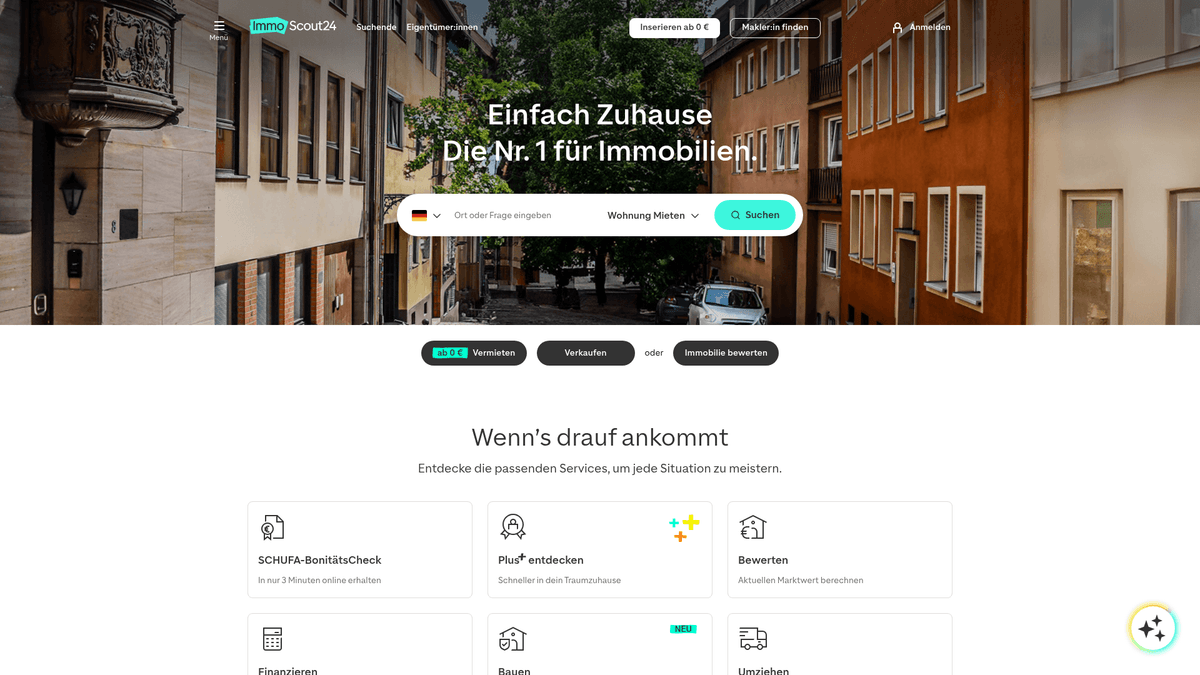
ImmoScout24 is the dominant real estate marketplace in Germany, owned by Scout24 SE. It serves as a comprehensive platform where private individuals, real estate agents, and property developers list residential and commercial properties for rent or sale. The site attracts millions of users monthly, making it the primary source for property market data in the DACH region.
The platform contains a vast array of structured data including property prices, floor plans, neighborhood statistics, and historical listing information. Because it is the market leader, it provides the most accurate reflection of current market trends, supply and demand, and rental yields in major German cities like Berlin, Munich, and Hamburg.
Scraping this data is highly valuable for real estate investors, PropTech companies, and market analysts. It allows for automated price monitoring, competitive benchmarking, and the identification of undervalued investment opportunities. Additionally, it serves as a critical tool for lead generation by identifying active sellers and agencies within specific geographic regions.
Why Scrape ImmoScout24?
Discover the business value and use cases for extracting data from ImmoScout24.
Real Estate Market Monitoring
Track the German housing market's inflation and deflation trends in real-time by monitoring price fluctuations across different federal states and districts.
Investment Analysis
Calculate rental yields and return on investment (ROI) by comparing purchase prices with average rental rates in the same ZIP code areas.
Lead Generation for Professionals
Identify potential business opportunities for relocation services, renovation companies, and mortgage brokers by tracking new property listings.
Competitive Benchmarking
Monitor the inventory and pricing strategies of rival real estate agencies to stay competitive and adjust your own market positioning effectively.
Historical Data Accumulation
Build a comprehensive database of historical property values to identify long-term growth patterns and undervalued urban development zones.
Time-on-Market Tracking
Analyze how long specific listings remain active to identify motivated sellers or properties that may require price adjustments.
Scraping Challenges
Technical challenges you may encounter when scraping ImmoScout24.
Sophisticated Bot Detection
The site utilizes Akamai Bot Manager and DataDome to detect automated traffic through advanced browser fingerprinting and behavioral analysis.
Geographic IP Restrictions
Access is often restricted for non-German IP addresses, making the use of high-quality local residential proxies a necessity for consistent scraping.
Dynamic Content Rendering
Built with modern frameworks like React and Next.js, the platform requires full JavaScript execution to render listing details and interactive elements correctly.
Aggressive Rate Limiting
Making too many requests in a short window triggers instant 403 Forbidden errors or persistent reCAPTCHA challenges that block progress.
Evolving DOM Structures
Frequent updates to the website's HTML layout and CSS classes can break scrapers that rely on static selectors, requiring constant maintenance.
Scrape ImmoScout24 with AI
No coding required. Extract data in minutes with AI-powered automation.
How It Works
Describe What You Need
Tell the AI what data you want to extract from ImmoScout24. Just type it in plain language — no coding or selectors needed.
AI Extracts the Data
Our artificial intelligence navigates ImmoScout24, handles dynamic content, and extracts exactly what you asked for.
Get Your Data
Receive clean, structured data ready to export as CSV, JSON, or send directly to your apps and workflows.
Why Use AI for Scraping
No-Code Web Scrapers for ImmoScout24
Point-and-click alternatives to AI-powered scraping
Several no-code tools like Browse.ai, Octoparse, Axiom, and ParseHub can help you scrape ImmoScout24. These tools use visual interfaces to select elements, but they come with trade-offs compared to AI-powered solutions.
Typical Workflow with No-Code Tools
Common Challenges
Learning curve
Understanding selectors and extraction logic takes time
Selectors break
Website changes can break your entire workflow
Dynamic content issues
JavaScript-heavy sites often require complex workarounds
CAPTCHA limitations
Most tools require manual intervention for CAPTCHAs
IP blocking
Aggressive scraping can get your IP banned
Code Examples
import requests
from bs4 import BeautifulSoup

def scrape_immoscout(url):
    # Headers are critical to avoid immediate blocks
    headers = {
        'User-Agent': 'Mozilla/5.0 (Windows NT 10.0; Win64; x64) AppleWebKit/537.36 (KHTML, like Gecko) Chrome/119.0.0.0 Safari/537.36',
        'Accept-Language': 'de-DE,de;q=0.9,en-US;q=0.8'
    }
    try:
        response = requests.get(url, headers=headers)
        response.raise_for_status()
        soup = BeautifulSoup(response.text, 'html.parser')
        listings = []

        # Target result list entries
        for item in soup.select('.result-list-entry__data'):
            title = item.select_one('.result-list-entry__brand-title')
            price = item.select_one('.result-list-entry__primary-criterion:nth-child(1) dd')

            listings.append({
                'title': title.text.strip() if title else 'N/A',
                'price': price.text.strip() if price else 'N/A'
            })
        return listings
    except Exception as e:
        return f'Error: {e}'

# Example search for Berlin apartments
results = scrape_immoscout('https://www.immobilienscout24.de/Suche/de/berlin/berlin/wohnung-mieten')
print(results)
When to Use
Best for static HTML pages where content is loaded server-side. The fastest and simplest approach when JavaScript rendering isn't required.
Advantages
- ●Fastest execution (no browser overhead)
- ●Lowest resource consumption
- ●Easy to parallelize with asyncio
- ●Great for APIs and static pages
Limitations
- ●Cannot execute JavaScript
- ●Fails on SPAs and dynamic content
- ●May struggle with complex anti-bot systems
from playwright.sync_api import sync_playwright

def run():
    with sync_playwright() as p:
        # Launching with stealth-like configurations
        browser = p.chromium.launch(headless=True)
        context = browser.new_context(
            user_agent='Mozilla/5.0 (Windows NT 10.0; Win64; x64) Chrome/120.0.0.0 Safari/537.36',
            locale='de-DE'
        )
        page = context.new_page()

        # Navigate to search results
        page.goto('https://www.immobilienscout24.de/Suche/de/berlin/berlin/wohnung-mieten', wait_until='networkidle')

        # Wait for listings to render
        page.wait_for_selector('.result-list-entry__data')

        # Extract titles using locators
        titles = page.locator('.result-list-entry__brand-title').all_inner_texts()
        for title in titles:
            print(f'Listing found: {title}')

        browser.close()

run()
When to Use
Use when content loads dynamically via JavaScript, or when you need to interact with the page (clicks, scrolls, form fills). Handles modern anti-bot detection better.
Advantages
- ●Executes JavaScript like a real browser
- ●Handles SPAs and dynamic content
- ●Better anti-bot evasion with stealth plugins
- ●Can take screenshots and PDFs
Limitations
- ●Slower than HTTP requests
- ●Higher memory/CPU usage
- ●More complex to set up
import scrapy

class ImmoSpider(scrapy.Spider):
    name = 'immoscout'
    start_urls = ['https://www.immobilienscout24.de/Suche/de/berlin/berlin/wohnung-mieten']

    def parse(self, response):
        # Loop through each property listing container
        for listing in response.css('.result-list-entry__data'):
            yield {
                'title': listing.css('.result-list-entry__brand-title::text').get(),
                'price': listing.css('.result-list-entry__primary-criterion:nth-child(1) dd::text').get(),
                'rooms': listing.css('.result-list-entry__primary-criterion:nth-child(3) dd::text').get(),
                'area': listing.css('.result-list-entry__primary-criterion:nth-child(2) dd::text').get(),
            }

        # Handle pagination by finding the 'Next' button
        next_page = response.css('a[data-is24-test="pagination-next"]::attr(href)').get()
        if next_page:
            yield response.follow(next_page, self.parse)
When to Use
Ideal for large-scale crawling projects that need to scrape thousands of pages. Built-in support for rate limiting, retries, and data pipelines.
Advantages
- ●Built for scale (millions of pages)
- ●Automatic request throttling
- ●Built-in data export pipelines
- ●Middleware system for proxies/headers
Limitations
- ●Steeper learning curve
- ●Overkill for small projects
- ●No native JavaScript rendering
const puppeteer = require('puppeteer-extra');
const StealthPlugin = require('puppeteer-extra-plugin-stealth');
puppeteer.use(StealthPlugin());

(async () => {
  const browser = await puppeteer.launch({ headless: true });
  const page = await browser.newPage();

  // Mimic a real German user
  await page.setUserAgent('Mozilla/5.0 (Windows NT 10.0; Win64; x64) AppleWebKit/537.36 (KHTML, like Gecko) Chrome/110.0.0.0 Safari/537.36');

  await page.goto('https://www.immobilienscout24.de/Suche/de/berlin/berlin/wohnung-mieten');

  // Evaluation in the browser context
  const results = await page.evaluate(() => {
    const items = Array.from(document.querySelectorAll('.result-list-entry__brand-title'));
    return items.map(item => item.textContent.trim());
  });

  console.log('Titles found:', results);
  await browser.close();
})();
When to Use
Choose this if you're in a Node.js/JavaScript ecosystem or need tight integration with frontend tools. Similar capabilities to Playwright.
Advantages
- ●Native JavaScript/TypeScript support
- ●Chrome DevTools Protocol access
- ●Large ecosystem and community
- ●Good for JS-heavy projects
Limitations
- ●Chrome-only (vs Playwright's multi-browser)
- ●Similar overhead to Playwright
- ●Less mature stealth options
What You Can Do With ImmoScout24 Data
Explore practical applications and insights from ImmoScout24 data.
Real Estate Market Trend Analysis
Analyze price fluctuations and inventory levels over time to predict market movements in major German cities.
How to implement:
- 1Scrape rental listings across major cities daily.
- 2Store data in a time-series database.
- 3Calculate average price per square meter per district.
- 4Visualize trends to identify emerging neighborhoods.
Use Automatio to extract data from ImmoScout24 and build these applications without writing code.
Investment Yield Calculator
Identify properties with the highest potential ROI by comparing sales and rental data for similar units.
How to implement:
- 1Scrape both sales and rental listings for specific ZIP codes.
- 2Match property types and sizes across both datasets.
- 3Calculate annual rental income versus purchase price.
- 4Filter for outliers where rental yields exceed market averages.
Use Automatio to extract data from ImmoScout24 and build these applications without writing code.
Lead Generation for Relocation Services
Identify high-intent movers to offer targeted moving, cleaning, and renovation services.
How to implement:
- 1Monitor for newly posted rental listings by private individuals.
- 2Extract property size and location details.
- 3Identify properties with upcoming availability dates.
- 4Automate outreach with service offers based on the move-in timeline.
Use Automatio to extract data from ImmoScout24 and build these applications without writing code.
Competitive Portfolio Monitoring
Track the inventory, vacancy rates, and pricing strategy of rival real estate agencies.
How to implement:
- 1Filter scraped listings by specific agency names or IDs.
- 2Track how long listings stay active (Time on Market).
- 3Monitor for frequent price reductions on their inventory.
- 4Benchmark your agency's pricing against their active listings.
Use Automatio to extract data from ImmoScout24 and build these applications without writing code.
Supercharge your workflow with AI Automation
Automatio combines the power of AI agents, web automation, and smart integrations to help you accomplish more in less time.
What to get right first
Expert advice for successfully extracting data from ImmoScout24.
Use Local German Proxies
Always use residential proxies with a German (DE) location to avoid the region-based filtering that ImmoScout24 applies to datacenter IPs.
Extract Data from Hidden JSON
Inspect the page source for embedded <script> tags containing __INITIAL_STATE__ or other JSON objects, which often hold cleaner data than the HTML itself.
Simulate Natural Browsing
Incorporate random delays and mouse movements into your automation sequence to mimic human behavior and reduce the risk of detection.
Utilize XML Sitemaps
Check the robots.txt file for sitemap URLs; these often contain direct links to active listings, allowing you to skip complex search filtering pages.
Monitor During Off-Peak Hours
Run your heaviest scraping tasks during nighttime hours in Germany to minimize the load on the target server and decrease the likelihood of aggressive throttling.
Keep Headers Consistent
Ensure your User-Agent and other request headers match a modern, common browser version and remain consistent throughout a session to avoid fingerprinting red flags.
Related Web Scraping
How to Scrape Century 21 Property Listings
How to Scrape Geolocaux | Geolocaux Web Scraper Guide

How to Scrape SeLoger Bureaux & Commerces
How to Scrape Rent.com: A Guide to Real Estate Data Extraction
How to Scrape RE/MAX (remax.com) Real Estate Listings
How to Scrape HotPads: A Complete Guide to Extracting Rental Data
How to Scrape Apartments.com | Apartments.com Web Scraper Guide
How to Scrape Homes.com: Real Estate Data Extraction Guide
Frequently Asked Questions
Find answers to common questions about ImmoScout24
Is it legal to scrape ImmoScout24?
Scraping public real estate data for internal market research is generally permitted in many jurisdictions, provided you respect GDPR and don't redistribute personal data. However, commercial use of their database is restricted by their Terms of Service, so you should consult with legal counsel before scaling.
Does ImmoScout24 have an official API?
Yes, ImmoScout24 provides a REST API, but access is primarily intended for real estate agents and partners. Gaining access for the purpose of broad market scraping typically requires a formal application process and a paid partnership agreement.
How can I avoid getting blocked by their anti-bot systems?
To bypass protections like Akamai, you must use a combination of residential proxies, stealth browser plugins, and realistic request intervals. Avoiding high-frequency scraping from a single IP address and using headers that match actual German users is critical for success.
What data formats can I export the listings into?
Most scraping solutions allow you to export data in JSON, CSV, or XML. JSON is particularly useful for ImmoScout24 data because it preserves the nested structure of property attributes like amenities and energy efficiency specifications.
How often should I run my scraper for the best results?
For highly competitive markets like Berlin or Munich, scraping once every 12 to 24 hours is standard to capture new listings. If you are tracking long-term trends, weekly snapshots of the entire inventory are usually sufficient for statistical accuracy.
Which proxies work best for scraping German real estate?
Residential proxies with German geo-location are the most effective. Datacenter proxies are almost always blocked immediately by the platform's security layers, whereas residential IPs provide the legitimacy of a home-based user.
Can I scrape phone numbers and contact details?
Phone numbers are often protected behind a 'Show Number' button or rendered as images to prevent scraping. Advanced automation tools can interact with these buttons, but scraping contact details requires careful adherence to privacy regulations like GDPR.
Do I need to be logged in to access the data?
No, most property listings and search results are publicly accessible without an account. In fact, scraping while logged in increases the risk of your personal or business account being flagged and suspended.