

Images and video
Pictures, animated GIFs and video clips. How to ask, which engines there are, and what each can do.
Ask in plain words, and the result appears in the chat: "a watercolor of a lighthouse at dusk", "a short clip of waves rolling in". You can ask for a shape, such as wide or portrait.
Video takes longer, up to several minutes, and costs far more than a picture. You can ask for a length, a shape and a resolution.
Pictures
- Your own picture: attach it and say what to change. An engine that edits pictures uses yours; see the table below.
- Quality: some engines take a quality of low, medium or high. Ask for "a quick draft" when you are trying ideas and "high quality" for the final picture. Low is cheaper. An engine without the setting says so instead of ignoring it.
- Several at once: ask for variants: "three versions of this logo".
Animated GIFs
Ask for a looping GIF, from a description or from a picture you attach. The agent draws it in one step. Only some engines draw GIFs; when yours cannot, the agent uses one that can and says so. A GIF made from your picture is based on it, and each frame is drawn again, so small details can change.
Video
You can give the engine pictures to start from:
- a first frame, which the clip starts on,
- a first and a last frame, which it moves between,
- reference pictures of a person or a product to keep in the clip.
An engine that cannot take what you gave it refuses before you are charged. The tables below say which engine takes what.
Choosing an engine
Open the agent panel, the Tools tab, and the arrow on the Images & Media row. It has Image engine and Video engine. Your choice is saved to your account and used in every chat. You can also name an engine in your message, such as "use Seedance for this one".
Where the agent panel is: the chat composer: the first button at the left end of the row below the message box, left of the model picker. It opens a panel with the "Tools" switch and, with tools on, the "Memory" switch, the rows "Other chats & projects" and "Approvals", and the tabs "Tools", "Skills" and "MCP".
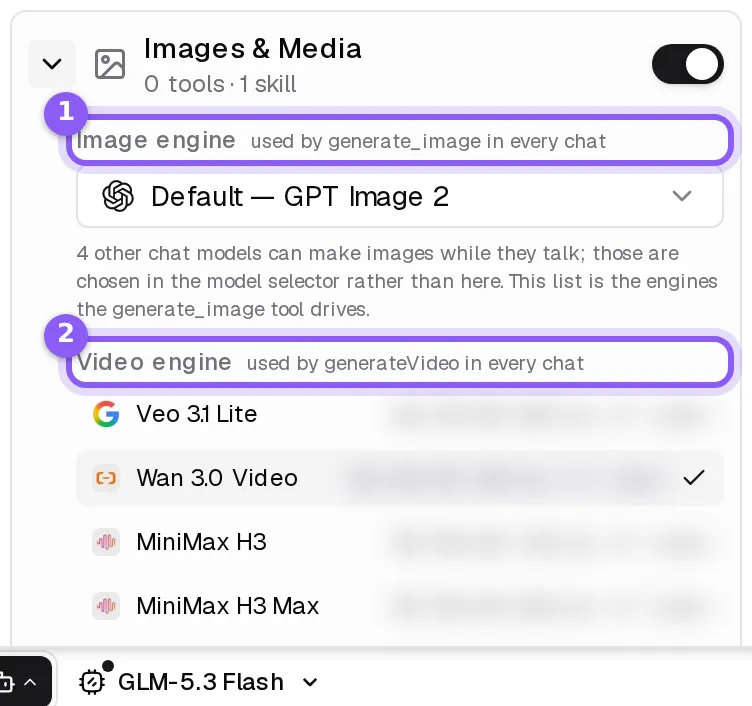
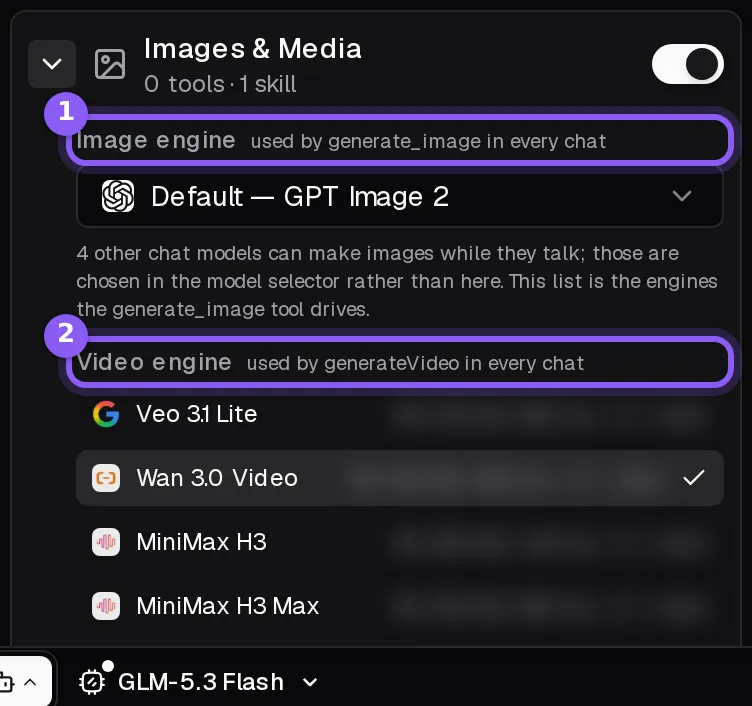
The engines are also in the model picker, under Makes images and Makes video. See Models.
Image engines
| Engine | Made by | Edits your pictures | Quality setting | Animated GIFs |
|---|---|---|---|---|
| GPT Image 1.5 | OpenAI | yes | yes | no |
| GPT Image 2 (default) | OpenAI | yes | yes | no |
| GPT Image 2.5 Flare | OpenAI | yes | yes | no |
| GPT Image 2.5 Sunburst | OpenAI | yes | yes | no |
| GPT Image 2.6 Flare | OpenAI | yes | yes | yes |
| GPT Image 2.6 Sunburst | OpenAI | yes | yes | yes |
| Nano Banana 2 (Gemini 3.1 Flash Image) | yes | no | no | |
| Nano Banana 2 Lite (Gemini 3.1 Flash Lite Image) | yes | no | no | |
| Nano Banana 2.1 | yes | no | no | |
| Nano Banana Pro | yes | no | no | |
| Grok Imagine Image 2.0 | xAI | yes | no | no |
| Muse Image 1.0 | Meta | yes | no | no |
| MAI-Image-2.6 | Microsoft | yes | no | no |
| MAI-Image-2.6 Flash | Microsoft | yes | no | no |
| FLUX 3 Image | Black Forest Labs | yes | no | no |
| FLUX 3 Image Klein | Black Forest Labs | yes | no | no |
| MiniMax H3 Image | Minimax | yes | no | no |
| MiniMax H3 Image Highspeed | Minimax | yes | no | no |
Video engines
| Engine | Made by | Starts from your picture | First and last frame | Reference pictures |
|---|---|---|---|---|
| Veo 3.1 | yes | yes | yes | |
| Veo 3.1 Fast | yes | yes | yes | |
| Veo 3.1 Lite | yes | no | no | |
| Grok Imagine Video | xAI | yes | no | yes |
| Grok Imagine Video 1.5 | xAI | yes | no | yes |
| Grok Imagine Video 1.5 Lite | xAI | yes | no | no |
| FLUX 3 Video | Black Forest Labs | yes | yes | no |
| HeyGen Video 1 | HeyGen | yes | no | yes |
| Wan 2.6 Image to Video | Alibaba | yes | no | no |
| Wan 2.6 Image to Video Flash | Alibaba | yes | no | no |
| Wan 3.0 Video (default) | Alibaba | yes | yes | yes |
| Wan 3.0 Video Prime | Alibaba | yes | yes | yes |
| MiniMax H3 | Minimax | yes | yes | yes |
| MiniMax H3 Max | Minimax | yes | yes | no |
| Seedance 1.0 Pro | ByteDance | yes | yes | no |
| Seedance 1.0 Pro Fast | ByteDance | yes | no | no |
| Seedance 2.0 | ByteDance | yes | yes | yes |
| Seedance 2.0 Fast | ByteDance | yes | yes | yes |
| Seedance 2.0 Mini | ByteDance | yes | yes | yes |
| Seedance 2.5 | ByteDance | yes | yes | yes |
| Seedance 2.5 Flash | ByteDance | yes | yes | yes |
| Kling 2.5 Turbo (Image to Video) | Kling AI | yes | yes | no |
| Kling 2.6 (Image to Video) | Kling AI | yes | yes | no |
| Kling 2.6 Motion Control | Kling AI | no | no | no |
| Kling 3.0 | Kling AI | no | no | no |
| Kling 3.0 (Image to Video) | Kling AI | yes | yes | no |
| Kling 3.0 Motion Control | Kling AI | no | no | no |
Cost
A picture or a clip is charged at what the engine bills plus a markup, and a longer or sharper clip costs more. See Plans and credits.